Toast, Inc. is a leading cloud-based restaurant management platform that integrates payroll, HR, POS, and employee tools into one seamless ecosystem. For employees, accessing pay information such as pay stubs and W-2 forms is straightforward—provided you know where to look and how to navigate the system efficiently. This comprehensive guide explains, in precise detail, how to access your Toast pay stubs and W-2s online using both the MyToast app and the Toast Payroll portal.
Why Accessing Your Toast Pay Information Matters
Understanding how to retrieve your payroll documents is essential for:
- Monitoring earnings, deductions, and taxes
- Verifying hours worked and tip distributions
- Filing income tax returns accurately
- Maintaining financial records for loans or visa applications
Toast provides two primary access points:
1. MyToast mobile app (ideal for current employees)
2. Toast Payroll website (for both current and former employees)
Accessing Pay Stubs via the MyToast App
The MyToast app offers a user-friendly, mobile-first experience for reviewing payroll details in real time.
Step-by-Step Instructions
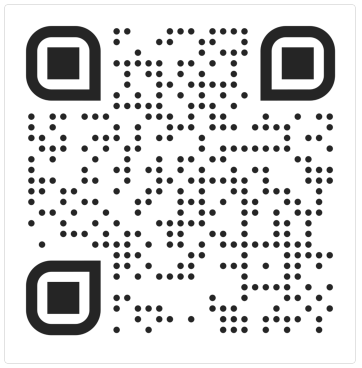
- Download and open the MyToast app
Install it from the App Store or Google Play (if not already installed). - Log in securely
Use your Toast email credentials. If you encounter issues, follow the login assistance prompts. - Navigate to the “Pay” tab
This section consolidates all payroll-related information. - Select a paycheck entry
Paychecks are displayed chronologically, with the most recent first. - Review detailed paystub information
Each paystub includes:- Gross and net pay
- Hours worked
- Taxes and deductions
- Benefits (if applicable)
- Download your paystub (optional)
Tap the caret icon and select Download your paystubs. You’ll be redirected to the Toast Payroll website for downloading.
Additional Insight
If your employer uses Toast’s tip pooling system, tip calculations can be accessed under the Shifts tab, offering full transparency into shared gratuities.
Accessing Pay Stubs via Toast Payroll (Web Portal)
For a more comprehensive view—especially when downloading or printing—use the Toast Payroll website.
Step-by-Step Instructions
- Log in to the Toast Payroll portal
Visit: payroll.toasttab.com - Open the Paystubs dashboard
Click View Paystubs from the dashboard tile. - View your latest pay information
A summary bar highlights your most recent paycheck. Click the arrow icon to expand details. - Filter by employer (if applicable)
If you work under multiple FEINs, select the correct entity from the dropdown menu. - Download or print paystubs
- Use the download arrow beside each entry
- Click the arrow icon to open the full paystub in a new tab
- Handle multiple paychecks
If you worked across locations, you may see multiple pay stubs for the same pay period. - Generate reports (advanced option)
- Click Run Report
- Select a date range and report type:
- Summary (YTD totals)
- Detail (individual pay periods)
Important Payroll Notes
- Early wage access via Toast PayOut appears under After-Tax Deductions
- Multiple deposits may occur if working across locations
- For best performance, use a modern browser such as Chrome
How to Access Your Toast W-2 Form
Your Form W-2 is crucial for annual tax filing and is typically available by mid-January.
Method 1: MyToast App (Current Employees Only)
- Log into the MyToast app
- Navigate to: Pay → Access Tax Forms (W-2s)
- Select the relevant tax year
- View or download your W-2
Note: W-2s are generally available starting January 19. If unavailable, contact your employer.
Method 2: Toast Payroll Website (All Employees)
- Log in to payroll.toasttab.com
- Go to: My Profile → Taxes & Documents → Year End Documents
- Select your W-2 form
- Download or print as needed
Troubleshooting Common Issues
Cannot Log In
- Verify credentials
- Reset password if necessary
- Contact your employer for account activation
Missing Paystub or W-2
- Ensure correct FEIN selection
- Check after official release dates
- Contact HR or payroll administrator
Multiple Pay Entries
- This typically indicates work across multiple locations or payroll cycles
Final Thoughts
Accessing your payroll data through Toast, Inc. is designed to be intuitive, yet mastering both the MyToast app and the Toast Payroll portal ensures maximum efficiency and control over your financial records. By following the structured steps outlined above, you can confidently retrieve, review, and manage your pay stubs and W-2 forms anytime, anywhere—empowering you with full financial transparency and administrative independence.
