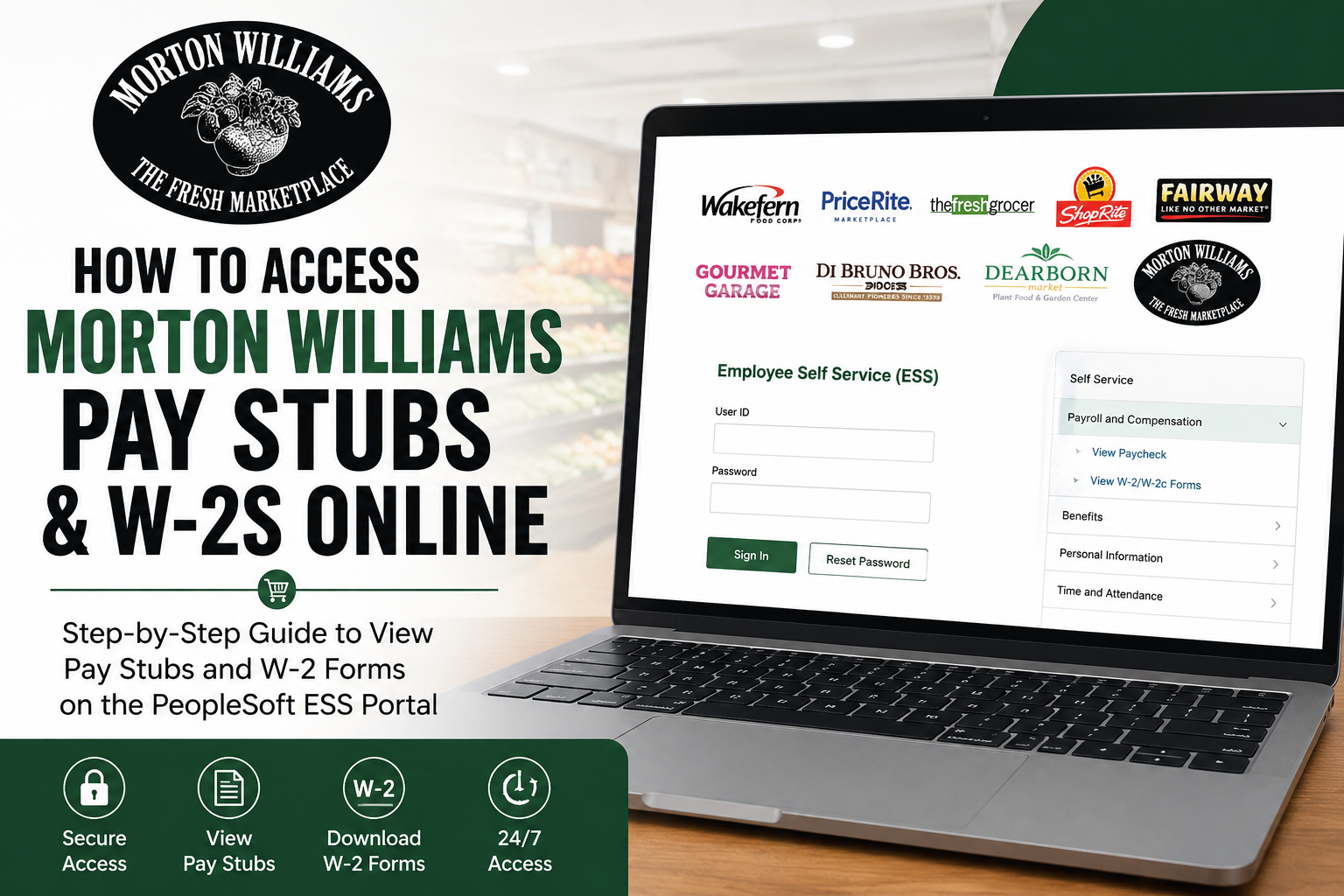
Founded in 1952, Morton Williams is a respected family-owned supermarket chain serving New York City with premium grocery products, gourmet selections, and exceptional customer service. With multiple locations across Manhattan, the Bronx, and Jersey City, Morton Williams has built a reputation for quality, convenience, and neighborhood-focused shopping. As a Morton Williams employee, you can conveniently access your pay stubs and W-2 tax forms online through the Oracle PeopleSoft Employee Self-Service (ESS) portal provided by Wakefern Food Corp. This secure platform allows employees to review payroll information, download tax documents, and manage employment-related records anytime from a computer or mobile device.
Morton Williams Employee Self-Service Portal
Morton Williams employees can access payroll records through the Wakefern ESS portal:
ESS Portal: https://ess.wakefern.com/
The Oracle PeopleSoft ESS system allows employees to:
- View and download pay stubs
- Access W-2 tax forms
- Review payroll deductions
- Check earnings history
- Update personal information
- Manage direct deposit details
The login portal includes Morton Williams branding under the Wakefern Food Corp. network.
How to Access Morton Williams Pay Stubs Online
Follow these steps to retrieve your Morton Williams pay stubs online:
Step 1: Visit the ESS Portal
Go to the official Morton Williams/Wakefern Employee Self-Service portal:
Step 2: Sign In to Your Account
Enter your:
- User ID
- Password
Then click Sign In.
If you forgot your password, select the Reset Password option on the login page.
Step 3: Open Payroll & Compensation
After logging in:
- Navigate to Self Service
- Select Payroll and Compensation
- Click View Paycheck
Step 4: Select Your Paycheck
You will see a chronological list of available paychecks.
Choose the desired pay period and:
- View the paycheck online
- Download the PDF pay stub
- Print a physical copy for your records
Many employees prefer downloading the PDF version for easier tax filing and income verification.
What Information Appears on a Morton Williams Pay Stub?
Your online pay stub typically includes:
- Gross earnings
- Net pay
- Hours worked
- Overtime pay
- Federal tax withholdings
- State tax deductions
- Social Security deductions
- Medicare contributions
- Benefits deductions
- Retirement contributions
The PeopleSoft paycheck view also provides detailed breakdowns of earnings and deductions.
How to Access Morton Williams W-2 Forms Online
Morton Williams employees can also retrieve annual W-2 tax forms through the same ESS portal.
Steps to Download Your W-2
- Log into the ESS portal
- Navigate to Payroll and Compensation
- Select View W-2/W-2c Forms
- Choose the tax year
- Download or print your W-2 form
According to payroll guidance, W-2 forms are generally made available by the end of January each year.
Former Morton Williams Employees
Former employees may still be able to access historical payroll records and W-2 forms through the ESS portal, depending on account status and company policy.
If you cannot log in:
- Use the password reset option
- Contact HR or payroll support
- Request updated login credentials
It is recommended to download tax forms and pay stubs as soon as they become available.
Common ESS Login Issues and Solutions
Forgot Password
Use the Reset Password link on the ESS login page to regain access.
Account Locked
Too many failed login attempts may temporarily lock your account. Wait a few minutes or contact HR support.
PDF Pay Stub Not Opening
Enable pop-ups in your browser, since PeopleSoft often opens pay stubs in a new window.
Missing W-2 Form
W-2 forms may not appear until late January. If unavailable after that period, contact payroll support.
Tips for Keeping Payroll Records Secure
To protect your payroll information:
- Use a strong password
- Avoid logging in on public Wi-Fi
- Log out after each session
- Download and store tax forms securely
- Regularly review paycheck details for accuracy
Employees should also verify that personal information and tax withholdings are correct on all payroll documents.
Why Employees Use the PeopleSoft ESS Portal
The Oracle PeopleSoft Employee Self-Service system provides Morton Williams employees with a convenient way to manage payroll information without relying on paper documents.
Benefits include:
- 24/7 access to payroll records
- Faster W-2 retrieval during tax season
- Easy paycheck tracking
- Secure digital document storage
- Reduced paperwork
The platform simplifies payroll management for both current and former employees.
Final Thoughts
The Morton Williams ESS portal makes it easy for employees to access pay stubs and W-2 forms online through Oracle PeopleSoft. Whether you need recent paycheck details, tax documents, or historical payroll records, the system provides secure self-service access from virtually anywhere. By following the steps above, Morton Williams employees can quickly download payroll records, review earnings, and stay organized throughout the year.
Frequently Asked Questions (FAQ)
1. What is the Morton Williams ESS portal?
The Morton Williams ESS portal is the Oracle PeopleSoft Employee Self-Service system used by Wakefern Food Corp. employees to access payroll and tax documents online.
2. Where can I log in to view Morton Williams pay stubs?
Employees can log in at:
https://ess.wakefern.com
3. How do I access my Morton Williams pay stubs online?
After logging in:
- Select Self Service
- Click Payroll and Compensation
- Choose View Paycheck
- Select the desired pay period
4. How can I download my Morton Williams W-2 form?
Log into the ESS portal and navigate to:
Payroll and Compensation > View W-2/W-2c Forms
Then select the tax year and download the form.
5. When are Morton Williams W-2 forms available?
W-2 forms are usually available by the end of January each year.
6. Can former Morton Williams employees access W-2s online?
Yes. Former employees may still access historical payroll records and W-2 forms through the ESS portal, depending on account availability.
7. What should I do if I forgot my ESS password?
Use the Reset Password link on the ESS login page to recover or reset your account credentials.
8. Why is my pay stub PDF not opening?
PeopleSoft pay stubs often open in a separate browser window. Enable pop-ups in your browser settings and try again.
9. What information appears on a Morton Williams pay stub?
Pay stubs typically include:
- Gross pay
- Net pay
- Taxes withheld
- Hours worked
- Overtime
- Benefit deductions
- Retirement contributions
10. Can I print my pay stubs from the ESS portal?
Yes. Employees can print or download PDF copies of their pay stubs directly from the portal.
11. Is the Morton Williams payroll portal secure?
Yes. The Oracle PeopleSoft ESS platform uses secure login authentication to protect employee payroll information.
12. Can I access the ESS portal from my phone?
Yes. The portal can be accessed using smartphones, tablets, laptops, and desktop computers with internet access.
13. What should I do if my W-2 contains incorrect information?
Contact Morton Williams HR or payroll support immediately to request a corrected W-2 form.
14. How long are pay stubs available online?
Availability varies by company policy, so employees should download important payroll records regularly.
15. Why do Morton Williams employees use Oracle PeopleSoft?
Oracle PeopleSoft allows employees to securely manage payroll records, access tax forms, review earnings history, and update employment information online.
