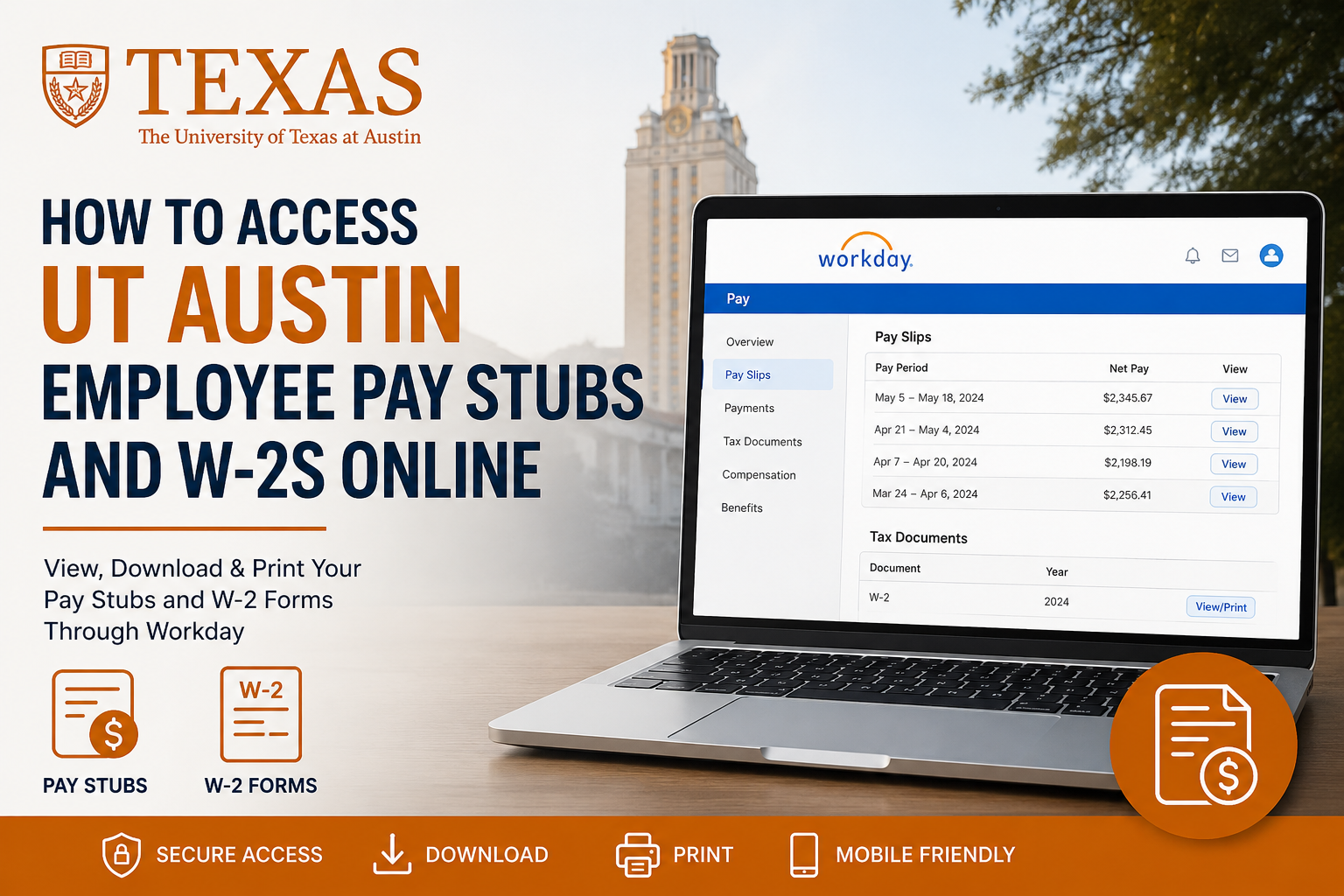
The University of Texas at Austin is one of the largest and most respected public research universities in the United States. Founded in 1883, UT Austin has grown into a world-renowned institution with more than 50,000 students, 21,000 faculty and staff members, and a sprawling 350-acre campus in the heart of Austin, Texas. If you previously worked at UT Austin, you can still access your payroll information, including W-2 tax forms and pay stubs, through the university’s Workday self-service portal. Unlike the active employee login system, former employees use a separate Workday access portal because Single Sign-On (SSO) access is disabled after employment ends.
UT Austin Former Employee Workday Login
Former employees can access their payroll and tax documents here:
UT Austin Former Employee Workday Portal
After separation from employment, UT Austin typically sends a temporary password to your registered email address. Once you receive the credentials, you can sign in to access your W-2s, payslips, and tax records.
If you experience login problems or no longer have access to your email account, you may need to reset your UT EID credentials or contact the university’s support services.
How to Access UT Austin Former Employee W2s
Your W-2 tax statements are stored inside Workday under the Tax Documents section.
Step-by-Step Instructions
- Visit the UT Austin former employee Workday portal.
- Enter your UT EID username and temporary password.
- From the Workday homepage, click Pay.
- Select Tax Documents.
- Choose View/Print next to your W-2 form.
- Your W-2 will open as a PDF document.
- Download or print the form for your records.
The system also allows you to save electronic copies for tax filing purposes.
How to Download and Print Your W-2
Once your W-2 form opens inside Workday:
- Use the printer icon to print your tax form.
- Use the download icon to save a PDF copy to your device.
- Use the navigation arrows to review multiple pages of the form if necessary.
Electronic W-2 forms remain available within the My Tax Documents section for eligible tax years.
How to Access Former Employee Pay Stubs
Former employees can also review historical payslips through Workday.
Steps to View Payslips
- Log in to Workday.
- Open the Pay section.
- Select Pay Slips or Payments.
- Scroll to the All Payslips section.
- Click View to open a payslip.
- Select Print if you want a physical copy.
Your payslip will display:
- Gross earnings
- Net pay
- Taxes withheld
- Deductions
- Payment dates
- Earnings breakdown
How to Print Multiple Payslips
Workday also supports bulk payslip printing.
To print several payslips at once:
- Open your complete payslip history.
- Click Print Multiple Payslips.
- Enter the desired date range.
- Confirm the request.
- Workday will generate a downloadable PDF containing multiple payslips.
This feature is especially useful for loan applications, rental verification, or financial documentation.
Accessing Pay Information on Mobile Devices
Former employees who use the Workday mobile app can also review pay information directly from their smartphones.
Mobile Access Steps
- Open the Workday mobile application.
- Tap the Pay worklet from the Apps section.
- Select View Payslips.
- Tap View Pay Details to review earnings information.
The mobile app provides access to pay history, earnings details, and payroll summaries.
Forgot Your UT EID or Password?
Your UT EID is your official online identity for university systems and services. Former employees can still use it to access payroll-related resources.
If you forgot your credentials:
- Use the UT EID self-service tools
- Reset your password online
- Contact the ET Support Center for assistance
Support Phone: 512-475-9400
Former employees may need to update their contact information before regaining access.
Common Reasons You Cannot Access Your W-2
Here are several common login issues former employees experience:
1. Temporary Password Expired
Temporary passwords may expire after a limited period. Request a new reset email if necessary.
2. Incorrect UT EID
Make sure you are using your official UT EID rather than a personal email address.
3. Multi-Factor Authentication Issues
Some accounts may still require identity verification or Duo authentication.
4. Inactive Email Access
If your old university email account was disabled, contact support for identity verification.
5. Browser Compatibility Problems
Clear browser cache or try a different browser such as Chrome or Edge.
Benefits of Online W-2 Access
Using Workday for payroll access provides several advantages:
- Secure online document storage
- Faster access during tax season
- Easy PDF downloads
- Mobile-friendly access
- Reduced paper clutter
- Access to historical payroll records
Frequently Asked Questions
When are UT Austin W-2 forms available?
W-2 forms are typically released by the end of January each year for the previous tax year.
Can former employees still access Workday?
Yes. Former employees can access payroll information through the dedicated former employee Workday portal.
What if I never received my temporary password?
Check your spam or junk folder first. If you still cannot find it, contact UT Austin support services.
Can I access old pay stubs after leaving UT Austin?
Yes. Historical payslips remain available through Workday for eligible users.
Is the former employee login different from the active employee portal?
Yes. Former employees use a separate Workday login because standard SSO access is disabled after termination.
Can I print multiple payslips at once?
Yes. Workday includes a Print Multiple Payslips feature that allows bulk PDF generation.
What information appears on a payslip?
Payslips include gross pay, deductions, taxes, earnings, and net pay information.
Can I access W-2 forms from my phone?
Yes. The Workday mobile app allows access to payroll information and payslips.
What should I do if my UT EID is locked?
Use the UT EID self-service tools or contact the ET Support Center.
Does Workday allow PDF downloads?
Yes. W-2 forms and payslips can be downloaded and saved as PDFs.
Can retirees use the same portal?
Many retirees and former employees continue using Workday access through their UT EID credentials.
Is Workday secure?
Yes. Workday uses enterprise-level security and authentication systems to protect employee data.
Can I update my tax withholding online?
Access varies depending on employment status. Former employees usually have limited payroll functionality.
What browser works best with Workday?
Google Chrome and Microsoft Edge generally provide the best experience.
Who do I contact for payroll issues?
You can contact UT Austin Enterprise Technology or Human Resources support for assistance.
