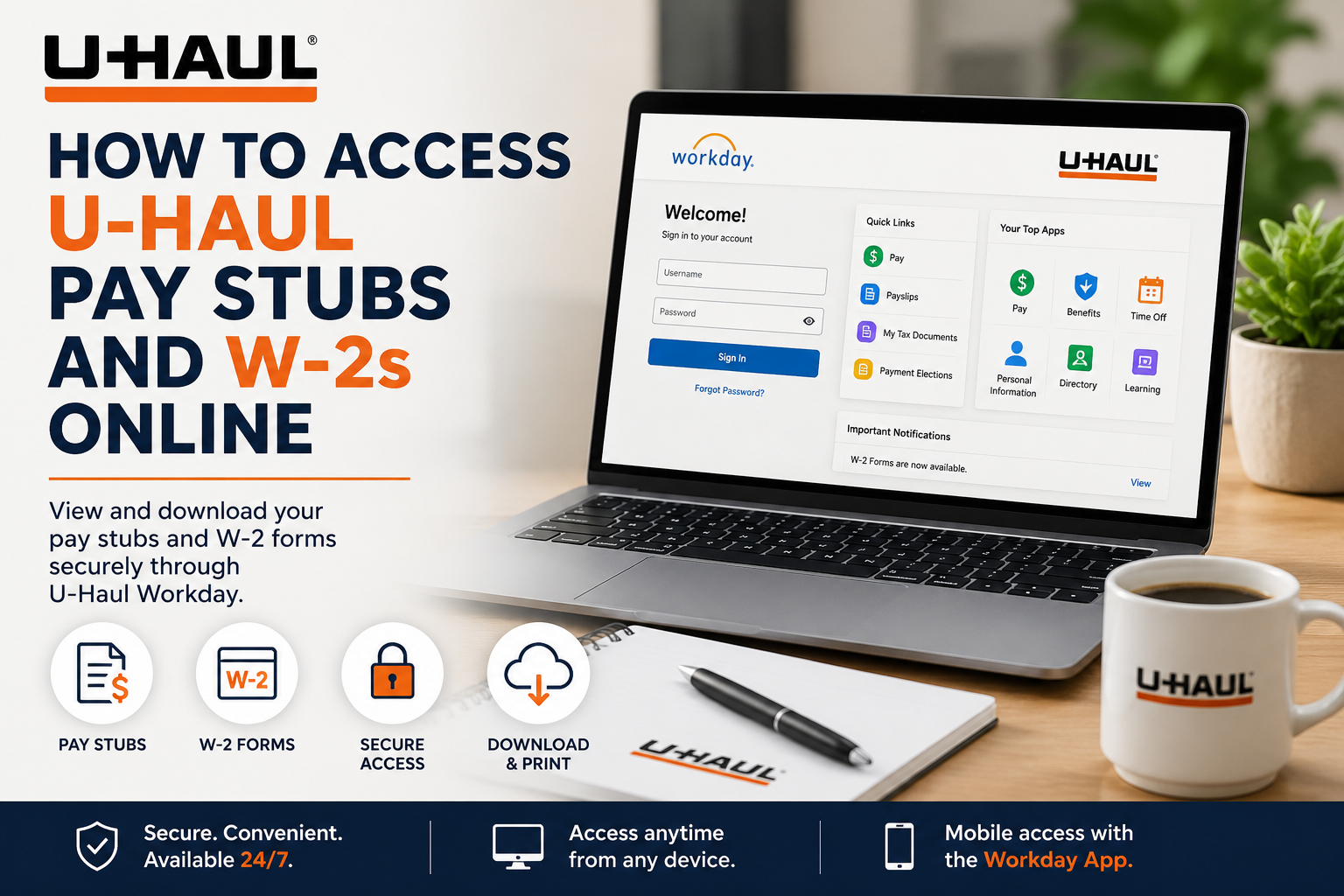
Founded in 1945, U-Haul has grown into one of North America’s most recognized moving and storage companies. Headquartered in Phoenix, Arizona, the company serves millions of customers annually through truck rentals, trailers, towing equipment, self-storage facilities, moving supplies, propane services, and more. To support its workforce, U-Haul uses Workday and the UHaulLife employee portal, allowing team members to manage payroll, tax documents, training, benefits, and HR services from one secure online platform. If you are a current U-Haul employee, you can conveniently access your pay stubs and W-2 tax forms online through the official Workday self-service portal.
U-Haul Workday Login Portal
Current employees can sign in using the official Workday portal:
Workday Login: U-Haul Workday Portal
Employees may also access Workday tools through the UHaulLife employee platform.
What You Can Access Through Workday
Once logged in, U-Haul employees can securely manage:
- Pay stubs and payroll history
- W-2 tax forms
- Direct deposit settings
- Benefits and insurance information
- Work schedules and time-off requests
- Personal profile updates
- Training through U-Haul University (UHaulU)
- HR announcements and company resources
How to Log In to U-Haul Workday
Follow these steps to access your payroll and tax records online:
- Visit the official U-Haul Workday portal.
- Enter your U-Haul username, email, or SMID.
- Type your HR password.
- Complete multi-factor authentication if prompted.
- You will be redirected to your personalized employee dashboard.
For best performance, use Google Chrome or the latest version of your preferred browser.
How to View U-Haul Pay Stubs Online
After signing into Workday:
- Open the Menu or select View All Apps
- Click Pay
- Select Payslips
- Choose the desired pay period
- Click View Payslip or Print Payslip
Inside your payslip, you can review:
- Gross pay
- Net pay
- Taxes withheld
- Pre-tax deductions
- Post-tax deductions
- Direct deposit information
- Year-to-date totals
- Employer-paid benefits
How to Access U-Haul W-2 Forms Online
To view or print your W-2 tax form:
- Log in to Workday
- Select the Pay dashboard
- Click My Tax Documents
- Locate your available W-2 form
- Click View/Print
- Download or print the document for your records
Employees typically receive a Workday notification once W-2 forms become available.
The system also allows users to:
- Download PDF copies
- Print official forms
- Access mobile-friendly versions
- Update paperless delivery preferences
How New Employees Create Their U-Haul Login
Newly hired team members must first create an HR password before accessing Workday or UHaulLife.
To set up your account:
- Open the UHaulLife new employee setup page
- Enter your SMID
- Enter your birth date in YYYYMMDD format
- Create your HR password
- Complete onboarding verification
Your HR password will also be used for:
- Workday access
- UHaulLife portal login
- U-Haul University training
How to Update Direct Deposit Information
Employees can manage payment elections directly inside Workday or UHaulLife.
To update direct deposit:
- Sign in to UHaulLife
- Click Me
- Select Pay
- Choose Payment Elections
- Add, edit, or remove bank accounts
- Save your changes
Employees can split deposits across multiple accounts if desired.
Access U-Haul Workday on Mobile Devices
U-Haul employees can also access payroll information from smartphones and tablets.
To use mobile access:
- Download the Workday App from the App Store or Google Play
- Enter U-Haul as the organization name
- Log in using your regular employee credentials
Mobile access allows employees to:
- View pay stubs
- Download W-2s
- Manage benefits
- Review schedules
- Receive HR notifications
Troubleshooting U-Haul Workday Login Problems
Forgot Password
If you cannot access your account:
- Click Forgot Password
- Follow the password reset instructions
- Verify your identity if requested
Employees may also contact HR support for assistance.
Invalid Username or Password
Make sure you are using:
- Your correct SMID or employee username
- Your current HR password
- The official U-Haul login portal
Browser Issues
If the login page fails to load:
- Clear browser cache and cookies
- Use Google Chrome
- Disable browser extensions temporarily
- Try logging in from another device
Benefits of Using U-Haul Workday
The U-Haul Workday system provides employees with:
- 24/7 payroll access
- Secure digital tax documents
- Faster direct deposit management
- Centralized HR resources
- Mobile-friendly payroll tools
- Convenient self-service functionality
This streamlined platform helps employees manage important payroll and employment information without needing paper records or in-person HR visits.
Frequently Asked Questions (FAQs)
What is the official U-Haul Workday login link?
The official employee login portal is: https://wd1.myworkday.com/uhaul/
Can I access my U-Haul pay stubs online?
Yes. Current employees can view and print pay stubs through the Workday Pay dashboard.
Where can I find my U-Haul W-2 form?
Your W-2 is available under Pay > My Tax Documents in Workday.
What is UHaulLife?
UHaulLife is U-Haul’s employee portal used for payroll, HR tools, benefits, onboarding, and training.
What credentials do I need to log in?
You typically need your SMID or employee username and your HR password.
Can I access Workday from my phone?
Yes. Employees can use the Workday mobile app for payroll and HR access.
How do I reset my U-Haul password?
Click the “Forgot Password” option on the login page and follow the verification steps.
Can I download my W-2 as a PDF?
Yes. Workday allows employees to view, print, and download W-2 forms.
How do I update direct deposit information?
Go to Me > Pay > Payment Elections inside the employee portal.
Does U-Haul offer paperless tax forms?
Yes. Employees can choose electronic delivery options within Workday.
What should I do if my account is locked?
Wait several minutes and try again, or contact U-Haul HR support for assistance.
What browser works best with Workday?
Google Chrome is recommended for the best experience.
Can new employees access Workday immediately?
New employees must first complete onboarding and create their HR password.
What is SMID at U-Haul?
SMID stands for System Member ID and is used for employee authentication.
Can employees access old pay stubs?
Yes. Workday stores payroll history and previous payslips for eligible employees.
