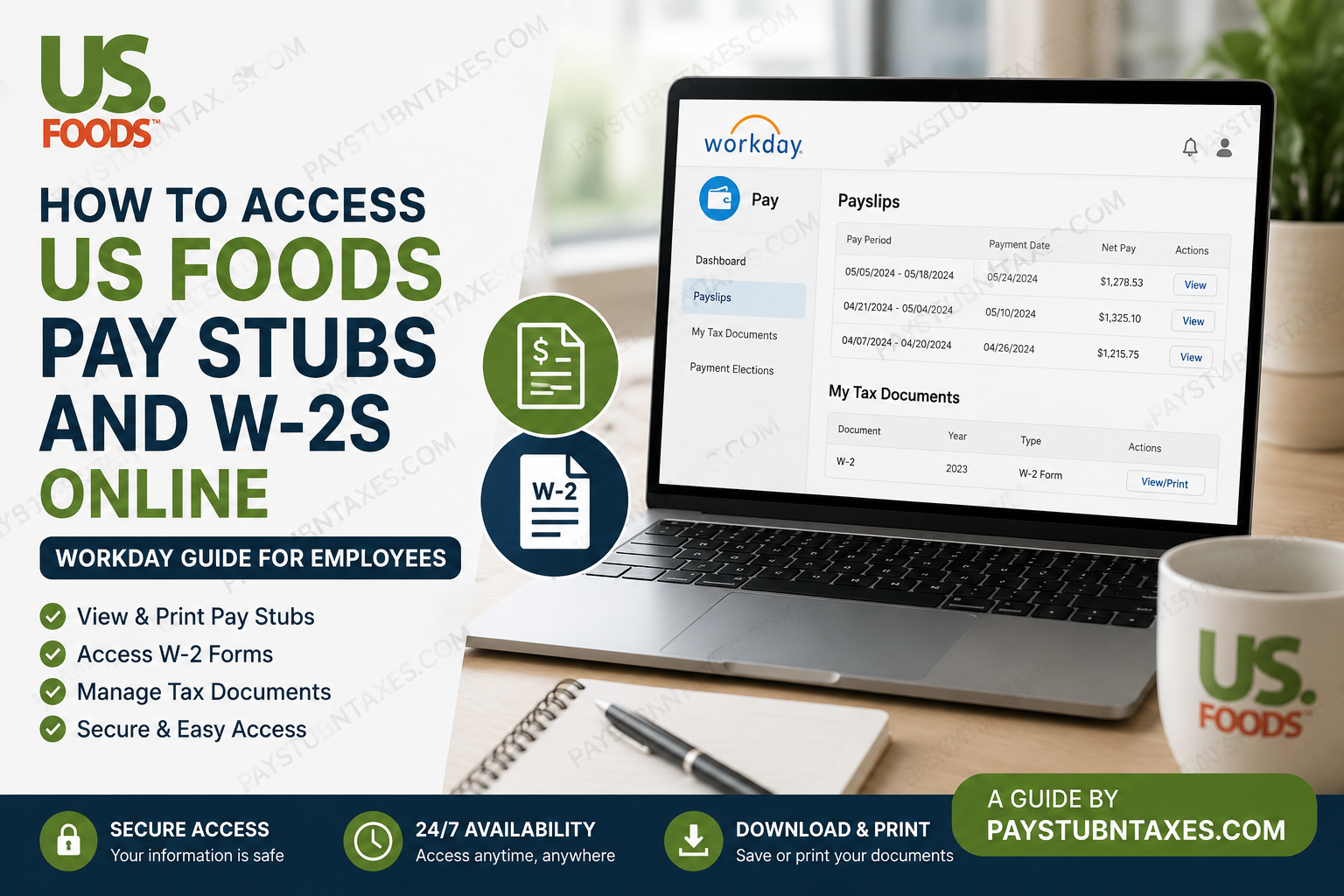
US Foods is one of America’s leading foodservice distributors, serving approximately 300,000 restaurants and foodservice operations nationwide. With thousands of associates and distribution centers across the United States, US Foods continues to support culinary professionals with innovative products, logistics expertise, and digital business solutions. If you are a current employee of US Foods, you can conveniently access your pay stubs, payroll records, and W-2 tax forms online through the Workday self-service portal. The system allows employees to securely review earnings, download tax documents, print payslips, and manage payroll-related information anytime from a computer or mobile device.
US Foods Workday Login Portal
Employees can access payroll and tax documents through the official Workday portal:
Workday Login
Use your US Foods Single Sign-On (SSO) credentials to log in.
How to Access US Foods Pay Stubs Online
Follow these steps to view or print your US Foods payslips through Workday:
- Visit the US Foods Workday login portal.
- Sign in using your SSO username and password.
- From the Workday homepage, select View All Apps.
- Open the Pay application.
- Under the View section, select Payslips.
- Choose the pay period you want to review.
- Click View to open the payslip.
- Select Print if you want a physical copy.
The Workday payslip section typically includes:
- Pay period dates
- Gross earnings
- Net pay
- Federal and state tax deductions
- Pre-tax deductions
- Direct deposit details
- Year-to-date earnings
- Benefit deductions
- Employer-paid benefits
How to Access US Foods W-2 Forms Online
Employees can also retrieve annual W-2 tax forms directly through Workday.
Steps to View Your W-2
- Log in to the US Foods Workday portal.
- Open the Pay dashboard.
- Select My Tax Documents.
- Locate the desired tax year.
- Click View/Print beside the W-2 form.
- Use the print icon to print the form or the download icon to save a PDF copy.
Workday stores tax documents electronically, making it easy to access both current and prior-year W-2 forms whenever needed.
How to Change W-2 Delivery Preferences
US Foods employees may also manage their year-end tax document delivery settings inside Workday.
To update your preferences:
- Open My Tax Documents.
- Locate the Printing Elections section.
- Click Edit.
- Choose whether to:
- Receive electronic copies only, or
- Receive both electronic and paper copies.
- Save the changes.
Electronic delivery provides faster access to your W-2 and helps reduce paper usage.
Accessing Pay Stubs and W-2s on Mobile Devices
Workday mobile access allows US Foods employees to review payroll and tax information securely from smartphones or tablets.
Using the Workday mobile app, employees can:
- View payslips
- Download W-2 forms
- Check payroll history
- Access tax documents
- Review direct deposit information
This provides convenient access while traveling or away from the workplace.
Troubleshooting US Foods Workday Login Issues
If you cannot access your account, try the following solutions:
- Verify your SSO username and password
- Reset your password using the “Can’t access your account?” option
- Clear browser cache and cookies
- Try a different browser or device
- Ensure multi-factor authentication is completed if required
- Contact the US Foods HR or IT support team for assistance
Benefits of Using the US Foods Workday Payroll Portal
The Workday self-service system offers several advantages for employees:
- 24/7 secure payroll access
- Instant W-2 downloads
- Reduced paperwork
- Mobile-friendly access
- Faster tax preparation
- Historical payroll tracking
- Direct deposit management
- Enhanced payroll transparency
Frequently Asked Questions (FAQs)
How do I access my US Foods pay stubs online?
Log in to the US Foods Workday portal using your SSO credentials, open the Pay application, and select Payslips.
What is the official US Foods Workday login link?
The official portal is: https://wd1.myworkday.com/usfoods/
Can former employees access W-2 forms?
Former employees may still have limited Workday access depending on company policy. If access is unavailable, contact US Foods HR or payroll support.
How do I print my W-2 from Workday?
Open My Tax Documents, select the desired tax year, and click View/Print. Use the printer icon to print the form.
Can I download my W-2 as a PDF?
Yes. Workday allows employees to download electronic PDF copies of W-2 forms.
What should I do if I forgot my Workday password?
Use the “Can’t access your account?” link on the login page to reset your password.
Are pay stubs available on mobile devices?
Yes. Employees can use the Workday mobile app to access payslips and tax documents.
What information appears on a US Foods payslip?
Payslips include gross pay, deductions, taxes, direct deposit details, benefits, and year-to-date totals.
How far back can I view payslips in Workday?
Historical payroll records are generally available for multiple prior pay periods within Workday.
When are W-2 forms available online?
W-2 forms are usually available by the end of January each year.
Can I choose paperless W-2 delivery?
Yes. Employees can select electronic-only delivery through My Tax Documents.
Is the Workday portal secure?
Yes. Workday uses secure authentication and encrypted access protocols.
Can I access Workday outside the workplace?
Yes. Employees can securely log in from home or any internet-connected device.
Why is my payslip missing?
Payroll processing timing or account issues may temporarily delay visibility. Contact payroll support if needed.
Who do I contact for payroll support?
Reach out to the US Foods HR or IT help desk for payroll and Workday assistance.
