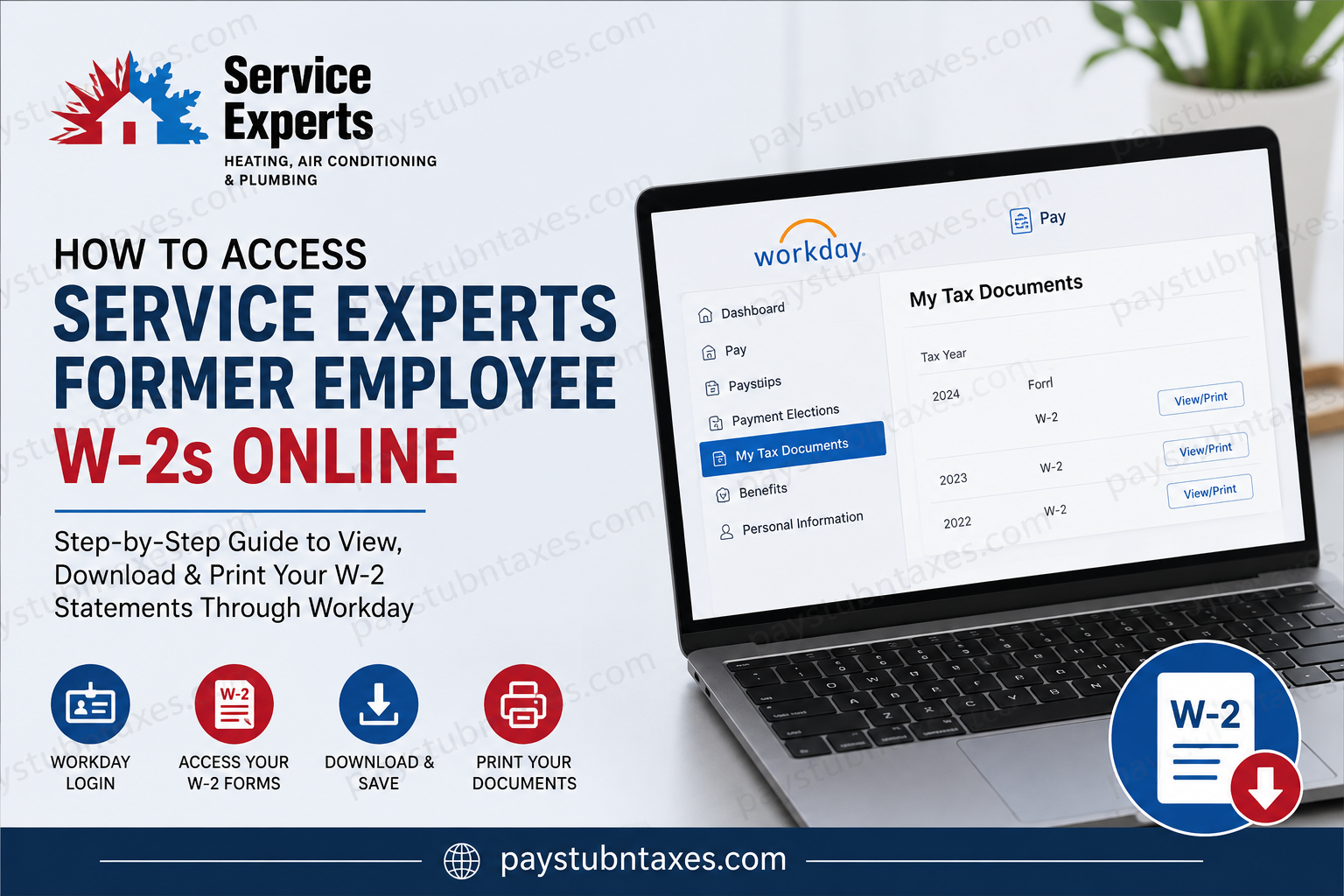
Former employees of Service Experts can conveniently retrieve their W-2 forms and payroll records online through the company’s Workday self-service portal. Whether you need your W-2 for tax filing, income verification, or personal financial records, the process is straightforward, provided you still have access to your temporary offboarding credentials. As one of North America’s leading HVAC, plumbing, and electrical service providers, Service Experts operates more than 75 service centers across 31 states and is backed by Brookfield Infrastructure, one of the world’s largest infrastructure investment firms. The company remains committed not only to delivering exceptional customer service but also to providing former and current employees with secure digital access to essential employment documents.
Can Former Service Experts Employees Access W-2 Forms Online?
Yes. Former employees can access W-2 tax statements electronically through the Service Experts Workday portal. After separation from employment, temporary login credentials are generally provided so that former associates can continue accessing payroll and tax documentation for a limited period.
If you previously opted for electronic tax form delivery, your W-2 will typically become available online before the IRS mailing deadline. Employees who did not consent to electronic delivery will usually receive a paper copy by mail on or before January 31 of the following tax year.
Service Experts Former Employee Workday Login Portal
Former employees can access their payroll documents through the official Workday portal below:
Workday Login:
https://wd108.myworkday.com/serviceexperts/login.htmld?redirect=n
Once signed in, you will be able to:
- View and download W-2 forms
- Access historical pay stubs
- Print tax documents
- Review payroll-related information
- Update limited personal information (if access remains active)
Step-by-Step Guide to Access Your Service Experts’ W-2 Online
Step 1: Open the Workday Login Portal
Navigate to the official Service Experts Workday login page using your preferred browser.
Enter:
- Your temporary username
- Your temporary password
If you no longer have your credentials, contact your local Service Experts branch or HR representative for assistance.
Step 2: Sign In to Your Account
After entering your credentials, click the Sign In button.
For security purposes, Workday may require:
- Multi-factor authentication (MFA)
- Password reset verification
- Identity confirmation
Former employees should complete these verification steps carefully to regain access successfully.
Step 3: Open the Pay Dashboard
Once logged in, locate the Pay application from the Workday homepage dashboard.
The Pay dashboard contains all payroll and tax-related services, including:
- Payslips
- Historical pay records
- Tax forms
- Payment elections
Step 4: Access “My Tax Documents”
Inside the Pay dashboard, select My Tax Documents.
This section stores electronic tax forms issued by the payroll department.
You will typically find:
- Current year W-2 forms
- Previous tax-year W-2 statements
- Printing elections
- Accessible tax document formats
Step 5: View or Download Your W-2 Form
Locate the applicable tax year and click View/Print beside the W-2 document.
Once the document loads, you can:
- Print the form using the printer icon
- Download the PDF version
- Navigate through multiple pages
- Save copies for future reference
The Workday system also provides an accessible version for employees who require enhanced document readability.
What If You Forgot Your Workday Password?
If you cannot remember your password, use the Forgot Your Password? link located on the Workday login page.
You may need to verify:
- Your employee ID
- Email address
- Phone number
- Security questions
If password recovery fails, contact Service Experts support directly.
How Long Can Former Employees Access Workday?
Access duration varies depending on company policy and individual termination status. In most cases:
- Temporary credentials remain active for a limited period after separation
- Access may eventually expire for security reasons
- Payroll and tax forms remain available during the active access window
Because of this limitation, it is highly recommended that former employees download and securely store copies of all W-2s and pay statements as soon as possible.
What If My W-2 Was Mailed Instead?
Employees who did not enroll in electronic delivery will generally receive paper W-2 forms by mail before the IRS deadline of January 31.
If your mailing address changed after leaving the company, contact HR immediately to avoid delays in receiving your tax documents.
Service Experts Payroll and HR Support
If you experience login issues or cannot access your W-2 online, contact Service Experts support for assistance.
Payroll & HR Assistance
Phone: 866-963-7996
You may also contact your local branch office for additional payroll or Workday support.
About Service Experts
Founded in 1996 and headquartered in Richardson, Texas, Service Experts has grown into one of North America’s most recognized HVAC, plumbing, and electrical service organizations. Backed by Brookfield Infrastructure, the company operates more than 75 service centers across 31 states and employs thousands of highly trained professionals dedicated to delivering whole-home comfort solutions.
Service Experts is known for combining national operational strength with a localized customer-first approach, offering proactive home care, advanced technologies, and industry-leading service guarantees.
Final Thoughts
Accessing your Service Experts’ former employee W-2 online is a relatively seamless process through the Workday self-service portal. By using your temporary offboarding credentials, you can securely retrieve tax documents, print copies, and maintain access to important payroll records without waiting for mailed paperwork. To avoid future complications during tax season, former employees should download and store digital copies of all W-2 statements immediately after gaining access.
Frequently Asked Questions
1. How can former employees access Service Experts W-2 forms online?
Former employees can log into the Service Experts Workday portal using their temporary credentials and access W-2 forms under the My Tax Documents section.
2. What is the official Service Experts Workday login portal?
The official Workday login portal is:
https://wd108.myworkday.com/serviceexperts/login.htmld?redirect=n
3. Can I still access Workday after leaving Service Experts?
Yes. Former employees are usually provided temporary login credentials that remain active for a limited period after separation.
4. Where can I find my W-2 in Workday?
After signing in, go to the Pay dashboard and select My Tax Documents to locate your W-2 forms.
5. Will Service Experts mail my W-2 form?
Yes. If you did not consent to electronic delivery, a paper W-2 will typically be mailed by January 31.
6. What should I do if I forgot my Workday password?
Use the Forgot Your Password? Link on the Workday login page or contact HR support for assistance.
7. Can I download and print my W-2 from Workday?
Yes. Workday allows you to download, save, and print your W-2 forms directly from the portal.
8. What information do I need to log into Workday?
You generally need your temporary username and password provided during the offboarding process.
9. How long will the former employee’s access remain active?
Access duration varies depending on company policy, but former employees are encouraged to download documents promptly before access expires.
10. Can I access previous years’ W-2 forms?
Yes. Workday may store historical tax documents, depending on your employment history and account access status.
11. What if my mailing address changed after leaving Service Experts?
You should contact HR or your local branch immediately to ensure your W-2 is mailed to the correct address.
12. Is Workday secure for accessing tax documents?
Yes. Workday uses encrypted security protocols and may require multi-factor authentication for account protection.
13. Can I access pay stubs through Workday as a former employee?
Yes. Former employees can usually access historical pay stubs along with W-2 tax statements.
14. Who should I contact if I cannot access my W-2?
You can contact your local Service Experts branch or call payroll support at 866-963-7996.
15. Does Service Experts provide electronic W-2 delivery?
Yes. Employees who enroll in electronic delivery can access W-2 forms online through Workday instead of waiting for mailed copies.
