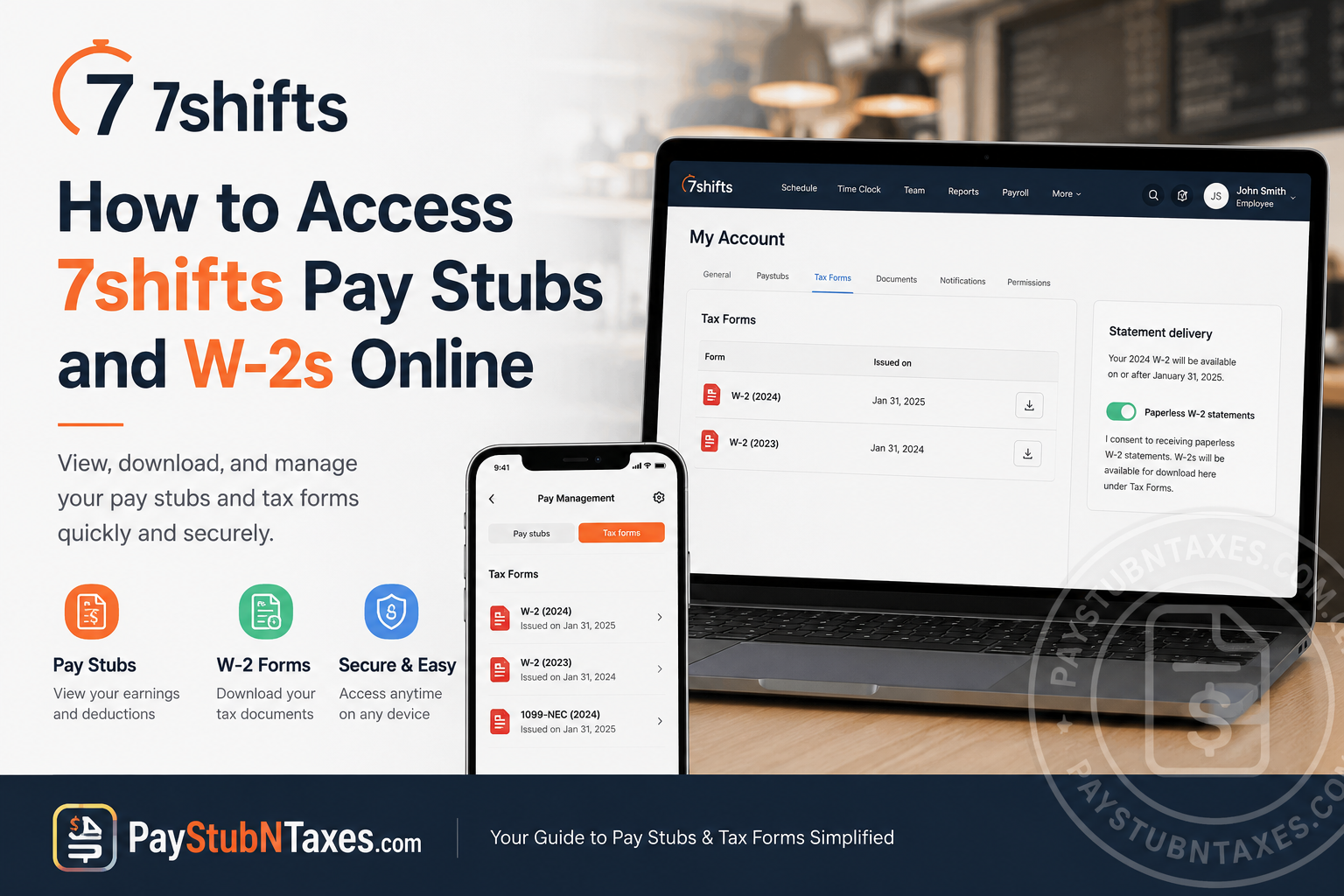
Managing payroll documents should never feel complicated, especially in the fast-paced restaurant industry where employees frequently juggle changing schedules, multiple shifts, and tip reporting obligations. Fortunately, 7shifts simplifies the process by allowing employees to access pay stubs, W-2 forms, and payroll information directly through its web platform and mobile application.
Used by more than one million restaurant professionals worldwide, 7shifts combines workforce scheduling, payroll management, team communication, labor compliance, and tip tracking into one centralized platform. Whether you work for an independent café or a national restaurant chain, the system enables quick and secure access to your tax documents without relying exclusively on paper copies.
If your employer uses 7shifts Payroll, you can conveniently retrieve your pay stubs and W-2 forms online through the employee portal. Employees may also opt into paperless tax statements for faster digital delivery and enhanced document security.
What Is 7shifts?
7shifts is an all-in-one restaurant workforce management and payroll platform designed to help restaurant operators improve labor efficiency, reduce scheduling errors, automate payroll tasks, and streamline employee communication.
The platform offers:
- Employee scheduling
- Payroll integration
- Digital pay stubs
- W-2 and 1099 access
- Team messaging
- Tip management
- Labor compliance tracking
- Time clock functionality
- Task and checklist management
Because payroll and tax records are integrated directly into the platform, employees can securely view and download essential financial documents whenever needed.
7shifts Employee Login Portal
Employees can access payroll documents through the official 7shifts login portal:
After signing in, employees may access both pay stubs and tax forms from their account dashboard.
How to Access 7shifts Pay Stubs Online
Employees who are enrolled in 7shifts Payroll can review current and previous pay statements directly from the platform.
Access Pay Stubs Through the Web Portal
Follow these steps to view your pay stubs online:
- Visit the official 7shifts login page.
- Enter your registered email address and password.
- Click Log In.
- Select your Profile Icon in the top-right corner.
- Open My Account.
- Navigate to the Paystubs section.
- Choose the pay period you wish to review or download.
Your pay stub typically includes:
- Gross wages
- Net pay
- Hours worked
- Overtime earnings
- Tip income
- Payroll deductions
- Tax withholdings
- Direct deposit details
Employees using the mobile app may also access payroll records through the Pay Management section.
How to Access Your 7shifts W-2 Online
7shifts allows employees to download digital W-2 tax forms directly from the employee dashboard. Tax documents for each filing year are generally published by the end of January.
Download W-2 Through the Web App
To retrieve your W-2 online:
- Log in to your 7shifts account.
- Hover over your profile icon.
- Select My Account.
- Click the Tax Forms tab.
- Choose the W-2 form for the applicable tax year.
- Download or print the document for your records.
Employees receive an email notification once tax forms become available within the 7shifts system.
How to Access W-2 Forms Through the 7shifts Mobile App
Employees may also retrieve W-2 forms using the mobile application.
Steps for Mobile Access
- Open the 7shifts mobile app.
- Tap the More Menu (☰) icon.
- Select Pay Management.
- Open the Tax Forms tab.
- Tap the W-2 for the desired tax year.
- Save, print, or share the PDF securely.
The platform additionally allows employees to lock or secure downloaded PDF files for improved privacy protection.
How to Opt Into Paperless W-2 Statements
Paperless delivery offers employees earlier access to tax documents while reducing the risk of lost or stolen mail. 7shifts provides an optional paperless W-2 feature for eligible payroll accounts.
Enable Paperless W-2s on the Web
To activate paperless statements:
- Sign in to the 7shifts web application.
- Click your profile icon.
- Open My Account.
- Select the Tax Forms tab.
- Enable Paperless W-2 Statements.
Enable Paperless W-2s in the Mobile App
Mobile users can also opt in directly from the app:
- Open the 7shifts app.
- Tap the menu icon.
- Choose Pay Management.
- Tap the Settings icon.
- Toggle on Paperless W-2 Statements.
Benefits of Paperless Tax Statements
According to the platform documentation, electronic tax forms provide several important advantages, including:
- Faster access to W-2 documents
- Enhanced document security
- Reduced risk of mail theft
- Protection against misdelivery
- Environmentally friendly recordkeeping
Even employees who do not opt into paperless statements may still access digital copies through their accounts, while physical copies are mailed to the address listed in their profile.
Can Former Employees Access 7shifts W-2s?
Yes. In many situations, inactive employees may still retrieve W-2 forms through the mobile app.
However, there are several important limitations:
- Inactive employees typically must use the mobile app rather than the web portal.
- Former employees locked out by Multi-Factor Authentication (MFA) may need to contact their employer directly.
- Federal regulations require paper W-2 forms to be mailed to terminated employees regardless of paperless consent status.
If your employer account is inactive or canceled, mobile access may still remain available.
Why Your W-2 May Be Missing
Some employees become concerned when a W-2 does not appear immediately after the tax year ends. In many cases, this occurs because the employee did not actually receive payroll payments during that year.
For example, if you worked in December but received your first paycheck in January, your earnings would appear on the following year’s W-2 instead.
Understanding Information Included on a 7shifts W-2
A W-2 form contains critical payroll and tax information necessary for filing federal and state income taxes.
Typical information includes:
- Legal employee name
- Social Security Number
- Employer identification details
- Annual wages
- Tip income
- Federal tax withholding
- State tax withholding
- Medicare taxes
- Social Security taxes
For restaurant workers, reported tips are also included because they are considered taxable income.
What to Do If Your W-2 Contains Incorrect Information
If your W-2 contains inaccurate details, such as an incorrect Social Security Number or misspelled legal name, contact your employer immediately.
Errors may require issuance of a corrected W-2c form.
Common issues include:
- Incorrect Social Security Number
- Name mismatch
- Missing wages
- Incorrect tax withholding
- Tip reporting discrepancies
Never attempt to estimate or alter tax information independently. Always verify personal details using official documentation.
Troubleshooting 7shifts Payroll Access Problems
If you cannot access your pay stubs or tax forms:
- Reset your password through the login page
- Confirm your employer uses 7shifts Payroll
- Ensure MFA authentication is functioning properly
- Update the mobile app to the latest version
- Contact your payroll administrator or former employer for assistance
Final Thoughts
7shifts has evolved into far more than a scheduling application. By integrating payroll management, tax reporting, tip calculations, and employee self-service tools into one streamlined platform, it provides restaurant employees with secure and immediate access to critical financial documents throughout the year. Whether you need to retrieve weekly pay stubs, download your annual W-2, or enroll in paperless tax delivery, the process can typically be completed within minutes through either the web portal or mobile app. As long as your employer utilizes 7shifts Payroll, your payroll records remain readily accessible whenever tax season arrives.
Frequently Asked Questions
1. How do I access my 7shifts pay stubs online?
Log into your 7shifts employee account, click your profile icon, select My Account, and open the Paystubs section to view or download payroll records.
2. Where can I download my W-2 in 7shifts?
Your W-2 can be downloaded from the Tax Forms tab inside your 7shifts account dashboard.
3. What is the official 7shifts employee login website?
The official login portal is: 7shifts Employee Portal
4. Can I access 7shifts pay stubs on my phone?
Yes. Employees can access pay stubs and tax forms using the 7shifts mobile application through the Pay Management section.
5. Does 7shifts mail paper W-2 forms?
Yes. Employees who do not opt into paperless statements typically receive physical W-2 copies by mail.
6. Can former employees access 7shifts W-2s?
Yes. Inactive employees can often retrieve W-2 forms through the mobile app, although web access may be restricted.
7. How do I enable paperless W-2 statements in 7shifts?
Go to My Account > Tax Forms and enable Paperless W-2 Statements. Mobile users can activate it through Pay Management Settings.
8. Are digital W-2s available even without paperless consent?
Yes. Employees may still access digital W-2 forms online even if they did not enroll in paperless delivery.
9. What should I do if I forgot my 7shifts password?
Use the Forgot Password option on the login page to reset your credentials securely.
10. Why can’t I see my W-2 in 7shifts?
You may not see a W-2 if you did not receive payroll payments during that tax year or if your employer uses another payroll provider.
11. Does 7shifts support 1099 forms?
Yes. Independent contractors paid through 7shifts Payroll may access 1099 forms through the same Tax Forms section.
12. Are tips included on a 7shifts W-2?
Yes. Reported tips processed through 7shifts Payroll are included because they are taxable income.
13. What information appears on a 7shifts W-2?
A W-2 generally includes wages, taxes withheld, Social Security information, Medicare taxes, employer details, and reported tips.
14. Can employers enable paperless W-2 delivery for employees?
Yes. Administrators may enable paperless statements within employee payroll settings after receiving employee consent.
15. Who should I contact if I cannot access my tax forms?
You should contact your payroll administrator, restaurant manager, or former employer for assistance with account access or missing tax documents.
