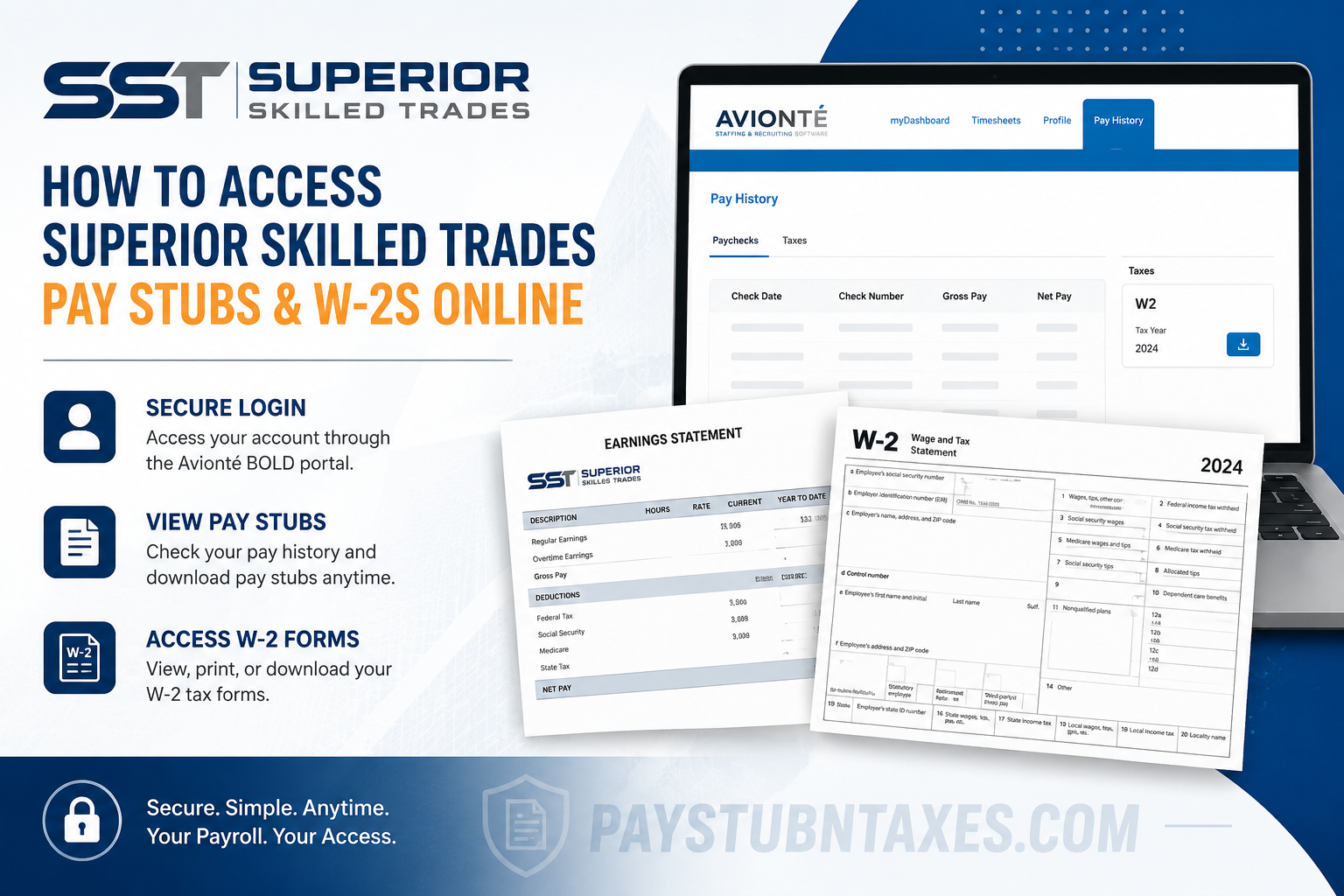
Employees and contractors working with Superior Skilled Trades can conveniently access payroll records, pay stubs, and year-end tax documents online through the Avionté BOLD employee portal. Whether you need to download a recent paycheck, retrieve an older earnings statement, or access your W-2 for tax filing season, the process is straightforward and secure. Superior Skilled Trades has built a reputation nationwide for delivering highly skilled workforce solutions across commercial construction and heavy industrial sectors. With a commitment to operational excellence, safety, and reliability, the company also ensures that employees have efficient digital access to essential employment records and tax forms.
About Superior Skilled Trades
Superior Skilled Trades (SST), headquartered in Rockledge, Florida, specializes in skilled trades staffing solutions throughout the United States. The company serves industries such as commercial construction, industrial construction, aerospace, renewable energy, conveyor automation, data centers, civil construction, and heavy industrial projects.
What distinguishes SST is its unwavering dedication to professionalism, craftsmanship, and workforce reliability. The company works with highly trained tradespeople and provides staffing support for projects where deadlines are critical, safety standards are uncompromising, and technical expertise is essential.
With a mission centered on helping clients, employees, and communities succeed, SST continues to maintain exceptionally high standards in recruitment, workforce management, and employee support services.
How to Access Superior Skilled Trades Pay Stubs Online
Superior Skilled Trades employees can access electronic pay stubs through the Avionté BOLD Employee Portal. The portal allows users to securely review paycheck history, payroll deductions, direct deposit information, and downloadable earnings statements from virtually any device with internet access.
SST Employee Portal Login
To access your pay stubs online, visit the official employee portal below:
https://sst.myavionte.com/satellite/login?buildId=N7mJ8H-n4Po&appId=BOLD
Once you reach the login page, enter your username or email address associated with your SST employee account and continue with your secure login credentials.
Step-by-Step Guide to View Pay Stubs
Follow these simple steps to access your pay statements:
Step 1: Log Into the Avionté BOLD Portal
Open the SST Avionté BOLD login page using the official employee portal link. Enter your username or registered email address, followed by your password.
Step 2: Navigate to “Pay History”
After signing in successfully, locate the top navigation menu and select: Pay History
This section contains all available paycheck records associated with your employee account.
Step 3: Select “Paychecks”
Inside the Pay History section, click on: Paychecks
You will then see a detailed list of your payroll history, including payment dates, gross earnings, deductions, taxes withheld, and net pay.
Step 4: View or Download Your Pay Stub
Click on any paycheck entry to open the full pay statement. Employees may print or download copies for personal financial records, loan applications, income verification, or tax preparation.
How to Access Your Superior Skilled Trades W-2 Online
During tax season, employees can also retrieve W-2 tax forms electronically through the same Avionté portal.
Steps to Download Your W-2
- Sign into the SST Avionté BOLD Employee Portal.
- Navigate to the Pay History section.
- Select the Taxes tab.
- Locate the appropriate tax year.
- Click the available W-2 document to preview, print, or download the file.
Employees generally receive W-2 forms by January 31 each year, either through postal mail or electronic delivery, depending on enrollment preferences and payroll settings.
What Is Included on Your W-2 Form?
Your W-2 form contains important tax and wage information required for filing federal and state income tax returns. The document typically includes:
- Total annual wages
- Federal income tax withheld
- Social Security wages and taxes
- Medicare wages and taxes
- State and local tax information
- Employer identification details
- Retirement contributions and benefits deductions
Because the W-2 is an official tax document, employees should carefully review all information for accuracy immediately upon receipt.
Common Login Issues and Troubleshooting Tips
Although the SST employee portal is user-friendly, some employees may occasionally encounter login difficulties. Below are several common solutions:
Forgot Your Password
Use the “Forgot Password” option on the login page to reset your credentials securely.
Incorrect Username or Email
Ensure you are using the same email address or username originally registered with Superior Skilled Trades payroll services.
Browser Compatibility Problems
If the portal does not load correctly:
- Clear your browser cache and cookies
- Try another browser such as Chrome or Edge
- Disable browser extensions temporarily
- Ensure your internet connection is stable
Locked Account
Multiple unsuccessful login attempts may temporarily lock your account for security reasons. In such cases, contact SST support for assistance.
How to Contact Superior Skilled Trades Payroll Support
If you experience technical issues accessing your pay stubs or W-2 forms, Superior Skilled Trades provides support through its staffing and payroll assistance team.
Contact Information
Email: staffing@sstjobs.com
Phone: (888) 316-0692
Employees may also contact their local SST branch office for additional payroll or account assistance.
Benefits of Online Payroll Access
Digital payroll systems provide employees with significantly greater flexibility and convenience compared to traditional paper-based payroll distribution.
Some key advantages include:
- 24/7 access to payroll records
- Faster access to W-2 tax documents
- Secure electronic document storage
- Easy downloading and printing
- Simplified income verification
- Reduced risk of lost paper records
For trades professionals working on active projects or traveling between job sites, online payroll access offers exceptional efficiency and reliability.
Final Thoughts
Superior Skilled Trades continues to demonstrate its commitment to both clients and employees by providing streamlined digital payroll access through the Avionté BOLD platform. From weekly paycheck records to year-end W-2 tax forms, employees can securely manage essential payroll documents online in just a few minutes. By following the steps outlined above, SST employees can quickly access pay stubs, download tax documents, and stay organized throughout the year without unnecessary delays or paperwork complications.
Frequently Asked Questions
1. How do I access my Superior Skilled Trades pay stubs online?
You can access your pay stubs through the SST Avionté BOLD Employee Portal by logging into your account and selecting the “Pay History” tab.
2. Where can I download my SST W-2 form?
After logging into the employee portal, go to “Pay History” and then click the “Taxes” tab to view and download your W-2.
3. What is the official Superior Skilled Trades employee portal link?
The official login portal is:
https://sst.myavionte.com/satellite/login?buildId=N7mJ8H-n4Po&appId=BOLD
4. When will Superior Skilled Trades send W-2 forms?
W-2 forms are generally issued by January 31 each year, either electronically or through postal mail.
5. Can former SST employees still access W-2 forms online?
Yes, former employees may still access W-2 forms through the Avionté portal if their account remains active.
6. What should I do if I forgot my SST portal password?
Use the “Forgot Password” option on the login page to reset your password securely.
7. Can I print my pay stubs from the SST portal?
Yes, employees can download and print pay stubs directly from the Pay History section.
8. Why can’t I log into my Avionté account?
Login issues may occur due to incorrect credentials, browser problems, or temporarily locked accounts after multiple failed attempts.
9. Does SST mail paper copies of W-2 forms?
Yes, paper copies may be mailed to your address unless you opted for electronic delivery.
10. What information appears on an SST pay stub?
Pay stubs typically include gross pay, net pay, deductions, taxes withheld, hours worked, and direct deposit details.
11. Is the SST employee portal secure?
Yes, the Avionté BOLD platform uses secure login authentication to protect employee payroll and tax information.
12. Can I access the SST payroll portal on my phone?
Yes, the employee portal is accessible from smartphones, tablets, laptops, and desktop computers.
13. How far back can I view paycheck history?
Available paycheck history depends on employer payroll retention policies within the Avionté system.
14. Who do I contact for payroll assistance at Superior Skilled Trades?
You can contact SST payroll support by emailing staffing@sstjobs.com or calling (888) 316-0692.
15. What should I do if my W-2 contains incorrect information?
Contact Superior Skilled Trades payroll or HR support immediately to request a corrected W-2 form.
