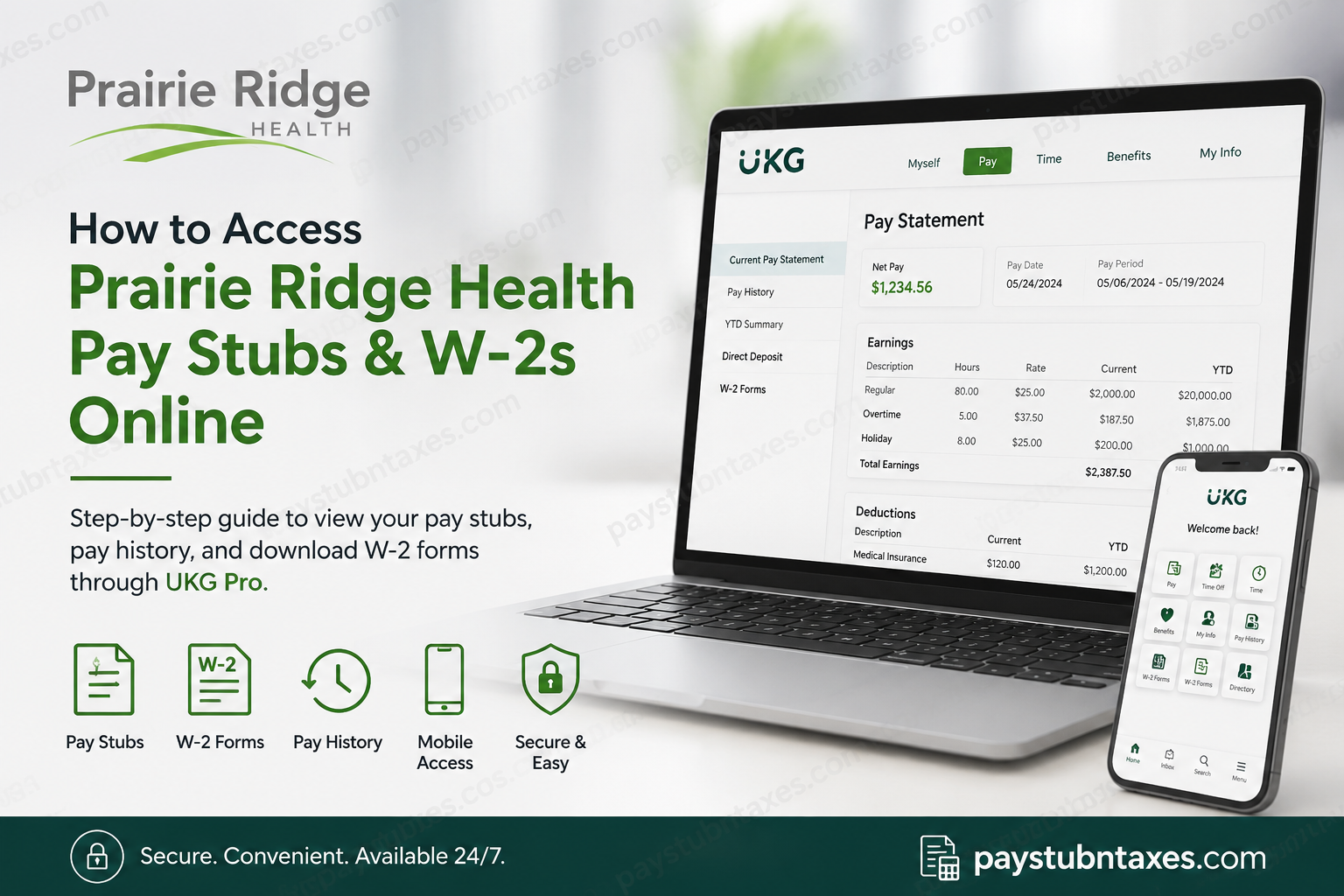
Prairie Ridge Health is a leading community healthcare organization headquartered in Columbus, Wisconsin, operating a 25-bed acute care hospital and multiple clinics dedicated to delivering personalized, high-quality healthcare. Through its commitment to compassionate care, innovation, and wellness education, Prairie Ridge Health empowers both patients and employees alike. To streamline payroll and human resources services, Prairie Ridge Health utilizes UKG Pro, a comprehensive workforce management platform that allows employees to securely access pay stubs, W-2 forms, benefits information, direct deposit settings, and personal employment records anytime and anywhere. Whether you are a current employee or a former team member, this guide explains how to access Prairie Ridge Health pay stubs and W-2 forms online through UKG Pro.
Prairie Ridge Health Employee Self-Service Login
Prairie Ridge Health employees can access their payroll and HR information through the UKG Pro Employee Self-Service portal.
Employee Login Portal
Website: https://prh01.ukg.net
UKG Pro Mobile App
Download the UKG Pro mobile application from the Apple App Store or Google Play Store.
Company Access Code: prh01
The mobile app provides secure access to payroll information, W-2 forms, direct deposits, benefits, time-off requests, and employee profile information from virtually any location.
Login Instructions for Current Employees
Current Prairie Ridge Health employees must authenticate using Microsoft Single Sign-On (SSO).
Steps to Sign In
- Visit the UKG portal at https://prh01.ukg.net.
- Select Sign in with your company (SSO).
- Enter your Prairie Ridge Health Microsoft email address.
- Provide your network password.
- Complete multi-factor authentication (MFA) if prompted.
- Once authenticated, you will be redirected to your UKG dashboard, where payroll and HR resources are available.
Login Instructions for Former Employees
Former Prairie Ridge Health employees who no longer have Microsoft SSO access should use their assigned UKG username and password.
Steps for Former Employees
- Navigate to https://prh01.ukg.net.
- Enter your UKG username.
- Enter your password.
- Select Sign In.
- Access available payroll records and tax documents.
If you cannot remember your credentials, contact the Technology Service Center for assistance.
How to View Current Pay Stubs
UKG Pro allows employees to review their most recently processed payroll statement, often before the official payday arrives.
Navigation Path
Myself → Pay → Current Pay Statement
From this page, employees can:
- View gross earnings
- Review deductions
- Examine tax withholdings
- Verify net pay
- Download pay statements
- Print payroll records
The most recently processed payroll will appear automatically when accessing the Current Pay Statement page.
How to View Historical Pay Statements
Employees who need older pay records can use UKG’s Pay History feature.
Navigation Path
Myself → Pay → Pay History
Steps
- Open the Pay History section.
- Enter search criteria or date range.
- Select Search.
- Choose the desired pay date.
- Open, download, or print the pay statement.
Users may also browse multiple pay periods using the navigation arrows available within the pay statement viewer.
Understanding Your Prairie Ridge Health Pay Stub
Your UKG pay statement contains detailed payroll information, including:
Pay Details
- Employee name and address
- Department information
- Position details
- Pay rate
Earnings
- Regular hours
- Overtime earnings
- Holiday pay
- Shift differentials
- On-call compensation
Deductions
- Insurance premiums
- Retirement contributions
- Health Savings Account deductions
- Other voluntary deductions
Taxes
- Federal tax withholding
- State tax withholding
- Social Security taxes
- Medicare taxes
Paid Time Off
- PTO accrual balances
- PTO usage history
Net Pay Distribution
- Direct deposit allocation details
Pay Summary
- Current pay period totals
- Year-to-date earnings and deductions
These sections provide a comprehensive overview of compensation and payroll activity.
How to Download and Print Pay Stubs
After opening a pay statement:
- Click the Download icon to save a PDF copy.
- Click the Print icon to generate a printer-friendly version.
- Choose whether to display or mask your Social Security Number.
- Print or save the document for your records.
How to Access Prairie Ridge Health W-2 Forms
UKG Pro stores electronic copies of annual W-2 tax forms.
Navigation Path
My Info → My Pay → Forms → W2
Steps to Download Your W-2
- Log in to UKG Pro.
- Open My Info.
- Select My Pay.
- Choose Forms.
- Click W2.
- Select the appropriate tax year.
- Click Preview W2.
- Choose Download PDF.
- Save the file to your device.
Managing W-2 Electronic Consent
Employees can choose whether to receive their W-2 electronically.
Steps
- Navigate to My Info → My Pay → Forms → W2.
- Select Electronic Consent.
- Check or uncheck Receive Form W-2 Electronically.
- Click Save.
- Enter your password to confirm the change.
Once submitted, UKG records the date and time of your consent election.
When Are W-2 Forms Available?
Electronic W-2 forms are typically released during January each year. Employees who have not opted out of paper delivery will also receive a mailed copy no later than January 31.
Using the UKG Pro Mobile App
The UKG Pro mobile application provides convenient access to:
- Current and historical pay statements
- W-2 forms
- Direct deposit information
- Employee profile updates
- Benefits enrollment information
- Time-off requests and balances
- Company communications and announcements
This mobile-first functionality allows Prairie Ridge Health employees to manage payroll and HR tasks while away from their desks.
Troubleshooting Login Issues
If you experience difficulty accessing UKG Pro:
Current Employees
- Verify your Microsoft credentials.
- Ensure MFA authentication is completed.
- Confirm network password accuracy.
Former Employees
- Use your UKG username instead of Microsoft SSO.
- Reset your password if necessary.
General Support
For technical assistance, contact:
SSM Technology Service Center (TSC)
Phone: (314) 951-5632
Final Thoughts
Prairie Ridge Health has embraced UKG Pro as its centralized workforce platform, enabling employees to access payroll and tax information securely and efficiently. Whether you need a recent pay stub, historical earnings records, or a copy of your W-2, the UKG portal and mobile application provide a seamless self-service experience. By leveraging these digital tools, employees can manage essential payroll information around the clock while maintaining the highest standards of security and convenience.
Frequently Asked Questions
1. How do I access Prairie Ridge Health pay stubs online?
Log in to the UKG Pro portal at https://prh01.ukg.net and go to Myself → Pay → Current Pay Statement to view your latest paycheck details.
2. What payroll system does Prairie Ridge Health use?
Prairie Ridge Health uses UKG Pro (Ultimate Kronos Group) as its payroll and human resources management system.
3. What is the Prairie Ridge Health UKG login URL?
Employees can access the payroll portal at https://prh01.ukg.net.
4. How do current employees log into UKG Pro?
Current employees must use Microsoft Single Sign-On (SSO) with their Prairie Ridge Health email credentials.
5. How do former employees access pay stubs and W-2s?
Former employees can sign in directly using their assigned UKG username and password.
6. Where can I find historical pay statements?
Navigate to Myself → Pay → Pay History and select the desired pay date to view, download, or print past pay stubs.
7. Can I print my Prairie Ridge Health pay stubs?
Yes. UKG Pro allows employees to download PDF copies and print pay statements directly from the portal.
8. How do I download my Prairie Ridge Health W-2?
Go to My Info → My Pay → Forms → W2, select the applicable tax year, and click Download PDF.
9. When are W-2 forms available online?
W-2 forms are generally available in UKG Pro during January each year before the IRS filing deadline.
10. Will I receive a paper copy of my W-2?
Yes. If you have not elected electronic-only delivery, a paper W-2 will be mailed to your home address no later than January 31.
11. How do I consent to electronic W-2 delivery?
Navigate to My Info → My Pay → Forms → W2, select Electronic Consent, and choose to receive your W-2 electronically.
12. What is the UKG Pro mobile app company code for Prairie Ridge Health?
The company access code is prh01.
13. Can I access pay stubs through the UKG mobile app?
Yes. The UKG Pro mobile app allows employees to securely view pay statements, W-2s, direct deposits, benefits, and other HR information.
14. What should I do if I forget my UKG password?
Use the password recovery option on the login page or contact Prairie Ridge Health’s technology support team for assistance.
15. Who do I contact for UKG login or payroll issues?
Employees can contact the SSM Technology Service Center (TSC) at (314) 951-5632 for technical support related to UKG access and payroll services.
