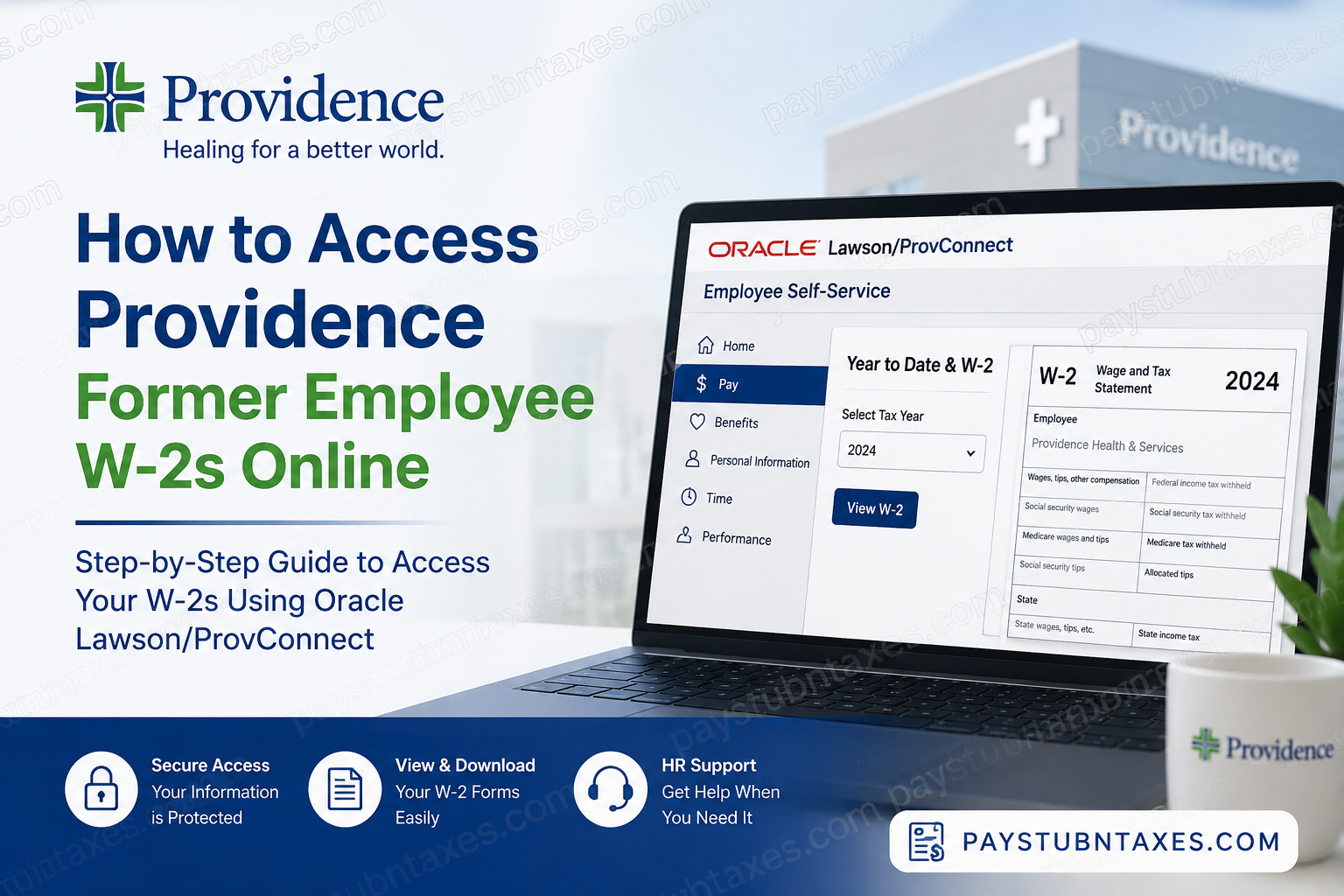
Former Providence caregivers often need access to payroll records after leaving the organization, especially during tax season when Form W-2 becomes essential for filing federal and state income taxes. Whether you worked for Providence Health & Services, Providence St. Joseph Health, Swedish Health Services, Kadlec Regional Medical Center, Covenant Health, or any affiliated ministry, understanding how to obtain your W-2 quickly can save considerable time and frustration. This guide explains how former Providence employees can access their W-2 forms online, what happens when Oracle Lawson access expires, and the alternative methods available for obtaining tax documents.
About Providence
Providence is one of the largest not-for-profit healthcare systems in the United States, employing approximately 120,000 caregivers across hospitals, clinics, and healthcare facilities throughout Alaska, California, Montana, New Mexico, Oregon, Texas, and Washington. Founded by the Sisters of Providence in 1859 and strengthened through its merger with St. Joseph Health in 2016, Providence continues to serve communities through a mission-driven commitment to compassionate healthcare.
For employees and former employees alike, Providence utilizes Oracle Lawson and ProvConnect Employee Self-Service (ESS) systems to manage payroll information, tax forms, direct deposit details, and employment records.
Can Former Providence Employees Access W-2 Forms Online?
Yes, many former Providence employees can access their W-2 forms online through the Oracle Lawson/ProvConnect Employee Self-Service portal, provided their post-employment access remains active.
After separation from employment, Microsoft Single Sign-On (SSO) credentials are typically deactivated within a short period. However, former employees may continue to access payroll records using separate employee credentials provided during the offboarding process.
Because access is generally available only for a limited period following termination, it is important to download tax documents as soon as they become available.
Providence Former Employee W-2 Access Instructions
Step 1: Access the Providence Employee Portal
Navigate to the Providence employee access page:
Alternatively, access the Providence employment portal and select:
“I AM AN EMPLOYEE”
Step 2: Sign In
Former employees should:
- Use the separate credentials provided during offboarding.
- Avoid attempting to sign in with Microsoft SSO if employment has ended.
- Complete any required security verification steps.
Step 3: Open Employee Self-Service
After logging in:
- Access Lawson/ProvConnect Employee Self-Service (ESS).
- Navigate to payroll and tax document options.
Step 4: Locate Your W-2
From the Employee Self-Service home page:
- Select Pay.
- Choose Year to Date & W-2.
- Select the applicable tax year.
- Open and download your W-2 form.
The Lawson/ProvConnect portal also allows employees to:
- View pay stubs
- Review direct deposit information
- Access tax withholding forms (W-4)
- Review year-to-date earnings
- Manage payroll-related records
What If Your Oracle Access Has Expired?
Former employee access remains available only for a designated period after separation.
If your W-2 is released while your account remains active, you can download it electronically without issue.
However, if access expires before W-2 distribution occurs:
- Providence will mail your Form W-2 to the home address on file.
- The document will generally be mailed no later than January 31, in compliance with IRS requirements.
- Electronic access may no longer be available.
For this reason, employees should update their mailing address and personal contact information before their final day of employment.
When Are Providence W-2 Forms Available?
Federal law requires employers to provide W-2 forms by January 31 each year.
Providence typically makes W-2 forms available:
- Online through Employee Self-Service
- By mail to eligible employees and former employees
If you elected electronic delivery while employed, your W-2 may become available online as soon as payroll processing is completed for the tax year.
How to Update Your Address Before Leaving Providence
Before separation, verify that the following information is accurate:
- Mailing address
- Personal email address
- Phone number
- Tax withholding information
Keeping this information current helps ensure uninterrupted delivery of important tax documents after employment ends.
Common W-2 Access Issues and Solutions
Microsoft SSO No Longer Works
This is expected after termination.
Use the former employee credentials supplied during the offboarding process instead.
Forgot Former Employee Login Credentials
Contact the Providence HR Service Center for assistance with account recovery and identity verification.
W-2 Is Not Available Online
Possible reasons include:
- W-2 processing is not yet complete.
- Your former employee access has expired.
- Your account requires additional verification.
In these situations, contact Human Resources for assistance.
W-2 Was Mailed to an Old Address
If your mailing address was outdated when employment ended, contact the HR Service Center immediately to discuss available options.
Providence HR Service Center Contact Information
For payroll, W-2, employment verification, benefits, or account access assistance, contact:
Providence HR Service Center
Phone: 888-687-3753
Representatives can assist with:
- W-2 requests
- Payroll inquiries
- Former employee account access
- Employment verification
- Benefits-related questions
Final Thoughts
Obtaining a Providence W-2 after leaving employment is generally straightforward when former employee portal access remains active. By logging into the Oracle Lawson/ProvConnect Employee Self-Service system, former caregivers can quickly retrieve tax forms, review payroll information, and download necessary documents for tax filing. Because post-employment access is temporary, former employees should act promptly when W-2 forms become available. If online access expires before tax forms are released, Providence will mail the W-2 to the home address maintained in its records. Therefore, ensuring your contact information remains accurate before departure is one of the most important steps you can take to avoid delays during tax season.
Frequently Asked Questions
1. How do I get my W-2 from Providence after leaving my job?
Former employees can access their W-2 through the Lawson/ProvConnect Employee Self-Service portal using their separated employee credentials. If access has expired, the W-2 will be mailed to the address on file.
2. Does Providence mail W-2 forms to former employees?
Yes. Providence mails W-2 forms to former employees when electronic access is unavailable or when employees have not opted for electronic delivery.
3. When are Providence W-2 forms available?
Providence typically makes W-2 forms available online and by mail no later than January 31, as required by IRS regulations.
4. Can I use my Microsoft SSO account after termination?
No. Microsoft Single Sign-On access is generally revoked shortly after employment ends.
5. What portal does Providence use for payroll and W-2 access?
Providence uses Oracle Lawson/ProvConnect Employee Self-Service (ESS) for payroll records, pay stubs, tax documents, and employee information.
6. Where can I find my W-2 in Lawson/ProvConnect?
After logging in, navigate to Pay > Year to Date & W-2 and select the appropriate tax year.
7. Can I download previous years’ W-2 forms?
If your former employee access remains active and prior tax years are available in the system, you may be able to download previous W-2 forms.
8. What should I do if I forgot my former employee login credentials?
Contact the Providence HR Service Center at 888-687-3753 for account recovery assistance.
9. How long can former employees access Providence payroll records online?
Access periods vary. Former employee access is typically available for a limited time after separation.
10. What happens if my Oracle access expires before my W-2 is issued?
Providence will mail your W-2 to the home address stored in its payroll system.
11. Can I access Providence pay stubs after termination?
Yes, provided your former employee account remains active within the post-employment access period.
12. Why can’t I see my W-2 online?
Your W-2 may not have been processed yet, your account may require verification, or your former employee access may have expired.
13. How do I update my mailing address before leaving Providence?
Update your personal information in Oracle Lawson/ProvConnect before your final day of employment to ensure tax documents are delivered correctly.
14. What information can I access through Lawson/ProvConnect?
Employees can view pay stubs, direct deposit information, W-4 tax forms, year-to-date earnings, and W-2 tax documents.
15. Who should I contact for W-2 assistance at Providence?
Contact the Providence HR Service Center at 888-687-3753 for help with payroll records, W-2 forms, account access, and employment verification.
