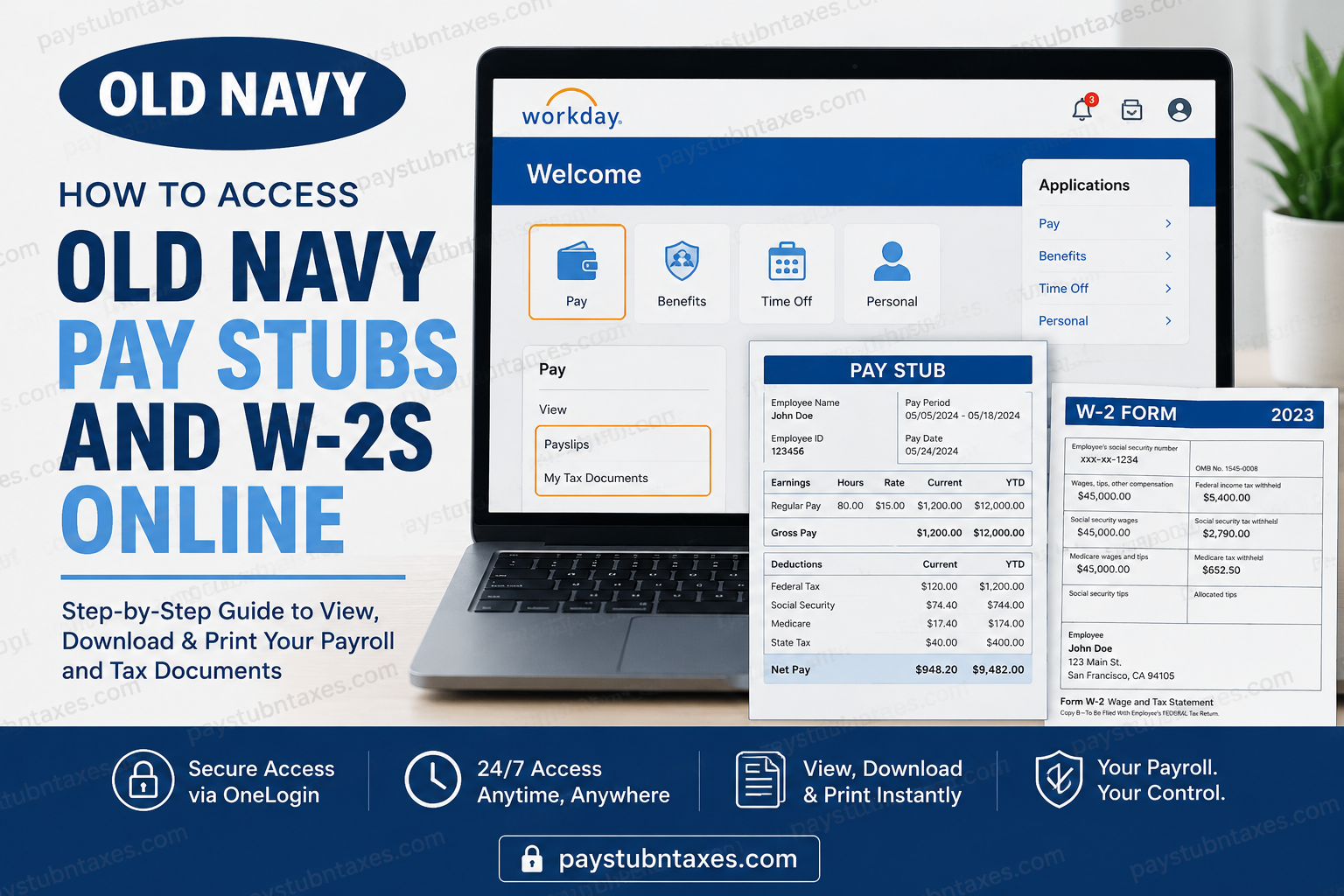
As an Old Navy employee, having instant access to your payroll information is essential. Whether you need a recent pay stub to verify your income, download a W-2 for tax filing purposes, or review your earnings history, the Gap Inc. Workday portal makes managing these documents remarkably straightforward. Old Navy, one of America’s largest apparel retailers and a subsidiary of Gap Inc., has embraced digital HR solutions to provide employees with secure, around-the-clock access to payroll and tax records. The company’s centralized Workday platform enables employees to handle virtually all employment-related tasks without the inconvenience of paper documentation. This comprehensive guide will walk you through everything you need to know about accessing your Old Navy pay stubs and W-2 forms online.
What Is the Old Navy Workday Portal?
The Gap Inc. Workday portal is the official employee self-service platform used by Old Navy and other Gap Inc. brands to manage:
- Pay stubs and earnings statements
- W-2 tax forms
- Direct deposit information
- Benefits enrollment
- Personal information updates
- Tax withholding elections
- Employment records and documents
Employees access the system through OneLogin Single Sign-On (SSO), which provides a secure gateway to Workday and other company applications. The platform is designed to simplify access management while maintaining high levels of security.
Old Navy Workday Login Information
Official Workday Portal:
https://www.myworkday.com/gapinc/d/task/1422$652.htmld
Customer Support:
📞 1-800-OLD-NAVY (1-800-653-6289)
Support Hours:
7:00 AM – 1:00 AM EST, seven days a week.
How to Access Old Navy Pay Stubs Online
Obtaining your pay stub through Workday is a quick and uncomplicated process.
Step 1: Visit the Gap Inc. Workday Portal
Open your preferred web browser and navigate to the official Workday login page.
Step 2: Sign In Using OneLogin Credentials
Enter your:
- Username
- Password
using your OneLogin Single Sign-On credentials.
Step 3: Open the Workday Application
After authentication, you will either:
- Land directly on the Workday homepage, or
- Select the Workday tile from your OneLogin dashboard.
Step 4: Navigate to Pay
From the Workday home screen:
- Click Pay.
- Select Payslips.
Step 5: Choose the Pay Period
A list of available pay periods will appear.
Select the desired pay period to:
- View your earnings statement
- Download a PDF copy
- Print your pay stub for your records
Workday stores payslips electronically, allowing employees to retrieve them whenever needed.
How to Download and Print Old Navy Pay Stubs
Once your payslip is open:
- Click the Download icon to save the PDF.
- Click the Print icon to generate a hard copy.
- Store your downloaded files securely for future reference.
Keeping copies of your pay statements can prove invaluable when:
- Applying for loans
- Renting an apartment
- Verifying employment income
- Completing government documentation
How to Access Your Old Navy W-2 Forms Online
Every year, Old Navy employees can retrieve their W-2 forms directly through Workday.
Step 1: Log Into Workday
Sign in using your OneLogin credentials.
Step 2: Open the Pay Dashboard
From the homepage: Applications → Pay
Step 3: Select My Tax Documents
Under the Pay section, click: My Tax Documents
This section stores your annual tax forms electronically.
Step 4: Locate Your W-2 Form
Find the tax year you need and click: View/Print
The form may take a few moments to load.
Step 5: Download or Print
Once opened:
- Click the Download icon to save a copy.
- Click the Print icon to print the document.
Workday also provides an Accessible Form option for employees who require alternative viewing formats.
How New Employees Register for Workday
After completing onboarding, new Old Navy employees receive instructions for activating their Workday account.
The registration process generally includes:
- Receiving your company credentials.
- Setting up your OneLogin account.
- Creating security questions.
- Verifying your identity.
- Accessing the Workday dashboard.
If you encounter any difficulties during setup, contact Old Navy’s support team immediately.
Benefits of Using Old Navy Workday
The platform offers numerous advantages, including:
24/7 Access
View payroll information anytime and from virtually anywhere.
Enhanced Security
Single Sign-On and secure authentication protect sensitive employee information.
Paperless Convenience
No need to wait for physical documents in the mail.
Centralized Employee Information
Manage payroll, benefits, taxes, and employment records from one secure location.
Faster Tax Filing
Download W-2 forms instantly during tax season.
What Information Appears on an Old Navy Pay Stub?
Your pay statement typically contains:
- Employee name and ID
- Pay period dates
- Gross earnings
- Hours worked
- Overtime earnings
- Taxes withheld
- Benefit deductions
- Retirement contributions
- Direct deposit information
- Net pay
Reviewing each pay stub carefully helps ensure your earnings and deductions are accurate.
What Information Appears on an Old Navy W-2?
Your W-2 form generally includes:
- Total annual wages
- Federal income tax withheld
- Social Security wages
- Medicare wages
- State tax information
- Retirement contributions
- Employer identification information
This document is indispensable when preparing your annual income tax return.
Troubleshooting Old Navy Workday Login Issues
Forgot Your Password?
Use the password reset option available on the OneLogin login page.
Locked Out of Your Account?
Contact Old Navy support at:
📞 1-800-653-6289
Missing Pay Stub or W-2?
Speak with your HR representative or payroll department for assistance.
Browser Issues?
Try:
- Clearing cache and cookies
- Using a different browser
- Accessing the portal in incognito mode
Security Tips for Employees
To keep your payroll information secure:
- Never share your password.
- Enable multi-factor authentication if available.
- Always log out after using public devices.
- Update your password regularly.
- Keep your contact information current.
Final Thoughts
The Gap Inc. Workday portal has transformed the way Old Navy employees manage their payroll and tax information. Instead of wrestling with paperwork or waiting for documents to arrive by post, employees can access pay stubs and W-2 forms in a matter of minutes. Whether you need a recent payslip, a historical earnings statement, or your annual tax documents, Workday places everything at your fingertips through a secure and intuitive platform. By familiarizing yourself with the system, you can manage your employment information efficiently and enjoy a seamless, paperless HR experience.
Frequently Asked Questions
1. How do I access my Old Navy pay stubs online?
You can access your pay stubs by logging into the Gap Inc. Workday portal with your OneLogin credentials and selecting Pay > Payslips.
2. What website do Old Navy employees use to view pay stubs?
Old Navy employees use the Gap Inc. Workday portal to access payroll and tax information.
3. How do I download my Old Navy pay stub?
Open your payslip in Workday and click the Download icon to save it as a PDF.
4. Can I print my Old Navy pay stubs?
Yes. After opening your payslip, click the Print icon to generate a paper copy.
5. How do I get my W-2 from Old Navy?
Log into Workday and navigate to Pay > My Tax Documents to view and download your W-2.
6. When are Old Navy W-2 forms available?
W-2 forms are typically available electronically by the end of January each year.
7. What if I forgot my Workday password?
Use the password reset option on the OneLogin sign-in page or contact employee support.
8. What are OneLogin credentials?
OneLogin credentials are the username and password used to securely access Workday and other Gap Inc. applications.
9. Can former Old Navy employees access Workday?
Former employees may retain limited access to payroll documents. Contact HR if you cannot log in.
10. How do I update my direct deposit information?
Log into Workday and navigate to the Pay section to update your banking information.
11. Can I access my pay stubs on my phone?
Yes. The Workday platform is mobile-friendly and can be accessed through supported web browsers and the Workday app.
12. Why can’t I see my pay stub?
Your pay statement may not have been processed yet, or there may be an account issue. Contact payroll support for assistance.
13. What information appears on an Old Navy pay stub?
Pay stubs generally include gross pay, deductions, taxes, hours worked, and net pay.
14. What should I do if my W-2 contains incorrect information?
Contact the payroll department or employee support immediately to request a correction.
15. How do I contact Old Navy employee support?
Call 1-800-OLD-NAVY (1-800-653-6289). Representatives are available from 7:00 AM to 1:00 AM EST, seven days a week.
