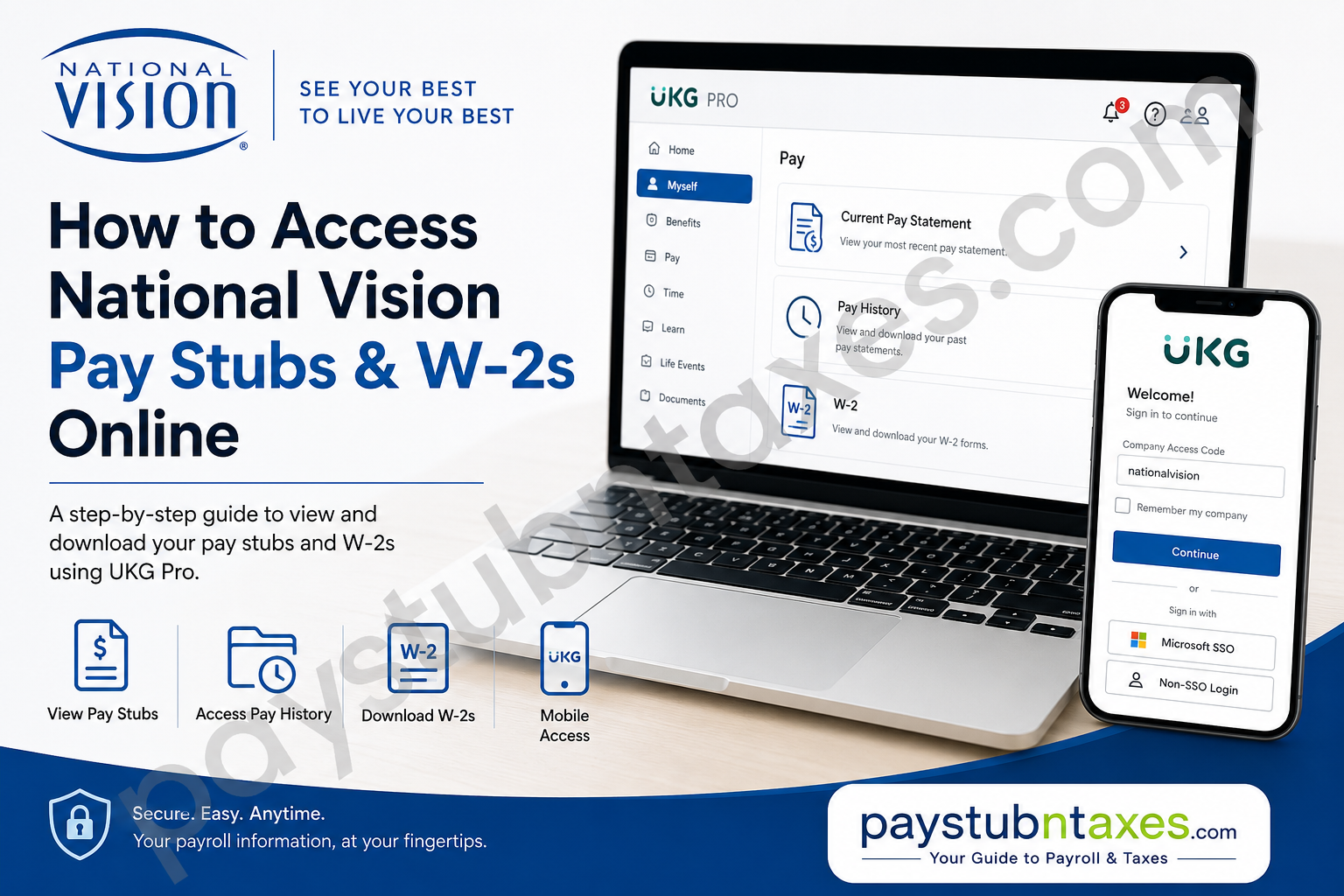
National Vision is one of the largest optical retailers in the United States, operating more than 1,200 stores across 38 states and Puerto Rico. Through renowned retail brands such as America’s Best Contacts & Eyeglasses, Eyeglass World, Vista Optical, and DiscountContacts.com, the company has spent more than three decades making high-quality eye care both affordable and accessible. Its enduring mission—to help people see their best so they can live their best—has established National Vision as a trusted name in the optical industry. For employees, easy access to payroll documents is just as important as delivering exceptional customer service. Whether you need your latest paycheck, previous earnings statements, or annual tax forms, National Vision provides secure access through the UKG Pro (formerly UltiPro) employee portal and the UKG mobile application. This guide explains exactly how current and former employees can access their pay stubs and W-2 forms with ease.
National Vision Employee Payroll Portal
National Vision manages payroll information through the UKG Pro (UltiPro) platform.
Employee Login Portal
Portal: https://nationalvision.ultipro.com
Current associates can sign in using their Microsoft Single Sign-On (SSO) credentials.
How Current Employees Can Access National Vision Pay Stubs
If you are an active National Vision associate, follow these steps:
Step 1: Visit the UKG Portal
Open your browser and navigate to: https://nationalvision.ultipro.com
Step 2: Sign In
Click Microsoft Sign-In and enter:
- Company email address
- Microsoft password
- Complete Multi-Factor Authentication (MFA), if prompted
After successful authentication, you will arrive at your UKG Pro dashboard.
Step 3: View Your Pay Stub
Navigate to: Myself → Pay → Current Pay Statement
Your latest paycheck will display on-screen.
From this page you can:
- View gross and net earnings
- Review taxes withheld
- Check deductions
- Verify direct deposit information
- Download a PDF copy
- Print your pay statement
If you need an older paycheck, open: Myself → Pay → Pay History
Select the desired pay date to download or print previous earnings statements.
How to Access Your National Vision W-2 Online
Your annual tax form is also available within UKG.
Simply navigate to: Myself → Pay → W-2
Inside the W-2 section you can:
- View current tax forms
- Download a PDF copy
- Print your W-2
- Access previous tax years (when available)
Review your name, mailing address, and Social Security information carefully before filing your taxes.
Using the UKG Mobile App
National Vision employees can also manage payroll through the UKG Pro mobile app, making it convenient to access payroll information from anywhere.
Company Access Code: nationalvision
After entering the company access code, employees will see two sign-in options.
Option 1 – Active Employees
Choose the Microsoft SSO option.
Sign in using:
- Company email
- Microsoft password
- MFA verification
Option 2 – Former Employees
Former associates who no longer have Microsoft SSO access should choose the non-SSO login option available in the UKG app.
This option allows terminated employees to continue accessing payroll records without requiring an active corporate Microsoft account.
Once logged in, employees can:
- View pay statements
- Download pay stubs
- Access W-2 forms
- Review direct deposit details
- Manage payroll information
The UKG mobile app also allows eligible users to manage direct deposit information and review payroll summaries directly from the Pay Overview section.
What Information Appears on Your Pay Stub?
Your National Vision pay statement includes comprehensive payroll information, including:
- Employee information
- Pay period
- Pay date
- Gross earnings
- Net pay
- Hourly rate or salary
- Regular hours
- Overtime earnings
- Bonuses (if applicable)
- Tax withholdings
- Benefit deductions
- Retirement contributions
- Year-to-date earnings
- Direct deposit distribution
Reviewing your pay stub regularly helps identify payroll discrepancies before they become larger issues.
How Former Employees Can Obtain Pay Stubs and W-2s
Former National Vision associates may experience difficulty accessing the web portal because Microsoft SSO credentials are typically disabled after employment ends.
Fortunately, the UKG mobile app offers a non-SSO login option specifically designed for former employees.
If you are unable to access your payroll documents online, contact the National Vision People Team for assistance.
Phone: (888) 622-9938
Email: NVI-HROPS@nationalvision.com
The People Team assists both current and former associates with employment-related questions, including payroll records and tax forms.
Troubleshooting Login Problems
If you’re unable to sign in:
- Verify that you’re using the correct UKG portal.
- Confirm your Microsoft account credentials.
- Complete any required MFA verification.
- Try signing in through the UKG mobile app.
- Former employees should use the non-SSO login option in the app.
- Clear your browser cache or try another browser.
- Contact the People Team if access issues persist.
Tips for Protecting Your Payroll Information
Payroll documents contain sensitive personal information. To protect your account:
- Use a strong password.
- Never share your login credentials.
- Enable multi-factor authentication whenever available.
- Sign out after using shared devices.
- Download W-2 forms only on trusted devices.
- Regularly review direct deposit information.
Conclusion
National Vision has streamlined payroll management by providing employees with secure access through UKG Pro and the UKG mobile app. Active associates can conveniently retrieve pay stubs, W-2 forms, direct deposit details, and payroll history using their Microsoft SSO credentials, while former employees can continue accessing essential payroll records through the app’s non-SSO login option. If online access is unavailable, the National Vision People Team remains available to assist with employment and payroll inquiries, ensuring that both current and former associates can obtain the documents they need quickly and securely.
Frequently Asked Questions
1. How do I access my National Vision pay stubs online?
Log in to the UKG Pro employee portal at https://nationalvision.ultipro.com using your Microsoft SSO credentials, then navigate to Myself → Pay → Current Pay Statement.
2. What is the National Vision employee login portal?
The official payroll portal is: https://nationalvision.ultipro.com.
3. What login credentials do current employees use?
Current employees use their National Vision Microsoft Single Sign-On (SSO) account, including their company email and password.
4. How do I find my W-2 form?
After logging into UKG Pro, go to: Myself → Pay → W-2
You can view, download, and print your annual tax form.
5. Can I access previous pay stubs?
Yes. Select Myself → Pay → Pay History to view and download historical pay statements.
6. What is the UKG Pro company access code for National Vision?
The company access code is: nationalvision
7. Can former employees access their pay stubs?
Yes. Former employees can use the UKG Pro mobile app and select the non-SSO login option if they no longer have Microsoft SSO access.
8. Why can’t I log into the National Vision payroll portal after leaving the company?
Microsoft SSO access is generally disabled after employment ends. Former employees should use the non-SSO login option in the UKG mobile app or contact the People Team for assistance.
9. Can I download and print my pay statements?
Yes. UKG Pro allows employees to download pay statements as PDF files and print them directly from the portal.
10. Can I view my direct deposit information in UKG?
Yes. Both the UKG web portal and mobile app allow eligible employees to review and manage direct deposit information.
11. Is there a mobile app for National Vision payroll access?
Yes. Employees can use the UKG Pro mobile app to access pay stubs, W-2 forms, payroll history, and direct deposit information.
12. What should I do if I forget my Microsoft SSO password?
Use Microsoft’s password recovery process or contact your company’s IT support if you’re an active employee.
13. Who do I contact if I cannot access my payroll records?
Contact the National Vision People Team:
- Phone: (888) 622-9938
- Email: NVI-HROPS@nationalvision.com
14. Is the National Vision payroll portal secure?
Yes. UKG Pro uses secure Microsoft Single Sign-On (SSO), encrypted connections, and multi-factor authentication (MFA) where applicable to protect employee payroll information.
15. What payroll documents can I access through UKG Pro?
Employees can access:
- Current pay statements
- Historical pay stubs
- W-2 tax forms
- Direct deposit information
- Payroll history
- Earnings and deduction summaries
