
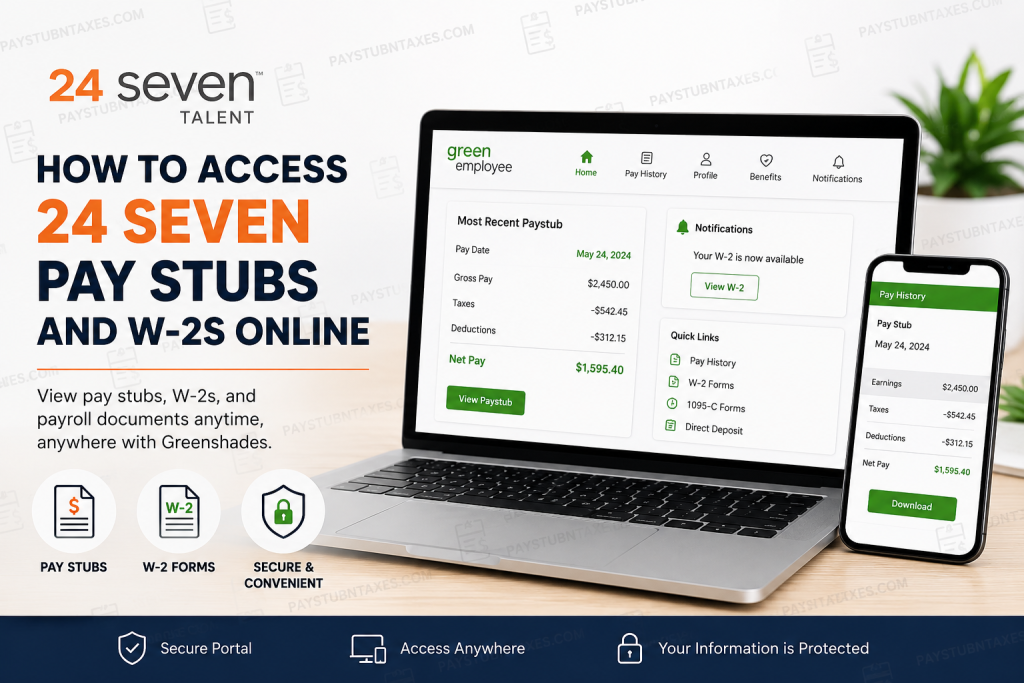
Employees of 24 Seven and its family of brands—including The Sage Group, SketchDeck, Simplicity Consulting, The Cydio Group, Marketers That Matter, McKinley Marketing Partners, Filter, MTP, and Futureman—can conveniently access payroll documents online through the Greenshades self-service portal. This secure digital platform enables employees to retrieve current and historical pay stubs, W-2 tax forms, and other payroll-related documents from virtually any internet-connected device. 24 Seven has established itself as one of the most recognized staffing and talent solution organizations in the United States, delivering specialized recruitment services across marketing, creative, technology, fashion, and digital industries. The company’s continued investment in employee technology ensures that workforce members can securely manage payroll and tax documentation with ease.
24 Seven Greenshades Employee Login Portal
Employees may access their payroll information using the official Greenshades portal:
Portal Link: https://24seven.greenemployee.com
The portal provides secure access to:
- Current and previous pay stubs
- W-2 tax forms
- 1095-C forms
- Direct deposit information
- Payroll history
- Employee profile updates
- Notification preferences
Because the platform is cloud-based, employees may log in from desktop computers, laptops, tablets, or smartphones. A mobile application is also available for many operating systems, allowing employees to review payroll records while traveling or working remotely.
How to Log in to Your 24 Seven Greenshades Account
Follow these steps to access your payroll account securely:
Step 1: Visit the Greenshades Login Page
Open your preferred browser and navigate to: https://24seven.greenemployee.com
You will arrive at the Green Employee sign-in page.
Step 2: Enter Your Login Credentials
Input the following information:
- Email address, phone number, or employee ID
- Password
Then click “Sign In.”
Step 3: Access Your Employee Dashboard
After authentication, the portal homepage will display important payroll and employee information, including:
- Recent pay stub summary
- Payroll notifications
- Tax document alerts
- Pay history
- Employee profile information
The homepage also contains quick-access shortcuts for viewing payroll records and tax forms.
First-Time User Registration
New employees who have never accessed Greenshades must create an account before logging in.
How to Create a New Greenshades Account
- Visit the login portal.
- Select New User? Register link
- Enter your identifying information, including:
- Social Security Number
- Date of Birth
- Phone number
- Valid email address
- Create a secure password.
- Verify your email address if prompted.
- Complete the setup process and sign in.
Employees who previously used an older Greenshades version may also need to create a new account after platform upgrades.
How to View Your 24 Seven Pay Stubs
The Greenshades portal provides two convenient methods for reviewing pay statements.
Method 1: View the Most Recent Pay Stub
After logging in:
- Locate the “Most Recent Paystub” section on the homepage.
- Review summary information such as:
- Gross pay
- Taxes
- Deductions
- Net pay
- Year-to-date totals
- Click “View” to open the complete pay document.
This option provides immediate access to your latest payroll record.
Method 2: Access Pay History
To review older payroll records:
- Click “Pay History” in the navigation menu.
- Use the drop-down selector above the document viewer.
- Choose the desired pay date.
- Open or print the selected pay stub.
The system stores historical payroll records, making it easy to retrieve previous earnings statements whenever necessary.
How to Access Your 24 Seven W-2 Online
At year-end, employees may retrieve electronic tax documents directly through Greenshades.
Steps to View Your W-2
- Log in to the Green Employee portal.
- Navigate to Pay History.
- Locate your available W-2 forms.
- Select the applicable tax year.
- Open, download, or print your W-2.
When a new W-2 becomes available, the portal typically displays a notification on the homepage. Employees can often access electronic copies before paper forms are mailed.
How to Enable Electronic W-2 Delivery
Electronic delivery allows employees to receive tax forms more quickly and securely.
To Update Your W-2 Preferences:
- Log in to Greenshades.
- Click “Edit Account.”
- Open the Notifications tab.
- Select “Change your W-2 distribution preference.”
- Choose electronic delivery.
- Save your settings.
Choosing paperless delivery helps reduce mailing delays while providing faster access to important tax records.
Setting Up Payroll Notifications
Greenshades also allows employees to receive alerts whenever new payroll documents become available.
Available Notification Options
Employees may enable:
- Email notifications
- Text message alerts
To configure notifications:
- Select Edit Account.
- Open the Notifications section.
- Choose your preferred communication method.
- Save your preferences.
This feature ensures you never miss newly posted pay stubs or tax forms.
How to Reset Your Greenshades Password
If you forget your password, you can reset it directly from the login page.
Password Reset Instructions
- Open the Greenshades login page.
- Click “Need help signing in?” or “Reset Your Password.”
- Enter your registered email address.
- Follow the password reset instructions sent to your email.
- Create a new password and sign back in.
The system will redirect you to the login page once your password has been successfully updated.
Updating Your Personal Information
Employees may also update certain profile information directly within Greenshades.
Information You Can Update
- Address
- Phone number
- Email address
- Emergency contacts
- Dependents
To make changes:
- Log in to Greenshades.
- Select Profile or HR Profile.
- Choose the category you wish to edit.
- Submit your updates for approval.
Address changes may be verified against USPS records before approval.
Benefits of Using the 24 Seven Greenshades Portal
Using Greenshades provides employees with several advantages, including:
- 24/7 payroll access
- Faster W-2 availability
- Secure electronic document storage
- Reduced paper clutter
- Mobile-friendly accessibility
- Convenient historical payroll tracking
- Easy payroll notification setup
The platform simplifies payroll management while strengthening document security and employee convenience.
Troubleshooting Greenshades Login Issues
If you cannot access your account, consider the following troubleshooting steps:
- Verify your email address and password
- Use the password reset feature
- Clear your browser cache and cookies
- Try a different browser or device
- Ensure your internet connection is stable
- Confirm that your account has been activated
If problems continue, contact payroll support for assistance.
24 Seven Payroll Support Contact
Employees requiring additional help with Greenshades access or payroll questions may contact:
Payroll Support Email:
paychecksupport@24seveninc.com
Support representatives can assist with:
- Login difficulties
- Password recovery
- W-2 access
- Pay stub retrieval
- Account registration issues
- Payroll discrepancies
Final Thoughts
The 24 Seven Greenshades employee portal offers a streamlined and highly secure method for accessing payroll records, tax documents, and employee information online. Whether you need to retrieve your latest pay stub, download a previous W-2, update your contact information, or configure payroll notifications, the system centralizes these functions within a single intuitive platform. By embracing digital payroll technology, 24 Seven continues to modernize the employee experience while providing flexible, efficient, and environmentally responsible access to critical financial records.
Frequently Asked Questions (FAQs)
1. How do I access my 24 Seven pay stubs online?
You can access your pay stubs by visiting the Greenshades employee portal at 24seven.greenemployee.com and signing in with your registered account credentials.
2. What payroll system does 24 Seven use?
24 Seven uses the Greenshades Green Employee portal for payroll and tax document access.
3. Can I view old pay stubs on Greenshades?
Yes. The Pay History section allows employees to access both current and historical pay stubs.
4. How do I get my 24 Seven W-2 online?
Log in to Greenshades, open Pay History, and select the applicable tax year to download or print your W-2 form.
5. When will my W-2 become available online?
Electronic W-2 forms are generally available before paper copies are mailed. Employees usually receive a portal notification once the form is posted.
6. What should I do if I forgot my Greenshades password?
Click “Need help signing in?” or “Reset Your Password” on the login page and follow the email verification instructions.
7. Can former employees access Greenshades?
In many cases, former employees retain limited access to payroll records and W-2 forms. If access issues occur, contact payroll support.
8. How do I register for a new Greenshades account?
Select “Register” or “Create an Account” on the login page and complete identity verification using your personal information.
9. Is there a mobile app for Greenshades?
Yes. Greenshades offers a mobile-friendly platform and app support for many devices and operating systems.
10. Can I download and print my pay stubs?
Yes. Employees can open, download, and print payroll documents directly from the Greenshades portal.
11. How do I enable electronic W-2 delivery?
After logging in, go to Edit Account > Notifications and update your W-2 distribution preference to electronic delivery.
12. What information can I update in Greenshades?
Employees may update their address, phone number, email address, emergency contacts, and other profile information.
13. Why can’t I log in to the 24 Seven Greenshades portal?
Login problems may result from incorrect credentials, expired passwords, browser cache issues, or inactive accounts.
14. Who do I contact for payroll or login assistance?
Employees may contact payroll support at paychecksupport@24seveninc.com for account and payroll-related assistance.
15. Which companies use the 24 Seven Greenshades portal?
The portal is used by 24 Seven and affiliated brands, including The Sage Group, SketchDeck, Simplicity Consulting, The Cydio Group, Marketers That Matter, MTP, Filter, Futureman, and others.

