
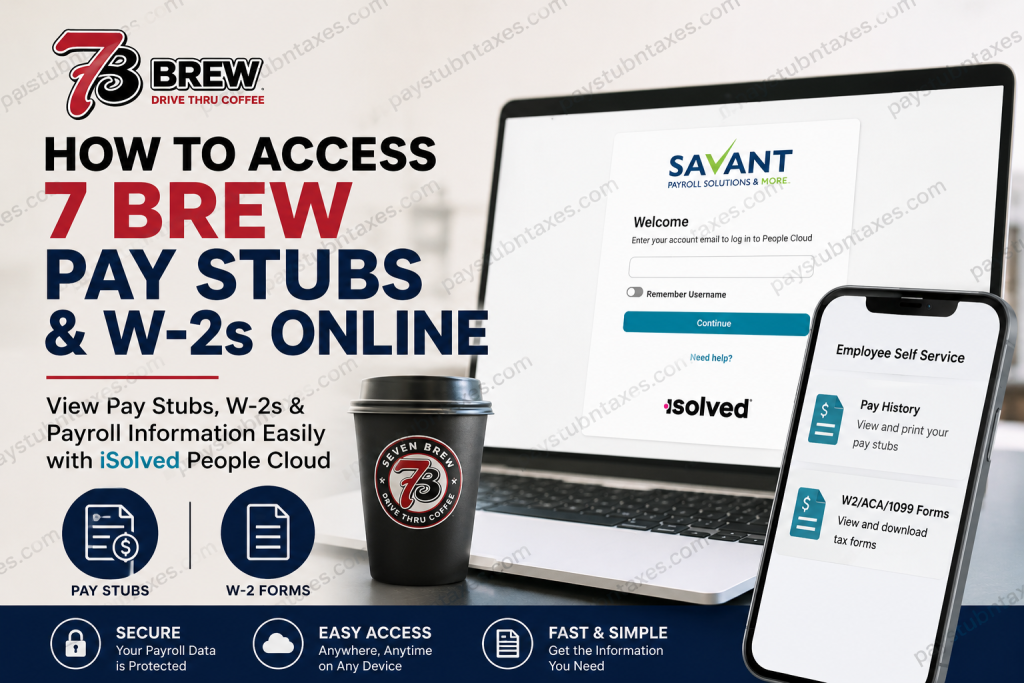
7 Brew has rapidly transformed the drive-thru coffee experience across the United States by combining handcrafted beverages, high-energy customer service, and a culture centered on “Cultivating Kindness.” Founded in Arkansas in 2017, the company has expanded into one of the fastest-growing beverage chains in America, employing tens of thousands of Brew Crew members nationwide. Because many 7 Brew locations — including franchise-operated stands — utilize the iSolved People Cloud payroll platform managed through Savant HCM, employees can conveniently access payroll records, pay stubs, tax forms, and other employment information online from virtually any device. Whether you are a newly hired Brewista, Shift Lead, or long-term employee, this guide explains exactly how to log in, retrieve pay stubs, and download your W-2 forms through the iSolved Employee Self-Service portal.
7 Brew Payroll Portal Login
Most 7 Brew franchise employees can access payroll records through the Savant HCM iSolved People Cloud portal.
Employee Login Portal
The login page requires your registered employee email address associated with your payroll account.
What is iSolved People Cloud?
iSolved People Cloud is a secure employee self-service platform that allows workers to:
- Access electronic pay stubs
- Download annual W-2 tax forms
- Manage direct deposit details
- Update personal information
- Review payroll history
- Receive electronic tax document delivery
The system is commonly used by restaurant franchises, retail employers, hospitality groups, and multi-location businesses because of its cloud-based accessibility and enhanced payroll security features.
How New 7 Brew Employees Create an iSolved Account
New employees generally receive an automated account setup email from Savant HCM after onboarding is completed. The message typically contains a registration link allowing employees to establish their iSolved ID credentials.
The email may arrive from an address similar to:
SavantHCM@myisolved.com
During registration, employees are usually asked to:
- Verify their identity.
- Create a secure password.
- Set challenge questions and answers.
- Configure authentication or verification preferences.
The registration process may also request the last four digits of your Social Security Number for authorization purposes and encourage enabling mobile verification for additional account security.
Once registration is complete, you may immediately sign in to the Employee Self-Service portal.
How to View 7 Brew Pay Stubs Online
After logging into iSolved, employees can quickly access payroll history and printable pay statements.
Steps to Access Pay Stubs
- Log in to the iSolved Employee Self-Service portal.
- Open Employee Self Service from the navigation menu.
- Select Pay History.
- Choose the desired payroll year.
- Click the specific check date you want to review.
- Select View/Print Pay Stub.
The Pay History section typically displays:
- Gross pay
- Net pay
- Total hours worked
- Check date
- Payroll run number
- Check or voucher number
Previous payroll periods can also be reviewed using the history scroll function.
How to Access 7 Brew W-2 Forms Online
Employees who opted into electronic tax document delivery can retrieve W-2 forms directly through iSolved.
Steps to Download W-2 Forms
- Sign in to the iSolved portal.
- Navigate to Employee Self Service.
- Select W2/ACA/1099 Forms from the left-side menu.
- Choose the available tax year.
- Open the form you wish to view.
- Download or print the PDF copy for your records.
The W-2 area may also include ACA and 1099 documentation depending on employment classification and eligibility.
Employees who accepted electronic tax form delivery during account setup generally receive digital W-2 access faster than mailed paper copies.
Forgot Your iSolved Password?
If you cannot remember your password:
- Visit the iSolved login page.
- Select Forgot Password.
- Enter your username or employee email address.
- Answer your security question.
- Create a new password.
The platform may temporarily lock accounts after multiple failed login attempts for security protection.
Two-Factor Authentication and Security
iSolved uses browser verification and multi-factor authentication features to help secure employee payroll information.
If the system does not recognize your device or location, you may be asked to:
- Request an authorization code
- Verify via text message or email
- Enter the security code before login access is granted
These protections help safeguard sensitive payroll and tax records.
What If Your W-2 Is Missing?
If your W-2 form does not appear inside the portal:
- Verify that the correct tax year is selected.
- Confirm you completed electronic delivery enrollment.
- Allow additional processing time during January payroll distribution periods.
- Contact your local 7 Brew franchise or payroll administrator for assistance.
Some franchise operators process payroll independently, which means document availability timelines may vary slightly by location.
About 7 Brew
7 Brew was founded with the mission of transforming ordinary coffee service into an energetic and relationship-driven customer experience. The company now operates hundreds of locations across dozens of states and serves millions of customized beverages annually.
The company culture strongly emphasizes positivity, teamwork, speed, and meaningful customer interaction, values reflected throughout its Brew Crew training and expansion initiatives.
Final Thoughts
The iSolved People Cloud portal gives 7 Brew employees a fast and secure way to manage payroll information without waiting for paper records or contacting management for routine payroll requests. Once your account is activated, you can access pay history, download W-2 forms, reset passwords, and manage payroll-related information from virtually anywhere. For account-specific issues, locked access, or missing payroll records, employees should contact their local 7 Brew franchise management team or payroll administrator for direct support.
Frequently Asked Questions (FAQ)
1. How do I access my 7 Brew pay stubs online?
You can access your pay stubs by logging into the iSolved People Cloud portal, selecting Employee Self Service, and opening the Pay History section.
2. What payroll system does 7 Brew use?
Many 7 Brew locations and franchise operators use the iSolved People Cloud payroll platform through Savant HCM.
3. Where can I find my 7 Brew W-2 online?
Your W-2 is available under the W2/ACA/1099 Forms section inside the iSolved Employee Self-Service portal.
4. What is the official 7 Brew payroll login link?
Employees can log in here: 7 Brew Payroll Login
5. How do new 7 Brew employees create an iSolved account?
New employees usually receive a registration email from Savant HCM containing an activation link to create an iSolved ID and password.
6. What should I do if I forgot my iSolved password?
Click the “Forgot Password” option on the login page and follow the password reset instructions using your security questions or verification code.
7. Can former 7 Brew employees still access W-2 forms?
In many cases, former employees can still log in to retrieve tax forms if their account remains active. Otherwise, they should contact their franchise payroll administrator.
8. Why is my iSolved account locked?
Accounts may become locked after multiple unsuccessful login attempts as part of the platform’s security protection.
9. How do I print my 7 Brew pay stub?
Open the desired pay period inside Pay History and select the View/Print Pay Stub option.
10. Can I download my W-2 as a PDF?
Yes. iSolved allows employees to open, download, save, and print W-2 forms in PDF format.
11. Does 7 Brew mail paper W-2 forms?
Employees who did not consent to electronic delivery may still receive paper W-2 forms through postal mail.
12. What information appears on a 7 Brew pay stub?
Pay stubs typically include gross pay, net pay, payroll deductions, taxes withheld, total hours worked, and pay period details.
13. Is the iSolved payroll portal secure?
Yes. iSolved uses password protection, device recognition, and multi-factor authentication to help secure payroll information.
14. Can I access the 7 Brew payroll portal on my phone?
Yes. The iSolved Employee Self-Service portal is mobile-friendly and accessible through most smartphones and tablets.
15. Who should I contact for payroll problems at 7 Brew?
For payroll issues, missing W-2s, or login assistance, contact your local 7 Brew franchise management team or payroll administrator.

