
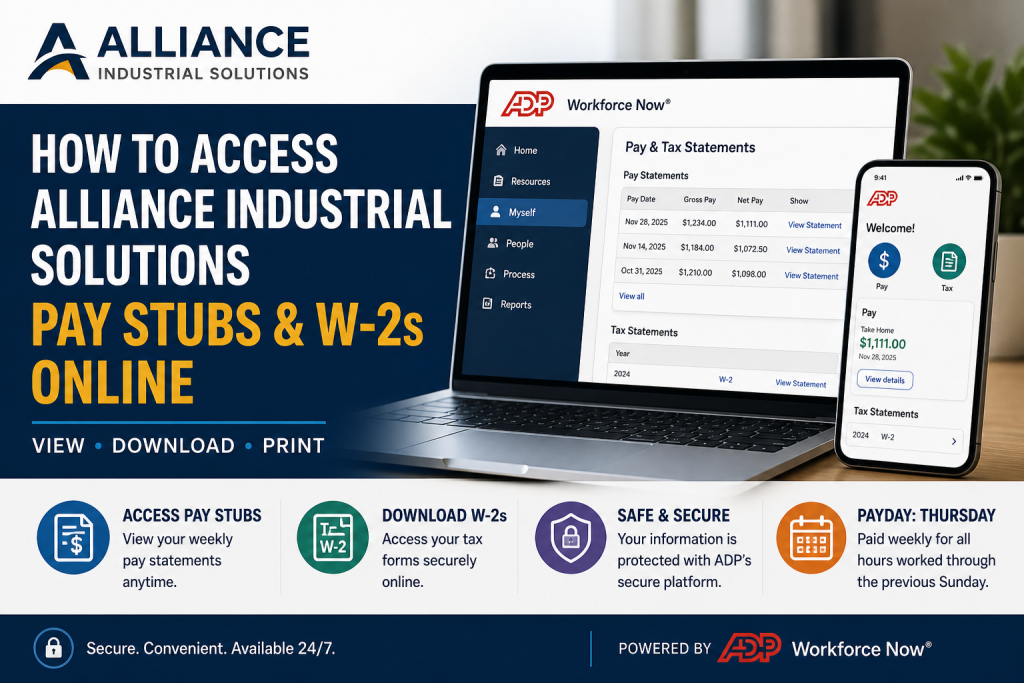
Alliance Industrial Solutions is a trusted workforce partner, connecting skilled and entry-level professionals with leading employers across manufacturing, logistics, and distribution sectors. As part of its employee-centric approach, the company ensures seamless access to payroll records through ADP Workforce Now, a secure and user-friendly platform. This comprehensive guide explains—step by step—how to access your Alliance Industrial Solutions pay stubs and W-2 forms online, using both desktop and mobile methods.
🔗 Official Payroll Portal
To access your payroll records, visit the official ADP Workforce Now portal:
👉 https://workforcenow.adp.com/
📌 Important Payroll Information
- Weekly Payday: Every Thursday, covering hours worked through the previous Sunday
- Digital Access Only: Pay stubs and W-2s are not mailed (except where legally required)
- Registration Required: ADP login credentials are sent after your assignment begins
🖥️ How to Access Pay Stubs on Desktop
Follow these steps to view and download your pay statements:
Step 1: Log In to ADP
- Visit the ADP portal
- Enter your User ID and Password (provided via email after onboarding)
Step 2: Navigate to Pay & Tax Statements
- Click “Myself” from the top menu
- Select “Pay & Tax Statements”
Step 3: View Pay Details
- Click “Show” to reveal earnings and deductions
- Select a specific pay period
Step 4: Download Pay Stub
- Click “View Statement”
- Download or print your pay stub as a PDF
📱 How to Access Pay Stubs via ADP Mobile App
You can also use your smartphone for quick access:
Step 1: Download the ADP App
- Install the ADP mobile app from your device’s app store
Step 2: Log In
- Use your registered ADP credentials
Step 3: Go to Pay Section
- Tap “Pay” from the menu to view pay activity
Step 4: View Details
- Select “View Details” to see deductions and earnings
- Choose any pay period from the list
Step 5: Open Pay Stub
- Tap “View Statement” to access the full document
🧾 How to Access W-2 Forms (Tax Statements)
On Mobile:
- Navigate to “Tax” from the home screen
- Select “Tax Statements”
- Choose the desired year
- Tap “View” to open your W-2
On Desktop:
- Go to “Pay & Tax Statements”
- Select “Tax Statements”
- Choose the tax year
- Click “View Statement”
🔐 Security Verification
- You may need to enter a security code sent to your device before accessing tax forms
📅 When Are W-2 Forms Available?
Your W-2 form is typically available by January 31 for the previous tax year
📥 Downloading and Printing Documents
- Both pay stubs and W-2s can be:
- Downloaded as PDFs
- Printed directly from ADP
- Options may vary depending on your device
⚠️ Troubleshooting & Support
If you encounter issues:
- Ensure your ADP registration is complete
- Reset your password if needed
- Contact payroll support via your employer’s HR channel
🎯 Why ADP Workforce Now?
Using ADP ensures:
- Secure access to sensitive payroll data
- 24/7 availability from any device
- Centralized records for pay, taxes, and employment history
🧠 Pro Tips for Employees
- Save your ADP login credentials securely
- Download important documents regularly
- Check your pay statements weekly for accuracy
- Access W-2 early to avoid tax filing delays
📌 Conclusion
Accessing your Alliance Industrial Solutions pay stubs and W-2s online is straightforward with ADP Workforce Now. Whether you prefer desktop or mobile access, the platform offers a streamlined, secure experience for managing your payroll and tax documents efficiently.
❓ Frequently Asked Questions (FAQs)
1. How do I register for ADP Workforce Now?
After starting your assignment, ADP sends a registration email. Follow the instructions to create your account and set your login credentials.
2. Where can I log in to access my pay stubs?
You can log in through the official ADP portal:
👉 https://workforcenow.adp.com/
3. Are Alliance Industrial Solutions pay stubs mailed?
No, pay stubs are not mailed. Employees must access them online through ADP unless required by law.
4. When is payday for Alliance Industrial Solutions employees?
Employees are paid weekly on Thursdays, covering hours worked through the previous Sunday.
5. How do I view my pay stub on ADP?
Log in → Click “Myself” → Select “Pay & Tax Statements” → Choose a pay period → Click “View Statement.”
6. Can I download or print my pay stubs?
Yes, you can download or print your pay stubs as PDF files directly from ADP.
7. How do I access my W-2 form online?
Log in to ADP → Go to “Tax Statements” → Select the tax year → Click “View Statement.”
8. When will my W-2 be available?
Your W-2 form is typically available by January 31 for the previous tax year.
9. Can I access my payroll records on mobile?
Yes, download the ADP mobile app, log in, and access your pay stubs and tax documents from the Pay and Tax sections.
10. What should I do if I forget my ADP login details?
Use the “Forgot User ID/Password” option on the ADP login page or contact your employer’s HR support for assistance.
11. Is there a security step when accessing W-2 forms?
Yes, you may need to enter a security verification code sent to your registered device before viewing tax documents.
12. Who should I contact for payroll issues?
For payroll or tax-related issues, contact your employer’s HR department or payroll support team.
13. Can I view previous pay periods?
Yes, ADP allows you to access current and past pay statements from the pay history section.
14. Do I need to be actively working to access ADP?
No, as long as your ADP account is active, you can log in and access your payroll documents.

