
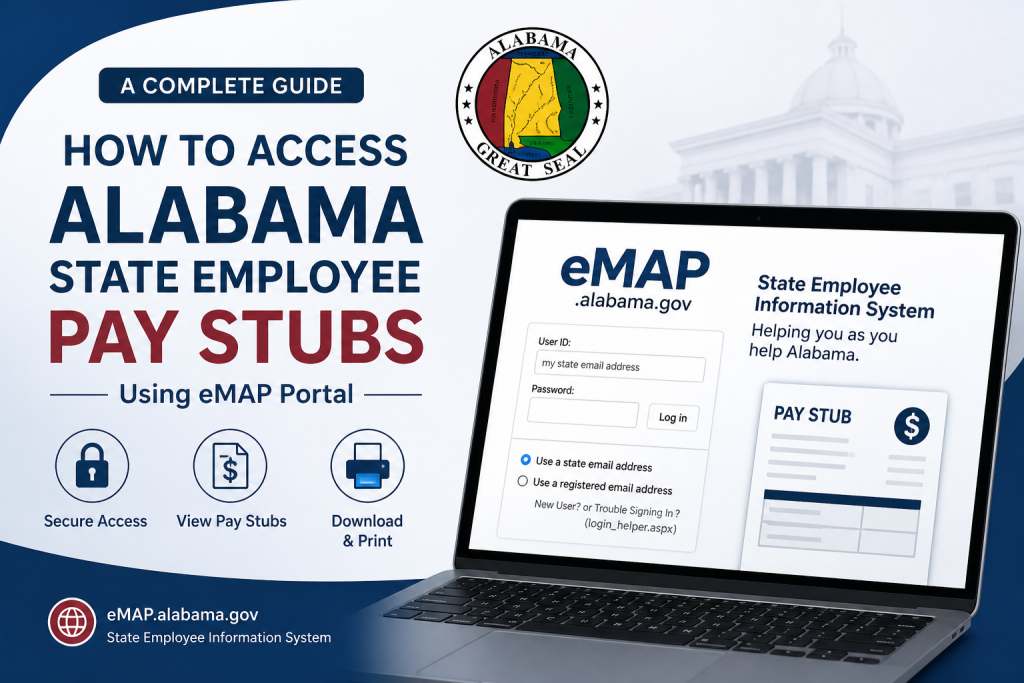
Accessing your Alabama state employee pay stubs is now faster, more secure, and entirely digital through the official eMAP (Employee Management and Payroll) system. This comprehensive guide explains everything you need to know—from logging in for the first time to printing your pay statements—with clarity, precision, and professional depth.
What Is the eMAP Alabama Portal?
The eMAP.alabama.gov platform is an online employee self-service system developed by the Alabama Department of Finance. It enables state employees to access payroll-related information, including online pay stubs, in a convenient and cost-effective digital format.
The system reduces reliance on paper-based processes while providing secure, real-time access to workplace information.
🔗 Login here: https://emap.alabama.gov/public/login.aspx
Step-by-Step Guide to Access Alabama Pay Stubs
1. Visit the eMAP Login Page
Go to the official eMAP login portal. You will see a login interface where you can enter your credentials.
2. Enter Your Login Credentials
- User ID: Your state email address (preferred method)
- Password: The same password used for your workplace desktop login
👉 If you have multiple versions of your state email, try alternate formats (e.g., full name vs. shortened version).
3. Choose Login Method
You can log in using:
- State email address (recommended)
- Registered email address (if previously set up)
4. Access Pay Information
Once logged in:
- Navigate to “View My Pay Information”
- A summary of your current paycheck will be displayed
5. View or Print Pay Stubs
You can:
- Select “Print a Single Pay Stub” for a specific paycheck
- Choose “Print More Than One Pay Stub” for multiple pay periods
Login Tips & Troubleshooting
Forgot Your Password?
- Most state email passwords are managed locally at your workplace
- Contact your IT administrator or reset via umanage.alabama.gov
No Desktop Access?
If you do not work on a desktop system:
- Use the Login Helper tool to register or gain access
New Employees
- You must wait until your first pay period is completed before accessing eMAP
- Obtain your Employee ID from your payroll clerk
Former or Retired Employees
- Request an account reset through your former agency’s eMAP administrator
- Be prepared to provide your Employee ID and identification details
Where to Find Your Employee ID
Your Employee ID can be found on your most recent pay stub.
If unavailable, contact your agency’s payroll department for assistance.
Benefits of Using eMAP for Pay Stubs
- ✔ 24/7 online access
- ✔ Secure login system
- ✔ Paperless and eco-friendly
- ✔ Quick download and print options
- ✔ Centralized payroll information
- Final Thoughts
- The eMAP Alabama portal represents a modern, efficient approach to payroll management for state employees. By following the steps outlined above, you can seamlessly access, review, and print your pay stubs anytime, anywhere. Whether you are a new hire or a long-serving employee, mastering this system ensures greater control over your financial records.
Frequently Asked Questions (FAQ)
1. How do I access my Alabama state employee pay stubs?
Log in to the eMAP portal using your state email and password, then click on “View My Pay Information.”
2. What is the eMAP Alabama system?
eMAP is an online employee self-service platform that allows Alabama state employees to access payroll and employment-related information.
3. Can I view my pay stubs online anytime?
Yes, the eMAP system provides 24/7 access to your payroll information from any device with internet access.
4. What login credentials do I need for eMAP?
You need your state-issued email address and the same password you use for your workplace system.
5. What should I do if I forget my password?
Contact your agency’s IT department or use the password recovery options available through your workplace system.
6. Can I print my pay stubs from eMAP?
Yes, you can print:
- A single pay stub
- Multiple pay stubs for different pay periods
7. Why can’t I log in as a new employee?
New employees must wait until their first pay cycle is completed before accessing the eMAP system.
8. Where can I find my Employee ID?
Your Employee ID is usually listed on your most recent pay stub or can be obtained from your payroll clerk.
9. Can former employees access their pay stubs?
Yes, but they may need to request an account reset through their former agency before logging in.
10. What should I do if my pay stub is missing?
If your pay stub is unavailable:
- Contact your payroll department
- Older records may require manual retrieval
11. What if I experience technical issues with eMAP?
Report the issue to your IT department or provide error details to your payroll administrator for assistance.
12. Is the eMAP portal secure?
Yes, the platform uses secure login credentials and is managed by the Alabama Department of Finance to protect employee data.
13. Can I access eMAP without a state email address?
Yes, you can use a registered email or the Login Helper tool to set up access.

