
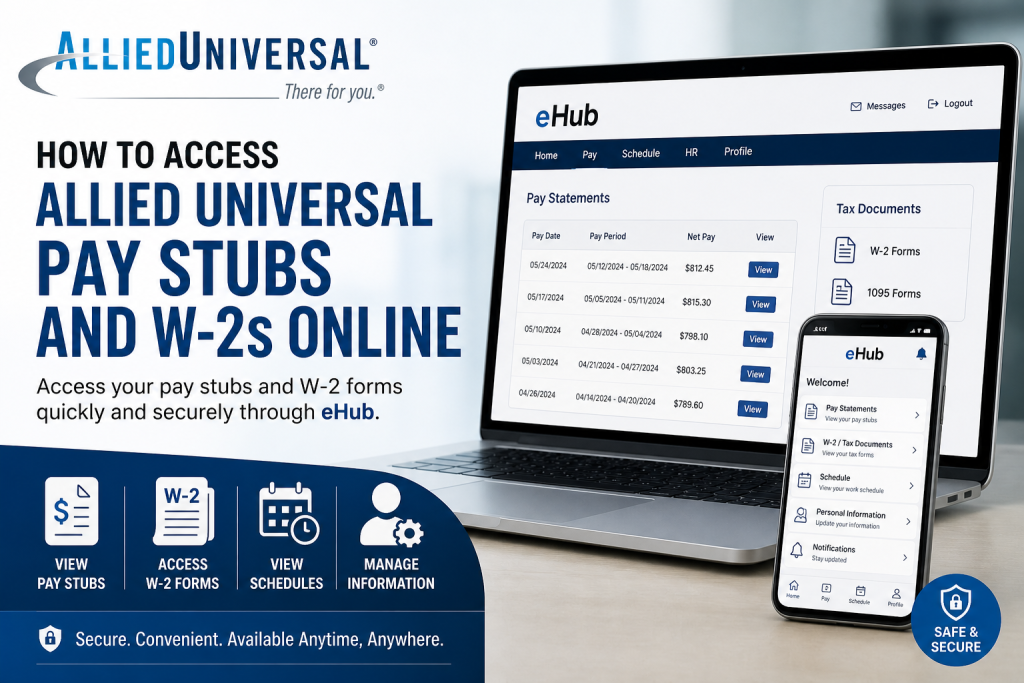
Allied Universal®, a global leader in security and facility services, empowers its workforce with digital tools that ensure seamless access to payroll and tax information. Whether you are a current employee or a former staff member, retrieving your pay stubs and W-2 forms online is straightforward through the official eHub portal and mobile app. This comprehensive guide provides clear, step-by-step instructions using professional English.
🔐 Official Portal for Access
To begin, visit the official employee platform:
This portal serves as your central hub for:
- Pay stubs
- W-2 and tax documents
- Work schedules
- Personal information updates
📱 What is eHub?
eHub is a mobile and web-based platform that allows Allied Universal employees to view pay stubs, tax documents, schedules, and HR information directly from their devices.
🧾 How to Access Allied Universal Pay Stubs
Method 1: Through the eHub Website
- Go to 👉 https://ehub.aus.com/
- Enter your Employee ID (User ID) and password
- Click Login
- Navigate to the “Pay Statements” or “Paystub” section
- Select the desired pay period
- Download or print your pay stub
Important Note
Pay stubs are typically available before payday (often by midweek), ensuring early access to earnings information.
Method 2: Using the eHub Mobile App
- Download eHub Mobile from:
- Apple App Store
- Google Play Store
- Log in using your credentials
- Tap Paystubs / Earnings
- View or download your pay records
📌 The mobile app also allows you to:
- View W-2s and 1095s
- Check work schedules
- Receive shift notifications
📝 How to Access Allied Universal W-2 Forms
For Current Employees
- Log in to eHub
- Navigate to Tax Documents / W-2 section
- Select the relevant tax year
- Download or print your W-2
For Former Employees
If you no longer work at Allied Universal, you have multiple options:
Option 1: Online Access
- W-2 forms may still be available through internal platforms such as employee portals (e.g., LISA system).
Option 2: Mail Delivery
- W-2s are typically mailed to your last registered address by January 31 each year.
Option 3: Contact Support
- If you cannot access your W-2:
- Contact HR or payroll support
- Ensure your mailing address is up to date
🆔 How to Find Your Employee ID (If Needed)
If you cannot log in because you forgot your Employee ID:
- Use the official Employee ID Lookup Tool
- Enter your previous ID and last name
- Retrieve your updated Allied Universal Employee ID
📌 This ID is required for login, payroll access, and benefits registration.
🔧 How to Register for eHub (First-Time Users)
- Visit https://ehub.aus.com/
- Click Register / First-Time User
- Enter:
- Employee ID
- Personal verification details
- Create a secure password
- Complete registration
Password requirements typically include:
- 6–15 characters
- Combination of uppercase, lowercase, numbers, and symbols
⚠️ Troubleshooting Login Issues
If you encounter problems:
- Ensure you are entering the correct website URL
- Reset your password using “Forgot Password”
- Contact IT support if access fails
- Confirm your Employee ID is correct
📞 IT Support may be available via company helpdesk lines for login assistance.
🌍 Why Allied Universal Uses eHub
With operations in over 100 countries and a workforce of approximately 770,000 employees, Allied Universal relies on digital platforms like eHub to ensure:
- Efficient payroll management
- Real-time employee access
- Secure document storage
- Streamlined HR communication
This aligns with their mission to deliver cutting-edge technology solutions alongside proactive security services.
✅ Key Takeaways
- Use eHub (web or mobile) to access pay stubs and W-2s
- Pay stubs are available regularly before payday
- W-2 forms are released annually (typically by end of January)
- Former employees can receive W-2s via mail or online portals
- Keep your Employee ID and contact details updated
📌 Final Thoughts
Accessing your Allied Universal pay stubs and W-2s online is both secure and convenient. By leveraging the eHub platform, employees can maintain full control over their financial records anytime, anywhere. If you follow the steps outlined above, you will be able to retrieve your payroll documents efficiently without unnecessary delays.
❓ Frequently Asked Questions (FAQ)
1. What is the Allied Universal eHub portal?
The eHub portal is an online employee self-service platform where Allied Universal staff can access pay stubs, W-2s, schedules, and personal information.
2. How do I log in to Allied Universal eHub?
Visit https://ehub.aus.com/, enter your Employee ID as your User ID, input your password, and click “Login.”
3. Can I access my pay stubs on my phone?
Yes, you can download the eHub Mobile app from the App Store or Google Play to view your pay stubs and tax documents on your smartphone.
4. When are pay stubs available on eHub?
Pay stubs are usually available a few days before payday, often by midweek.
5. How do I download my W-2 form from Allied Universal?
Log in to eHub, go to the Tax Documents or W-2 section, select the tax year, and download or print your W-2 form.
6. When are W-2 forms released?
W-2 forms are typically issued by January 31 each year, in compliance with U.S. tax regulations.
7. How can former employees get their W-2?
Former employees can:
- Access it online via employee portals (if available)
- Receive it by mail at their last recorded address
- Contact HR or payroll support for assistance
8. What should I do if I forgot my Employee ID?
Use the Employee ID Lookup Tool provided by Allied Universal or contact HR/IT support to retrieve your ID.
9. How do I register for eHub for the first time?
Click “Register” on the eHub login page, enter your Employee ID, verify your identity, and create a password.
10. Why can’t I log in to eHub?
Common reasons include:
- Incorrect Employee ID or password
- Not completing registration
- System or browser issues
Try resetting your password or contacting IT support.
11. Can I update my personal information in eHub?
Yes, eHub allows you to update your address, contact details, and other personal information directly within the portal.
12. Is eHub secure for accessing payroll information?
Yes, eHub uses secure login authentication to protect sensitive employee and payroll data.
13. What if my W-2 is missing or incorrect?
Contact Allied Universal HR or payroll support immediately to request a correction or reissue.
14. Do I need to be an active employee to use eHub?
Not necessarily. Some former employees may still access their records online, depending on account status and system availability.

