
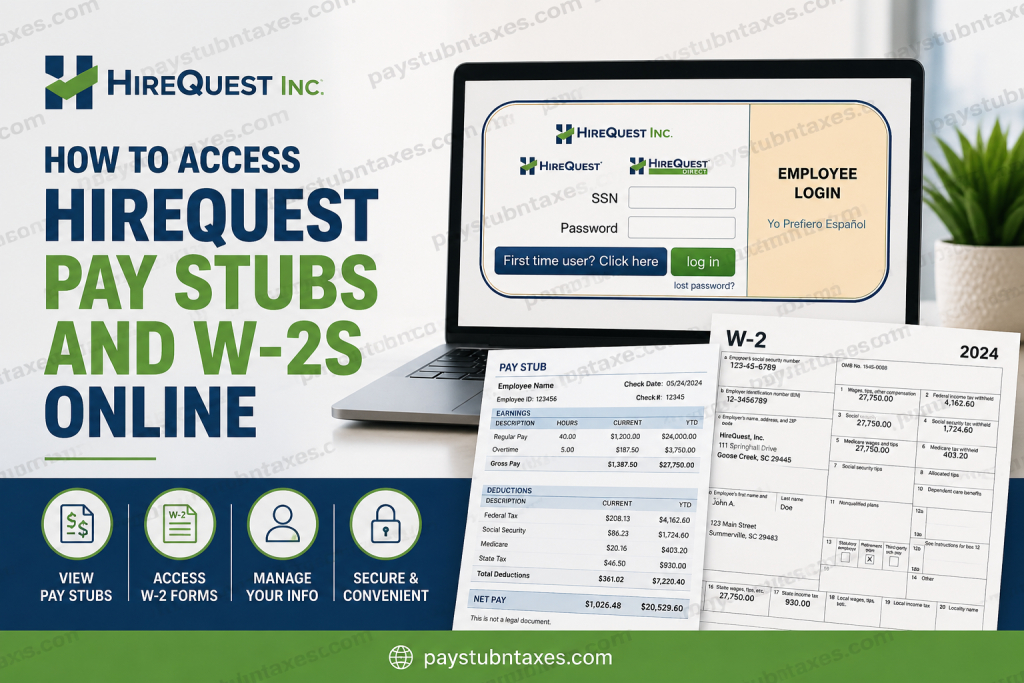
In today’s fast-paced labor market, easy access to payroll records is not merely a convenience—it is a necessity. Whether you need proof of income for a mortgage application, wish to verify your earnings, or are preparing your annual tax return, having seamless access to your pay stubs and W-2 forms can save considerable time and effort. Fortunately, HireQuest employees can conveniently manage payroll documents through the company’s Employee Web Portal, a secure online platform designed to centralize employment information and administrative services. The portal allows employees to access pay statements, tax forms, update personal details, and manage payment preferences electronically. The platform specifically includes access to pay stubs, W-2s, payment methods, insurance enrollment, and employment-related documents.
About HireQuest
With a legacy spanning more than 35 years, HireQuest has evolved into one of the world’s leading staffing franchisors, operating over 400 offices globally across brands such as HireQuest Direct, MRINetwork, Snelling, and TradeCorp. The company provides workforce solutions across construction, healthcare, manufacturing, engineering, finance, and cybersecurity industries. Its expansive franchise network and strategic acquisitions have fueled significant growth over the decades.
HireQuest Employee Portal at a Glance
The HireQuest Employee Web Portal enables employees to:
- View and download pay stubs
- Access and manage W-2 tax forms
- Accept or decline electronic W-2 delivery
- Update addresses and phone numbers
- Change payment methods
- Enroll in insurance benefits (if eligible)
- Access safety materials and company documents
These capabilities are specifically outlined within the Employee Web Portal documentation.
Employee Portal Login
Portal URL: https://employees.hqwebconnect.com/
Employees log in using:
- Social Security Number (SSN)
- Password
The login interface supports both English and Spanish, making it accessible to a diverse workforce.
How to Access HireQuest Pay Stubs Online
Accessing your HireQuest pay stubs is a straightforward process. Follow these steps:
Step 1: Visit the Employee Portal
Open your browser and navigate to:
https://employees.hqwebconnect.com
Step 2: Enter Your Credentials
Input your:
- Social Security Number (SSN)
- Password
Then click “Log In.”
Employees who have already established accounts can immediately view their payroll information after authentication.
Step 3: Navigate to Pay Stubs
Once logged in:
- Locate the Pay Stubs section.
- Select the desired pay period.
- View, download, or print the pay statement for your records.
The portal’s dashboard is designed to provide direct access to payroll records and other employment documents.
How to Access HireQuest W-2 Forms Online
W-2 forms are generally made available by the end of January each year in compliance with federal tax regulations.
To view your W-2:
- Log into the Employee Web Portal.
- Navigate to the W-2 or Tax Documents section.
- Select the applicable tax year.
- Download or print your form.
Employees may also electronically accept or decline W-2 delivery through the portal, allowing greater flexibility in tax document management. The portal explicitly supports W-2 access and electronic consent features.
First-Time User Registration
If you have never accessed the portal before, registration is simple.
Registration Steps:
- Click “Register” or “First Time User.”
- Enter:
- Your Social Security Number
- Your last name
- The system will verify your employment records.
- Create a secure password.
The registration process uses existing employment information to authenticate users before account creation.
Electronic Signature Consent
Because payroll and tax information are sensitive financial records, HireQuest requires employees to provide electronic consent before accessing certain features online.
Employees must:
- Review the Electronic Signature Consent Agreement.
- Enter their SSN and password.
- Click “I Accept.”
This electronic consent enables employees to make legally binding decisions online, such as selecting payment methods or receiving electronic tax forms.
Forgot Your Password?
If you cannot remember your password:
- Click “Lost Password?” on the login page.
- Follow the account recovery instructions.
- Contact your local branch if additional verification is required.
Maintaining updated contact information within the portal can streamline password recovery and account management.
Additional Employee Portal Features
Beyond payroll access, HireQuest’s Employee Web Portal offers several valuable tools:
Personal Information Updates
Employees can update:
- Mailing address
- Phone number
- Direct deposit information
Insurance Enrollment
Qualified employees may enroll in or manage insurance benefits through the portal.
Employment Documents
The portal also houses:
- Safety materials
- Informational documents
- Employment notices
Some of these documents may be updated periodically, ensuring employees have access to the latest information.
Troubleshooting Login Issues
If you experience difficulties accessing your account:
Verify Your Information
Ensure:
- Your SSN is entered correctly.
- Your password is accurate.
- Your browser supports modern security protocols.
Clear Browser Cache
Occasionally, clearing cookies and cache can resolve login errors.
Contact HireQuest Support
For W-2 or payroll inquiries, contact:
HireQuest Corporate Office
111 Springhall Drive
Goose Creek, SC 29445
Toll-Free: (800) 835-6755
Fax: (843) 577-5742
Why Online Payroll Access Matters
In an increasingly digital workplace, employee self-service portals have become indispensable. By placing payroll and tax records at employees’ fingertips, HireQuest reduces administrative burdens while empowering workers to manage their financial information securely and efficiently.
Whether you need last week’s paycheck details or last year’s tax documents, the HireQuest Employee Web Portal ensures that essential records are never more than a few clicks away.
After all, in the world of modern employment, time is money—and access is power.
Frequently Asked Questions
1. How do I log in to the HireQuest Employee Portal?
Visit the HireQuest Employee Portal, enter your SSN and password, then click Log In to access your account.
2. What website do I use to access HireQuest pay stubs?
Employees can access their payroll information at https://employees.hqwebconnect.com/.
3. Can former HireQuest employees access W-2 forms online?
Yes. Former employees may still access their W-2 forms through the Employee Portal if their account remains active.
4. When are HireQuest W-2 forms available?
W-2 forms are typically available by January 31 each year, in accordance with IRS regulations.
5. What information do I need to log in?
You need your:
- Social Security Number (SSN)
- Password
6. How do I register for the HireQuest Employee Portal?
Click Register or First-Time User, enter your SSN and last name, verify your identity, and create a password.
7. What should I do if I forgot my password?
Click “Lost Password?” on the login page and follow the password recovery instructions.
8. Can I download and print my pay stubs?
Yes. Employees can view, download, and print pay statements directly from the portal.
9. Can I receive my W-2 electronically?
Yes. HireQuest allows employees to accept electronic W-2 delivery through the Employee Portal.
10. How do I update my address or direct deposit information?
Log in to the Employee Portal and navigate to the personal information or payment settings section to update your details.
11. Does the HireQuest portal support mobile access?
Yes. The portal is web-based and can generally be accessed using smartphones, tablets, and desktop computers.
12. What other features are available in the Employee Portal?
The portal includes:
- Pay stubs
- W-2 forms
- Insurance enrollment
- Payment method updates
- Safety materials
- Employment documents
13. Why do I need to accept the Electronic Signature Consent?
Electronic consent allows employees to make legally binding decisions online, such as selecting payment methods and receiving tax forms electronically.
14. Who should I contact for W-2 assistance?
For payroll or W-2 questions, contact HireQuest:
Address: 111 Springhall Drive, Goose Creek, SC 29445
Phone: (800) 835-6755
Fax: (843) 577-5742
15. Is the HireQuest Employee Portal secure?
Yes. The portal requires secure login credentials and electronic consent to help protect employees’ financial and personal information.
Disclaimer
Portal features, login procedures, and document availability may change over time. Employees should contact their local HireQuest branch or corporate support for the most up-to-date assistance regarding payroll and W-2 access.

