
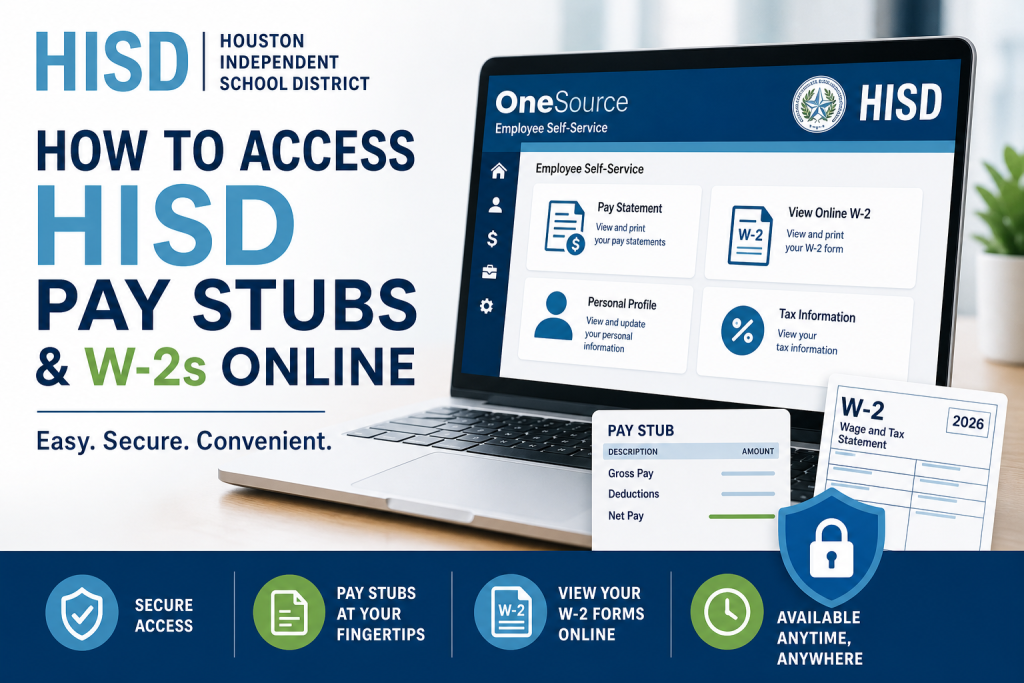
The Houston Independent School District (HISD) is the largest public school system in Texas and one of the most prominent educational institutions in the United States. To support its vast workforce, HISD offers a streamlined digital payroll system that enables employees to securely access pay stubs and W-2 tax forms online through the OneSource Employee Self-Service (ESS) portal. This comprehensive guide explains how active and inactive employees can efficiently retrieve their payroll information, ensuring accuracy, compliance, and convenience.
Overview of the HISD Payroll System
HISD utilises the OneSource Employee Self-Service (ESS) platform, which provides employees with real-time access to payroll records, tax documents, and personal information management tools. The system is designed to enhance transparency while maintaining strict data security standards.
How to Access HISD Pay Stubs Online (Active Employees)
Active employees can conveniently view and copy their pay statements through the ESS portal by following these steps:
Step-by-Step Instructions:
- Log in to the OneSource Employee Self-Service (ESS) portal
- Navigate to the “Pay Statement” section
- Select the desired pay statement to view or download
Important Note:
- Pay statements become available from 12:00 a.m. on Sunday of the payroll week, ensuring timely access to earnings information.
This process enables employees to track income, deductions, and net pay with precision.
How to Access HISD W-2 Forms Online (Active Employees)
If you opted for electronic delivery, retrieving your W-2 is straightforward:
Steps to Retrieve Your W-2:
- Log in to the HISD ESS portal: https://onesource.houstonisd.org/irj/portal
- Click “View Online W-2”
- Select: Houston Independent School District (Year) W-2 Wage and Tax Statement
- Click “Display” to view your form
According to the official HISD employee guide, your W-2 will appear under the Display W-2/W-2c tab, and if it does not load, switching browsers may resolve the issue
Important W-2 Delivery Options
HISD provides two delivery methods for W-2 forms:
1. Mail Delivery
- W-2 forms are mailed by January 31 each year
- Sent to your home address on file
2. Electronic Delivery
- Available only if selected in advance
- Accessible through ESS
⚠️ Key Limitation:
If you select mail delivery, you cannot access the W-2 online
How to Update Your Address in ESS
Maintaining an accurate address is essential for receiving your W-2:
Steps:
- Log in to ESS
- Go to Personal Profile
- Click the edit (pen) icon
- Update your address and save changes
What to Do If Your Address Is Incorrect
If you selected mail delivery but your address is wrong:
- Update your address before the deadline (e.g., January 17)
- If missed, submit a W-2 reprint request form
- Provide your full mailing details (street, city, state, ZIP)
This ensures proper delivery of your tax documents without delays.
Accessing Pay Stubs and W-2s (Inactive Employees)
Inactive employees have limited access:
Pay Stubs:
- Request in person at:
- Hattie Mae White Building
- 4400 West 18th Street, Houston, TX
- Or submit an online request via HR Help portal
W-2 Forms:
- Automatically mailed to the address on file
- No electronic access is available after separation
Understanding Your Pay: How Gross Salary Is Calculated
HISD determines gross pay using a structured formula:
- Standard: Annual salary ÷ 26 pay periods
- Prorated: Adjusted based on hire date
This ensures fair compensation aligned with employment duration.
Pay Card Distribution (Wisely)
If you selected a pay card during onboarding:
- Delivered via Wisely to your home address
- If not received, collect a temporary card from HR before payday
This guarantees uninterrupted access to earnings.
Common Issues and Solutions
W-2 Not Received?
- Wait until January 31 mailing deadline
- Request a reprint after early February
Incorrect Social Security Number?
- Contact HR immediately
- Request a corrected W-2C form
Wage Differences Between Pay Stub and W-2?
- W-2 reflects taxable income only, not total earnings
Final Thoughts
The HISD payroll system is designed to provide employees with secure, efficient, and transparent access to financial records. By leveraging the OneSource ESS portal, employees can manage pay statements and tax documents with ease while ensuring compliance with tax regulations. For optimal experience, always keep your personal information updated and choose the delivery method that best suits your needs.
📌 Frequently Asked Questions (FAQs)
1. How do I access my HISD pay stubs online?
Log in to the OneSource ESS portal, navigate to “Pay Statement,” and select the pay stub you wish to view or download.
2. When are HISD pay statements available?
Pay statements are typically available from 12:00 a.m. on Sunday of the payroll week, ensuring early access to earnings details.
3. How can I access my HISD W-2 form online?
Log in to ESS, click “View Online W-2,” select the applicable tax year, and click “Display” to retrieve your form.
4. Can I access my W-2 online if I chose mail delivery?
No. If you opted for mailed delivery, the electronic version will not be available in ESS
5. When will my W-2 be mailed?
W-2 forms are mailed to your address on file by January 31 each year.
6. What should I do if my mailing address is incorrect?
Update your address in ESS under “Personal Profile” before the deadline. If missed, submit a reprint request with your correct address.
7. How do inactive employees get their pay stubs?
Inactive employees can request pay statements either:
- In person at the HR office, or
- Through the HISD HR Help online portal
8. Can inactive employees access W-2 forms online?
No. Inactive employees do not have access to ESS and will receive their W-2 forms only by mail.
9. What if I do not receive my W-2 by the end of January?
If your W-2 does not arrive by January 31, you should request a reprint starting in early February.
10. Why does my W-2 show different earnings than my pay stub?
Your W-2 reflects taxable income, while your pay stub shows total earnings before pre-tax deductions.
11. How is gross pay calculated in HISD?
Gross pay is calculated by dividing your annual salary by 26 pay periods, or prorated if you started mid-year.
12. What should I do if my Social Security number is incorrect on my W-2?
Contact Human Resources immediately to correct your records, then request a corrected W-2 (W-2C) from payroll.
13. How will I receive my pay card if I selected one?
Your pay card will be mailed to your home address via Wisely. If not received in time, you can obtain a temporary card from HR.

