
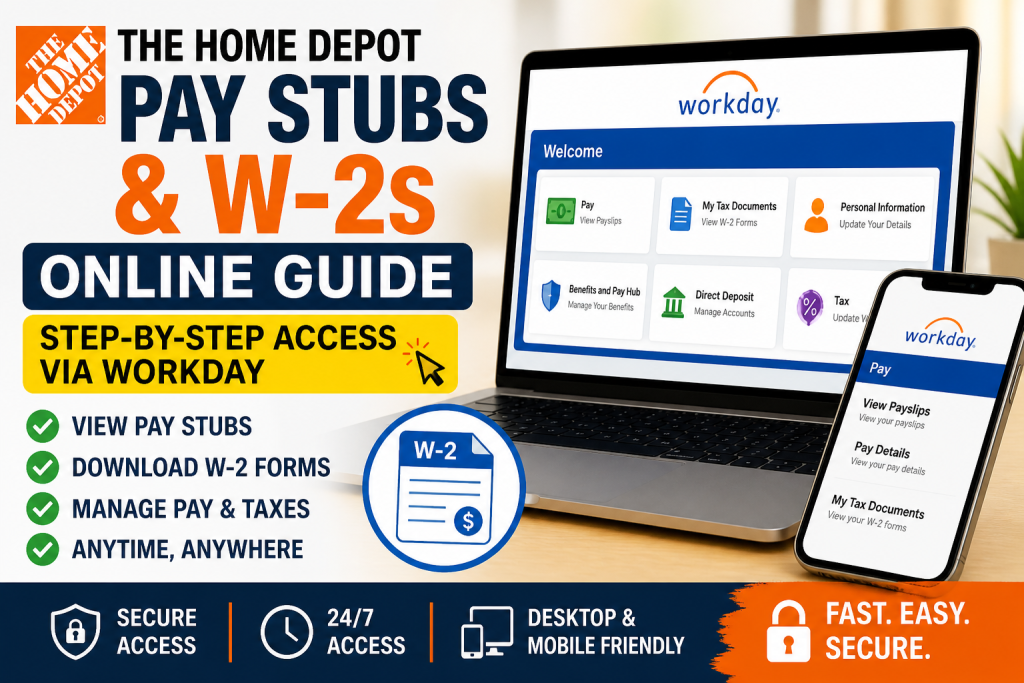
The Home Depot, the world’s largest home improvement retailer, employs hundreds of thousands of associates across North America. Founded in 1978, the company now operates over 2,300 stores and continues to lead the retail industry through innovation, customer service, and employee empowerment. For employees, managing payroll and tax documents is simple and secure through the Workday self-service portal, which allows access to pay stubs, W-2 forms, and tax information anytime, anywhere. This comprehensive guide explains exactly how to access your Home Depot pay stubs and W-2s online—step by step.
🔐 Home Depot Workday Login Portal
To access your payroll information, use the official Workday login:
👉 https://wd5.myworkday.com/wday/authgwy/homedepot/login.htmld
- Active employees: Log in via SSO (Single Sign-On) using your THD credentials
- Former employees: Use the direct Workday login link (non-SSO access) after termination
Workday provides a secure, centralized platform for all employee payroll and tax services.
🧾 How to Access Home Depot Pay Stubs in Workday
Follow these steps to view or download your pay stubs:
Step-by-Step Instructions:
- Log in to your Workday account
- From the homepage, click “View All Apps”
- Select the “Pay” application
- Click “Payslips” under the View section
- Choose a payslip and click:
- View Payslip to open
- Print Payslip to download
According to the Workday payroll guide, each payslip includes:
- Pay period dates
- Gross pay and net pay
- Taxes and deductions
- Year-to-date earnings
- Payment details and deposit information
This ensures complete transparency over your earnings and deductions.
📱 Access Pay Stubs via Workday Mobile App
Home Depot associates can also check payslips on mobile:
Steps:
- Open the Workday mobile app
- Tap the “Benefits and Pay” worklet
- Select “View Payslips”
- Tap “View Pay Details” for full breakdown
The mobile interface allows you to:
- Review earnings by category
- Check hours worked
- Analyze deductions and taxes
⚠️ Important: Initial totals may not reflect all hours (e.g., PTO or holiday pay). Always open “View Pay Details” for accurate information
📄 How to Access Home Depot W-2 Forms
Retrieving your W-2 in Workday is straightforward:
Steps:
- Log in to Workday
- Go to “Benefits and Pay” Hub
- Under Tasks and Reports, click “My Tax Documents”
- Select the desired tax year
- View or download your W-2 form
You can also use the search bar and type “My Tax Documents” for quick access
All your historical W-2s are stored securely in one place.
🔄 Self-Service Payroll Features
Home Depot’s Workday Self Service offers multiple payroll-related functions:
- View and print payslips
- Access W-2 tax statements
- Update tax withholding elections
- Set up or modify direct deposit
- Manage personal and contact information
These features are accessible through the employee Self Service system
Additionally, employees can adjust federal, state, or local tax settings anytime during the year
🔑 Understanding Home Depot SSO Login
Home Depot uses a secure Single Sign-On (SSO) system:
- Enter your THD LDAP User ID and password
- Access multiple systems after authentication
- Stay logged in during your session
If accessing outside the network, you may need to manually enter credentials instead of automatic login
❗ What Happens After You Leave Home Depot?
After termination:
- SSO access is disabled
- You must use the direct Workday login link
- Your payroll and tax documents remain accessible
This ensures continued access to important financial records such as W-2s.
🛠️ Troubleshooting Login Issues
If you cannot access your account:
- Reset your Workday password
- Ensure correct username format
- Try Chrome or Safari browser
- Contact Home Depot HR Service Center:
- 📧 myTHDHR@homedepot.com
- 📞 1-866-698-4347
💡 Pro Tips for Secure Access
- Always log out after use
- Avoid public/shared devices
- Use secure internet connections
- Store downloaded documents safely
✅ Conclusion
Accessing your Home Depot pay stubs and W-2 forms online is fast, secure, and user-friendly through Workday. Whether you are a current associate or a former employee, the platform ensures uninterrupted access to essential payroll information. By following the steps outlined in this guide, you can efficiently manage your financial records, track earnings, and stay prepared for tax season without hassle.
❓ Frequently Asked Questions (15 FAQs)
1. How do I log in to Home Depot Workday?
Visit the official Workday portal and sign in using your THD LDAP User ID and password via Single Sign-On (SSO).
2. Where can I find my Home Depot pay stubs?
After logging into Workday, go to View All Apps → Pay → Payslips to access your pay stubs.
3. How can I download my pay stub?
Click View Payslip, then select the print or download option to save a copy for your records.
4. How do I access my W-2 form?
Navigate to Benefits and Pay Hub → My Tax Documents, then select the relevant tax year to view or download your W-2.
5. Can former Home Depot employees access Workday?
Yes, former employees can access Workday using the direct login link even after SSO access is disabled.
6. What should I do if I forgot my Workday password?
Click “Forgot Password” on the login page and follow the reset instructions, or contact HR support.
7. Can I access my pay stubs on mobile?
Yes, you can use the Workday mobile app to view payslips and detailed earnings information.
8. What information is included in a Home Depot payslip?
Payslips include gross pay, net pay, taxes, deductions, hours worked, and year-to-date earnings.
9. How often are pay stubs updated in Workday?
Pay stubs are updated every pay cycle, typically biweekly, depending on your payroll schedule.
10. Can I print my W-2 directly from Workday?
Yes, you can view and print your W-2 directly from the My Tax Documents section.
11. How do I update my tax withholding information?
Go to the Pay or Tax section in Workday and update your withholding elections online.
12. What if I cannot access my Workday account?
Try resetting your password, using a different browser, or contacting the Home Depot HR Service Center.
13. Is Workday secure for payroll access?
Yes, Workday uses secure authentication and encryption to protect employee payroll data.
14. Can I access old pay stubs from previous years?
Yes, Workday stores historical payslips and allows access to past pay periods.
15. Who do I contact for payroll issues at Home Depot?
You can contact the HR Service Center via email or phone for assistance with payroll or tax documents.

