
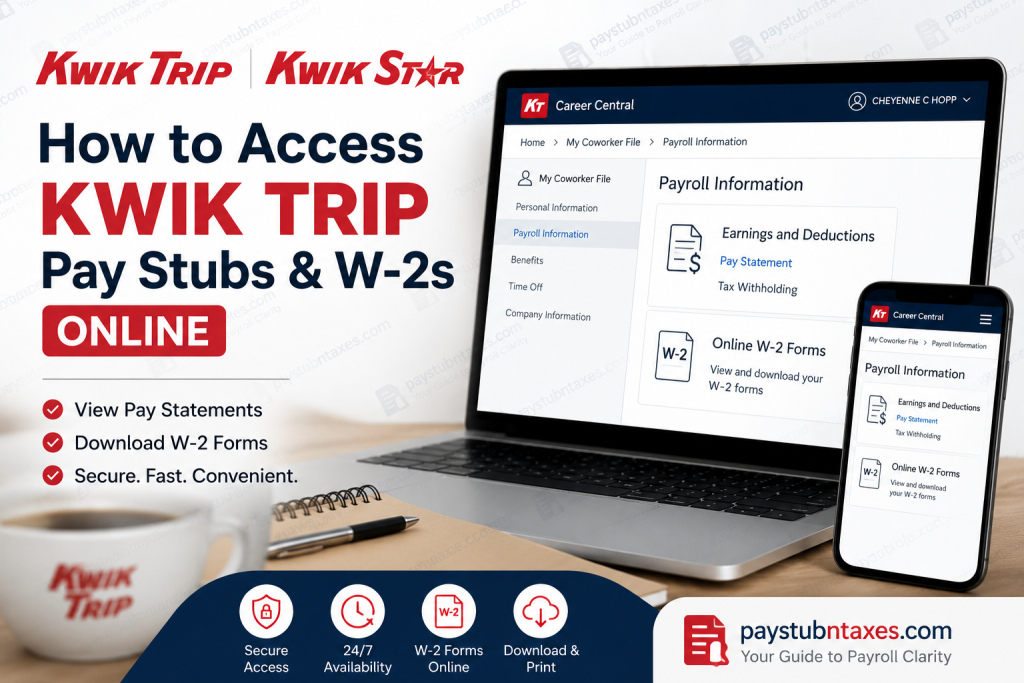
For employees of Kwik Trip and Kwik Star, accessing payroll records should be straightforward and secure. Whether you need your latest pay statement for income verification or your W-2 form for tax filing, Kwik Trip provides convenient self-service access through its Okta-powered employee portal. With just a few clicks, current employees can view, download, and print payroll documents anytime and anywhere. This comprehensive guide explains how to access your Kwik Trip pay stubs and W-2 forms online, troubleshoot common login issues, and obtain assistance when needed.
About Kwik Trip
Founded in 1965, Kwik Trip has grown from a single convenience store in Eau Claire, Wisconsin, into one of the Midwest’s most admired privately owned companies. Headquartered in La Crosse, Wisconsin, the family-owned enterprise operates hundreds of locations under the Kwik Trip and Kwik Star brands across multiple states. The company is widely recognized for its vertically integrated business model, employee-centric culture, and commitment to exceptional customer service.
Kwik Trip distinguishes itself through in-house production facilities, including bakeries, dairy operations, kitchens, and distribution centers, allowing it to maintain quality while keeping costs competitive. The company is equally renowned for sharing 40% of its pre-tax profits with coworkers, a benefit seldom seen in the retail industry.
Can You Access Kwik Trip Pay Stubs Online?
Yes. Kwik Trip employees can securely access pay statements online through the company’s Okta MyApps portal. The system enables coworkers to:
- View current and past pay stubs
- Download or print earnings statements
- Access tax withholding information
- Retrieve W-2 forms electronically
- Update payroll-related information
The portal is accessible via desktop browsers and mobile devices, providing around-the-clock access to payroll records.
Kwik Trip Employee Login Portal
Employee Portal: https://kwiktrip.okta.com
The portal uses Okta authentication and serves as the gateway to Kwik Trip’s internal applications, including Career Central and payroll resources. The login page is branded as Kwik Trip’s MyApps Login.
How to Access Kwik Trip Pay Stubs Online
Follow these steps to view your pay statements:
Step 1: Visit the Okta Portal
Navigate to: https://kwiktrip.okta.com
Enter your username and password to sign in.
Step 2: Open MyApps
After logging in successfully, you will arrive at the MyApps dashboard.
Step 3: Select “Career Central”
Under your applications, click Career Central.
Step 4: Open the Navigation Menu
Tap or click the Home menu in the upper-left corner.
Step 5: Select “My Coworker File”
From the drop-down menu, choose: My Coworker File
Step 6: Navigate to Payroll Information
Scroll down to the Payroll Information section.
Step 7: Click “Pay Statement”
Under Earnings and Deductions, select: Pay Statement
The system displays your recent paychecks. You can open, download, or print any statement as needed.
Step 8: Filter Older Pay Stubs
To access earlier pay periods:
- Click the Filter option
- Adjust the date range
- Search for the desired pay period
How to Access Kwik Trip W-2 Forms Online
Electronic W-2 forms are also available through the employee portal.
Step 1: Log into Okta
Visit: https://kwiktrip.okta.com
Step 2: Open Career Central
Launch Career Central from MyApps.
Step 3: Access My Coworker File
Navigate to: Career Central → My Coworker File
Step 4: Select “Online W-2 Forms”
Locate the Online W-2 Forms section.
Step 5: Choose a Tax Year
Click the desired tax year to view, download, or print your W-2 form.
Electronic W-2 Consent
To receive W-2 forms electronically, employees generally must enroll in electronic delivery. If you previously selected paper delivery, your W-2 will be mailed to your address on file.
Employers typically issue and mail W-2 forms on or before January 31 each year in compliance with federal tax regulations.
If you wish to switch from paper delivery to electronic W-2 access, contact the Human Resources department for assistance.
Accessing Pay Stubs on Mobile Devices
The Okta platform supports mobile access, enabling coworkers to retrieve payroll records directly from smartphones and tablets.
Using a mobile browser:
- Sign in to the Okta portal.
- Open Career Central.
- Navigate to My Coworker File.
- Select Pay Statement or Online W-2 Forms.
This flexibility ensures employees can access payroll information wherever they are.
What Information Appears on a Pay Stub?
A typical Kwik Trip pay statement may include:
- Gross earnings
- Hours worked
- Overtime pay
- Bonuses or incentives
- Federal tax withholding
- State tax withholding
- Social Security deductions
- Medicare deductions
- Benefit deductions
- Net pay
- Direct deposit information
Review your pay stub regularly to ensure payroll accuracy.
Troubleshooting Login Issues
If you cannot access the portal:
Forgot Password
Use the Unlock Account/Password Reset Instructions available on the Okta login page. The portal also provides account recovery tools for employees.
Account Locked
Use the Unlock My Account option or contact your supervisor.
Browser Problems
Try:
- Clearing browser cache and cookies
- Using a different browser
- Updating your browser to the latest version
Incorrect Personal Information
Contact HR if your payroll or tax information appears inaccurate.
Kwik Trip HR Contact Information
If you need additional support regarding payroll or W-2 access:
Kwik Trip Corporate Office
Phone: 608-793-6000
Hours: Beginning at 7:00 AM local time
You may also consult your store manager or supervisor for assistance.
Final Thoughts
Kwik Trip’s employee self-service tools make payroll management remarkably efficient. By using the Okta portal and Career Central, coworkers can retrieve pay stubs, access W-2 forms, and manage payroll information without waiting for paper records or HR assistance. Whether you are preparing taxes, verifying income, or reviewing deductions, online access ensures your payroll information remains just a few clicks away. The company’s longstanding commitment to its coworkers—evidenced by profit sharing, internal advancement opportunities, and employee-focused benefits—continues to set Kwik Trip apart as one of the Midwest’s most respected employers.
Frequently Asked Questions (FAQs)
1. Where do I access Kwik Trip pay stubs?
Through the Okta employee portal at kwiktrip.okta.com.
2. Which application contains payroll information?
Payroll records are located in Career Central → My Coworker File.
3. Can I print my pay stubs?
Yes. Pay statements can be downloaded and printed.
4. How do I access older pay stubs?
Use the date filter within the Pay Statement section.
5. Where can I find my W-2?
Navigate to Online W-2 Forms in My Coworker File.
6. When are W-2 forms available?
Typically by January 31 each year.
7. What if I chose paper delivery?
Your W-2 will be mailed to your address on file.
8. Can former employees access W-2 forms?
Former employees should contact HR if portal access is unavailable.
9. Is the portal mobile-friendly?
Yes. The Okta portal works on mobile devices.
10. What should I do if I forget my password?
Use the password reset or account recovery options.
11. Can I update tax withholding online?
Yes, if the feature is enabled within Career Central.
12. Is payroll information secure?
Yes. Okta uses secure authentication protocols.
13. Can I view direct deposit information?
Yes, through payroll-related sections of My Coworker File.
14. Who should I contact for payroll issues?
Your supervisor or HR at 608-793-6000.
15. Can I download W-2 forms as PDFs?
Yes. Electronic W-2 forms can typically be downloaded and printed.

