
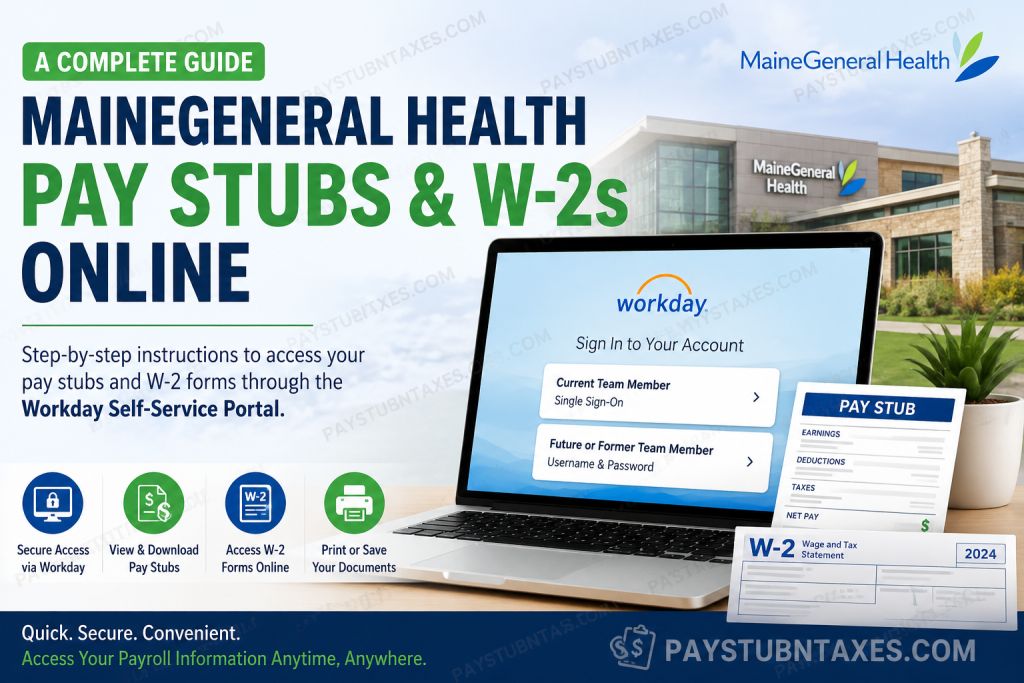
MaineGeneral Health employees can securely access their pay stubs, payroll history, and annual W-2 tax forms through the organization’s Workday Self-Service Portal. Whether you are a current employee using Single Sign-On (SSO) or a former team member logging in with Workday credentials, the platform provides a centralized location for managing payroll and tax documents without requiring assistance from the Human Resources department. This comprehensive guide explains how to access your MaineGeneral Health pay stubs, download previous earnings statements, retrieve your W-2 forms, and resolve common login issues.
About MaineGeneral Health
MaineGeneral Health is one of Maine’s largest non-profit healthcare systems, employing nearly 5,000 professionals throughout Central Maine. Dedicated to improving community health through clinical excellence, outstanding patient experiences, and financial stewardship, the organization delivers comprehensive healthcare services ranging from primary care and emergency medicine to specialized rehabilitation, behavioral health, hospice, and long-term care.
Its integrated healthcare network supports patients throughout every stage of life while investing heavily in employee development, innovation, and high-quality patient care.
Does MaineGeneral Health Use Workday?
Yes. MaineGeneral Health uses Workday Human Capital Management (HCM) as its primary employee self-service platform.
Employees can use Workday to:
- View current and previous pay stubs
- Access annual W-2 tax forms
- Update personal information
- Manage direct deposit information
- Review tax withholding elections
- Access payroll history
- View benefits information
- Maintain employment records
MaineGeneral Health Workday Login
Workday Portal
https://wd5.myworkday.com/mainegeneral/login.htmld
Current Employees
Select Current Team Member and sign in using your MaineGeneral Health Single Sign-On (SSO) credentials.
Future or Former Employees
Select Future or Former Team Member and sign in using the username and password provided by MaineGeneral Health.
New employees should expect their Workday profile to become available approximately one week after completing all required onboarding paperwork.
How to View MaineGeneral Health Pay Stubs
Viewing your paycheck in Workday requires only a few clicks.
Step 1: Log into the MaineGeneral Health Workday portal.
Step 2: From your Workday homepage, select the Pay application.
Step 3: Under Payslips, your most recent paycheck will appear automatically.
Step 4: Click the desired payslip to open the complete earnings statement.
Step 5: To print your paycheck:
- Select Print Payslip Image
- Wait while Workday generates the PDF
- Choose Notify Me Later
- Open the completed PDF from your Notifications Inbox
- Download or print the document as needed
Step 6
To view older pay stubs:
- Return to the Pay application
- Under View, select Payslips
- Browse your complete paycheck history
- Select View beside any pay period you wish to review.
What Information Appears on Your Pay Stub?
Your MaineGeneral Health paycheck includes detailed payroll information such as:
- Employee name
- Employee ID
- Pay period beginning and ending dates
- Check date
- Gross earnings
- Net pay
- Year-to-date (YTD) totals
- Federal, state, and local tax deductions
- Pre-tax deductions
- Post-tax deductions
- Employer-paid benefits
- Taxable wages
- Withholding information
- Payment election details (bank account)
- Earned time balances
- Current and YTD earnings.
Information Not Displayed on Workday Pay Stubs
For security and privacy reasons, MaineGeneral Health Workday payslips do not display:
- Department
- Job code
- Shift worked
- Hourly pay rate
- Standard hours
- Last four digits of your Social Security Number.
How to Access MaineGeneral Health W-2 Forms Online
Eligible employees may choose electronic delivery of their W-2 through Workday instead of receiving a paper copy by mail.
To access your W-2:
Step 1: Log into Workday.
Step 2: Open the Pay application.
Step 3: Select My Tax Documents.
Step 4: Locate the desired tax year.
Step 5: Click View/Print to open your W-2.
Step 6: Use the printer icon to print your tax form or the download icon to save a PDF copy for your records.
Electronic W-2 Delivery
Employees who elect electronic delivery can retrieve their tax forms directly through Workday as soon as Payroll publishes them.
Benefits include:
- Earlier access to tax documents
- Secure online storage
- Immediate PDF downloads
- Reduced paper waste
- Easy access from virtually anywhere
New Employee Workday Access
If you recently joined MaineGeneral Health:
- Complete all onboarding documents.
- Ensure a valid personal email address is on file.
- Allow approximately one week for your Workday profile to become active.
- Sign in using the login instructions provided during orientation.
Current vs. Former Employees
| Employee Status | Login Method |
| Current Employee | Single Sign-On (SSO) |
| Future Employee | Username & Password |
| Former Employee | Username & Password |
Troubleshooting Workday Login Issues
If you cannot access your payroll information:
- Verify you’re selecting the correct login option.
- Confirm your username and password are entered correctly.
- Ensure your Workday account has been activated.
- Clear your browser cache or try another browser.
- Disable browser extensions that may interfere with authentication.
- Contact MaineGeneral Health for assistance if access problems persist.
Payroll Contact Information
If you experience problems accessing your pay stubs or W-2 forms, contact:
MaineGeneral Health Payroll
Phone: 207-387-7089
The Payroll team can assist with:
- Login issues
- Missing pay stubs
- W-2 questions
- Payroll discrepancies
- Account access problems
Conclusion
MaineGeneral Health’s Workday Self-Service Portal streamlines payroll management by giving employees secure, around-the-clock access to pay stubs, payroll history, direct deposit information, and annual W-2 tax forms. Whether you are an active team member signing in through Single Sign-On or a former employee using your Workday credentials, the platform enables you to retrieve essential payroll documents quickly and securely. If you encounter any difficulties accessing your account or payroll records, MaineGeneral Health’s Payroll team is available to provide timely assistance.
People Also Ask (PAA)
1. How do I access my MaineGeneral Health pay stubs?
Log into the MaineGeneral Health Workday portal, open the Pay application, and select Payslips to view or print your current and previous pay stubs.
2. Where can I find my MaineGeneral Health W-2 online?
Your W-2 is available in Workday under Pay → My Tax Documents, where you can view, download, or print your tax form.
3. Does MaineGeneral Health use Workday?
Yes. MaineGeneral Health uses Workday as its Human Capital Management (HCM) system for payroll, HR, benefits, and employee self-service.
4. How do current MaineGeneral Health employees log into Workday?
Current employees select Current Team Member and sign in using their MaineGeneral Health Single Sign-On (SSO) credentials.
5. How do former MaineGeneral Health employees access Workday?
Former employees should choose Future or Former Team Member and log in with their assigned Workday username and password.
6. Can I print my MaineGeneral Health pay stub?
Yes. Open the desired payslip in Workday and use the Print Payslip Image option to generate a printable PDF.
7. Can I download my W-2 from Workday?
Yes. Workday allows employees to download and print W-2 forms directly from the My Tax Documents section.
8. When will my Workday account become active after being hired?
Your Workday profile is generally available about one week after completing your new hire paperwork and onboarding requirements.
9. What information is included on a MaineGeneral Health pay stub?
Your pay stub includes gross pay, net pay, earnings, deductions, taxes, year-to-date totals, payment information, and withholding details.
10. Can I access previous pay stubs in Workday?
Yes. Workday stores your payroll history, allowing you to view both current and past payslips.
11. What should I do if I cannot log into Workday?
Verify your login credentials, choose the correct login option based on your employment status, and contact the Payroll Department if you continue experiencing issues.
12. Can I choose electronic delivery of my W-2?
Yes. Eligible employees may elect to receive their W-2 electronically through Workday instead of by mail.
13. Does Workday show my direct deposit information?
Yes. Employees can review their payment elections and direct deposit information within the Workday Pay application.
14. Who should I contact for payroll or W-2 assistance?
For payroll, pay stub, or W-2 questions, contact the MaineGeneral Health Payroll Department at 207-387-7089.
15. Is the MaineGeneral Health Workday portal secure?
Yes. Workday is a secure employee self-service platform that protects payroll and tax information using authenticated login credentials and secure access controls.

