
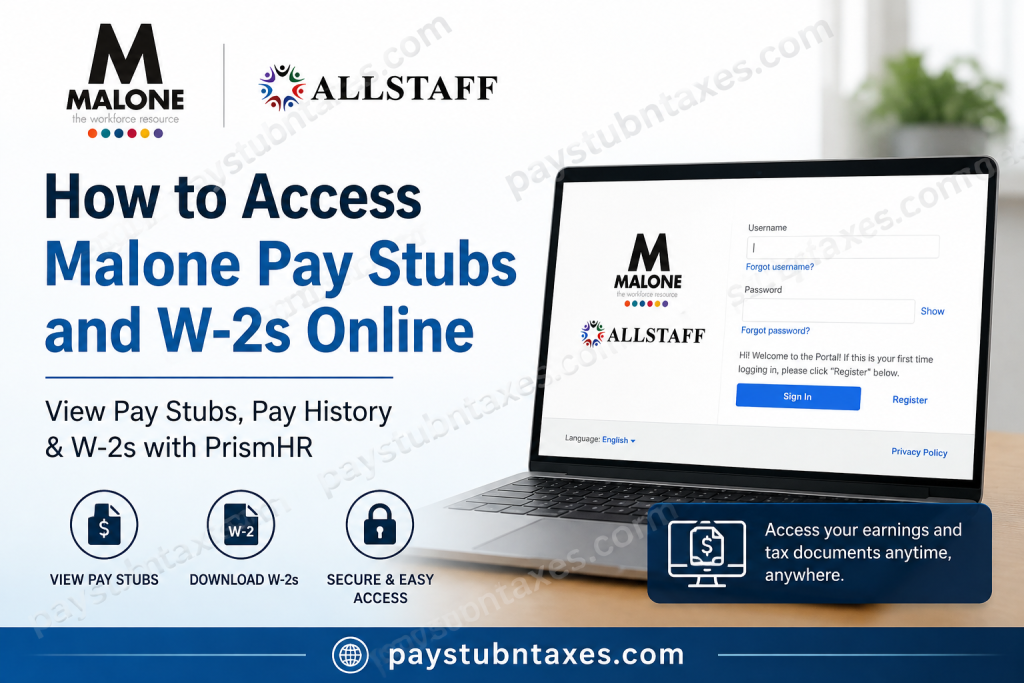
Managing your payroll records should be straightforward, secure, and available whenever you need them. Whether you’re applying for a loan, preparing your tax return, verifying income, or maintaining personal financial records, having immediate access to your pay stubs and W-2 forms is invaluable. Since 2024, Malone Workforce Solutions has adopted PrismHR Employee Self-Service (ESS) as its primary Human Capital Management (HCM) platform. Through the PrismHR portal, current employees can securely access payroll information, download pay stubs, elect electronic W-2 delivery, and retrieve tax documents from virtually any internet-connected device. Employees seeking W-2 forms issued before 2023 should continue using the legacy Satellite Portal, while more recent tax documents are available through PrismHR. This comprehensive guide explains everything you need to know about accessing your Malone pay stubs and W-2 forms online.
What Is the Malone PrismHR Employee Portal?
The PrismHR Employee Self-Service Portal serves as Malone Workforce Solutions’ centralized online HR platform, allowing employees to manage essential employment information without contacting Human Resources.
Through the portal, employees can:
- View current and historical pay stubs
- Download printable PDF pay statements
- Access W-2 tax forms
- Elect electronic W-2 delivery
- Update certain personal information
- Review payroll deductions and tax withholdings
- Access employment-related documents
The portal becomes available approximately one week after completing your new-hire paperwork, provided that a valid personal email address is on file.
Malone PrismHR Login Portal
Employees can access the Malone Employee Portal by visiting:
PrismHR Employee Portal:
https://mri.prismhr.com/mri/auth/#/login?lang=en
The login page includes:
- Username
- Password
- Forgot Username
- Forgot Password
- Register (for first-time users)
First-Time Registration
If you have never used the Malone PrismHR portal before, registration only takes a few minutes.
Step 1: Visit the Portal
Open the Malone PrismHR login page using any:
- Desktop computer
- Laptop
- Tablet
- Smartphone
Step 2: Select Register
On the login screen, click the Register button.
You will be asked to provide information such as:
- Last name
- Social Security Number (or other identifier, if requested)
- Personal email address
- Username
- Password
A valid personal email address is required because it is used for account verification and password recovery.
Step 3: Verify Your Identity
During your first login, PrismHR may send a security verification code by:
- SMS text message (if a mobile number is on file)
Enter the verification code to activate your account.
If the email does not appear, check:
- Spam folder
- Junk folder
- Promotions folder
Step 4: Sign In
Once registration is complete:
- Enter your username
- Enter your password
- Click Sign In
Your employee dashboard will appear.
How to View Malone Pay Stubs
PrismHR makes accessing payroll information remarkably simple.
Step 1:
Log into your PrismHR account.
Step 2:
From the Dashboard: Locate the Pay widget.
You’ll immediately see your three most recent paychecks.
Step 3:
To view your complete payroll history:
Click: View More
Or Select Pay from the left navigation menu.
Step 4:
Your Pay History will display:
- Pay dates
- Gross earnings
- Net pay
- Taxes
- Deductions
The newest paycheck appears first.
Step 5:
Click: View Paystub
to open detailed payroll information.
You’ll be able to review:
- Earnings
- Taxes Withheld
- Deductions
Step 6:
For an official printable copy:
Click: View Check
PrismHR generates a PDF version of your pay stub.
Depending on your browser, it may take a few moments for the document to generate.
You may then:
- Save it
- Print it
- Email it
- Download it for future reference
How to Access Malone W-2 Forms
Tax forms are available directly within the PrismHR portal.
Step 1: Sign into your PrismHR account.
Step 2: From the left navigation menu, choose: Taxes
Step 3: Select: W-2
Step 4: Choose the desired tax year from the drop-down list.
Step 5: Click the download icon.
Your W-2 will download as a PDF that you can:
- Save
- Upload into tax preparation software
Electronic W-2 Enrollment
Malone employees may choose electronic W-2 delivery instead of waiting for a mailed paper copy.
Benefits include:
- Earlier access to tax documents
- Enhanced security
- Reduced risk of lost or delayed mail
- Convenient digital storage
- Easy upload into tax preparation software
Once electronic delivery is elected, the preference generally remains active until you revoke it.
Accessing Older W-2 Forms
Malone currently maintains two systems.
W-2 Forms for 2023 and Later
Available through: PrismHR Employee Portal
W-2 Forms Before 2023
Available through: Satellite Portal
If you cannot locate an older tax form, contact Human Resources for assistance.
Forgot Your Username or Password?
PrismHR provides built-in recovery tools.
Simply select:
- Forgot Username
- Forgot Password
You’ll receive reset instructions via your registered email.
If you still cannot log in:
- Confirm Caps Lock is off.
- Ensure your username is entered in lowercase if required.
- Check your Spam or Junk folder for reset emails.
- Try clearing your browser cache or using a different browser.
Mobile Access
PrismHR works well on:
- iPhone
- Android
- iPad
- Mobile browsers
No special software is required.
Benefits of Using PrismHR
Employees appreciate PrismHR because it offers:
- Secure online payroll access
- 24/7 availability
- Paperless document management
- Faster W-2 delivery
- Complete payroll history
- Printable PDF pay statements
- Convenient tax document downloads
Contact Malone Workforce Solutions
If you experience difficulties accessing your account, contact Malone Human Resources.
Help Desk: (866) 805-8600
Email: HR@malonesolutions.com
Support can assist with:
- Registration
- Username recovery
- Password resets
- W-2 questions
- Payroll access issues
- Technical login problems
Conclusion
Malone Workforce Solutions has modernized payroll management by adopting the PrismHR Employee Self-Service Portal, providing employees with secure, round-the-clock access to essential payroll and tax documents. Whether you need to download your latest pay stub, retrieve a W-2 for tax filing, or enroll in electronic W-2 delivery, the platform streamlines every step of the process while maintaining robust security. By following the instructions outlined above, you can efficiently manage your payroll records from any computer or mobile device, eliminating unnecessary paperwork and reducing the need to contact Human Resources for routine requests.
Frequently Asked Questions
1. How do I log in to the Malone PrismHR Employee Portal?
Visit the PrismHR login page, enter your username and password, and click Sign In.
2. How do I register for the Malone Employee Portal?
Click Register on the PrismHR login page and complete the registration using your personal information and email address.
3. When can new employees access PrismHR?
Your PrismHR profile is generally available about one week after completing your new-hire paperwork and once your personal email address has been added to your employee profile.
4. Where can I find my pay stubs?
After logging in, select Pay from the dashboard or left-side menu, then click View Paystub to review your earnings and deductions.
5. Can I print my Malone pay stub?
Yes. Open the pay stub and click View Check to generate and print an official PDF copy.
6. How do I download my W-2?
Navigate to Taxes → W-2, select the appropriate tax year, and download your W-2 as a PDF.
7. Can I receive my W-2 electronically?
Yes. Employees may choose electronic W-2 delivery through the PrismHR portal instead of receiving a mailed paper copy.
8. Where are W-2 forms from previous years stored?
Available tax years can be selected from the W-2 drop-down menu in PrismHR. W-2 forms issued before 2023 are available through the Satellite Portal.
9. What should I do if I forgot my username or password?
Use the Forgot Username or Forgot Password links on the login page to recover your account credentials.
10. Why am I not receiving the verification email?
Check your Spam or Junk folder and ensure your registered email address is correct. If the issue continues, contact Human Resources.
11. Can former Malone employees access their payroll records?
Former employees may still be able to access available payroll records through the appropriate employee portal. If access has expired, contact Malone Human Resources for assistance.
12. Is the PrismHR portal available 24/7?
Yes. Employees can securely access payroll information and tax documents online anytime, subject to scheduled maintenance.
13. What information is available on a pay stub?
Pay stubs typically include gross pay, net pay, hours worked, earnings, tax withholdings, deductions, and employer contributions.
14. Is my payroll information secure in PrismHR?
Yes. PrismHR uses secure authentication and encrypted connections to help protect employee payroll and tax information.
15. How do I contact Malone Workforce Solutions for payroll assistance?
For payroll or portal support, contact the Malone Help Desk at (866) 805-8600 or email HR@malonesolutions.com.

