
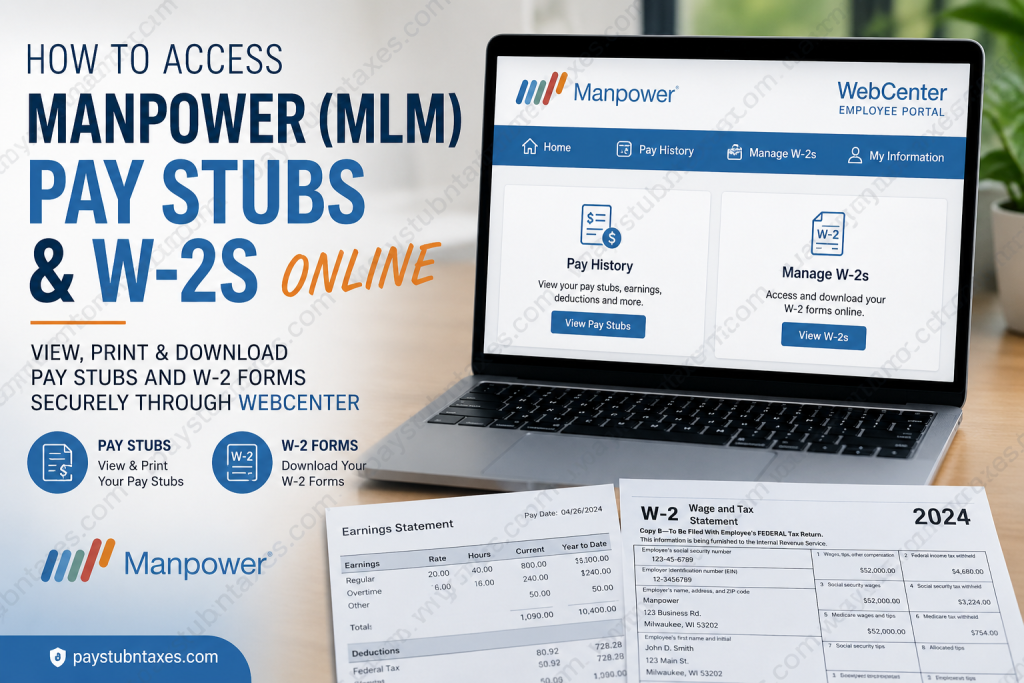
Managing payroll documents should be straightforward, secure, and available whenever you need them. If you are employed by Manpower (MLM) or one of its affiliated regional offices using the WebCenter employee portal, you can conveniently access your weekly pay stubs, annual W-2 tax forms, and personal employment information online without visiting your local branch. WebCenter is a secure self-service platform designed specifically for temporary and contract employees. Whether you need to print a recent paycheck, download your W-2 for tax filing, or update your account credentials, the portal allows you to complete these tasks within minutes. This comprehensive guide explains everything you need to know about accessing your Manpower pay stubs and W-2s online.
About Manpower (MLM)
For more than six decades, Manpower has remained one of the world’s most respected workforce solutions companies, connecting employers with qualified talent across manufacturing, logistics, healthcare, administrative services, engineering, finance, and numerous other industries.
Locally, Manpower of Lansing, Michigan, has served businesses throughout Michigan and Indiana since 1962, operating multiple branch offices while leveraging the extensive global resources of the ManpowerGroup network. Their mission extends beyond staffing by helping organizations improve productivity while enabling job seekers to build meaningful careers.
To simplify payroll administration, many Manpower regional offices—including Manpower of Northwest Ohio and Manpower of Lansing—utilize the WebCenter employee portal, allowing associates to securely access payroll and tax documents online.
What is the WebCenter Employee Portal?
WebCenter is a secure online employee self-service platform that enables Manpower associates to manage employment-related information from virtually any internet-connected device.
Through WebCenter, employees can:
- View weekly pay stubs
- Download printable paycheck statements
- Access annual W-2 tax forms
- Elect electronic W-2 delivery
- Update passwords
- View assignment information
- Access personal employment records
- Manage certain employee information
Because payroll information becomes available electronically, employees no longer need to wait for paper documents to arrive by mail.
Manpower WebCenter Login Requirements
Before accessing your account, make sure you have:
- Your WebCenter username
- Your password
- The email address used during registration
- Internet access
- A supported web browser
New employees generally receive their WebCenter login credentials from Human Resources shortly after beginning employment. If the email is not received by the second day of employment, checking the spam or junk folder is recommended before contacting your HR representative.
Manpower WebCenter Login Portal
Employees can access their payroll account here:
WebCenter Portal
https://webcenter.ontempworks.com/ManpowerLansing/Account/LogIn?ReturnUrl=%2FManpowerLansing%2F
How to Log Into Your Manpower WebCenter Account
Follow these steps:
Step 1: Open the WebCenter login page.
Step 2: Enter your:
- Username
- Password
Step 3: Click Log In.
Step 4: After successfully signing in, you’ll arrive at your employee dashboard.
How to Change Your WebCenter Password
After logging in for the first time, it’s advisable to create a personal password.
Follow these steps:
- Log into WebCenter.
- Select My Information.
- Under Password, click Change Your Password.
- Enter your current password.
- Create a new password.
- Confirm the new password.
- Click Change Password.
Using a strong password helps protect your payroll and tax information.
How to View Manpower Pay Stubs Online
Once logged in:
Step 1: Select the Pay History tab.
Step 2: Choose the desired Pay Date.
Step 3: Review paycheck information, including:
- Gross earnings
- Net pay
- Tax deductions
- Adjustments
- Hours worked
- Accruals
Step 4: Click View Printable Version.
Step 5: The pay stub opens in a separate window.
Step 6: Save the file in your preferred format.
Step 7: Print the document if necessary.
These features allow employees to maintain complete payroll records electronically.
How to Download Your Manpower W-2 Online
Electronic W-2 delivery allows employees to receive tax documents much sooner than traditional mailing.
To download your W-2:
Step 1: Log into WebCenter.
Step 2: Click Manage W-2s.
Step 3: If you’ve already enrolled in electronic delivery:
- Select the desired tax year.
- Your W-2 downloads automatically as a PDF.
Step 4: If electronic delivery has not yet been enabled:
- Select Change W-2 Options.
- Choose Click here to receive your W-2’s electronically.
Step 5: Return to Manage W-2s.
Step 6: Download your W-2.
Electronic delivery ensures faster access once the forms are finalized early in the year.
Forgot Your WebCenter Password?
If you’ve forgotten your password:
- Visit the login page.
- Select Forgot Password.
- Enter your registered email address.
- Follow the password reset instructions sent by email.
If you cannot recover your account, contact the Manpower branch where you originally registered for assistance.
Benefits of Electronic W-2 Delivery
Choosing electronic W-2 delivery offers several advantages:
- Faster tax document availability
- Secure online storage
- Instant PDF downloads
- No waiting for postal delivery
- Easy access from anywhere
- Environmentally friendly paperless process
Troubleshooting Login Problems
If you experience login issues:
- Verify your username and password.
- Confirm you’re using the email address associated with your employment record.
- Clear your browser cache.
- Try another browser or device.
- Reset your password.
- Contact your local Manpower office if problems persist.
Why Use WebCenter?
WebCenter provides employees with 24/7 access to important payroll records while reducing paperwork and simplifying tax season.
Using WebCenter allows you to:
- Retrieve payroll records instantly
- Download tax forms whenever needed
- Maintain secure electronic records
- Update your password independently
- Access employment information from virtually anywhere
Final Thoughts
The Manpower WebCenter portal offers a fast, secure, and user-friendly way for employees to manage essential payroll documents without relying on paper records. Whether you need to review your latest paycheck, print historical earnings statements, or download your W-2 during tax season, WebCenter centralizes these services in one convenient location. By enrolling in electronic W-2 delivery and keeping your login credentials up to date, you can enjoy immediate access to your employment records whenever you need them, making payroll management simpler, more efficient, and entirely paperless.
Frequently Asked Questions
1. How do I log into my Manpower WebCenter account?
Visit your Manpower WebCenter portal, enter your username and password, and click Log In to access your employee dashboard.
2. Where can I find my Manpower pay stubs?
After logging into WebCenter, click the Pay History tab and select the desired pay date to view, save, or print your pay stub.
3. How do I download my Manpower W-2 online?
Log into WebCenter, click Manage W-2s, select the tax year, and your W-2 will download automatically as a PDF if you’ve enrolled in electronic delivery.
4. How do I enroll in electronic W-2 delivery?
Go to Manage W-2s, choose Change W-2 Options, then select Click here to receive your W-2’s electronically.
5. What should I do if I forgot my WebCenter password?
Click the Forgot Password link on the login page and follow the email instructions to reset your password.
6. I never received my WebCenter login credentials. What should I do?
Check your spam or junk folder first. If you still haven’t received the email, contact your HR representative or your local Manpower branch.
7. Can I print my pay stub from WebCenter?
Yes. Open the desired pay stub, click View Printable Version, then save or print the document.
8. When are Manpower W-2 forms available?
Electronic W-2s are typically available shortly after the beginning of the new calendar year, once payroll processing has been completed.
9. Can former Manpower employees access their W-2 online?
In many cases, yes. If you still have your WebCenter account, you may be able to log in. Otherwise, contact your former Manpower branch for assistance.
10. Is WebCenter available 24/7?
Yes. Employees can generally access WebCenter anytime using an internet-connected computer, tablet, or smartphone.
11. Can I access WebCenter from my mobile phone?
Yes. WebCenter is accessible through most modern mobile browsers.
12. What information is available in WebCenter?
Employees can view pay stubs, W-2 tax forms, payroll history, assignment information, personal details, and account settings.
13. How do I change my WebCenter password?
Log in, click My Information, select Change Your Password, enter your current password, create a new password, and save your changes.
14. Why should I choose electronic W-2 delivery?
Electronic W-2 delivery provides faster access, secure PDF downloads, reduced paper waste, and eliminates waiting for documents to arrive by mail.
15. Who should I contact if I have payroll or login issues?
Contact your local Manpower branch or HR representative for assistance with login credentials, payroll discrepancies, or W-2 access issues.

