
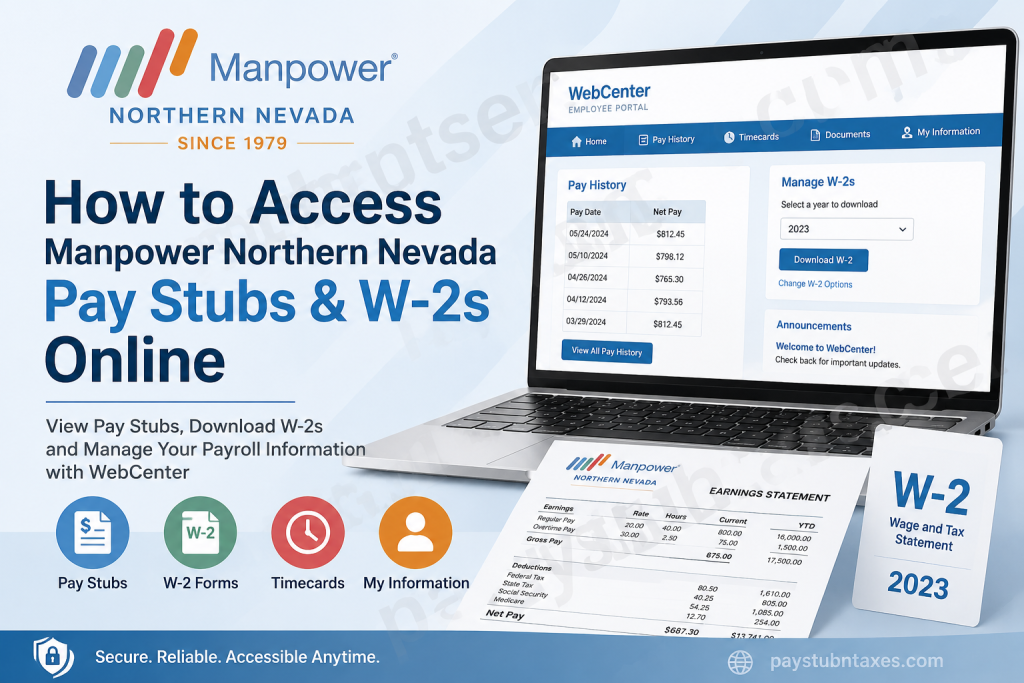
Managing your payroll records should be straightforward, secure, and available whenever you need them. Fortunately, Manpower Northern Nevada provides employees with online access to their payroll information through the TempWorks WebCenter Employee Portal, allowing them to retrieve pay stubs, manage W-2 tax forms, update personal information, and review employment records from virtually anywhere. Whether you need your latest paycheck for income verification or a previous year’s W-2 for tax filing, this comprehensive guide explains everything you need to know about accessing your payroll documents quickly and securely.
About Manpower Northern Nevada
Since 1979, Manpower Northern Nevada has remained under the ownership and leadership of the same family across three generations, establishing itself as one of Nevada’s most respected staffing and workforce solutions providers.
What began as a single temporary staffing office—where payroll checks and invoices were prepared manually—has evolved into a full-service employment agency serving Northern Nevada for more than four decades. Today, the company provides workforce solutions across a wide spectrum of industries, including:
- Administrative
- Clerical
- Industrial
- Skilled Trades
- Mining
- Manufacturing
- Logistics & Distribution
- Contact Centers
- Technical
- Professional
- Production
- Human Resource Solutions
- Direct Hire
- Temporary Staffing
- Payroll Services
Its mission remains unchanged: connecting talented individuals with meaningful employment while helping businesses improve productivity through innovative workforce solutions.
What Is WebCenter?
Manpower Northern Nevada uses TempWorks WebCenter, a secure employee self-service portal that enables workers to manage their employment information without contacting payroll each time they need a document.
Through the Employee WebCenter, you can:
- View and print pay stubs
- Download W-2 tax forms
- Review year-to-date payroll totals
- View assignment history
- Access online timecards
- Update personal information
- Change your password
- Receive company announcements
- View employment history
Because the portal is cloud-based, employees can securely access their payroll records 24 hours a day from any internet-connected device.
Manpower Northern Nevada WebCenter Login
Employee Portal
https://webcenter.ontempworks.com/manpowerreno/Account/LogIn
Once you receive your login credentials from Human Resources, simply sign in using your assigned username and password.
First-Time Login Instructions
New employees receive a welcome email containing their WebCenter credentials.
If you have not received this email by your second day of employment, follow these recommendations:
- Check your Junk or Spam folder.
- Verify your email address.
- Contact your HR Representative if the email cannot be located.
After signing in for the first time:
- Click My Information.
- Locate the Password section.
- Select Change Your Password.
- Enter your current password.
- Create a new secure password.
- Confirm the new password.
- Click Change Password.
For security purposes, store your new password somewhere safe.
How to View Manpower Northern Nevada Pay Stubs Online
Viewing your paycheck history only takes a few minutes.
Step 1: Log into the WebCenter Employee Portal.
Step 2: Select the Pay History tab from the top navigation menu.
Step 3: Choose the desired Pay Date.
Step 4: Review your paycheck information, including:
- Gross Pay
- Net Pay
- Federal Taxes
- State Taxes
- Hours Worked
- Adjustments
- Accruals
- Deductions
Step 5: Click View Printable Version.
Step 6: A printable version of your paycheck opens in a new window.
Step 7: Save the document in your preferred format or print it for your records.
How to Download Your W-2 Online
Electronic W-2s are available directly through WebCenter.
If You Already Receive Electronic W-2s
- Log into WebCenter.
- Click Manage W-2s.
- Select the tax year.
- Your W-2 PDF downloads automatically.
If You Have Not Enrolled Yet
- Click Change W-2 Options.
- Choose:
Click here to receive your W-2 electronically
- Save your selection.
- Return to Manage W-2s.
- Download your W-2 immediately after it becomes available.
Information Available in WebCenter
Besides payroll records, employees can conveniently access:
Payroll
- Current pay stubs
- Previous paychecks
- Year-to-date earnings
- Payroll deductions
- Tax withholding information
Employment Records
- Assignment history
- Job details
- Work schedules
- Employment messages
Timecards
Employees can:
- Submit timecards
- Review previous submissions
- Check approval status
- View archived timecards
Personal Information
Employees may update:
- Password
- Contact information
- Email address
- Notification preferences
Benefits of Using WebCenter
Using the Employee WebCenter offers several advantages.
24/7 Availability
Payroll information is available whenever you need it.
Paperless Access
Download digital copies instead of waiting for printed documents.
Secure Login
Your payroll information is protected through secure authentication.
Faster Tax Filing
Electronic W-2 delivery simplifies tax preparation.
Self-Service Convenience
Most payroll-related tasks can be completed without contacting HR.
Forgot Your Username or Password?
If you cannot access your account:
- Select Forgot Username?
- Select Forgot Password?
- Follow the recovery instructions.
- If recovery is unsuccessful, contact your HR Representative for assistance.
Payroll Support
If you require additional assistance regarding payroll, billing, or employee records, contact the Manpower Northern Nevada office.
Address
63 Keystone Ave. #202
Reno, NV 89503
Telephone: 775-328-6020
Fax: 775-328-6030
You may also visit your local Manpower branch for in-person support.
Tips for Keeping Your Payroll Information Secure
To protect your personal information:
- Use a strong, unique password.
- Never share your login credentials.
- Log out after each session.
- Avoid accessing payroll information over unsecured public Wi-Fi.
- Update your password periodically.
- Monitor your payroll records for unusual activity.
Final Thoughts
Manpower Northern Nevada has embraced modern workforce technology by providing employees with the TempWorks WebCenter Employee Portal, making payroll management remarkably efficient. Instead of relying on paper records or waiting for assistance from payroll administrators, employees can instantly access pay stubs, retrieve historical payroll information, download W-2 forms, review assignments, and maintain personal information from virtually anywhere. By taking advantage of these self-service features and following sound account security practices, you can ensure that your payroll records remain both accessible and protected whenever you need them.
Frequently Asked Questions
1. How do I access my Manpower Northern Nevada pay stubs online?
Log into the TempWorks WebCenter Employee Portal using your assigned username and password, then select Pay History to view, print, or download your pay stubs.
2. What is the WebCenter portal for Manpower Northern Nevada?
WebCenter is the company’s secure employee self-service portal where employees can access payroll records, W-2 forms, timecards, assignment history, and personal information.
3. Where can I find my W-2 form?
After logging into WebCenter, click Manage W-2s and select the tax year you wish to download.
4. Can I receive my W-2 electronically?
Yes. Employees can opt into electronic W-2 delivery through the Change W-2 Options section within WebCenter.
5. What should I do if I forgot my WebCenter password?
Click Forgot Password? on the login page and follow the password recovery instructions. If necessary, contact your HR Representative for assistance.
6. When will I receive my WebCenter login credentials?
Your HR Representative typically emails your username and password before or shortly after your employment begins. If you haven’t received them by your second day, check your spam folder and contact HR.
7. Can I print my pay stubs?
Yes. Open the desired paycheck under Pay History, then click View Printable Version to print or save the document.
8. Can I access previous pay stubs?
Yes. WebCenter maintains a history of previous paychecks, allowing employees to view and download older pay stubs.
9. What information appears on my pay stub?
Your pay stub typically includes gross pay, net pay, taxes withheld, deductions, adjustments, hours worked, and year-to-date earnings.
10. Can I access WebCenter from my mobile phone?
Yes. The WebCenter portal is accessible through most modern mobile web browsers.
11. Is WebCenter secure?
Yes. WebCenter uses secure login credentials and encrypted connections to protect employee payroll and personal information.
12. Can I change my password after logging in?
Yes. Navigate to My Information, select Change Your Password, and create a new secure password.
13. What if my W-2 is not available?
Verify that you’ve enrolled in electronic W-2 delivery or contact the Manpower Northern Nevada payroll office if your W-2 has not yet been posted.
14. Who should I contact for payroll assistance?
For payroll, billing, or employment-related questions, contact the Manpower Northern Nevada office at 775-328-6020 or visit 63 Keystone Ave. #202, Reno, NV 89503.
15. What other features are available in the WebCenter Employee Portal?
Besides pay stubs and W-2s, employees can access assignment history, online timecards, payroll summaries, personal information, company announcements, and employment documents.

