
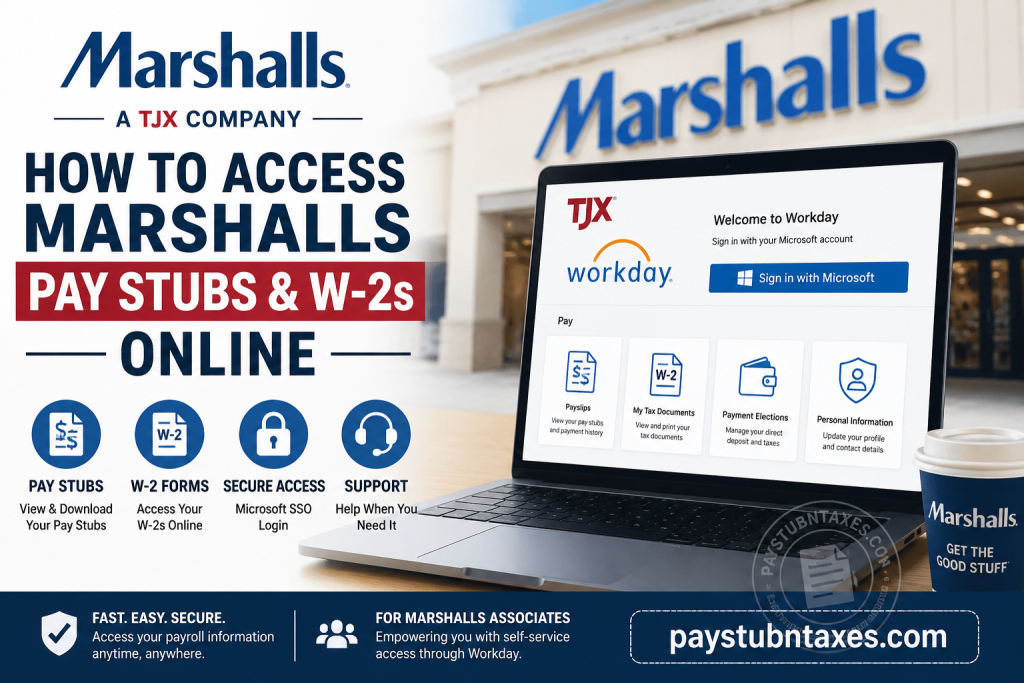
Working at Marshalls, one of America’s leading off-price retailers and a proud member of The TJX Companies, comes with the convenience of digital payroll management. Whether you need your latest pay stub for income verification or your annual W-2 form for tax filing, TJX has streamlined the entire process through Workday, its enterprise Human Capital Management (HCM) platform. If you are a current Marshalls associate, this guide explains exactly how to sign in, locate your payroll documents, download tax forms, and resolve common login issues.
About Marshalls
Founded in 1956, Marshalls has grown into one of North America’s largest off-price department store chains. Today, the retailer operates more than 1,000 stores across the United States, as well as dozens of locations in Canada, offering brand-name apparel, footwear, accessories, beauty products, and home décor at exceptional prices. Since 1995, Marshalls has operated as part of The TJX Companies, alongside renowned brands including TJ Maxx, HomeGoods, Homesense, Sierra, Winners, and TK Maxx.
As part of TJX’s ongoing digital transformation, employee payroll, tax documents, and many HR services are now managed through Workday.
Does Marshalls Use Workday?
Yes. TJX has transitioned its payroll and human resources operations to Workday, enabling Marshalls associates to manage employment information through a secure self-service portal.
Through Workday, employees can:
- View current and previous pay stubs
- Download payroll statements as PDFs
- Access electronic W-2 tax forms
- Update personal information
- Modify direct deposit details (where permitted)
- Review tax withholding elections
- Access other payroll-related records
Employees who elected electronic W-2 delivery can retrieve their tax forms directly from Workday. Those who did not consent to paperless delivery will receive their W-2 by mail at the home address listed in Workday.
Marshalls Workday Login
Workday Portal
https://wd1.myworkday.com/tjx/login.htmld
Marshalls employees sign in using their Microsoft Single Sign-On (SSO) credentials.
The login screen prompts associates to enter their company email or username before completing Microsoft authentication.
How to Access Marshalls Pay Stubs Online
Follow these steps:
Step 1: Open the Workday Portal
Navigate to the TJX Workday login page.
Step 2: Sign in with Microsoft SSO
Enter your TJX employee credentials and complete any required multi-factor authentication.
Step 3: Open Your Workday Dashboard
After signing in successfully, you’ll arrive at your personalized Workday homepage.
Step 4: Select the Pay Application
Locate and open the Pay section.
Step 5: Choose Payslips
Inside the Pay application, select Payslips to display your payroll history.
The Workday Pay section provides access to individual pay periods, allowing employees to open the corresponding PDF payslip for viewing or printing.
Step 6: Download or Print
Choose the desired pay period.
You can:
- Open the payslip
- Download the PDF
- Print a paper copy
- Save it for future reference
How to Access Marshalls W-2 Forms
Your annual Wage and Tax Statement is also available through Workday if you elected electronic delivery.
Step 1: Log in to Workday.
Step 2: Open the Pay application.
Step 3: Select My Tax Documents.
Step 4: Locate the desired tax year.
Step 5: Select View/Print.
Step 6: Download or print your W-2 for tax filing.
Within Workday, active employees receive notifications when W-2s become available, and tax forms are stored under My Tax Documents, where they can be viewed, downloaded, or printed.
If You Did Not Choose Electronic Delivery
Employees who did not enroll in electronic delivery will receive their W-2 by mail.
TJX mails paper W-2 forms to the mailing address currently listed in Workday.
To avoid delays during tax season, ensure your home address is accurate before year-end.
What Information Is Available in Workday?
Your employee self-service portal allows you to access:
- Current pay stubs
- Historical payroll records
- W-2 tax forms
- Tax withholding elections
- Direct deposit information
- Personal profile
- Employment details
- Benefits information
- Time and attendance resources
What to Do If You Cannot Log In
If you’re unable to access your Workday account:
- Verify your Microsoft SSO username and password.
- Confirm that your network connection is stable.
- Complete any required multi-factor authentication.
- Reset your password if prompted.
- Clear your browser cache or try another browser.
- Contact your store management if access problems continue.
Payroll Support
If you need additional assistance regarding payroll or tax documents, contact:
TJX Benefits & Payroll Support
Phone: (888) 627-7425
You may also speak directly with your Marshalls Store Manager, who can assist with payroll-related inquiries or escalate technical issues when necessary.
Conclusion
TJX’s adoption of Workday has significantly simplified payroll administration for Marshalls associates by centralizing pay statements, tax forms, and essential HR services within a secure self-service platform. Whether you need a recent payslip for financial documentation or your annual W-2 for tax preparation, Workday enables you to retrieve these records efficiently with just a few clicks. To ensure uninterrupted access, maintain current personal information in your employee profile, enroll in electronic tax document delivery if preferred, and contact TJX Payroll Support promptly should any account or payroll issues arise.
Frequently Asked Questions
1. How do I access my Marshalls pay stubs online?
Log in to the TJX Workday portal using your Microsoft SSO credentials, then navigate to Pay → Payslips to view, download, or print your pay statements.
2. Does Marshalls use Workday for payroll?
Yes. Marshalls, as part of The TJX Companies, uses Workday to manage payroll, pay stubs, W-2 forms, and other employee self-service functions.
3. Where can I find my W-2 form in Workday?
After signing in, go to Pay → My Tax Documents and select the appropriate tax year to view, download, or print your W-2.
4. Who can access Marshalls’ pay stubs online?
Current Marshalls employees with active Workday accounts and Microsoft SSO credentials can access their payroll records online.
5. Will I receive a paper W-2?
Yes. Employees who did not choose electronic delivery will receive their W-2 by postal mail at the address listed in Workday.
6. Can I download my pay stub as a PDF?
Yes. Workday allows employees to open, download, save, and print pay stubs in PDF format.
7. How do I log in to the TJX Workday portal?
Visit the official Workday login page and sign in using your TJX Microsoft Single Sign-On (SSO) credentials.
8. What if I forgot my Workday password?
Use the Microsoft password recovery option or contact your store manager or TJX IT support for assistance in resetting your login credentials.
9. Can I access Workday from home?
Yes. Employees can securely access Workday from any internet-connected computer or mobile device using their authorized credentials.
10. How far back can I view my pay stubs?
Available pay history depends on your Workday account and company retention policies. Most employees can access multiple previous pay periods online.
11. Can former Marshalls employees access their W-2 forms?
Former employees may have limited Workday access. If you cannot log in, contact TJX Payroll Support to request your W-2.
12. Can I update my mailing address in Workday?
Yes. Current employees can update their personal information in Workday to ensure tax documents are mailed to the correct address.
13. Is Workday secure for payroll information?
Yes. Workday uses Microsoft Single Sign-On, encryption, and enterprise-grade security to safeguard employee payroll and personal information.
14. Who should I contact if my pay stub or W-2 is missing?
Contact your Marshalls Store Manager or call the TJX Benefits and Payroll Support line at (888) 627-7425 for assistance.
15. What payroll information can I access through Workday?
Employees can access pay stubs, W-2 tax forms, tax withholding information, direct deposit details, payroll history, and other employment records through the Workday self-service portal.

