
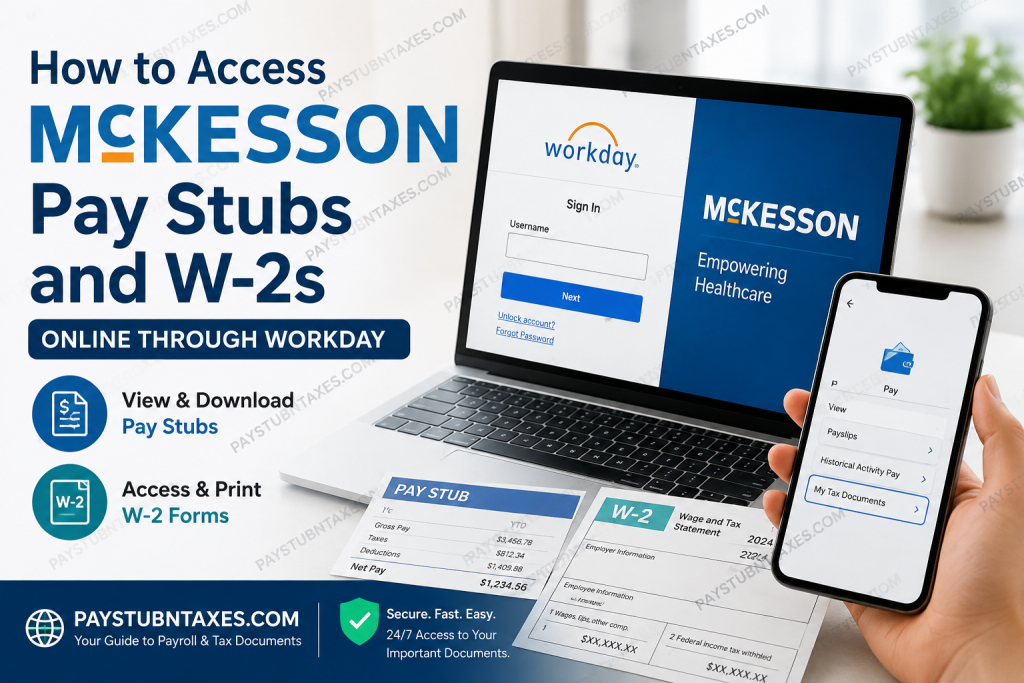
McKesson employees can conveniently access their payroll and tax documents online through Workday, the company’s primary Human Capital Management (HCM) platform. Whether you need to download your latest pay stub, print a previous earnings statement, retrieve your annual W-2 form, update direct deposit information, or manage your paid time off, Workday serves as the centralized self-service portal for virtually every HR-related task. In addition to direct Workday access, McKesson employees can also launch Workday through McKNet, the company’s internal SharePoint portal integrated with Microsoft Single Sign-On (SSO). This streamlined authentication process enables employees to move seamlessly between Microsoft applications, Workday, and other internal resources using a single corporate login. This comprehensive guide explains everything you need to know about accessing your McKesson pay stubs, W-2 forms, payroll records, and HR services online.
About McKesson
McKesson Corporation is one of the world’s largest healthcare services and pharmaceutical distribution companies. Headquartered in Irving, Texas, McKesson supports healthcare providers, pharmacies, manufacturers, governments, and health systems by delivering pharmaceuticals, medical supplies, healthcare technology, and supply chain solutions throughout North America.
As a Fortune 10 company, McKesson is committed to making quality healthcare more accessible and affordable while fostering an inclusive workplace where employees are empowered to innovate, collaborate, and grow professionally. Through advanced logistics, healthcare technology, and data-driven solutions, McKesson continues to play a vital role in improving patient outcomes across the healthcare ecosystem.
McKesson Employee Payroll Portal
Current employees can access their payroll information using either of the following methods:
Option 1: Direct Workday Login
Visit: https://wd3.myworkday.com/mckesson/login.flex
Sign in using your McKesson credentials or Microsoft corporate account.
Option 2: Access Through McKNet
Employees may also launch Workday directly from the McKNet employee portal after signing in with their Microsoft work account.
Using McKNet provides convenient access to:
- Workday
- Payroll
- Benefits
- Time Off
- Company News
- Internal Resources
- HR Services
- Learning & Development
Bookmark McKNet for quick future access.
How to Access McKesson Pay Stubs Online
Once logged into Workday, retrieving your earnings statements takes only a few moments.
Step 1: Sign in to Workday.
Step 2: Select your employee profile or open the Pay application.
Step 3: Choose Payslips.
Step 4: A complete list of available pay periods will appear.
Step 5: Select the desired payroll date.
Step 6: Click the PDF icon next to the selected pay period.
Your pay stub will immediately open in PDF format, allowing you to:
- View online
- Download
- Save for future reference
Employees who have customized their Workday home page may also access Payslips directly through the Pay application under the View section.
What Information Appears on Your Pay Stub?
Each McKesson pay statement typically includes:
- Employee information
- Pay period dates
- Gross earnings
- Net pay
- Federal tax withholding
- State tax withholding
- Social Security deductions
- Medicare deductions
- Retirement contributions
- Benefit deductions
- Paid Time Off balances
- Employer contributions
- Year-to-date earnings
Review your earnings statement after every payroll cycle to ensure all information is accurate.
How to Download or Print Your Pay Stub
Downloading your payroll statement is straightforward.
After opening the PDF:
- Click Download to save a digital copy.
- Click the Print icon to obtain a paper copy.
- Store important payroll records securely for tax filing, mortgage applications, or income verification.
How to Access McKesson W-2 Forms
Each year, McKesson publishes employees’ W-2 tax forms through Workday.
To locate your W-2:
Step 1: Log into Workday.
Step 2: Open the Pay dashboard.
Step 3: Select My Tax Documents.
Step 4: Locate the appropriate tax year.
Step 5: Click View/Print.
Step 6: Your W-2 opens as a PDF.
From there, you can:
- Print your W-2
- Download a copy
- Save it electronically for tax filing
Active employees are generally notified once new W-2 forms become available in Workday.
Former McKesson Employees
Former employees who no longer have access to Workday should contact McKesson Payroll or Human Resources to request copies of:
- W-2 forms
- Payroll history
- Employment verification
- Tax documents
Having your employee ID, Social Security Number, and current mailing address available will help expedite the request.
McKNet vs. Workday
Many employees confuse these two systems.
| McKNet | Workday |
| Employee intranet | HR & Payroll system |
| Microsoft Single Sign-On | Human Capital Management |
| Internal news | Pay Stubs |
| Company resources | W-2 Forms |
| Policies | Benefits |
| Employee communications | Direct Deposit |
| Quick links | Time Off |
| Collaboration tools | Personal Information |
Think of McKNet as the gateway, while Workday is where payroll and HR transactions take place.
Other HR Tasks Available in Workday
Besides payroll, employees can use Workday to:
- Update personal information
- Change direct deposit accounts
- Review benefits
- Manage tax withholding elections
- View employment history
- Request time off
- Track PTO balances
- Update emergency contacts
- Access compensation history
- View organizational charts
- Complete performance reviews
- Manage learning assignments
Common Login Problems
Forgot Password
Use the Forgot Password option on the Workday login page or reset your Microsoft corporate password.
Account Locked
Select Unlock Account or contact technical support.
Browser Problems
Clear your browser cache or try Microsoft Edge or Google Chrome.
Multi-Factor Authentication Issues
Verify your Microsoft Authenticator app or contact IT Support.
McKesson Payroll Contact Information
If you need assistance with:
- Paychecks
- Direct deposit
- W-2 forms
- Payroll corrections
- Tax withholding
- Workday access
- HR services
Speak with your manager first or contact McKesson Technical Support:
Phone: (800) 793-9875
Tips for Protecting Your Payroll Information
Always follow these security best practices:
- Never share your Workday password.
- Enable multi-factor authentication whenever available.
- Access payroll information only from trusted devices.
- Sign out after each session.
- Avoid using public Wi-Fi when viewing payroll records.
- Keep your mailing address current to ensure timely tax document delivery.
Conclusion
McKesson has simplified payroll management by integrating its HR and payroll services into the Workday platform, giving employees secure, 24/7 access to pay stubs, W-2 forms, tax documents, direct deposit settings, and a wide range of HR resources. Whether you choose to sign in directly through Workday or access it via McKNet, managing your employment information is both efficient and user-friendly. If you encounter login issues, payroll discrepancies, or questions regarding tax forms, your manager or McKesson Technical Support can provide timely assistance, ensuring you always have access to the information you need.
People Also Ask (FAQ)
1. How do I log in to McKesson Workday?
Visit the McKesson Workday login page, enter your Microsoft work account credentials, complete any multi-factor authentication prompts, and access your employee dashboard.
2. Where can I find my McKesson pay stubs?
After logging into Workday, open the Pay application and select Payslips. Choose the desired pay period to view, download, or print your earnings statement.
3. How do I download my McKesson pay stub?
Navigate to Pay → Payslips, select the appropriate payroll date, open the PDF version of your pay stub, and use the download or print option.
4. How do I access my McKesson W-2 online?
Sign in to Workday, open the Pay dashboard, select My Tax Documents, choose the tax year, and click View/Print to download your W-2 form.
5. Can I access McKesson Workday through McKNet?
Yes. Employees can launch Workday directly from the McKNet employee portal after signing in with their Microsoft corporate account.
6. What information is included on a McKesson pay stub?
A McKesson pay stub typically includes gross pay, net pay, taxes withheld, benefit deductions, retirement contributions, paid time off balances, and year-to-date earnings.
7. Can I print my McKesson W-2 form?
Yes. Once you open your W-2 in Workday, you can print or download the PDF for your tax records.
8. What should I do if I forget my Workday password?
Use the Forgot Password link on the Workday login page or reset your Microsoft work account password through your company’s authentication system.
9. How do I unlock my McKesson Workday account?
If your account becomes locked, use the Unlock Account option on the login page or contact McKesson Technical Support for assistance.
10. Can former McKesson employees obtain their W-2 forms?
Yes. Former employees who no longer have Workday access should contact McKesson Payroll or Human Resources to request copies of their W-2 forms or payroll records.
11. Can I access McKesson payroll from my mobile device?
Yes. Eligible employees can securely access Workday using the official Workday mobile app on compatible smartphones and tablets.
12. How do I update my direct deposit information?
Log into Workday, navigate to the Pay application, select Payment Elections, and update your banking information as needed.
13. When are McKesson W-2 forms available?
W-2 forms are generally published in Workday before the IRS filing deadline, and employees are notified once they become available electronically.
14. Who do I contact for payroll or W-2 assistance?
Employees should first speak with their manager or contact McKesson Technical Support at (800) 793-9875 for payroll, Workday, or tax-related assistance.
15. Is McKesson Workday secure?
Yes. Workday uses enterprise-grade security features, including encrypted connections and multi-factor authentication, to help protect employees’ payroll and personal information.

