
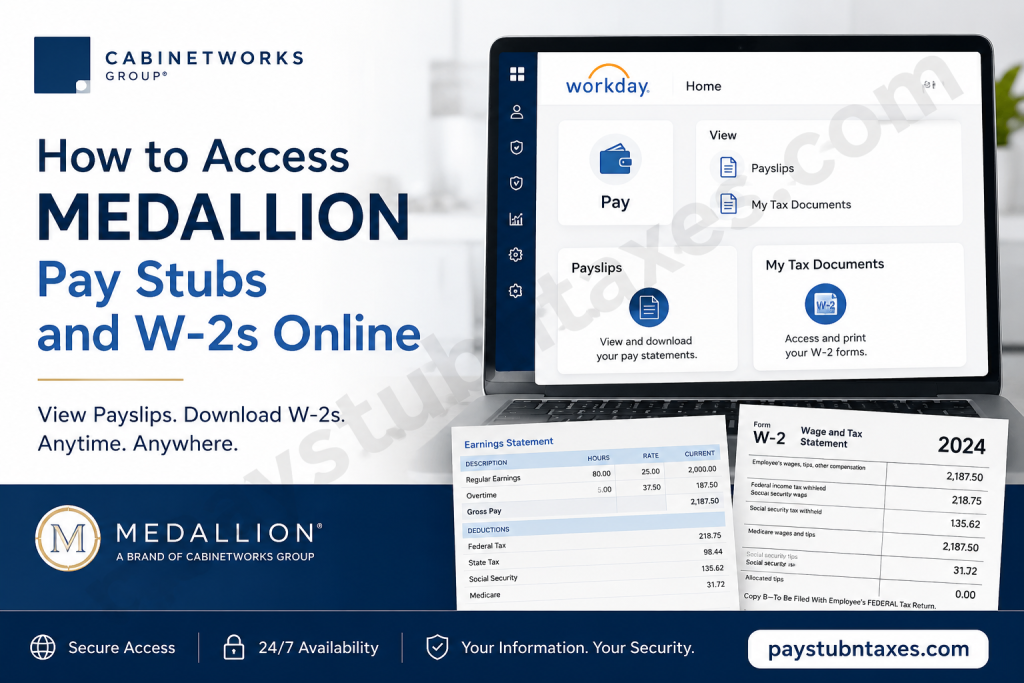
Medallion, one of the flagship brands of Cabinetworks Group, enables eligible U.S.-based employees to conveniently access payroll and tax documents through the company’s Workday Human Resources Information System (HRIS). Whether you need to review your latest earnings statement, download a previous pay stub, update your direct deposit details, or retrieve your annual W-2 tax form, Workday provides a secure self-service platform that is available around the clock. In this comprehensive guide, you’ll learn how to log into the Cabinetworks Group Workday portal, locate your pay statements and W-2 forms, troubleshoot common login issues, and find the appropriate payroll support if you require additional assistance.
About Medallion and Cabinetworks Group
Cabinetworks Group is America’s largest privately held cabinet manufacturer, employing nearly 6,000 team members across 17 locations, including 15 manufacturing facilities. The company represents an extensive portfolio of nationally recognized cabinetry brands, including:
- Medallion
- KraftMaid
- Merillat
- Schuler
- Yorktowne
- Cardell
- Design-Craft
- Smart Cabinetry
- MasterCraft
- Quality Cabinets
- Serenade
- And several other respected brands.
Built upon more than a century of craftsmanship and innovation, Cabinetworks Group continues to redefine the cabinetry industry through exceptional products, collaborative culture, and customer-focused service.
Can You Access Your Medallion Pay Stubs Online?
Yes. Current employees working under Medallion and other Cabinetworks Group brands in the United States can securely access:
- Current and previous pay stubs
- Annual W-2 tax forms
- Direct deposit information
- Payroll tax elections
- Personal payroll records
These services are available through the Cabinetworks Group Workday Self-Service Portal.
Cabinetworks Group Workday Login
Workday Portal
https://wd1.myworkday.com/cabinetworksgroup/login.htmld
When accessing the portal, employees will see two authentication methods:
1. SSO Login
Use this option if:
- You have a Cabinetworks Group corporate email address.
- You sign in using your company network credentials.
2. Workday Login (Non-SSO)
Use this option if:
- You log in with your Employee Number.
- You use your assigned Workday password.
- Additional identity verification may be required.
How to View Medallion Pay Stubs in Workday
After successfully signing into Workday, follow these steps:
Step 1: Log in to your Cabinetworks Group Workday account.
Step 2: Open your employee Profile.
Step 3: Select Pay from the profile menu.
Step 4: Click Payslips.
Step 5: A list of available payroll periods will appear.
Step 6: Select the desired pay period.
Step 7: Click the PDF link beside the payroll record.
Step 8: Your pay statement opens instantly, where you can:
- View
- Download
- Save for future reference
This workflow mirrors the standard Workday payslip navigation, where employees access the Pay section, select Payslips, choose the appropriate pay period, and open the PDF version of the statement.
How to Access Your Medallion W-2 Forms
When annual tax documents become available, Workday allows employees to retrieve them electronically.
Step 1: Sign in to Workday.
Step 2: Open the Pay application.
Step 3: Select My Tax Documents.
Step 4: Locate the appropriate tax year.
Step 5: Select View/Print beside your W-2.
Step 6: Your W-2 opens in PDF format.
Step 7: You may:
- Print the document
- Download it for electronic storage
- Save a copy for tax filing
Workday stores eligible W-2 forms under My Tax Documents, allowing employees to view, print, or download them directly from the portal once Payroll has published them.
What Can Employees Manage in Workday?
Beyond payroll records, Workday enables employees to manage numerous employment-related tasks, including:
- Reviewing compensation details
- Updating direct deposit accounts
- Accessing tax documents
- Viewing payroll history
- Managing withholding elections
- Updating personal information
- Viewing employment records
- Accessing benefits information (where applicable)
What if You Are a Former Employee?
Former employees generally lose access to the Workday self-service portal after separation.
If you have left Cabinetworks Group:
- Your W-2 will typically be mailed to the home address on file.
- Ensure your mailing address is accurate before your employment ends.
- Contact the Team Member Success Center if your W-2 has not arrived or you need additional assistance.
Workday Login Problems?
If you experience login difficulties while located in the United States, contact the Team Member Success Center.
Team Member Success Center
Email: TMSC@CabinetworksGroup.com
Phone: 888-294-8672
Hours: Monday–Friday
8:00 AM – 5:30 PM Eastern Time
Conclusion
Workday provides Medallion and other Cabinetworks Group employees with a secure, efficient, and user-friendly platform for managing payroll information online. Whether you need to download your latest pay statement, print your annual W-2, review tax documents, or update direct deposit details, the self-service portal places essential employment records at your fingertips. By familiarizing yourself with the platform’s payroll features and keeping your login credentials up to date, you can access important financial documents whenever they are needed while minimizing the need to contact the payroll office.
Frequently Asked Questions
1. How do I access my Medallion pay stubs online?
Log into the Cabinetworks Group Workday portal, open your Profile, select Pay, then click Payslips to view, download, or print your pay statements.
2. Where can I find my Medallion W-2 form?
After signing into Workday, navigate to Pay → My Tax Documents, choose the applicable tax year, and select View/Print to access your W-2.
3. What is the Workday login URL for Medallion employees?
Employees can access Workday at:
https://wd1.myworkday.com/cabinetworksgroup/login.htmld
4. What are the two login options available in Workday?
The Workday portal provides:
- SSO Login for employees with corporate network credentials.
- Workday Login (Non-SSO) for employees using their employee number and password.
5. Can I download my pay stubs as PDF files?
Yes. Workday allows employees to open, download, save, and print pay statements in PDF format.
6. Can I print my W-2 directly from Workday?
Yes. Once your W-2 is available under My Tax Documents, you can print or download it for tax filing.
7. Can I view previous pay statements in Workday?
Yes. Active employees can access current and historical pay statements stored within their Workday account.
8. Can former Medallion employees still access Workday?
Generally, no. Former employees typically lose Workday access after separation, and their W-2 forms are mailed to the home address on file.
9. What payroll information can I manage in Workday?
Employees can manage:
- Pay stubs
- W-2 tax forms
- Direct deposit information
- Tax withholding elections
- Payroll history
- Personal employment information
10. I forgot my Workday password. What should I do?
Use your organization’s password recovery process or contact the Team Member Success Center for assistance.
11. Why can’t I log into Workday?
Common causes include incorrect login credentials, expired passwords, account lockouts, multi-factor authentication issues, or network-related problems.
12. Who should use the SSO Login option?
Employees with a Cabinetworks Group corporate email address or company network account should use SSO Login.
13. Who should use the Workday Login (Non-SSO)?
Employees who sign in with their employee number and Workday password should choose the Non-SSO login option.
14. How do I contact Cabinetworks Group payroll or Workday support?
Contact the Team Member Success Center:
- Email: TMSC@CabinetworksGroup.com
- Phone: 888-294-8672
- Hours: Monday–Friday, 8:00 a.m.–5:30 p.m. ET
15. Is Workday available 24/7?
Yes. Employees can securely access Workday online anytime, although occasional maintenance windows may temporarily affect availability.

