
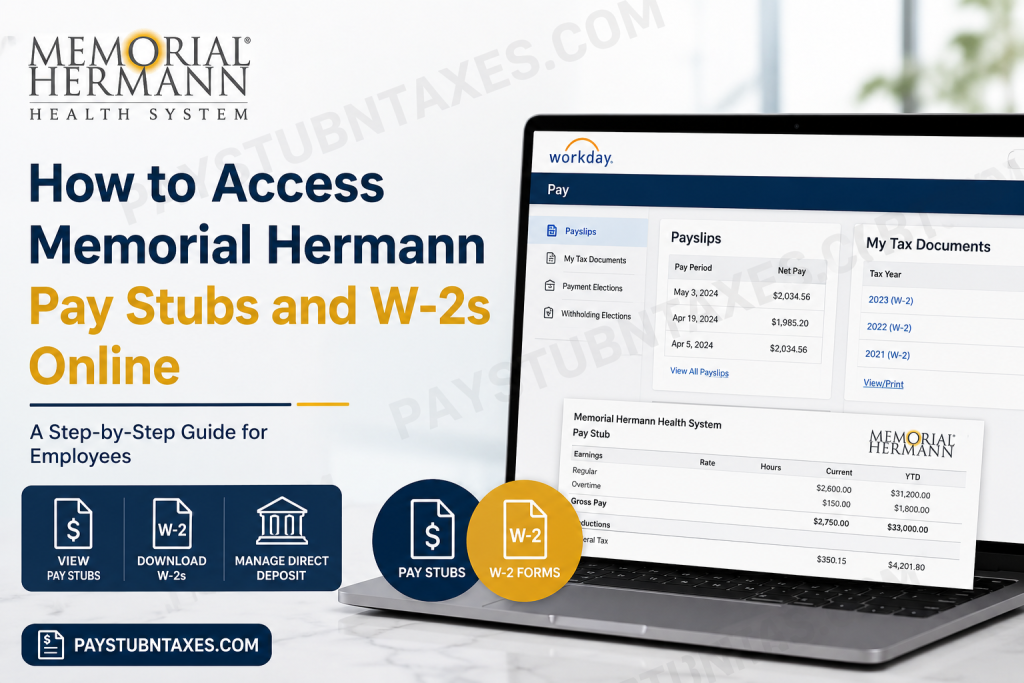
Memorial Hermann Health System has long been recognized as one of the leading nonprofit healthcare organizations in Southeast Texas, serving millions of patients through an extensive network of hospitals, specialty centers, and outpatient facilities. With more than 35,000 employees and over 5,500 affiliated physicians, the organization embraces digital solutions that simplify everyday employment tasks, including payroll management. If you are a current Memorial Hermann employee, you can conveniently access your pay stubs, W-2 tax forms, direct deposit details, and other payroll information through the Workday Employee Self-Service portal. Rather than visiting the Payroll or Human Resources office, you can securely review, download, or print your payroll documents anytime and from virtually anywhere. This comprehensive guide explains exactly how to access your Memorial Hermann pay statements and W-2 forms online.
About Memorial Hermann Health System
Founded more than a century ago, Memorial Hermann Health System is a nonprofit, community-owned healthcare organization headquartered in Houston, Texas. Today, it operates one of the largest integrated healthcare networks in Southeast Texas, providing comprehensive medical services across hospitals, outpatient centers, urgent care facilities, rehabilitation centers, and specialty clinics.
The organization is widely recognized for:
- More than 35,000 employees
- Over 5,500 affiliated physicians
- More than 280 care delivery locations
- Nationally recognized Accountable Care Organization (ACO)
- Memorial Hermann–Texas Medical Center, one of America’s busiest Level I Trauma Centers
- Long-standing commitment to community health and medical innovation
To streamline workforce management, Memorial Hermann utilizes Workday, a cloud-based Human Capital Management (HCM) platform that allows employees to securely manage payroll, tax documents, benefits, and personal employment information from one centralized location.
Memorial Hermann Workday Login
Employee Portal
https://wd5.myworkday.com/memorialhermann/login.flex
Login Method
Current employees should log in using:
- Memorial Hermann Single Sign-On (SSO)
- Network username
- Password
- Multi-factor authentication (if prompted)
How to Access Memorial Hermann Pay Stubs Online
Viewing your paycheck is straightforward through Workday.
Step 1: Visit the Memorial Hermann Workday login page.
Step 2: Sign in using your Memorial Hermann SSO credentials.
Step 3: From your Workday Home page, select: Pay
Step 4: Choose: Payslips
Step 5: A complete list of your available payroll statements will appear.
Step 6: Select the desired pay period.
Step 7: Click the PDF icon to:
- View
- Download
- Print your pay stub
Your electronic payslip contains information such as:
- Gross earnings
- Net pay
- Taxes withheld
- Overtime
- Benefit deductions
- Retirement contributions
- Paid leave balances (where applicable)
- Direct deposit information
How to Download Your Memorial Hermann W-2 Online
Employees can also retrieve annual tax forms through Workday.
Step 1: Log in to Workday.
Step 2: Navigate to: Pay
Step 3: Select: My Tax Documents
Step 4: Locate the appropriate tax year.
Step 5: Click: View/Print
Your W-2 will open in PDF format.
From there, you may:
- Download the document
- Print a paper copy
- Save it for tax preparation
How to Update Direct Deposit Information
Workday also allows employees to manage payroll banking information.
Navigate to: Pay → Payment Elections.
You can:
- Add a new bank account
- Update an existing account
- Split deposits among multiple accounts
- Modify checking or savings information
Changes generally become effective during the next available payroll cycle.
How to Update Tax Withholding
Employees wishing to change federal or state withholding elections can do so within Workday.
Navigate to: Pay → Withholding Elections
Here you can:
- Update your federal tax withholding
- Modify state withholding (where applicable)
- Review current elections
What Information Can You Access Through Workday?
Memorial Hermann employees can securely access numerous employment records, including:
- Current pay stubs
- W-2 tax forms
- Direct deposit details
- Tax withholding elections
- Payroll history
- Compensation information
- Personal information
- Benefits enrollment
- Time-off balances
- Employment profile
What if You’re a Former Employee?
Current access to Workday is intended for active employees.
If your employment has ended:
- Your W-2 is generally mailed to the home address on file in Workday.
- Ensure your mailing address is accurate before separation whenever possible.
- If you do not receive your W-2 or need assistance obtaining payroll records, contact Human Resources or Payroll Support.
Memorial Hermann Payroll Support
If you experience problems accessing Workday or your payroll documents, assistance is available.
Human Resources Representative
Contact your department’s HR representative.
Customer Service
Phone: 855-645-8448
Support is available for:
- Login problems
- SSO issues
- Locked accounts
- Missing W-2 forms
- Payroll discrepancies
- Direct deposit assistance
Tips for Secure Access
To keep your payroll information protected:
- Never share your Workday password.
- Use a secure internet connection.
- Enable multi-factor authentication if available.
- Log out after every session, especially on shared devices.
- Regularly review your direct deposit and tax information for accuracy.
Conclusion
Memorial Hermann Health System makes payroll management remarkably efficient through its Workday Employee Self-Service platform. Whether you need to review your latest pay stub, download your annual W-2, update direct deposit information, or modify tax withholding elections, Workday provides a secure and convenient solution available around the clock. By familiarizing yourself with these self-service tools, you can manage your payroll records quickly, accurately, and without unnecessary administrative delays, allowing you to focus on what matters most—delivering exceptional care to the communities Memorial Hermann proudly serves.
Frequently Asked Questions
1. How do I log in to Memorial Hermann Workday?
Visit the Memorial Hermann Workday login page, enter your Memorial Hermann Single Sign-On (SSO) username and password, and complete multi-factor authentication if prompted.
2. Where can I find my Memorial Hermann pay stubs?
After logging into Workday, go to Pay and select Payslips. Choose the desired pay period to view, download, or print your pay statement.
3. How can I download my Memorial Hermann W-2 online?
Log in to Workday, navigate to Pay → My Tax Documents, select the appropriate tax year, and click View/Print to download or print your W-2.
4. Can I access my pay stubs from home?
Yes. Active employees can securely access Workday from any internet-connected computer or mobile device using their SSO credentials.
5. What information appears on my pay stub?
Your pay stub typically includes gross pay, net pay, taxes withheld, benefit deductions, retirement contributions, overtime (if applicable), and direct deposit details.
6. Can I print my Memorial Hermann pay statements?
Yes. Open the desired payslip in PDF format and use the print option to create a paper copy.
7. Can I save my W-2 as a PDF?
Yes. Workday allows you to download your W-2 in PDF format for tax filing or personal recordkeeping.
8. How do I update my direct deposit information?
In Workday, navigate to Pay → Payment Elections to add, edit, or remove your bank account information.
9. How do I update my tax withholding?
Go to Pay → Withholding Elections in Workday to review or update your federal and state tax withholding preferences.
10. Can former employees access Memorial Hermann Workday?
Workday payroll access is generally limited to active employees. Former employees typically receive their W-2 by mail at their address on file.
11. What should I do if I forget my Workday password?
Contact your Human Resources representative or Memorial Hermann Customer Service at 855-645-8448 for login assistance.
12. Is the Memorial Hermann Workday portal secure?
Yes. Workday uses enterprise-grade security, encrypted connections, and authentication measures to safeguard employee payroll and personal information.
13. Can I access Workday on my mobile phone?
Yes. Employees can access Workday through a compatible mobile browser or the Workday mobile app if authorized by Memorial Hermann.
14. What should I do if my W-2 contains incorrect information?
Report any discrepancies immediately to the Human Resources or Payroll department so corrections can be made before filing your tax return.
15. Who do I contact for payroll or Workday support?
For assistance with payroll, Workday access, or tax documents, contact your Human Resources representative or Memorial Hermann Customer Service at 855-645-8448.

