
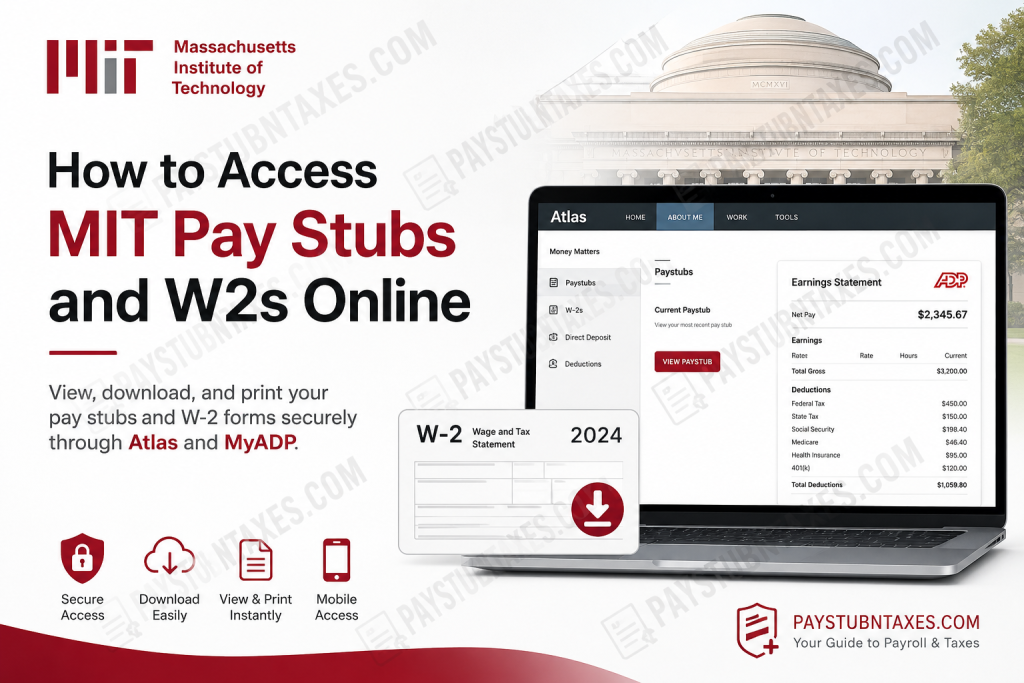
The Massachusetts Institute of Technology (MIT) is one of the world’s foremost research universities, renowned for its pioneering contributions to science, engineering, technology, and innovation. Established in 1861 in Cambridge, Massachusetts, MIT has consistently fostered an academic culture that combines rigorous research with practical problem-solving, making it a global leader in higher education. To complement its modern workplace environment, MIT offers secure digital payroll services that enable eligible employees and students to access pay stubs, W-2 tax forms, and other payroll records online. Whether you are an active employee, a student worker, or a former member of the MIT community, understanding how these systems operate can save valuable time during payday and tax season. This comprehensive guide explains everything you need to know about accessing your MIT pay stubs and W-2 forms online, including Atlas, ADP, mobile access, registration procedures, and instructions for employees without a Social Security Number (SSN).
What Is an MIT Pay Stub?
A pay stub—also referred to as an earnings statement, pay advice, pay slip, or salary statement—provides a detailed summary of your compensation for each payroll period.
An MIT pay stub typically includes:
- Gross earnings
- Federal income tax withheld
- Massachusetts (or applicable state) income tax withheld
- Social Security and Medicare deductions
- MIT benefits deductions
- Retirement contributions
- Other voluntary deductions
- Net pay deposited into your bank account
MIT provides paperless pay stubs by default for nearly all employees and students. The only exception is service staff employees, who generally continue receiving paper pay stubs and W-2 forms through USPS or campus mail.
How MIT Payroll Access Works
MIT uses two connected payroll platforms:
| Platform | Purpose |
| Atlas | MIT employee self-service portal |
| ADP | Payroll statements, W-2s, downloads, and mobile access |
Beginning in August 2021, MIT transitioned current payroll statements to Automatic Data Processing (ADP). Atlas now serves primarily as the gateway that securely signs employees into ADP through Single Sign-On (SSO), allowing users to view, download, or print payroll documents without entering separate credentials. Historical MIT-generated pay stubs remain available in the Paystub Archive for approximately two years.
How to View MIT Pay Stubs Through Atlas
Current employees who have a Social Security Number (SSN) on file with MIT can access their latest earnings statements directly through Atlas.
Steps
- Log in to Atlas at https://atlas.mit.edu/atlas.
- Select About Me from the top navigation.
- Under Money Matters, click Paystubs.
- Select Current Paystub.
- Atlas automatically redirects you to ADP through Single Sign-On.
- View, print, or download your earnings statement.
Access Your W-2 Through Atlas
MIT employees can also retrieve annual tax forms from Atlas.
Steps
- Log into Atlas.
- Select About Me.
- Under Money Matters, click W-2s.
- Atlas redirects you to ADP.
- Open your W-2.
- Download or print the form for tax filing.
When Will Your MIT W-2 Be Available?
Electronic W-2 forms are typically published:
- During the last week of January
- For the previous calendar year
If you have not already elected electronic delivery, MIT will prompt you to opt in while viewing payroll information or during benefits enrollment.
Access MIT Pay Stubs Using the ADP Mobile App
MIT employees may also review payroll information from virtually anywhere using ADP Mobile Solutions.
The application allows you to:
- View current pay statements
- Download earnings statements
- Access previous W-2 forms
- Review payroll summaries
Before registering:
- You must have received at least one MIT paycheck.
- An SSN must already be on file with MIT.
How to Register for MyADP
If you have never used MyADP before, registration is straightforward.
Registration Steps
- Sign out of Atlas if currently logged in.
- Visit my.adp.com.
- Select Create Account.
- Choose Find Me.
- Select Your Information.
- Enter:
- First name
- Last name
- Date of birth
- Country
- Full 9-digit Social Security Number
- Verify your identity using the code sent to your phone.
- Create a strong password.
- Verify your email address.
- Sign in using your newly assigned username.
Employees who already have a MyADP account from a previous employer generally do not need to register again because their account is automatically linked after identity verification.
How to Download Your W-2 from ADP
Once signed into ADP:
- Open your available W-2.
- Select the desired tax year.
- Open the document.
- Choose Download or Print to save a copy for your records.
Employees Without a Social Security Number (SSN)
MIT provides an alternative process for employees who have not yet received an SSN.
If you do not currently have an SSN on file:
- Log into Atlas.
- Navigate to About Me → Money Matters → Paystubs.
- View MIT-generated pay statements directly.
Because ADP requires an SSN, these employees cannot create a MyADP account or use the ADP Mobile Solutions app until their SSN has been recorded by MIT Payroll.
After updating payroll records with a valid SSN, employees become eligible to:
- Access ADP-generated pay stubs
- Use the ADP mobile application
- Continue viewing archived MIT-generated statements.
Accessing Pay Stubs After Leaving MIT
Former employees and former student workers eventually lose Atlas access once their status becomes inactive.
However, they can continue accessing:
- ADP-generated pay stubs
- W-2 forms
- Payroll history
through:
- MyADP.com
- ADP Mobile Solutions
using their existing ADP credentials.
Receive Email Notifications Before Payday
MIT allows employees to receive automatic reminders whenever a new pay statement becomes available.
To enable notifications:
- Open Atlas.
- Navigate to About Me.
- Open Settings and Authorizations.
- Enable:
Current payroll payment is available for review in Atlas
The notification is normally sent one day before payday.
Understanding Your MIT Pay Stub
Your earnings statement provides considerably more than simply your paycheck amount.
It generally includes:
Gross Pay
Total earnings before deductions.
Taxes
Amounts withheld for:
- Federal income tax
- State income tax
- Social Security
- Medicare
Benefits Deductions
These may include:
- Medical insurance
- Dental insurance
- Vision insurance
- Health Savings Account (HSA)
- Flexible Spending Accounts (FSA)
- 401(k) retirement contributions
- Parking fees
- MBTA commuter benefits
- Supplemental life insurance
Your taxable earnings are calculated after eligible pre-tax deductions have been subtracted from gross pay.
Paper vs Electronic W-2 Forms
MIT supports both delivery options.
Electronic W-2
- Faster access
- Available through Atlas and ADP
- Download anytime
Paper W-2
If you choose paper delivery:
- ADP mails your W-2
- Usually arrives during late January
- Delivered via USPS in an official MIT envelope
Employees may switch between paper and electronic delivery whenever necessary through Atlas.
Troubleshooting Common Login Issues
If you experience problems:
- Confirm you have already received your first MIT paycheck.
- Verify that your SSN is on file.
- Ensure you are registering directly through MyADP rather than while logged into Atlas.
- Verify your email within 24 hours during registration.
- Contact MIT VPF Payroll if registration cannot be completed successfully.
Conclusion
MIT has developed a secure, efficient, and largely paperless payroll system that simplifies access to earnings statements and annual tax documents. Current employees with a Social Security Number can conveniently retrieve their latest pay stubs and W-2 forms through Atlas, which integrates seamlessly with ADP via Single Sign-On. Meanwhile, the MyADP website and ADP Mobile Solutions app provide flexible access from virtually anywhere, making it easy to review, download, or print payroll records whenever required. Employees without an SSN continue to receive uninterrupted access to MIT-generated pay statements through Atlas, while former employees retain access to their ADP payroll records after leaving the Institute. By understanding which platform applies to your employment status and following the appropriate registration steps, you can securely manage your payroll and tax documents throughout your time at MIT and beyond.
Frequently Asked Questions
1. How do I access my MIT pay stubs online?
Log into Atlas, select About Me, then navigate to Money Matters → Paystubs. Choose Current Paystub to view your latest earnings statement through ADP.
2. Where can I download my MIT W-2 form?
You can download your W-2 from Atlas under Money Matters → W-2s, or sign in directly to your MyADP account.
3. Does MIT use ADP for payroll?
Yes. MIT uses Automatic Data Processing (ADP) to provide electronic pay stubs, W-2 forms, and payroll documents.
4. When are MIT W-2 forms available?
Electronic W-2 forms are generally available during the last week of January for the previous tax year.
5. Can I access my MIT pay stub on my phone?
Yes. Download the ADP Mobile Solutions app for iOS or Android to securely access your pay statements and W-2 forms.
6. How do I register for a MyADP account?
Visit my.adp.com, select Create Account, verify your identity using your personal information and SSN, then create your login credentials.
7. What if I already have a MyADP account from another employer?
Your existing MyADP account is usually linked automatically. Simply sign in or reset your username or password if needed.
8. Can employees without a Social Security Number access pay stubs?
Yes. Employees without an SSN can access MIT-generated pay stubs through Atlas but cannot use MyADP until an SSN is added to their payroll records.
9. Can former MIT employees access their pay stubs?
Yes. Former employees lose access to Atlas but can continue accessing ADP-generated pay stubs and W-2 forms through MyADP.
10. Are MIT pay stubs paperless?
Yes. MIT defaults most employees and students to paperless online pay stubs. Service staff generally receive paper copies by mail.
11. Can I receive email notifications before payday?
Yes. Enable payroll notifications in Atlas → About Me → Settings and Authorizations to receive an email before each payday.
12. Can I print my MIT pay stub or W-2?
Yes. Both Atlas and ADP allow you to view, download, and print your payroll documents.
13. What information appears on an MIT pay stub?
A pay stub includes gross earnings, tax withholdings, benefit deductions, retirement contributions, and net pay.
14. Can I change from paper to electronic W-2 delivery?
Yes. Eligible employees can update their W-2 delivery preference through the W-2 section in Atlas.
15. Who should I contact if I cannot access my MIT payroll account?
If you experience payroll login or registration issues, contact MIT VPF HR/Payroll for assistance with your payroll account or ADP registration.

