
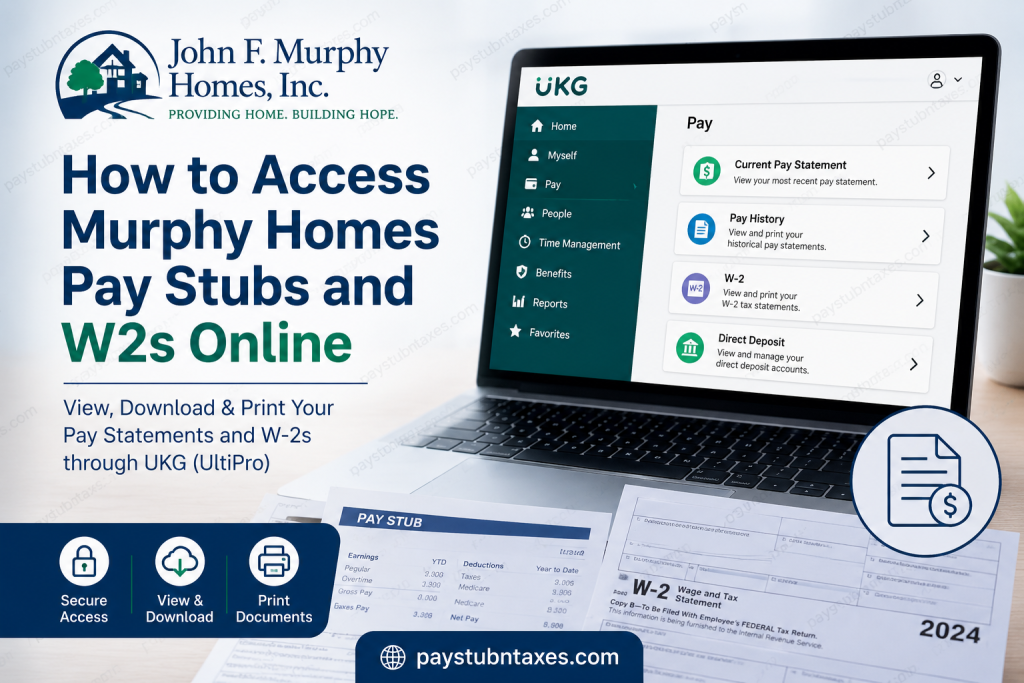
John F. Murphy Homes, Inc. (JFM) has been transforming lives since 1977 by delivering exceptional residential, educational, and community-based services for children and adults with intellectual and developmental disabilities, including Autism Spectrum Disorder. Guided by a philosophy that everyone deserves to live with dignity, independence, and respect, JFM has become one of Maine’s leading human services organizations, serving the Greater Lewiston-Auburn community with compassion, innovation, and unwavering professionalism. To support its workforce, Murphy Homes provides secure online access to payroll and employment records through UKG (formerly UltiPro). Whether you need to review your latest earnings, download historical pay statements, access your annual W-2, or update your direct deposit information, the UKG employee portal and mobile application make these tasks remarkably straightforward. This comprehensive guide explains everything current Murphy Homes employees need to know about accessing their pay stubs and W-2 forms online.
Murphy Homes Employee Payroll Portal
Murphy Homes utilizes the UKG (UltiPro) employee self-service platform to provide secure access to payroll-related documents.
Employee Login Portal
Portal: https://murphy.ukg.net
UKG Mobile App
- Download the UKG Pro mobile application from the Apple App Store or Google Play Store.
- Company Access Code: murphy
How to Log in to Murphy Homes UKG
Current employees have two available authentication methods.
Option 1: Microsoft Single Sign-On (Recommended)
- Visit murphy.ukg.net
- Select Continue with MurphySSO.
- Sign in using your Murphy Homes Microsoft credentials.
- Complete any required multi-factor authentication.
- You will automatically be redirected to your UKG employee dashboard.
The Murphy UKG sign-in page includes both standard username/password authentication and a dedicated Continue with MurphySSO button for employees using Microsoft Single Sign-On.
Option 2: Username and Password
Former employees or individuals without active Microsoft SSO access should:
- Choose the standard Username and Password login option.
- Enter their employee credentials.
- Complete the login process.
How to View Murphy Homes Pay Stubs
Once logged into UKG:
- Select Myself from the navigation menu.
- Click Current Pay Statements.
- Your newest paycheck will appear immediately.
- Review earnings, taxes, deductions, employer contributions, and net pay.
- Click Print.
- Choose the desired print format.
- Click Finish.
- Print or save the PDF.
Within UKG, employees can navigate to Myself → Pay → Current Pay Statement to review, download, or print their latest paycheck.
How to View Historical Pay Statements
If you need older pay records:
- Open Myself.
- Select Pay History.
- Search by pay date.
- Choose the desired payroll period.
- Download or print the statement.
UKG’s Pay History feature allows employees to search previous payroll records by date and download or print individual pay statements whenever needed.
How to Access Murphy Homes W-2 Forms
Annual tax statements are equally easy to retrieve.
Follow these steps:
- Sign into UKG.
- Select Myself.
- Choose W-2.
- Select the desired tax year.
- Review the electronic W-2.
- Click Print.
- Select your preferred format.
- Save or print your tax document.
Electronic W-2 access enables employees to obtain copies instantly without waiting for paper forms.
How to Access Pay Information Using the UKG Mobile App
Murphy Homes employees can also manage payroll from virtually anywhere.
After installing the UKG Pro app:
- Enter the company access code:
murphy - Log in using your Murphy Homes credentials.
- Open Pay Overview.
- View current and previous pay statements.
- Review direct deposit information.
- Update banking information if permitted.
The UKG Pro mobile application provides quick access to pay statements, direct deposit details, and payroll information directly from the Pay Overview section.
Information Available on Your Pay Statement
Your Murphy Homes pay stub generally includes:
- Gross earnings
- Regular hours worked
- Overtime earnings
- Holiday pay
- Shift differentials (if applicable)
- Taxes withheld
- Retirement deductions
- Insurance deductions
- Paid leave balances
- Year-to-date earnings
- Net pay
- Direct deposit distribution
Benefits of UKG Employee Self-Service
Using UKG offers numerous advantages, including:
- 24/7 access to payroll information
- Secure cloud-based login
- Electronic W-2 delivery
- Historical paycheck archive
- Direct deposit management
- Mobile accessibility
- Reduced paperwork
- Faster tax preparation
Troubleshooting Login Issues
If you cannot access your account:
- Verify your username or email address.
- Confirm your Microsoft SSO credentials.
- Complete multi-factor authentication if prompted.
- Reset your password using the Forgot Password option.
- Try another browser or clear cached data.
- Contact Human Resources if your account remains inaccessible.
Murphy Homes Payroll Contact Information
If you need assistance accessing payroll records or tax documents, contact Murphy Homes directly.
John F. Murphy Homes
Phone: (207) 782-2726
Email: info@jfmh.org
Address:
800 Center Street
Auburn, ME 04210
Office contact information is provided by John F. Murphy Homes for employee support and general inquiries.
Final Thoughts
Murphy Homes has streamlined payroll administration by adopting the UKG employee self-service platform, empowering employees to access essential employment documents whenever they need them. Whether you are reviewing your latest paycheck, retrieving historical earnings statements, downloading your annual W-2, or managing direct deposit information, UKG offers a secure, efficient, and user-friendly experience. By following the steps outlined above, current Murphy Homes employees can confidently manage their payroll information online while reducing the need for direct assistance from the payroll office.
Frequently Asked Questions
1. How do I access my Murphy Homes pay stubs online?
Visit murphy.ukg.net, sign in with your Microsoft SSO or UKG credentials, then navigate to Myself → Current Pay Statements to view and download your pay stubs.
2. Where can I find my Murphy Homes W-2 form?
After logging into UKG, select Myself → W-2, choose the desired tax year, and download or print your W-2.
3. What payroll system does Murphy Homes use?
John F. Murphy Homes uses UKG (formerly UltiPro) as its employee self-service payroll and HR platform.
4. What is the Murphy Homes UKG login website?
Employees can log in at murphy.ukg.net.
5. Can I access my pay stubs on my phone?
Yes. Download the UKG Pro mobile app and enter the company access code murphy to securely access payroll information.
6. What is the UKG company access code for Murphy Homes?
The company access code is murphy.
7. Can former Murphy Homes employees access their W-2s?
Former employees who no longer have Microsoft SSO access may be able to sign in using their UKG username and password. If access is unavailable, contact Human Resources for assistance.
8. How do I print my Murphy Homes pay stub?
Open your pay statement, click Print, choose the preferred format, and print or save the document as a PDF.
9. Where can I find previous pay statements?
Go to Myself → Pay History to view, download, or print historical pay statements.
10. Can I update my direct deposit information in UKG?
Yes. Eligible employees can manage direct deposit information through the UKG portal or the UKG Pro mobile app.
11. What should I do if I forget my UKG password?
Use the Forgot Password option on the UKG login page or contact your Human Resources department for assistance.
12. Why can’t I log in using Microsoft SSO?
Verify your Murphy Homes Microsoft credentials, complete any required multi-factor authentication, or use the standard username/password login if available.
13. Is my payroll information secure in UKG?
Yes. UKG uses encrypted connections and secure authentication to protect employee payroll and personal information.
14. Who can I contact for Murphy Homes payroll support?
For payroll or W-2 assistance, call (207) 782-2726 or email info@jfmh.org.
15. What employment documents can I access through UKG?
Employees can access current and historical pay statements, W-2 tax forms, direct deposit details, and other employment-related payroll documents through the UKG Employee Self-Service portal.

