
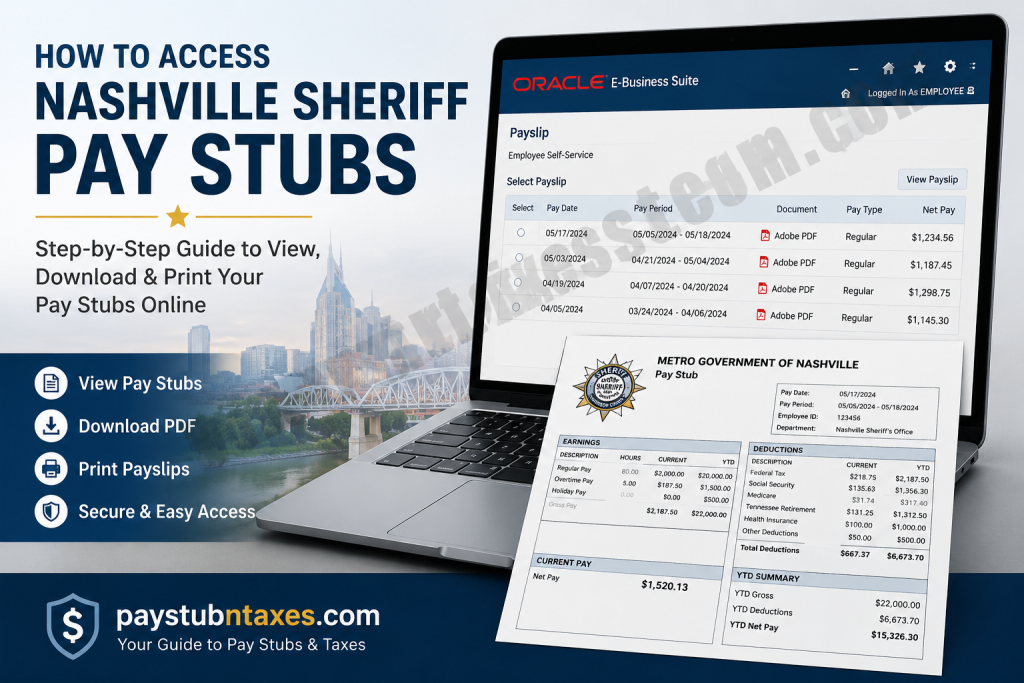
If you are employed by the Nashville Sheriff’s Office or another Metro Nashville government department, accessing your pay stubs is both straightforward and secure through the Oracle Employee Self-Service (ESS) portal. The platform enables employees to review current and historical payslips, retrieve W-2 tax forms, update tax withholding information, manage direct deposit, and maintain personal records—all from a single online dashboard. Whether you need a copy of your latest paycheck for financial verification, wish to review year-to-date earnings, or simply want to download an old payslip, this guide walks you through every step of the process.
What Is the Nashville Sheriff Employee Self-Service Portal?
Metro Nashville utilizes Oracle E-Business Suite R12 Employee Self-Service (ESS) as its official payroll and human resources platform. The system provides employees with convenient, around-the-clock access to essential employment information without requiring assistance from Human Resources.
Using Oracle ESS, employees can:
- View and download pay stubs
- Access current and previous W-2 tax forms
- Update federal tax withholding (W-4)
- Manage direct deposit accounts
- Update personal contact information
- Modify mailing addresses
- Update phone numbers
- Review payroll history
The platform centralizes payroll administration while allowing employees to maintain accurate personal records whenever necessary.
Nashville Sheriff Oracle Payroll Login
Current Nashville Sheriff employees can sign in through the Oracle Applications Cloud portal:
Oracle ESS Login:
https://ibqhjb.fa.ocs.oraclecloud.com/fscmUI/faces/FuseWelcome
Employees generally log in using:
- Their Metro Nashville work email (or assigned Oracle username)
- Their network password
If your department uses Company Single Sign-On (SSO), simply select that option on the login screen before authenticating.
How to Access Nashville Sheriff Pay Stubs
Follow these steps to retrieve your payroll statements.
Step 1: Visit the Oracle Employee Self-Service Portal
Open the Oracle Employee Self-Service login page using your preferred web browser.
Step 2: Sign In
Enter your:
- Oracle username (typically your Metro work email)
- Network password
Click Sign In.
After authentication, the Oracle E-Business Suite homepage will appear.
Step 3: Open Employee Self-Service
From the Oracle homepage:
- Open the Navigator menu if necessary.
- Select Metro GG Employee Self-Service.
This launches the Employee Self-Service dashboard where payroll features are available.
Step 4: Open the Payslip Menu
Inside Employee Self-Service, choose: Payslip
This section stores your available payroll statements.
Step 5: Select Your Pay Stub
Locate the payroll period you wish to review.
Choose the appropriate Adobe PDF Quick Select Payslip.
The system immediately generates your official paycheck statement.
Step 6: Download or Print
Once your payslip opens, you may:
- Download the PDF
- Save it to your computer
- Print a hard copy whenever needed
This document includes complete payroll information, making it suitable for income verification or personal financial records.
What Information Appears on Your Nashville Sheriff Pay Stub?
A typical Oracle ESS payslip contains comprehensive payroll details, including:
- Employee information
- Pay period
- Payment date
- Gross earnings
- Net pay
- Regular hours
- Overtime earnings (if applicable)
- Taxes withheld
- Federal withholding
- Social Security deductions
- Medicare deductions
- Retirement contributions
- Benefit deductions
- Direct deposit distribution
- Year-to-date earnings
- Leave balances (where applicable)
Because the statement is generated directly from Metro Nashville’s payroll system, it serves as an official earnings record.
How to Access Your W-2 Forms
Oracle Employee Self-Service also stores employee tax documents.
To view your W-2:
- Log into Oracle ESS.
- Navigate to Tax Forms.
- Select the desired tax year.
- Open the W-2.
- Download or print the document for tax filing.
Keeping electronic copies ensures you can retrieve your tax records whenever needed.
Update Your Federal Tax Withholding (W-4)
Employees may modify their withholding elections directly within Oracle ESS.
To update your W-4:
- Open Tax Form.
- Select Update.
- Review and edit your filing status.
- Adjust allowances or additional withholding.
- Agree to the certification.
- Continue.
- Review your information.
- Submit the updated tax form.
Changes submitted through the portal are forwarded for payroll processing.
Manage Direct Deposit
Instead of submitting paper forms, employees can update banking information online.
Steps include:
- Select Manage Payroll Payments.
- Choose Add Deposit Payment.
- Enter your banking information.
- Select Apply.
- Save the changes.
Always verify your routing and account numbers before submitting updates.
Update Personal Information
Employee Self-Service also allows employees to maintain accurate personnel records.
You can update:
- Home address
- Phone numbers
- Personal information
- Certain employment details
Most updates require reviewing the proposed changes before submitting them for processing.
Troubleshooting Oracle Login Issues
If you cannot access your account:
Verify Your Credentials
Confirm you are using:
- Your Metro-issued username
- Your current network password
Reset Your Password
If your password has expired or been forgotten, follow your department’s password recovery procedures before attempting another login.
Clear Browser Cache
Occasionally, cached browser data can interfere with Oracle authentication. Clearing your cache or trying another browser often resolves login problems.
Try Company Single Sign-On
If your agency authenticates through SSO, choose Company Single Sign-On instead of manually entering Oracle credentials.
Contact Human Resources
If access issues continue, contact your departmental Human Resources representative.
You may also email: R12SupportHR@nashville.gov
Payroll Contact Information
For payroll-related questions, employees may contact the Metro Nashville Payroll Division.
General Payroll Phone:
615-862-6160
Finance Department Address:
Historic Metro Courthouse
1 Public Square
Suite 106, Finance Department
Nashville, TN 37201
Benefits of Oracle Employee Self-Service
Oracle ESS offers numerous advantages for Nashville Sheriff employees, including:
- Secure payroll access 24/7
- Immediate availability of electronic pay stubs
- Convenient W-2 retrieval
- Paperless payroll management
- Online tax withholding updates
- Self-service direct deposit management
- Reduced dependence on HR for routine payroll requests
- Faster access to payroll history
- Secure storage of employment records
Conclusion
Accessing your Nashville Sheriff pay stubs is quick and convenient through the Oracle Employee Self-Service (ESS) portal. In just a few minutes, employees can securely view or download current and previous payslips, retrieve W-2 tax forms, update direct deposit information, modify W-4 tax withholding, and manage personal contact details—all from a single online platform. By regularly reviewing your payroll records and keeping your information up to date, you can help ensure accurate payments and tax reporting throughout the year. If you encounter any login or payroll-related issues, contact your departmental Human Resources representative or the Metro Nashville payroll support team for prompt assistance.
Frequently Asked Questions
1. How do I access my Nashville Sheriff pay stubs online?
Log into the Oracle Employee Self-Service (ESS) portal using your Metro Nashville credentials, select Metro GG Employee Self-Service, then click Payslip to view and download your pay stub.
2. What website do Nashville Sheriff employees use to access payroll information?
Employees use the official Oracle Employee Self-Service (ESS) portal provided by Metro Nashville Government to manage payroll and HR information.
3. What login credentials do I need?
You’ll typically need your Metro Nashville work email (or assigned Oracle username) and your network password. Some departments may also use Company Single Sign-On (SSO).
4. Can I download and print my pay stubs?
Yes. Pay stubs are available as PDF files that can be downloaded, saved, or printed for your records.
5. Can I view previous pay stubs?
Yes. Oracle ESS stores historical pay statements, allowing employees to access previous pay periods whenever needed.
6. How do I access my W-2 form?
Sign in to Oracle Employee Self-Service, open Tax Forms, select the appropriate tax year, and download or print your W-2.
7. Can I update my federal W-4 tax information online?
Yes. Oracle ESS allows employees to review and update their federal tax withholding information directly through the Tax Form section.
8. How do I change my direct deposit information?
Navigate to Manage Payroll Payments, choose Add Deposit Payment, enter your banking information, and submit the changes.
9. Can I update my address or phone number in Oracle ESS?
Yes. The Employee Self-Service portal allows employees to update their mailing address, phone number, and certain personal information.
10. What should I do if I forget my Oracle password?
Use your department’s password recovery process or contact your departmental IT support if you cannot reset your password.
11. Why can’t I log into Oracle ESS?
Login issues may result from incorrect credentials, an expired password, browser cache problems, or network authentication issues. Verify your information and try again before contacting support.
12. Is the Oracle Employee Self-Service portal available outside the office?
Yes. Employees can securely access the Oracle ESS portal remotely using an internet connection and valid login credentials.
13. What information appears on my Nashville Sheriff pay stub?
Your pay stub typically includes gross pay, net pay, taxes withheld, deductions, benefits, retirement contributions, direct deposit details, and year-to-date earnings.
14. Who should I contact if I need payroll assistance?
If you experience payroll or Employee Self-Service issues, contact your departmental Human Resources representative or email R12SupportHR@nashville.gov for assistance.
15. Is Oracle Employee Self-Service secure?
Yes. Oracle ESS is the official payroll and HR platform used by Metro Nashville Government and provides secure access to payroll, tax documents, direct deposit, and employee information.

