
Nebraska Medicine is one of the Midwest’s premier academic health systems, comprising the state’s largest and highest-rated Nebraska Medical Center, Bellevue Medical Center, and more than 70 primary care and specialty clinics. In partnership with the University of Nebraska Medical Center (UNMC), Nebraska Medicine is dedicated to transforming lives through world-class patient care, groundbreaking research, and exceptional medical education. The organization serves thousands of patients annually while employing more than 9,000 professionals across a diverse range of clinical and non-clinical disciplines. To simplify payroll administration and provide employees with secure, round-the-clock access to their employment records, Nebraska Medicine uses Workday Self Service. Through the Workday portal, employees can conveniently view, download, and print their pay stubs, W-2 tax forms, and other payroll-related documents from virtually anywhere with an internet connection. Whether you need proof of income for a loan application, wish to review your earnings, or require your annual W-2 for tax filing, this guide walks you through the entire process.
Nebraska Medicine Workday Login Portal
Workday Self Service Portal:
https://wd5.myworkday.com/nebraskamed/login.flex
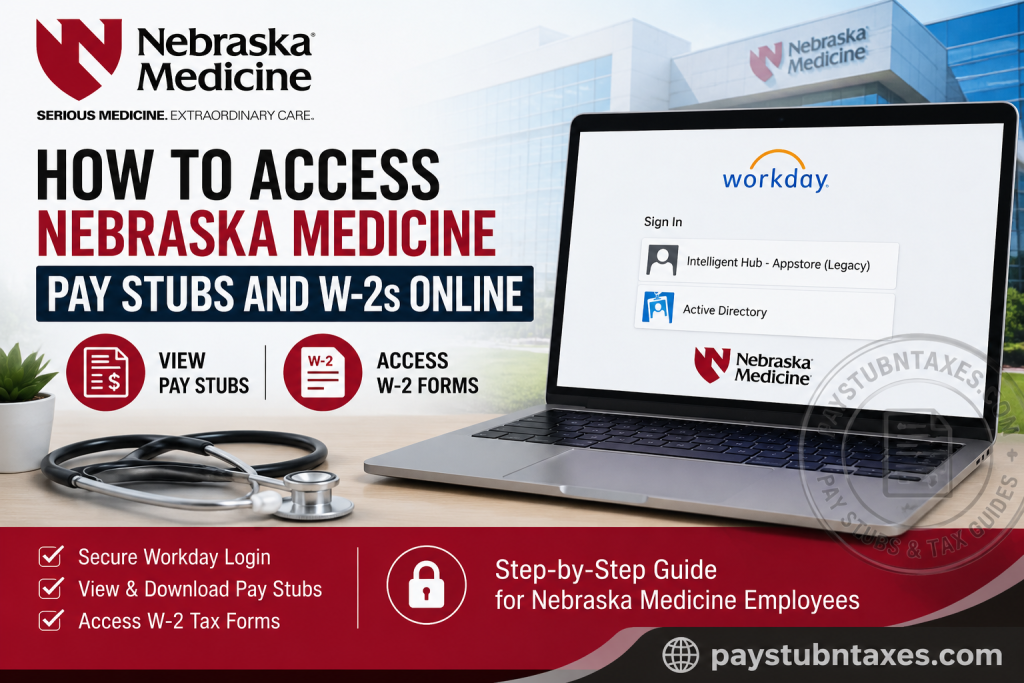
After opening the login page, employees will see two authentication methods:
- Intelligent Hub – Appstore (Legacy)
- Active Directory
Choose the option that corresponds to your Nebraska Medicine employee account.
How to Access Nebraska Medicine Pay Stubs Online
Once logged into Workday, accessing your latest paycheck requires only a few steps.
Step 1: Visit the Nebraska Medicine Workday login page.
Step 2: Sign in using either:
- Intelligent Hub – Appstore (Legacy), or
- Active Directory credentials.
Step 3: After signing in, open your Workday Profile.
Step 4: Navigate to: Pay → Payslips
Step 5: A complete list of available pay periods will appear.
Step 6: Select the desired payroll date.
Step 7: Click the attached PDF to:
- View your pay stub
- Download a copy
- Print it for your records
Workday stores electronic payslips in PDF format, allowing employees to retrieve current and eligible historical statements whenever needed.
How to View Your Nebraska Medicine W-2 Forms
Workday also provides secure electronic access to annual tax forms.
Follow these steps:
Step 1: Log into Nebraska Medicine Workday.
Step 2: Open the Pay application.
Step 3: Select My Tax Documents.
Step 4: Locate the desired tax year.
Step 5: Click View/Print beside your W-2.
Step 6: The W-2 opens in PDF format where you can:
- View
- Download
Employees are generally notified when new W-2 forms become available within Workday.
Benefits of Using Workday Self-Service
Nebraska Medicine’s Workday platform offers numerous advantages for employees, including:
- Secure online access 24 hours a day
- Immediate availability of pay statements
- Electronic W-2 retrieval
- Printable PDF copies
- Reduced paperwork
- Convenient access from work or home
- Centralized payroll and tax information
- Faster document retrieval during tax season
Why Nebraska Medicine Uses Workday
Workday serves as Nebraska Medicine’s centralized human resources and payroll platform, enabling employees to manage a variety of employment-related tasks through a single secure portal. In addition to payroll records, eligible employees may also use Workday to update personal information, review compensation details, access tax documents, and manage employment-related data, making it an essential component of the organization’s digital workplace.
About Nebraska Medicine
Nebraska Medicine is nationally recognized for delivering advanced, evidence-based healthcare while maintaining a strong commitment to education, innovation, and research. Together with the University of Nebraska Medical Center, the health system strives to create healthier communities through outstanding patient care and pioneering medical discoveries.
The organization operates two hospitals with more than 800 licensed beds, supports over 1,400 physicians, and maintains an extensive network of specialty and primary care clinics throughout the region. Its mission is to transform lives by combining premier educational programs, innovative research, and extraordinary patient care, while its culture emphasizes innovation, teamwork, excellence, accountability, courage, and compassion.
Nebraska Medicine also offers career opportunities across numerous clinical and non-clinical disciplines, encouraging employees to grow professionally while contributing to its promise of “Serious Medicine. Extraordinary Care.”
Troubleshooting Workday Login Issues
If you’re unable to access your payroll information:
- Verify that you’re using the correct login option (Active Directory or Intelligent Hub).
- Confirm your username and password are correct.
- Clear your browser’s cache and cookies.
- Try using another supported web browser.
- If multi-factor authentication is required, complete the verification process.
- Contact your department’s IT support if your account is locked.
Payroll Contact Information
If you need assistance with your pay statements, tax forms, or payroll-related questions, contact:
Nebraska Medicine Payroll Office
Phone: 402-552-6947
Internal Extension: 559-7460
The Payroll Office can assist with:
- Missing pay stubs
- W-2 questions
- Payroll corrections
- Direct deposit inquiries
- Workday payroll access
- Tax withholding questions
Conclusion
Nebraska Medicine’s Workday Self Service portal provides employees with a secure and efficient way to manage payroll information online. Whether you need to review your latest earnings, download historical pay statements, or retrieve your annual W-2 for tax filing, Workday places these essential documents at your fingertips. By following the straightforward steps outlined above, you can access your payroll records quickly and confidently, while the Nebraska Medicine Payroll Office remains available to assist with any questions or technical issues that may arise.
Frequently Asked Questions
1. How do I access my Nebraska Medicine pay stubs?
Log in to the Nebraska Medicine Workday Self Service portal, select Pay, then choose Payslips to view, download, or print your paycheck.
2. What is the Nebraska Medicine Workday login URL?
The official Workday login page is:
https://wd5.myworkday.com/nebraskamed/login.flex
3. How do I view my W-2 online?
After signing in to Workday, navigate to Pay → My Tax Documents, select the desired tax year, and open your W-2.
4. What login options are available on the Nebraska Medicine Workday portal?
Employees can sign in using either:
- Intelligent Hub – Appstore (Legacy)
- Active Directory
5. Can I download my pay stubs as PDF files?
Yes. Workday allows employees to download and print pay statements in PDF format.
6. Can I print my W-2 from Workday?
Yes. Open the W-2 in My Tax Documents and use the print option to obtain a paper copy.
7. Is Workday available 24/7?
Yes. Employees can securely access Workday online anytime with a valid internet connection and login credentials.
8. Can I access Workday from home?
Yes. Nebraska Medicine employees can securely log in to Workday from home or any remote location.
9. What should I do if I forget my Workday password?
Use your organization’s password reset process or contact Nebraska Medicine IT Support for assistance.
10. When are W-2 forms available in Workday?
Annual W-2 forms are typically published after the end of the tax year, and employees are notified when they become available.
11. Can former employees access their W-2 forms online?
Former employees may have limited portal access. If you cannot sign in, contact the Nebraska Medicine Payroll Office for assistance.
12. Who should I contact for payroll questions?
Contact the Nebraska Medicine Payroll Office at 402-552-6947 or 559-7460 (internal extension).
13. Can I view previous pay stubs in Workday?
Yes. Eligible historical pay statements are available in the Payslips section of Workday.
14. Is my payroll information secure in Workday?
Yes. Workday uses secure authentication and encryption to protect employee payroll and tax information.
15. What can I do in the Nebraska Medicine Workday portal besides viewing pay stubs?
In addition to accessing pay statements and W-2s, employees may manage personal information, review payroll details, update tax information, and access other employment-related services available through Workday.

