
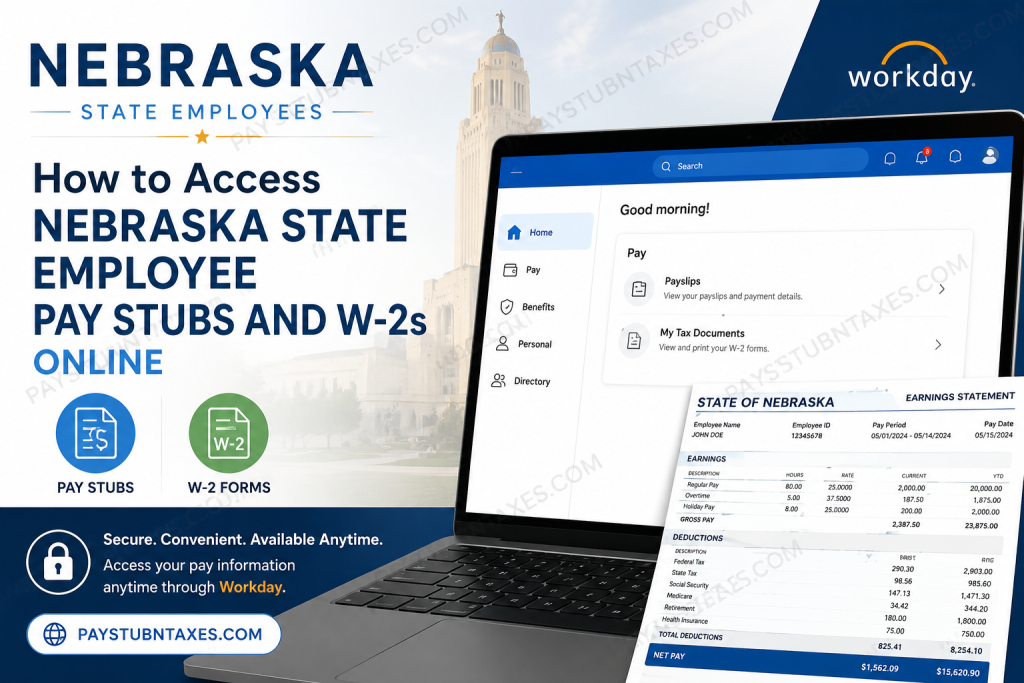
Managing your payroll records should be straightforward, secure, and accessible whenever you need them. If you are employed by the State of Nebraska, you can conveniently view, download, and print your pay stubs and Form W-2 through the Workday Self Service Portal. Whether you need proof of income, are preparing your tax return, or simply wish to review your payroll history, Workday provides a centralized platform for managing your employment information. This comprehensive guide explains how Nebraska state employees can access their pay statements and W-2 forms online, troubleshoot common login issues, and make the most of the Workday Self Service system.
About the State of Nebraska
The State of Nebraska is one of the largest and most diverse employers in the state, offering careers that directly impact the lives of its citizens. From protecting public health and supporting vulnerable families to maintaining transportation infrastructure and preserving natural resources, Nebraska’s public workforce serves communities across the state.
The Department of Administrative Services (DAS) provides centralized administrative support to state agencies, boards, and commissions. Through shared services and innovative technology, DAS helps government agencies operate more efficiently while delivering high-quality public services.
The department is guided by several core values:
- Making government easy to do business with
- Treating everyone with dignity, respect, and integrity
- Remaining customer-focused
- Listening before saying “no”
- Encouraging initiative and innovation
- Continuously learning and improving
Nebraska State Employee Workday Login
Nebraska employees can access payroll and tax documents through the Workday Self Service Portal.
Workday Portal: https://wd108.myworkday.com/son/login.htmld
Login Options
The portal offers two different sign-in methods:
Option 1: Internal Workers
Employees with an @nebraska.gov email address should:
- Select the Internal Worker login option.
- Sign in using their Nebraska government email credentials.
Option 2: External Users
All other users should:
- Select Workday Username and Password.
- Enter their assigned Workday username and password.
How to View Nebraska Pay Stubs Online
Once you have successfully logged into Workday, accessing your pay statements only takes a few moments.
Step 1: Log in to the Nebraska Workday Self Service Portal.
Step 2: From the Workday home page, open your Profile.
Step 3: Select the Pay section.
Step 4: Choose Payslips.
Step 5: A list of available pay periods will appear.
Step 6: Select the desired payroll date.
Step 7: Click the PDF link beside the pay period.
Step 8: Your pay stub will open, allowing you to:
- View your earnings
- Download the PDF
- Print a copy for your records
You can also access the Pay application directly from your Workday home page if it has been added to your configured applications.
How to Access Your Nebraska W-2 Online
Workday also stores your annual tax forms electronically.
Follow these steps:
Step 1: Log in to Workday.
Step 2: Select the Pay application from your Workday dashboard.
Step 3: Open My Tax Documents.
Step 4: Locate the appropriate tax year.
Step 5: Click View/Print beside your W-2.
Step 6: Wait a few moments while the document loads.
Step 7: Use the on-screen controls to:
- View every page
- Print your W-2
- Download a PDF copy
- Open the accessible version if needed
Keeping an electronic copy of your W-2 is recommended for future tax filing and financial documentation.
Information Available on Your Nebraska Pay Stub
Your electronic pay statement may include:
- Employee information
- Agency or department
- Pay period
- Pay date
- Gross earnings
- Net pay
- Taxes withheld
- Retirement deductions
- Insurance deductions
- Leave balances (where applicable)
- Direct deposit information
Benefits of Using Workday Self Service
Using Workday provides several advantages:
- Secure online access 24/7
- Instant access to payroll history
- Electronic W-2 availability
- Printable PDF documents
- Mobile-friendly interface
- Reduced paperwork
- Centralized employee information
- Faster access during tax season
Forgot Your Workday Password?
If you cannot access your account:
- Verify that you are using the correct login option.
- Double-check your username and password.
- Ensure your internet browser is up to date.
- Try clearing your browser cache if login problems persist.
If you still cannot sign in, contact the Nebraska Workday support team.
Email: as.linkhelp@nebraska.gov
Tips for Keeping Your Payroll Information Secure
To protect your personal information:
- Use a strong, unique password.
- Never share your login credentials.
- Sign out after each session, especially on shared computers.
- Keep your contact information current in Workday.
- Review your pay statements regularly for accuracy.
Conclusion
The Nebraska State Workday Self Service Portal makes managing payroll records simple, efficient, and secure. Whether you need to review your latest paycheck, print a previous pay stub, or download your annual W-2 for tax filing, the platform places these essential documents at your fingertips. By becoming familiar with Workday’s payroll features and maintaining secure login practices, you can quickly access the employment information you need whenever it is required.
Frequently Asked Questions
1. How do I access my Nebraska State employee pay stubs online?
Log in to the Nebraska Workday Self Service Portal, open Pay, and select Payslips to view, download, or print your pay statements.
2. Where can I find my Nebraska State W-2 form?
After logging into Workday, navigate to Pay → My Tax Documents and select the appropriate tax year to view or print your W-2.
3. What is the Nebraska Workday Self Service Portal?
It is the official online employee self-service system used by the State of Nebraska to manage payroll, tax documents, benefits, and personal employment information.
4. Who should use the Internal Worker login option?
Employees with an active @nebraska.gov email address should sign in using the Internal Worker login option.
5. What if I don’t have a Nebraska.gov email address?
Use the Workday Username and Password login option with your assigned Workday credentials.
6. Can I print my Nebraska pay stub?
Yes. Open the desired payslip in PDF format and use the print option to obtain a paper copy.
7. Can I download my W-2 as a PDF?
Yes. Workday allows employees to download and save W-2 forms in PDF format for tax filing and recordkeeping.
8. How far back can I view my pay statements?
Available payroll history depends on your employment record in Workday, but employees can generally access previous pay periods stored in the system.
9. What information appears on my Nebraska pay stub?
Your pay stub typically includes gross pay, net pay, taxes withheld, deductions, direct deposit details, earnings, and pay period information.
10. Is the Nebraska Workday portal secure?
Yes. Workday uses secure authentication and encrypted connections to protect employee payroll and personal information.
11. Can I access Workday from my smartphone or tablet?
Yes. The Workday Self Service Portal is accessible from most modern mobile devices and web browsers.
12. What should I do if I forget my Workday password?
First, verify that you selected the correct login option. If you still cannot sign in, contact Workday support at as.linkhelp@nebraska.gov.
13. Why can’t I see my latest pay stub?
If your latest pay statement is unavailable, wait until payroll processing is complete. If the issue continues, contact your agency’s payroll office or Workday support.
14. Can former Nebraska State employees access Workday?
Access for former employees depends on State of Nebraska policies. Contact your former agency or Workday support for assistance with payroll records or W-2 forms.
15. Who do I contact for Nebraska Workday login assistance?
For Workday login or account-related issues, email as.linkhelp@nebraska.gov for technical support.

