
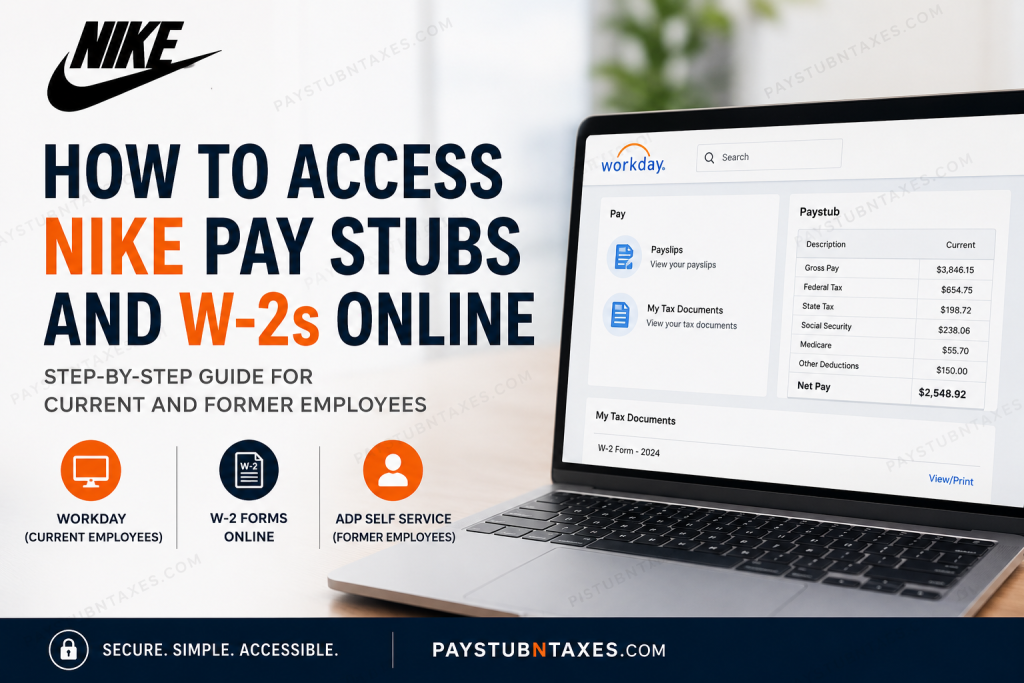
Whether you are a current NIKE employee or a former teammate, accessing your payroll records is a straightforward process once you know which platform to use. Active employees can securely retrieve pay stubs, tax documents, benefits information, and HR resources through the NIKE Workday portal, while former employees can access eligible W-2 forms through ADP Self Service. Understanding the correct platform—and when your tax forms become available—can save you valuable time during tax season. This comprehensive guide explains how to access your NIKE pay stubs and W-2 forms online, troubleshoot common login issues, and find the appropriate support if you need additional assistance.
About NIKE, Inc.
NIKE, Inc. is the world’s leading designer, marketer, and distributor of athletic footwear, apparel, equipment, and accessories. Headquartered in Beaverton, Oregon, the company operates in more than 170 countries and employs tens of thousands of teammates worldwide. Founded in 1964 as Blue Ribbon Sports before adopting the NIKE name in 1971, the company is recognized globally for its innovation, iconic Swoosh logo, and commitment to inspiring athletes of every level.
Driven by its mission to bring inspiration and innovation to every athlete in the world, NIKE fosters a culture built on collaboration, diversity, inclusion, and continuous improvement. Employees contribute to designing products, building digital platforms, enhancing retail experiences, supporting global operations, and advancing technologies that empower athletes worldwide.
Which Payroll Portal Does NIKE Use?
The payroll platform you use depends on your employment status.
| Employee Status | Payroll Platform | Primary Purpose |
| Current Employees | NIKE Workday | Pay stubs, payroll, benefits, HR resources, electronic W-2s |
| Former Employees | ADP Self Service | W-2 retrieval after employment ends |
How to Access NIKE Pay Stubs Online (Current Employees)
Current employees can conveniently access their pay statements through the NIKE Workday portal using their corporate credentials.
NIKE Workday Portal
Portal: https://wd1.myworkday.com/nike/
Step 1: Visit the Workday Portal
Navigate to the official NIKE Workday login page.
Step 2: Sign in Using Okta
Log in using your:
- NIKE email address
- Okta Single Sign-On (SSO) credentials
The login page redirects users through NIKE’s secure ID[me]/Okta authentication system before granting access to Workday.
Step 3: Open the Pay Application
After signing in:
- Select Pay
- Choose Payslips
- View available pay periods
Step 4: View or Download Your Pay Stub
Choose the desired payroll date.
You can:
- View your earnings statement
- Download a PDF copy
- Print your pay stub for personal records
The Workday Pay section stores electronic payroll statements for convenient access.
How to Access Your NIKE W-2 Online
Current employees who have elected electronic tax document delivery can retrieve their W-2 directly in Workday.
Steps
- Sign into Workday.
- Open the Pay dashboard.
- Select My Tax Documents.
- Choose the applicable tax year.
- View, download, or print your W-2.
Workday also allows employees to save electronic copies for future reference.
What If You Did Not Consent to Electronic W-2 Delivery?
If you did not enroll in electronic delivery, NIKE mails your W-2 to the home address on file.
To avoid delays:
- Keep your mailing address updated in Workday.
- Verify your address before the end of the tax year.
- Allow sufficient mailing time after forms are issued.
Former Employees: How to Access Your W-2
Former NIKE employees no longer use Workday for payroll tax documents.
Instead, NIKE provides W-2 access through ADP Self Service.
Generally:
- W-2 forms are postmarked no later than January 31.
- Eligible former employees can also retrieve electronic copies through ADP if available.
- If you have never registered with ADP, you may need to create an account or complete identity verification before accessing your tax documents.
How to Register for ADP (Former Employees)
If you have not previously used ADP:
- Visit the ADP Self Service website.
- Create a new account.
- Verify your identity.
- Complete account registration.
- Access your available tax forms.
If you already have an ADP account, simply sign in using your existing credentials.
How to Update Your Mailing Address
Maintaining an accurate address helps ensure timely delivery of important tax documents.
Current employees can update their mailing information by:
- Logging into Workday
- Opening Personal Information
- Editing Home Contact Information
- Saving the updated address
Former employees who no longer have Workday access should contact NIKE HR if their address changes before W-2 forms are mailed.
What Information Appears on a NIKE Pay Stub?
A typical NIKE earnings statement includes:
- Employee information
- Pay period dates
- Gross earnings
- Regular and overtime pay
- Bonuses (if applicable)
- Federal tax withholding
- State tax withholding
- Local taxes (where applicable)
- Social Security deductions
- Medicare deductions
- Retirement contributions
- Health insurance deductions
- Paid time off balances (where applicable)
- Net pay
- Direct deposit information
Common Workday Login Problems
If you’re unable to sign in:
Forgot your password
Reset your password through the NIKE Okta login page.
Account locked
Use the Unlock Account option available on the login screen or contact IT support.
Multi-factor authentication issues
Complete the required Okta verification process or contact the internal support team if your authentication device has changed.
Browser problems
Try:
- Clearing browser cache
- Using Chrome, Edge, Firefox, or Safari
- Opening the portal in a private browsing window
NIKE HR Contact Information
For payroll and employment assistance:
NIKE World Headquarters
Phone: 1-503-671-6453
Business Hours
Monday–Friday
7:30 a.m. – 5:30 p.m. Pacific Time
Support representatives can assist with:
- Payroll questions
- Workday access
- W-2 inquiries
- Benefits
- Employment verification
- General HR matters
Conclusion
Accessing your NIKE pay stubs and W-2 forms is a straightforward process once you know which platform applies to your employment status. Current employees can securely manage payroll information, tax documents, benefits, and personal details through the NIKE Workday portal using their Okta Single Sign-On credentials. Those who have enrolled in electronic tax document delivery can conveniently view, download, and print their W-2 forms online, while employees who have not provided electronic consent will receive a paper copy by mail. Former employees, meanwhile, can retrieve eligible W-2 forms through ADP Self Service after their employment ends. To ensure uninterrupted access to payroll records and timely delivery of tax documents, always keep your contact information current, safeguard your login credentials, and regularly review your payroll information for accuracy. If you encounter any issues accessing your account or locating your tax forms, NIKE’s HR support team is available to provide assistance and help resolve your concerns promptly.
Frequently Asked Questions
1. How do I access my NIKE pay stubs online?
Log in to the NIKE Workday portal using your Okta SSO credentials, then navigate to Pay > Payslips to view, download, or print your pay statements.
2. What payroll system does NIKE use?
NIKE uses Workday as its primary Human Capital Management (HCM) and payroll platform for current employees.
3. How do I log in to the NIKE Workday portal?
Visit https://wd1.myworkday.com/nike/ and sign in using your NIKE email address and Okta Single Sign-On credentials.
4. Where can I find my NIKE W-2 online?
If you enrolled in electronic delivery, your W-2 is available in Workday > Pay > My Tax Documents.
5. Will NIKE mail my W-2?
Yes. Employees who did not consent to electronic delivery will receive a paper W-2 mailed to their home address on file.
6. When are NIKE W-2 forms available?
Electronic W-2s are typically published in Workday after payroll processing, while paper copies are generally postmarked by January 31.
7. How do former NIKE employees access W-2 forms?
Former employees can retrieve eligible W-2 forms through ADP Self Service after their employment ends.
8. Can I print my NIKE pay stubs?
Yes. Workday allows you to download and print PDF versions of your pay statements.
9. How do I update my mailing address for my W-2?
Current employees can update their address in Workday under Personal Information before year-end to ensure accurate tax document delivery.
10. What should I do if I forget my Workday password?
Use the password reset or Unlock Account option on the NIKE Okta login page, or contact your IT support team.
11. Why can’t I see my W-2 in Workday?
You may not have opted for electronic delivery, or the W-2 may not yet have been released for the current tax year.
12. Does Workday store previous pay stubs?
Yes. Employees can access available historical pay statements through the Payslips section in Workday.
13. Can I access Workday after leaving NIKE?
No. Former employees generally lose Workday access and should use ADP Self Service to obtain eligible W-2 forms.
14. What information appears on a NIKE pay stub?
A NIKE pay stub typically includes gross pay, net pay, tax withholdings, deductions, direct deposit information, earnings, and pay period details.
15. How do I contact NIKE HR for payroll assistance?
For payroll, tax forms, or Workday support, contact NIKE World Headquarters at 1-503-671-6453, Monday through Friday, from 7:30 a.m. to 5:30 p.m. Pacific Time.

