
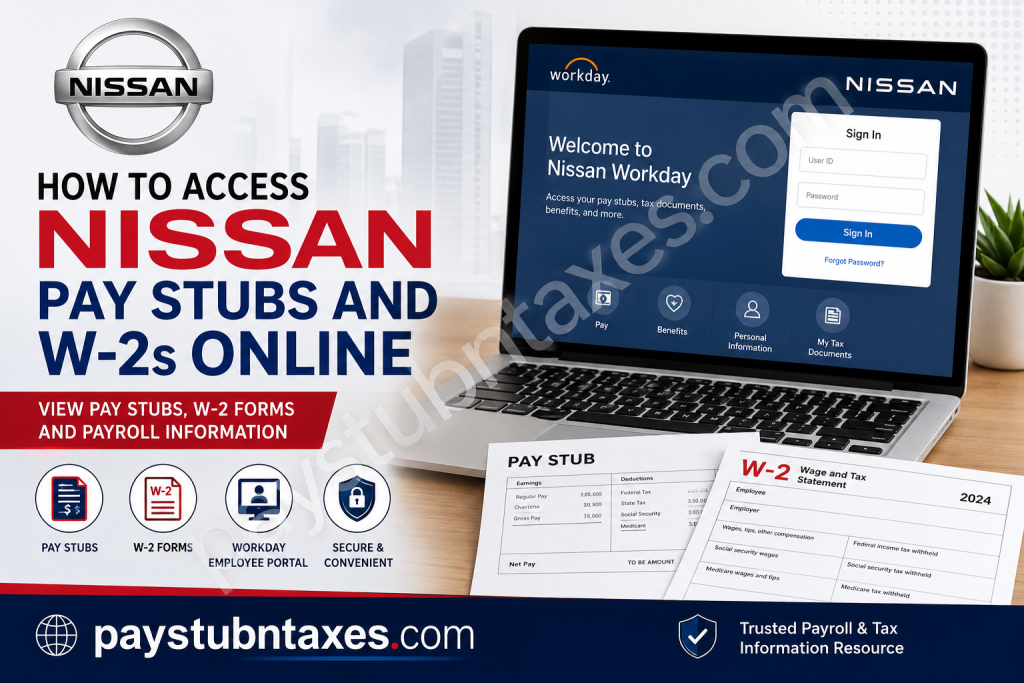
Managing your payroll documents should be as effortless as driving a vehicle engineered for reliability. If you are an employee of Nissan North America, Inc., you can conveniently access your pay stubs, tax documents, direct deposit information, benefits, and other HR services through the Nissan Workday Employee Portal. Eligible employees who have elected electronic tax delivery can also retrieve their annual W-2 forms online, while paper copies remain available for those who have not opted in. This comprehensive guide explains how current and former Nissan employees can access their pay statements and W-2 forms, troubleshoot login issues, and locate the appropriate HR support whenever assistance is required.
About Nissan North America
Nissan North America, Inc. serves as the North American headquarters of Nissan Motor Corporation, overseeing the manufacturing, marketing, and distribution of Nissan and Infiniti vehicles throughout the United States and Canada. Headquartered in Franklin, Tennessee, Nissan is recognized globally for combining cutting-edge innovation with exceptional quality, safety, reliability, and customer satisfaction.
With more than 150 million vehicles produced worldwide, Nissan continues to enrich lives through technological advancement, sustainable mobility, and a relentless commitment to engineering excellence. The company also operates major manufacturing facilities across North America, employing thousands of professionals dedicated to designing and building world-class automobiles.
Nissan Employee Workday Portal
Current employees can manage nearly every aspect of their employment through the Nissan Workday portal, including:
- Viewing and downloading pay stubs
- Accessing annual W-2 tax forms
- Updating direct deposit information
- Managing tax withholding elections
- Reviewing employee benefits
- Updating personal information
- Accessing payroll history
- Viewing employment documents
Workday Portal:
https://as.na.nissan.biz/NNA-Workday
Nissan Login Credentials
Your login method depends on whether you have a Nissan corporate email address.
Employees with a Nissan Email
Use:
- LAN ID
- LAN Password
Employees without a Nissan Email
Use:
- Nissan User ID
- Password
Non-corporate users may also access the Engage@Nissan login portal using their Nissan User ID and password, with password reset functionality available directly from the login page.
How to View Nissan Pay Stubs Online
Once logged into Workday, retrieving your latest paycheck is straightforward.
Step 1: Visit the Nissan Workday portal.
Step 2: Sign in using your appropriate credentials.
Step 3: Open your Workday Profile.
Step 4: Select: Pay
Step 5: Click: Payslips
Step 6: Choose the desired pay period.
Step 7: Open the PDF version of your payslip.
Step 8: Download or print your pay stub for your records.
Information Available on Your Pay Stub
Your Nissan pay statement generally includes:
- Gross earnings
- Net pay
- Federal income tax withholding
- State tax withholding
- Social Security deductions
- Medicare deductions
- Retirement contributions
- Health insurance deductions
- Paid leave balances
- Year-to-date earnings
- Direct deposit information
How to Access Nissan W-2 Forms Online
Employees who have consented to electronic tax delivery may obtain their W-2 directly through Workday.
Step 1: Log into Nissan Workday.
Step 2: Navigate to Pay
Step 3: Select: My Tax Documents
Step 4: Locate the desired tax year.
Step 5: Click: View/Print
Step 6: Download or print your W-2 for tax filing.
The Workday tax document section also allows employees to retain digital copies for future reference and printing.
Electronic vs Paper W-2 Delivery
Nissan offers two methods of W-2 distribution.
Electronic Delivery
Employees who provide electronic consent can:
- View W-2 online
- Download PDF copies
- Print additional copies anytime
Paper Delivery
Employees who do not elect electronic delivery will receive a paper W-2 mailed to their home mailing address.
W-2 Information for Former Employees
Former Nissan employees generally receive their W-2 forms through postal mail.
Typically:
- W-2s are postmarked no later than January 31
- Forms are mailed to the last address on file
- Electronic Workday access may no longer be available after employment ends
If your mailing address has changed, contact Nissan HR before tax season to avoid delivery delays.
How to Update Your Mailing Address
Keeping your personal information current helps ensure timely tax document delivery.
Within Workday, you can update:
- Home address
- Mailing address
- Phone number
- Emergency contacts
- Tax withholding elections
- Direct deposit accounts
Common Login Problems
Forgot your password
Use the password reset option available through the Nissan employee login page.
Locked account
Contact the IT Service Desk or HR Service Center.
Incorrect credentials
Verify whether you should be using:
- LAN ID
- Nissan User ID
depending on your employment status.
HR Contact Information
For assistance with payroll, Workday, or HR applications:
Employee Inquiry HR Service Center
Phone: 1-866-599-4647
Benefits of Electronic W-2 Delivery
Choosing electronic delivery provides several advantages:
- Faster availability
- Secure online access
- Easy downloading
- Convenient reprinting
- Reduced paper usage
- Access from virtually anywhere
- Simplified tax preparation
Tips for Protecting Your Payroll Information
To safeguard your financial information:
- Use a strong password.
- Enable multifactor authentication if available.
- Log out after each session.
- Avoid using public Wi-Fi for payroll access.
- Update your contact information promptly.
- Download tax documents only to trusted devices.
- Review your pay statements regularly for accuracy.
Conclusion
Nissan’s Workday platform offers employees a secure and efficient way to manage payroll and tax records throughout the year. Whether you need to download your latest pay stub, review tax withholding information, or retrieve an electronic W-2, the portal centralizes these essential HR services in one convenient location. Employees who choose electronic tax delivery benefit from immediate access to their W-2 forms, while paper copies remain available for those who prefer traditional mail. By maintaining up-to-date personal information and familiarizing yourself with the Workday portal, you can ensure uninterrupted access to your payroll records and simplify your annual tax preparation.
Frequently Asked Questions
1. How do I access my Nissan pay stubs online?
Log in to the Nissan Workday portal, select Pay, then click Payslips to view, download, or print your pay statements.
2. Where can I find my Nissan W-2 form?
Your W-2 is available under Pay > My Tax Documents in Workday if you have elected electronic delivery.
3. What is the Nissan Workday portal?
Workday is Nissan’s employee self-service platform for accessing payroll, tax documents, benefits, direct deposit, and personal employment information.
4. What login credentials do Nissan employees use?
Employees with a Nissan email use their LAN ID and LAN Password, while employees without a Nissan email use their Nissan User ID and Password.
5. Can former Nissan employees access their W-2 online?
Generally, former employees receive their W-2 forms by postal mail. Online access may no longer be available after employment ends.
6. When will Nissan mail W-2 forms?
Paper W-2 forms are typically postmarked by January 31 each year.
7. Can I download and print my Nissan pay stubs?
Yes. Workday allows employees to download PDF copies and print pay statements whenever needed.
8. How do I update my direct deposit information?
Sign in to Workday, navigate to the Pay section, and update your payment elections or direct deposit information.
9. Can I view previous pay stubs in Workday?
Yes. Workday stores payroll history, allowing active employees to access previous pay periods.
10. What should I do if I forget my Nissan Workday password?
Use the password reset option on the Nissan login page or contact your IT Service Desk or HR support for assistance.
11. How do I choose electronic W-2 delivery?
Eligible employees can update their tax document delivery preferences within Workday before the annual payroll deadline.
12. What payroll information is available in Workday?
Employees can view gross pay, net pay, taxes withheld, deductions, year-to-date earnings, direct deposit details, and tax documents.
13. Is the Nissan Workday portal secure?
Yes. Workday uses secure authentication and encrypted connections to protect employee payroll and personal information.
14. Who should I contact if I cannot access my payroll information?
For HR application or payroll access issues, contact the Employee Inquiry HR Service Center at 1-866-599-4647.
15. Can I access Nissan Workday from home?
Yes. Employees can securely access the Nissan Workday portal from home or any location with an internet connection using their authorized login credentials.

