
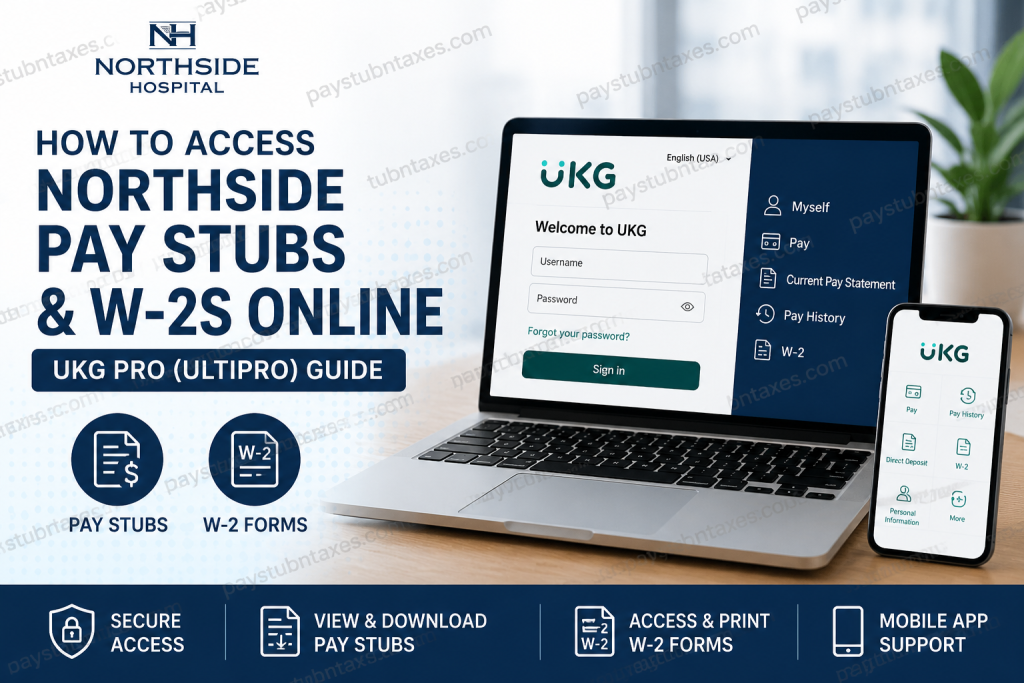
Northside Hospital is one of Georgia’s premier healthcare systems and a certified Great Place To Work®, serving millions of patients annually through five acute-care hospitals and hundreds of outpatient facilities across the state. Renowned for its leadership in maternity services, cancer care, cardiovascular medicine, sports medicine, and advanced surgical specialties, Northside has cultivated a reputation for clinical excellence and employee satisfaction alike. The organization operates a comprehensive healthcare network that includes Northside Hospital Atlanta, Cherokee, Duluth, Forsyth, and Gwinnett. To streamline workforce management, Northside Hospital utilizes UKG Pro (formerly UltiPro) as its primary Human Capital Management (HCM) platform. Employees can conveniently access payroll records, tax documents, personal information, and employment details through the secure employee self-service portal. While ADP e-Time is used for timekeeping, UKG Pro remains the official platform for viewing pay statements and W-2 tax forms for both current and former employees. Whether you need to verify your latest earnings, download historical pay statements, or retrieve your annual W-2 for tax filing, this guide walks you through every step.
Northside Hospital Employee Payroll Portal
Payroll System: UKG Pro (formerly UltiPro)
Employee Portal:
https://northside.ultipro.com/Login.aspx?ReturnUrl=%2f
UKG Mobile Organization Code: northside
Who Can Access the Portal?
The UKG Pro employee portal is available to:
- Current Northside Hospital employees
- Former employees with active UKG access
- Staff needing payroll history
- Employees downloading W-2 tax forms
- Employees updating payroll-related information
Logging Into UKG Pro
During your onboarding process, Northside Hospital provides your initial UKG login credentials.
When signing in for the first time, you’ll be required to:
- Enter your temporary username and password
- Change your temporary password
- Create three security questions
- Save your new credentials for future access
Once your account setup is complete, you’ll have uninterrupted access to your payroll and tax documents.
How to View Your Current Pay Stub
After logging into UKG Pro:
Navigation: Myself → Pay → Current Pay Statement
Your latest processed paycheck will appear automatically.
From this page you can:
- View your earnings
- Review deductions
- Check taxes withheld
- Download your pay statement as a PDF
- Print your pay stub for your records
If payroll has already been processed but payday has not yet arrived, your upcoming pay statement may appear before funds are deposited. This behavior is expected within UKG Pro.
How to Access Historical Pay Statements
If you need payroll records from previous pay periods:
Navigation: Myself → Pay → Pay History
Then:
- Select Search
- Choose the desired pay date
- Open the pay statement
- Download or print one or multiple statements
This feature is especially useful for:
- Loan applications
- Employment verification
- Income documentation
- Personal financial records
Understanding Your Pay Statement
Each Northside Hospital pay statement includes detailed payroll information, including:
- Employee information
- Department details
- Pay rate
- Regular earnings
- Overtime earnings
- Shift differentials
- Holiday pay
- Paid leave
- Taxes withheld
- Pre-tax deductions
- Retirement contributions
- Year-to-date earnings
Reviewing your pay statement regularly helps ensure payroll accuracy and allows you to identify discrepancies promptly.
How to Download Your W-2 Online
Once tax forms become available:
- Log into UKG Pro.
- Click the W-2 tile on the homepage.
Or
Navigate to: Myself → W-2
Then:
- Select the desired tax year.
- View your W-2.
- Download the PDF.
- Print a copy for tax filing.
Electronic W-2 access significantly reduces the need to wait for paper copies during tax season.
Using the UKG Mobile App
Northside employees can also manage payroll from their smartphones.
Download:
- UKG Pro Mobile (iOS)
- UKG Pro Mobile (Android)
Organization Code:
northside
Using the mobile app you can:
- View pay statements
- Review direct deposit information
- Update direct deposit accounts
- Access timecards
- Punch in and out (where applicable)
- View payroll information from anywhere
The mobile interface closely mirrors the desktop experience while providing convenient access on the go.
Forgot Your Password?
If you’ve forgotten your password:
- Click Forgot your password? on the login page.
- Answer your previously configured security questions.
- Create a new password.
- Sign back into your account.
If you’re unable to reset your password, contact Northside Human Resources for assistance.
Payroll Support
For payroll, W-2, or login assistance:
Human Resources
Phone: 404-851-8748
Email: myhr.servicecenter@northside.com
Support can assist with:
- Login problems
- Password resets
- Missing W-2 forms
- Payroll discrepancies
- Direct deposit questions
- Employee account access
Final Thoughts
Northside Hospital has made payroll management both efficient and secure by leveraging UKG Pro, enabling employees to access pay stubs, W-2 tax forms, payroll history, and direct deposit information from virtually anywhere. Whether you are an active team member or a former employee, the platform provides a centralized, user-friendly solution for managing essential employment records. By familiarizing yourself with the navigation paths outlined above and using the UKG mobile app when away from your computer, you can confidently retrieve payroll documents whenever you need them, ensuring that important financial information is always just a few clicks away.
Frequently Asked Questions
1. How do I log in to the Northside Hospital UKG Pro portal?
Visit the Northside Hospital UKG Pro login page, enter your username and password provided during onboarding, and sign in. First-time users must change their temporary password and set up three security questions.
2. Where can I view my current pay stub?
After logging into UKG Pro, go to Myself → Pay → Current Pay Statement to view, download, or print your latest pay statement.
3. How do I access previous pay stubs?
Navigate to Myself → Pay → Pay History, select the desired pay date, and open the statement to download or print historical pay records.
4. How can I download my W-2 form?
Log into UKG Pro and either click the W-2 tile on the homepage or navigate to Myself → W-2. Select the tax year to view, download, or print your W-2.
5. Does Northside Hospital use Workday for payroll?
No. Northside Hospital uses UKG Pro (formerly UltiPro) as its primary Human Capital Management and payroll platform, while ADP e-Time is used for employee timekeeping.
6. Can former employees access their W-2s online?
Yes. Former employees who still have active UKG Pro credentials can log in to retrieve previous pay stubs and W-2 tax forms.
7. What is the UKG Pro Mobile organization code for Northside Hospital?
The organization code is northside.
8. Can I view my pay stubs using the UKG Pro Mobile App?
Yes. After logging into the UKG Pro Mobile App, you can securely view pay statements, direct deposit information, and other payroll details.
9. Why does my pay stub appear before payday?
UKG Pro may display the most recently processed payroll before the official pay date. This is normal and allows employees to review their upcoming earnings in advance.
10. Can I print my pay statements?
Yes. Both current and historical pay statements can be downloaded as PDF files and printed directly from the UKG Pro portal.
11. How do I reset my UKG Pro password?
Select Forgot your password? on the login page, answer your security questions and create a new password. If you’re unable to reset it, contact Human Resources.
12. Can I update my direct deposit information online?
Yes. Eligible employees can manage and update their direct deposit accounts through the UKG Pro portal or the UKG Pro Mobile App.
13. Is the Northside Hospital payroll portal secure?
Yes. UKG Pro uses secure authentication and encrypted connections to protect employee payroll, tax, and personal information.
14. Who should I contact if I have payroll or W-2 issues?
For payroll assistance, contact Northside Hospital Human Resources at 404-851-8748 or email myhr.servicecenter@northside.com.
15. What information is available in my UKG Pro account?
Employees can access current and historical pay statements, W-2 tax forms, direct deposit details, payroll history, tax withholding information, and certain personal employment records through UKG Pro.

