
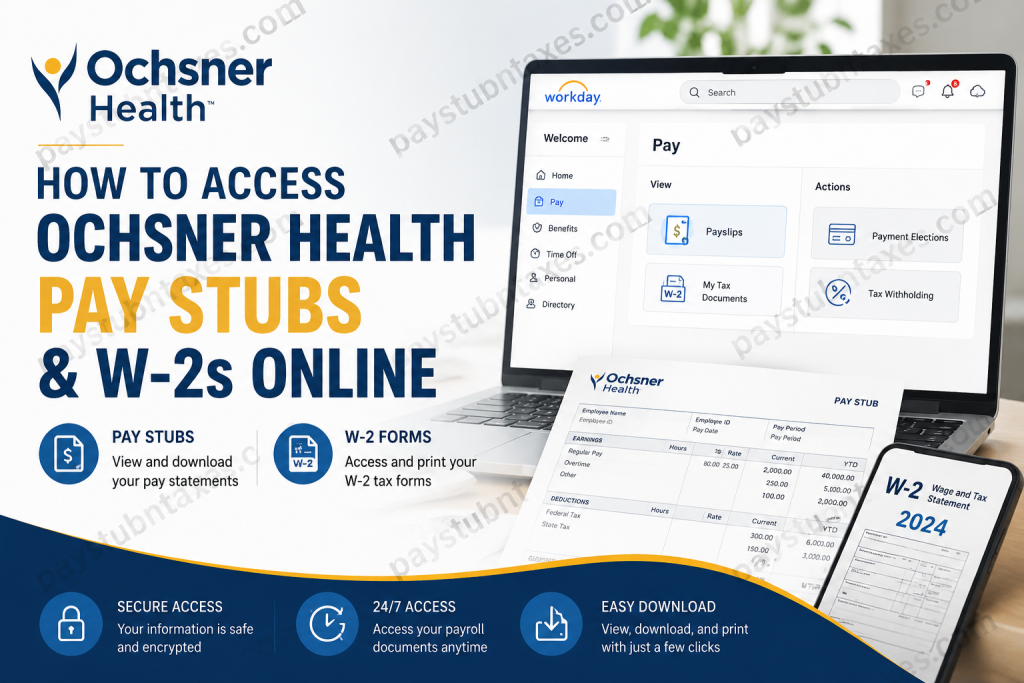
Ochsner Health is the largest nonprofit and academic healthcare system in Louisiana, serving millions of patients across the Gulf South through an extensive network of hospitals, clinics, and urgent care centers. With more than 40,000 team members and thousands of physicians, Ochsner relies on advanced digital tools to simplify workforce management and improve the employee experience. Among these digital resources is the Workday Employee Portal, which allows employees to conveniently access payroll information, download pay stubs, and retrieve annual W-2 tax forms from virtually anywhere. Whether you are a current employee preparing for tax season or simply reviewing your earnings history, this guide explains everything you need to know about accessing your Ochsner Health pay documents online.
What Is the Ochsner Health Workday Portal?
The Ochsner Health Workday Portal is a secure online platform that centralizes employee information, including:
- Pay stubs and payroll history
- W-2 tax forms
- Direct deposit information
- Tax withholding elections
- Benefits enrollment
- Personal information updates
- Employment documents and HR resources
By using Workday, employees no longer need to rely on paper statements or visit the payroll department for routine payroll inquiries.
How to Access Ochsner Health Pay Stubs Online
Current Ochsner employees can view and print their pay statements directly through Workday. The platform stores electronic pay records that can be downloaded as PDF files for personal or financial use. The general Workday navigation process follows the standard Pay and Payslips workflow.
Step 1: Visit the Ochsner Workday Login Page
Workday Portal:
https://sso.ochsner.org:9031/idp/startSSO.ping?PartnerSpId=http://www.workday.com
Step 2: Sign In
Enter your:
- Ochsner Network Username
- Password
- Multi-factor authentication code (if prompted)
After successful authentication, you will be redirected to your Workday homepage.
Step 3: Open the Pay Dashboard
From your Workday homepage:
- Select Pay.
- Click Payslips.
- A list of available pay periods will appear.
- Choose the desired pay date.
The process mirrors the standard Workday payslip retrieval system, where employees can select any available pay period and open the associated PDF document.
Step 4: Download or Print Your Pay Stub
After opening your payslip:
- Click the Download icon to save a PDF copy.
- Click the Print icon to print the statement.
Your pay stub typically contains:
- Gross earnings
- Net pay
- Federal and state tax deductions
- Retirement contributions
- Insurance deductions
- Paid time off balances
- Direct deposit details
How to Access Ochsner Health W-2 Forms Online
Each year, Ochsner employees can retrieve their W-2 forms electronically through Workday, eliminating the need to wait for a paper copy in the mail.
The standard Workday process stores annual tax forms under My Tax Documents, where employees can view, print, and download W-2 statements.
Step 1: Log Into Workday
Sign in using your Ochsner credentials at:
https://sso.ochsner.org:9031/idp/startSSO.ping?PartnerSpId=http://www.workday.com
Step 2: Navigate to My Tax Documents
From the homepage:
- Select Pay.
- Click My Tax Documents.
- Locate the appropriate tax year.
Step 3: View Your W-2
Click View/Print beside the desired tax year.
The system allows employees to:
- View the form online
- Download a PDF copy
- Print the W-2 for tax filing purposes
Workday also provides accessible and downloadable versions of tax documents for employee convenience.
How to Download Your W-2
After opening the document:
- Click the Download icon.
- Save the PDF to your computer or mobile device.
- Keep a backup copy for future tax records.
Most tax professionals recommend retaining W-2 forms for at least three to seven years.
What If You Forgot Your Password?
If you cannot access your account:
- Visit the login page.
- Select the password reset option if available.
- Contact the Ochsner Service Desk for assistance.
Service Desk: 985-773-1449
Ochsner Human Resources Contact Information
For payroll or employment-related assistance, employees and applicants may contact HR Connect.
HR Connect Phone Number:
1-866-624-8671
Technical Support:
985-773-1449
Common Reasons Employees Access Pay Stubs and W-2s
Employees frequently download payroll documents for:
- Filing federal and state taxes
- Applying for mortgages
- Verifying employment
- Loan applications
- Renting apartments
- Financial aid applications
- Personal income verification
Benefits of Using Workday
The Workday Employee Portal offers numerous advantages:
24/7 Access
Employees can retrieve documents anytime and from anywhere.
Paperless Convenience
No need to store physical pay statements.
Secure Storage
Payroll documents remain protected behind encrypted login systems.
Faster Tax Preparation
W-2 forms become available electronically as soon as they are released.
Self-Service Functionality
Employees can manage payroll information independently without waiting for HR assistance.
Troubleshooting Login Issues
If you cannot access Workday:
Verify Your Username and Password
Ensure that your login credentials are entered correctly.
Clear Browser Cache
Old cookies can occasionally interfere with authentication.
Try Another Browser
Chrome, Edge, and Firefox generally provide the best compatibility.
Check Network Access
Some systems may require VPN access when working remotely.
Contact Support
If the issue persists, contact:
- Service Desk: 985-773-1449
- HR Connect: 1-866-624-8671
Final Thoughts
Ochsner Health has embraced digital transformation by providing employees with secure, self-service access to payroll and tax documents through the Workday platform. Whether you need a recent pay stub for income verification or your annual W-2 for tax filing, the entire process can be completed online in just a few minutes. By familiarizing yourself with the Workday portal and keeping your login credentials secure, you can quickly access your payroll records whenever you need them, making tax season and financial documentation significantly more convenient.
Frequently Asked Questions
1. How do I access my Ochsner Health pay stubs online?
Log into the Ochsner Workday portal using your SSO credentials and navigate to Pay > Payslips.
2. Where can I find my Ochsner W-2 form?
Your W-2 form is available in Workday under Pay > My Tax Documents.
3. What is the Ochsner Workday login URL?
The login portal is:
https://sso.ochsner.org:9031/idp/startSSO.ping?PartnerSpId=http://www.workday.com
4. Can former Ochsner employees access their W-2 online?
Former employees should contact Ochsner Human Resources or the Service Desk for assistance with obtaining tax documents.
5. When are Ochsner W-2 forms available?
W-2 forms are typically available by the end of January each year for the previous tax year.
6. Can I download my pay stubs as PDFs?
Yes. Workday allows employees to download and save pay stubs in PDF format.
7. Can I print my W-2 from Workday?
Yes. Open your W-2 in My Tax Documents and select the print option.
8. What information appears on an Ochsner pay stub?
Your pay stub includes gross earnings, deductions, taxes, net pay, and direct deposit information.
9. What should I do if I forgot my Workday password?
Contact the Ochsner Service Desk at 985-773-1449 for password assistance.
10. How do I update my tax withholding information?
Log into Workday and access the Pay section to update your withholding elections.
11. Can I access Workday from my mobile device?
Yes. Workday can be accessed through a web browser or the Workday mobile application.
12. Is my payroll information secure in Workday?
Yes. Workday uses secure authentication and encryption to protect employee information.
13. Who should I contact for payroll questions?
You can contact HR Connect at 1-866-624-8671 for payroll and employment-related inquiries.
14. Why can’t I see my pay stub in Workday?
The pay statement may not have been published yet, or you may be experiencing a login issue. Contact the Service Desk if the issue persists.
15. Why should I keep copies of my W-2 forms?
W-2 forms are important for filing taxes, income verification, loan applications, and maintaining personal financial records.

