
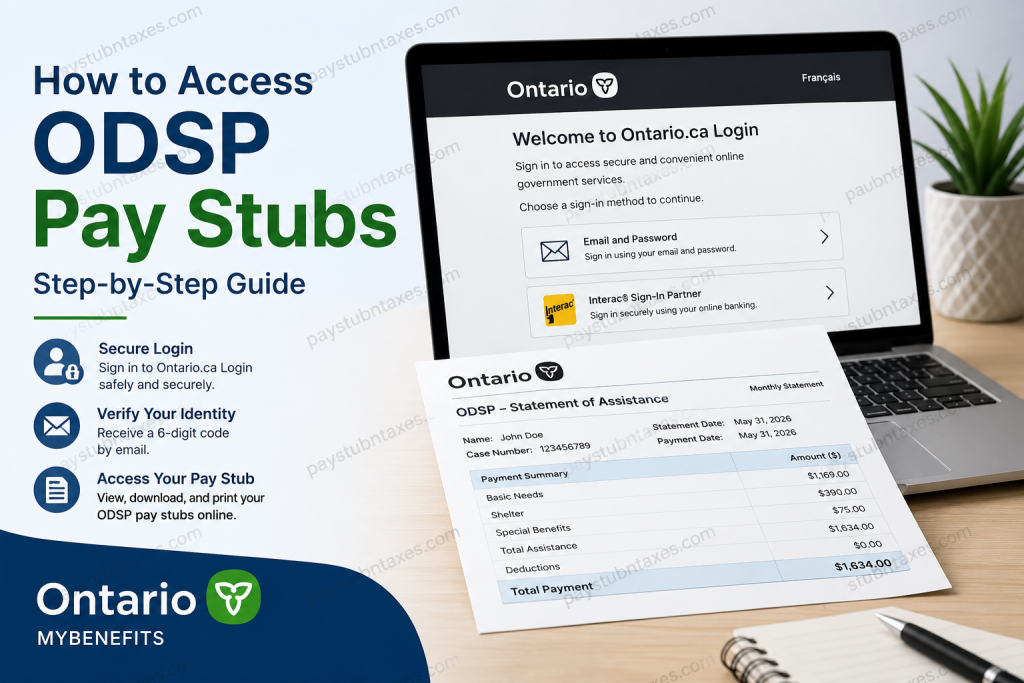
The Ontario Disability Support Program (ODSP) provides financial assistance and employment support to eligible Ontario residents living with disabilities. As an ODSP recipient, you may occasionally need copies of your monthly statements or payment details for budgeting, income verification, housing applications, tax preparation, or personal record-keeping. Fortunately, the Government of Ontario has simplified the process through MyBenefits and Ontario.ca Login, allowing recipients to access their payment information securely online without visiting a local office. This comprehensive guide explains exactly how to access your ODSP pay stubs, create an account, troubleshoot login issues, and retrieve your monthly payment details.
What Is an ODSP Pay Stub?
An ODSP pay stub, often referred to as a Monthly Statement of Assistance, contains important information about your benefits, including:
- Monthly payment amount
- Shelter and basic needs allowances
- Special benefits and deductions
- Payment dates
- Changes to your assistance
- Case and member information
These statements serve as proof of income and are often required when applying for:
- Rental housing
- Loans or credit applications
- Government programs
- Tax filing assistance
- Income verification requests
How to Access ODSP Pay Stubs Online
ODSP payment statements are available through MyBenefits, the Government of Ontario’s secure online portal.
Step 1: Sign Into Ontario.ca Login
Go to the Ontario.ca Login page and sign in using either:
- Your email address and password, or
- Interac® Sign-In Partner through your online banking credentials.
If you do not yet have an account, select Create account and complete the registration process.
Step 2: Select “Send Me an Email”
After entering your login credentials:
- Click Send me an email.
- A verification email will be sent to your registered email address.
Step 3: Enter the Verification Code
- Open your email inbox.
- Locate the message containing the six-digit security code.
- Enter the code into the verification box.
- Click Verify.
This additional authentication step helps protect your personal information and prevents unauthorized access.
Step 4: Access Your MyBenefits Account
Once your identity has been verified, you will be automatically redirected to your MyBenefits Dashboard.
From the dashboard, you can:
- View monthly payment statements
- Check upcoming payment dates
- Review benefit information
- Update communication preferences
- Receive electronic notices and letters
- Monitor changes to your case
How to View and Download Your ODSP Pay Stubs
After signing in:
- Open MyBenefits Dashboard.
- Select Monthly Statements or Payment Information.
- Choose the month you wish to view.
- Open the statement.
- Download or print a copy for your records.
Keeping digital copies of your statements can save considerable time whenever proof of income is required.
How to Create a MyBenefits Account
If you have never used MyBenefits before, follow these steps:
Using Ontario.ca Login
- Visit the MyBenefits website.
- Click Sign in or create an account.
- Select Create account.
- Enter your email address.
- Create a secure password.
- Verify your email address.
- Confirm your identity using your:
- Member Identification Number (ID), or
- Social Assistance Application Number.
Once completed, your MyBenefits account will be activated.
Signing In Using Interac® Sign-In Partner
Ontario also allows recipients to sign in using participating financial institutions.
To use this method:
- Select Sign-In Partner.
- Choose your bank.
- Enter your online banking credentials.
- Verify your email address.
- Complete identity confirmation.
This method offers a secure and convenient alternative to traditional passwords.
What If You Forgot Your Password?
If you forget your password:
- Go to the login page.
- Select Forgot Password.
- Follow the instructions to reset it.
If you enter the wrong password five times, your account will be locked.
To regain access:
- Select Unlock Account.
- Complete the verification process.
- Sign in again using your original password.
Didn’t Receive the Verification Code?
If your six-digit code does not arrive:
Check the following:
- Your spam or junk folder
- The accuracy of your email address
- Emails from:
noreply@signin.ontario.ca
You may also try:
- Using a different browser
- Switching devices
- Requesting a new verification code
How to Change Your Email Address
If you still have access to your current email:
- Sign into Ontario.ca Login.
- Open Menu.
- Select Settings.
- Click Edit Profile.
- Update your email address.
If you no longer have access to your previous email account, contact MyBenefits support for assistance.
How to Switch to Paperless Statements
Many ODSP recipients prefer receiving statements electronically.
To switch to paperless delivery:
- Open My Profile.
- Navigate to Communication Preferences.
- Select Paperless.
- Click Save.
Your monthly statements and letters will then be delivered electronically through MyBenefits.
Benefits of Accessing ODSP Pay Stubs Online
Using MyBenefits offers several advantages:
24/7 Access
View your statements whenever you need them.
Secure Login
Multi-factor authentication protects your personal information.
Faster Communication
Receive letters and notices immediately.
Reduced Paper Clutter
Store your records digitally.
Convenient Income Verification
Download statements instantly when proof of income is required.
Common ODSP Login Problems and Solutions
| Issue | Solution |
| Forgot password | Use the Forgot Password option. |
| Account locked | Use Unlock Account |
| No verification code | Check the spam folder or resend the code |
| Old email inaccessible | Contact support |
| Browser errors | Try another browser or device. |
| Banking login issues | Contact your bank |
ODSP Customer Service Contact Information
If you continue experiencing difficulties accessing your pay stubs or MyBenefits account, contact support:
Telephone: 1-888-999-6130
Hours of Operation:
Monday to Friday
8:30 a.m. to 5:00 p.m. (Eastern Time)
Final Thoughts
The Government of Ontario has made accessing ODSP payment information remarkably straightforward through Ontario.ca Login and MyBenefits. Whether you need proof of income, want to monitor your benefits, or simply keep better financial records, your ODSP pay stubs are available online anytime and virtually anywhere. By creating a secure MyBenefits account and enabling paperless communication, you can manage your ODSP information more efficiently and avoid unnecessary delays when important documentation is required.
Frequently Asked Questions
1. How do I access my ODSP pay stubs online?
Log in to MyBenefits through Ontario.ca Login, verify your email, and open the Monthly Statements section.
2. Where can I find my ODSP monthly statements?
Your monthly statements are available in the MyBenefits Dashboard under Payment Information or Monthly Statements.
3. Do I need an Ontario.ca Login account to access ODSP pay stubs?
Yes. You must have an Ontario.ca Login account or use the Interac® Sign-In Partner service.
4. Can I download and print my ODSP pay stubs?
Yes. MyBenefits allows you to download and print your monthly statements at any time.
5. Is there a fee to use MyBenefits?
No. MyBenefits is a free online service provided by the Government of Ontario.
6. What information is included on an ODSP pay stub?
It includes your monthly assistance amount, shelter allowance, special benefits, deductions, and payment date.
7. What should I do if I forget my Ontario.ca Login password?
Use the Forgot Password option on the login page to reset your password.
8. Why am I asked to enter a six-digit verification code?
The code provides an extra layer of security and helps protect your account from unauthorized access.
9. What if I do not receive the verification email?
Check your spam or junk folder, verify your email address, or request a new code.
10. Can I access MyBenefits from my smartphone?
Yes. MyBenefits is accessible on smartphones, tablets, and computers.
11. Can I receive ODSP statements electronically instead of by mail?
Yes. You can switch to paperless communication through your MyBenefits profile settings.
12. What happens if my Ontario.ca Login account becomes locked?
After five unsuccessful login attempts, your account is locked and must be unlocked through the Unlock Account feature.
13. Can I sign in using my online banking information?
Yes. Ontario supports the Interac® Sign-In Partner service, which allows you to use your participating bank credentials.
14. How can I change the email address associated with my account?
Sign in to Ontario.ca Login, go to Settings, select Edit Profile, and update your email address.
15. Who should I contact if I cannot access my ODSP pay stubs?
Contact MyBenefits support at 1-888-999-6130, Monday to Friday, from 8:30 a.m. to 5:00 p.m. (ET).

