
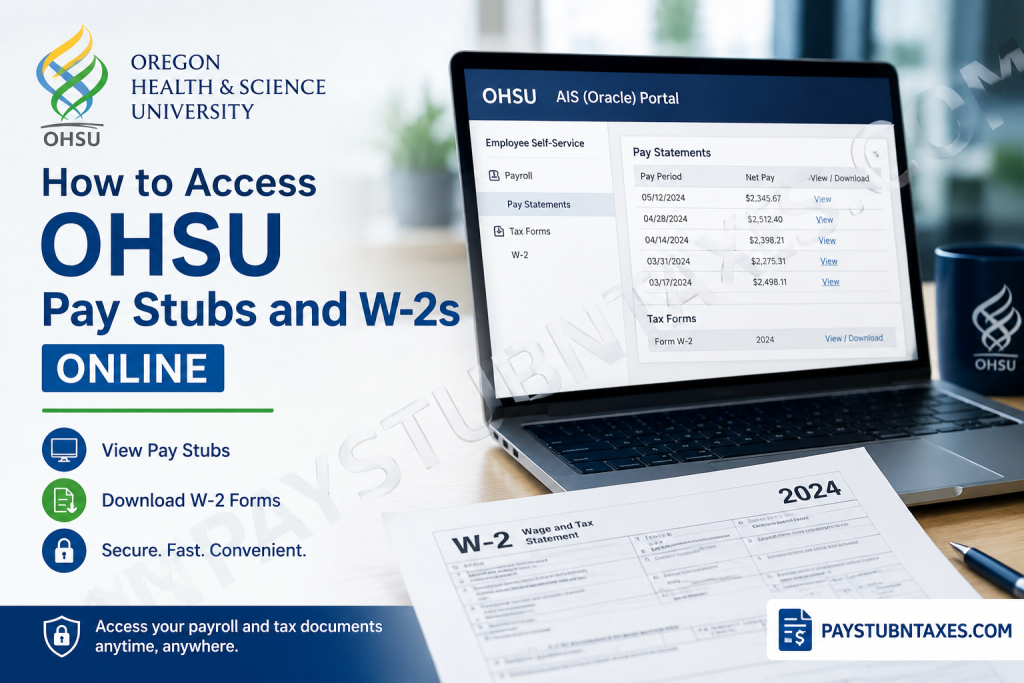
Oregon Health & Science University (OHSU) is Oregon’s only public academic health center and one of the state’s most influential employers, bringing together world-class clinicians, researchers, educators, and innovators under one umbrella. With an unwavering commitment to healing, teaching, and discovery, OHSU serves communities throughout Oregon and southwest Washington while pioneering breakthroughs in medicine and healthcare. For current and former employees, accessing payroll information efficiently is essential. Whether you need to review your earnings, verify tax withholdings, apply for a mortgage, or file your annual tax return, understanding how to obtain your pay stubs and Form W-2 can save considerable time and frustration. This comprehensive guide explains everything you need to know about accessing OHSU pay stubs and W-2 forms online.
What Is the OHSU Payroll System?
OHSU uses a secure digital payroll platform that allows employees to:
- View current and previous pay statements
- Access annual W-2 tax forms
- Monitor deductions and tax withholdings
- Download and print payroll documents
- Maintain electronic access to compensation records
Employees access these payroll services through the O2 Portal and the AIS (Oracle) Portal.
How to Access OHSU Pay Stubs Online
Current OHSU employees can view and download their pay statements by following these steps:
Step 1: Access the O2 Portal
Sign in to the OHSU O2 employee portal using your institutional credentials.
Step 2: Open the AIS (Oracle) Portal
After logging in, navigate to:
AIS (Oracle) Portal: https://ais.ohsu.edu
Step 3: Navigate to Payroll Information
Within the Oracle dashboard:
- Select Employee Self-Service
- Click Payroll
- Choose Pay Statements
- Select the desired pay period.
Step 4: Download or Print Your Pay Stub
You may:
- Download the pay statement as a PDF.
- Print copies for your records.
- Save documents for income verification purposes.
Access Requirements for the AIS Portal
Because the payroll system operates within OHSU’s secure network, employees must access it through one of the following methods:
Option 1: On-Campus Access
Use a computer connected to the OHSU network.
Option 2: VPN Access
Connect remotely using the OHSU Virtual Private Network (VPN).
Option 3: Citrix Desktop
Employees may also use the Citrix Desktop through: http://portal.ohsu.edu/logon/LogonPoint/tmindex.html.
Select the Light Version if you are using a device that cannot support the full Citrix environment.
How to Access Your OHSU W-2 Online
OHSU provides electronic access to annual Form W-2 through the AIS (Oracle) Portal.
Step 1: Log in to O2
Sign in using your employee credentials.
Step 2: Open AIS (Oracle)
Navigate to: https://ais.ohsu.edu
Step 3: Access Tax Forms
Go to: Employee Self-Service → Payroll → Tax Forms → W-2
Step 4: Download Your W-2
Choose the tax year you need and download the PDF copy for filing your federal and state tax returns.
Prefer a Digital Copy Instead of a Mailed W-2?
If you requested that your W-2 be mailed but later decide that you would prefer a digital copy, OHSU allows employees to request electronic access by contacting:
Email: w2@ohsu.edu
The payroll team can provide guidance regarding digital delivery options.
How Former OHSU Employees Can Obtain Their W-2
Former employees do not retain access to the internal payroll system indefinitely.
Instead, OHSU mails W-2 statements by January 31 each year to the employee’s last home address on file.
If you no longer work at OHSU and have not received your W-2:
- Verify your mailing address with Human Resources.
- Contact the payroll department for assistance.
- Request a replacement copy if necessary.
What Information Appears on an OHSU Pay Stub?
Your pay statement generally includes:
- Employee identification information
- Pay period dates
- Gross earnings
- Federal income tax withholding
- State tax withholding
- Social Security and Medicare deductions
- Retirement contributions
- Insurance deductions
- Paid leave balances
- Net pay amount
- Direct deposit information
Reviewing your pay stub regularly helps ensure that deductions and earnings are accurate.
What Information Appears on an OHSU W-2?
Your W-2 contains:
- Total annual wages
- Federal income tax withheld
- State income tax withheld
- Social Security wages and taxes
- Medicare wages and taxes
- Retirement contributions
- Employer identification information
This document is necessary when filing your annual tax return.
Troubleshooting OHSU Payroll Access Issues
Forgotten Password
Reset your password through the O2 login page or contact OHSU IT support.
Unable to Access the Oracle Portal
Ensure that:
- You are connected to the OHSU network.
- Your VPN connection is active.
- Citrix Desktop is functioning properly.
W-2 Not Available
Confirm that:
- The tax year has been published.
- Your mailing address is current.
- You have contacted payroll if the form is missing.
OHSU Human Resources Contact Information
Oregon Health & Science University
3181 S.W. Sam Jackson Park Road
Mail Code: HR
Portland, OR 97239
Accommodation Assistance: 503-494-5148
Email: ocic@ohsu.edu
General HR Inquiries: icims@ohsu.edu
Why Accessing Payroll Documents Online Matters
Electronic payroll access offers numerous advantages:
- Immediate access to important documents
- Faster tax preparation
- Secure document storage
- Reduced paper usage
- Convenient retrieval of historical records
- Easy income verification for lenders and landlords
For healthcare professionals and staff members whose schedules are often demanding and unpredictable, having payroll information available online is both practical and indispensable.
Final Thoughts
As Oregon’s premier academic health institution, OHSU continually embraces innovation—not only in medicine and research but also in administrative efficiency. Through the O2 and AIS (Oracle) portals, employees can conveniently access pay stubs and tax documents whenever needed. Current employees should use the secure online system to review payroll information, while former employees should expect their W-2 forms to be mailed annually by January 31. Keeping your contact information up to date and understanding the available access methods will ensure that obtaining your payroll records remains a seamless process. Whether you need proof of income, wish to review your deductions, or are preparing your annual tax return, OHSU’s digital payroll resources make managing your employment records straightforward and efficient.
Frequently Asked Questions
1. What is the OHSU payroll portal?
The OHSU payroll portal is the AIS (Oracle) Portal, which allows employees to access pay stubs, W-2 forms, payroll information, and employee self-service features.
2. Where can I log in to access my OHSU pay stubs?
Employees can log in through the O2 portal and then access the AIS portal at https://ais.ohsu.edu.
3. Can I access OHSU payroll information from home?
Yes. Employees can access payroll information remotely using the OHSU VPN or through the Citrix Desktop.
4. What is the Citrix Desktop login URL?
The Citrix Desktop can be accessed at: http://portal.ohsu.edu/logon/LogonPoint/tmindex.html.
5. How do I download my OHSU pay stub?
Navigate to Employee Self-Service > Payroll > Pay Statements, select the desired pay period, and download the pay statement in PDF format.
6. How do I view my OHSU W-2 online?
Log in to the AIS (Oracle) portal and go to:
Employee Self-Service > Payroll > Tax Forms > W-2.
7. When are OHSU W-2 forms available?
W-2 forms are generally issued and mailed by January 31 each year.
8. Can I request a digital copy of my W-2 instead of a mailed copy?
Yes. Employees may request assistance by emailing:
w2@ohsu.edu
9. How do former OHSU employees get their W-2 forms?
Former employees receive their W-2 statements by mail at their last address on file with OHSU.
10. What should I do if I never received my OHSU W-2?
Contact the OHSU payroll department and verify that your mailing address is correct.
11. What information is included on an OHSU pay stub?
Pay stubs typically include:
- Gross earnings
- Net pay
- Taxes withheld
- Retirement contributions
- Insurance deductions
- Paid leave balances
- Direct deposit information
12. What if I forgot my OHSU login credentials?
You should use the password recovery options available through OHSU’s login system or contact IT support for assistance.
13. Can I print my OHSU pay stubs and W-2 forms?
Yes. Both pay stubs and W-2 forms can be downloaded and printed directly from the AIS (Oracle) portal.
14. Does OHSU provide electronic payroll records for tax filing purposes?
Yes. Current employees can securely access and download electronic copies of their payroll and tax documents online.
15. How can I contact OHSU Human Resources regarding payroll questions?
Mailing Address:
Oregon Health & Science University
3181 S.W. Sam Jackson Park Road
Mail Code: HR
Portland, OR 97239
Accommodation Assistance: 503-494-5148
General HR Email: icims@ohsu.edu

