
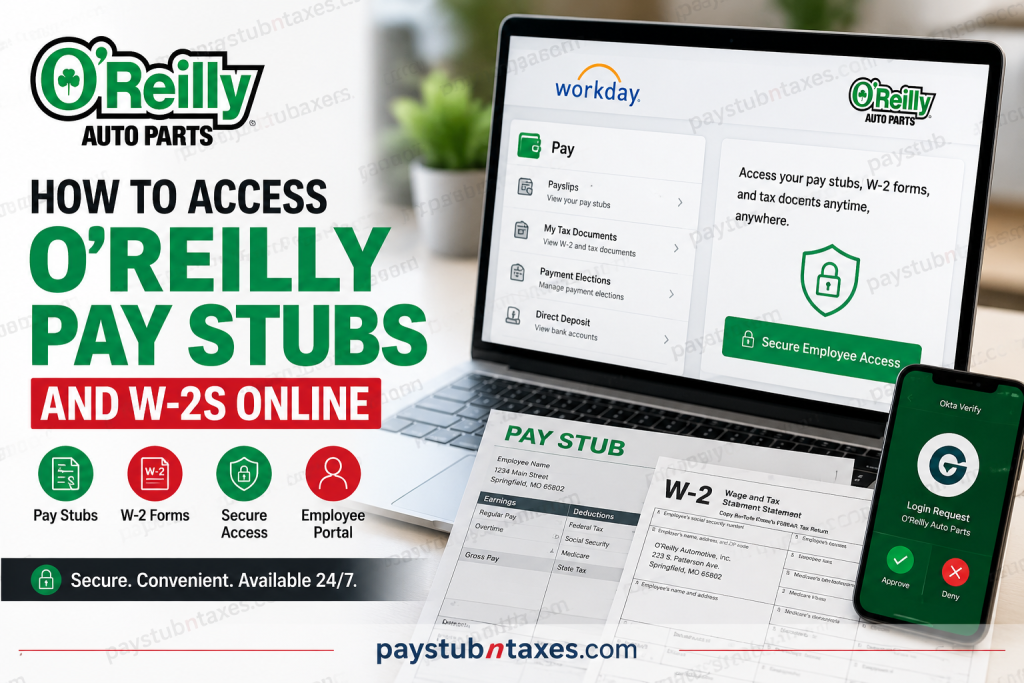
O’Reilly Auto Parts provides employees with secure online access to payroll and tax documents through Workday, protected by Okta multi-factor authentication (MFA). Whether you need your latest pay stub, an annual W-2 form, tax documents, benefit information, or reimbursement records, you can retrieve them from virtually anywhere using the Workday website or mobile application. This comprehensive guide explains how current O’Reilly employees can log in, download their pay statements, access W-2 tax forms, troubleshoot common login issues, and keep their payroll information secure.
What Is O’Reilly Auto Parts?
Founded in 1957, O’Reilly Auto Parts has grown from a single automotive parts store into one of North America’s largest automotive aftermarket retailers. Today, the company operates more than 6,400 stores across the United States, Puerto Rico, Mexico, and Canada while employing over 93,000 team members. The company is headquartered in Springfield, Missouri, and continues to provide automotive parts, tools, accessories, equipment, and supplies to both professional mechanics and do-it-yourself customers.
With thousands of employees nationwide, O’Reilly utilizes Workday Human Capital Management (HCM) together with Okta identity verification to securely manage employee payroll, tax forms, benefits, and personal information. The uploaded sign-in page confirms that employees authenticate through O’Reilly’s Okta portal before accessing Workday.
What Can You Access Through the O’Reilly Workday Portal?
The Workday employee portal serves as a centralized self-service platform where employees can manage employment-related information without contacting Human Resources for routine requests.
Employees can access:
- Current and previous pay stubs
- Annual earnings statements
- W-2 tax forms
- Form 1095 tax documents
- Direct deposit information
- Benefits enrollment
- Paid time off balances
- Leave allowances
- Personal profile updates
- Contact information
- Reimbursements
- Payroll history
O’Reilly Workday Login Information
Employee Login Portal
Workday Login
https://www.myworkday.com/wday/authgwy/oreillyauto/login-saml2.htmld
Organization Code (Mobile App)
oreillyautoOkta Login URL
oreillyauto.okta.comHow to Access O’Reilly Pay Stubs Online
Follow these steps to view or download your pay statements.
Step 1: Install Okta Verify
Download the Okta Verify application on your smartphone.
If you’re accessing Workday from your personal computer, you may also install the desktop version if required by your organization.
Step 2: Configure Okta
When prompted for the organization or login URL, enter: oreillyauto.okta.com
Step 3: Verify Your Identity
Sign in using your:
- TeamNet Username
- TeamNet Password
Approve the authentication request through the Okta Verify application installed on your phone.
This multi-factor authentication protects your payroll and tax information from unauthorized access.
Step 4: Open Workday
Once authentication is complete, open the O’Reilly Workday portal from your home computer.
https://www.myworkday.com/wday/authgwy/oreillyauto/login-saml2.htmldThe uploaded sign-in interface shows employees authenticate through Okta before accessing the Workday environment.
Step 5: Sign In
Enter your:
- TeamNet Username
- TeamNet Password
After successful authentication, Workday will open your employee dashboard.
Step 6: View Your Pay Stub
Inside Workday:
- Open Pay
- Select Payslips
- Choose the desired pay period
- Open the PDF pay statement
- Download or print it for your records
The general Workday payroll workflow places payslips within the Pay section, where employees can select a pay period and open the PDF version for viewing or printing.
How to Access Your O’Reilly W-2 Online
Your W-2 becomes available each tax season after Payroll publishes annual tax documents.
To retrieve your W-2:
- Sign in to Workday.
- Open the Pay dashboard.
- Select My Tax Documents.
- Choose the applicable tax year.
- Click View/Print.
- Download or print your W-2 for tax filing.
Workday stores employee W-2 forms under My Tax Documents, where they can be viewed, downloaded, or printed once published.
When Will My O’Reilly W-2 Be Available?
Federal law requires employers to provide Form W-2 no later than January 31 following the close of each tax year.
If you have elected electronic tax delivery within Workday, you can typically download your W-2 as soon as Payroll publishes it.
Otherwise, your paper W-2 will be mailed to the mailing address listed in your Workday employee profile.
To avoid delays:
- Keep your mailing address updated.
- Verify your personal information regularly.
- Consider enrolling in electronic tax document delivery.
Using the Workday Mobile App
The Workday mobile application provides convenient access to payroll and HR information while away from work.
When setting up the app:
- Download Workday from the Apple App Store or Google Play.
- Enter the organization code:
oreillyauto
- Authenticate through Okta.
- Sign in with your TeamNet credentials.
After logging in, employees can view:
- Pay stubs
- W-2s
- Benefits
- Personal information
- Leave balances
- Payroll history
Common Login Problems
Forgot Your Password
Reset your TeamNet password through the appropriate internal password recovery process or contact Store Support.
Okta Verification Not Working
Check that:
- Okta Verify is installed.
- Push notifications are enabled.
- Your phone has internet access.
- The correct organization URL was entered.
Unable to Access Workday
Possible causes include:
- Incorrect TeamNet credentials
- Expired password
- Locked account
- MFA setup issues
- Network connectivity problems
Browser Issues
If Workday does not load correctly:
- Clear browser cache.
- Enable cookies.
- Update your browser.
- Try another supported browser.
Payroll Support
If you cannot access your payroll records or tax documents, contact:
Call Store Support
Phone: 888-874-6759, Option: 3
The uploaded sign-in page lists Store Support as the primary contact for Workday access assistance.
Security Tips
Protect your payroll information by following these best practices:
- Never share your TeamNet password.
- Enable Okta Verify notifications.
- Log out after every session.
- Avoid using public computers.
- Keep your contact information current.
- Regularly review your direct deposit information.
Final Thoughts
O’Reilly Auto Parts has streamlined payroll and tax document management through Workday and Okta, giving employees secure, round-the-clock access to essential employment records. Whether you need to review a recent payslip, download your annual W-2, update personal information, or monitor benefits, the platform offers a centralized and efficient self-service experience. By maintaining current contact details, enabling electronic tax document delivery, and keeping Okta Verify configured correctly, employees can ensure uninterrupted access to their payroll information throughout the year.
Frequently Asked Questions
1. How do I access O’Reilly pay stubs online?
Sign into the Workday portal using your TeamNet credentials, complete Okta verification, and select Pay > Payslips.
2. Where can I download my O’Reilly W-2?
Navigate to Pay > My Tax Documents in Workday and choose the desired tax year.
3. What is the O’Reilly Workday organization code?
The organization code is oreillyauto.
4. Can I access Workday on my phone?
Yes. Install the Workday app, enter oreillyauto as the organization code, and log in with your TeamNet account.
5. Why do I need Okta Verify?
Okta Verify provides secure multi-factor authentication to protect your employee account.
6. What documents can I view in Workday?
Employees can access pay stubs, W-2s, 1095 forms, benefits, reimbursements, direct deposit details, leave balances, and personal information.
7. When does O’Reilly issue W-2 forms?
W-2 forms are typically available by January 31 each year.
8. Will I receive a paper W-2?
Yes, unless you enroll in electronic delivery. Paper copies are mailed to your address on file.
9. How do I update my personal information?
Log into Workday and edit your employee profile to update your address, phone number, or emergency contacts.
10. Can I print my payroll records?
Yes. Workday allows you to download or print PDF copies of pay statements and tax forms.
11. What if I can’t sign in to Workday?
Verify your TeamNet credentials, complete Okta authentication, or contact Store Support if the issue persists.
12. Can former employees obtain their W-2?
Yes. If online access is unavailable, contact Payroll or Store Support to request your tax documents.
13. Is the Workday portal secure?
Yes. Workday uses encrypted connections and Okta multi-factor authentication to protect employee information.
14. Who do I contact for payroll support?
Call Store Support at 888-874-6759 (Option 3) for assistance with Workday access and payroll-related questions.
15. Can I access my pay information outside the workplace?
Yes. After completing Okta Verify authentication, employees can securely access Workday from home or while traveling using a web browser or the Workday mobile app.

