
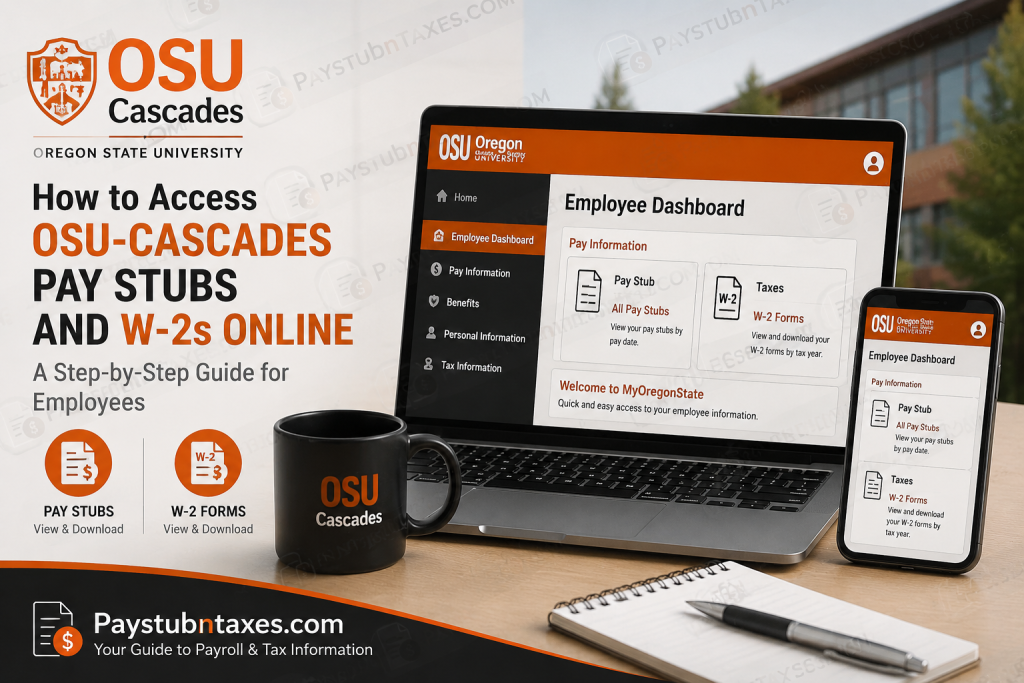
Employees of Oregon State University–Cascades (OSU–Cascades) can conveniently access their payroll information, including pay stubs and annual W-2 tax forms, through the MyOregonState self-service portal. The online platform allows faculty, staff, and student employees to review earnings, download tax documents, and manage payroll information from virtually anywhere. As the only public university in Central Oregon offering both undergraduate and graduate programs, OSU–Cascades continues to embrace technology that simplifies administrative processes and enhances the employee experience. This comprehensive guide explains how to log in to the portal and retrieve your payroll records quickly and securely.
About Oregon State University–Cascades
Located in Bend, Oregon, OSU-Cascades is a branch campus of Oregon State University and the first public university established in Oregon in more than half a century. The campus offers bachelor’s degrees, graduate programs, professional pathways, and certificate programs while continuing to expand its academic footprint.
Beyond its picturesque setting near the Cascade Mountains, OSU-Cascades is renowned for its student-centered approach, small class sizes, and commitment to innovation and sustainability.
What Is MyOregonState?
MyOregonState is Oregon State University’s centralized employee and student portal that provides access to a wide range of services, including:
- Employee Dashboard
- Payroll information
- Pay stubs
- Tax documents
- Benefits information
- Employment records
- Personal profile management
Employees can sign in using their ONID credentials through Microsoft’s Single Sign-On (SSO) system.
Portal: https://my.oregonstate.edu/
Why You Should Access Your Pay Stubs and W-2s Online
The MyOregonState portal offers numerous benefits, including:
- Instant access to current and historical pay statements
- Easy retrieval of annual W-2 tax forms
- Secure access using Microsoft Single Sign-On (SSO)
- Ability to download and print documents anytime
- Reduced reliance on paper records
- Convenient access from any internet-enabled device
Keeping digital copies of your payroll documents can simplify budgeting, tax filing, loan applications, and income verification.
How to Access OSU-Cascades Pay Stubs Online
Step 1: Visit the MyOregonState Portal
Go to: https://my.oregonstate.edu/
Step 2: Sign in Using Microsoft SSO
Enter your:
- ONID email address
- Password associated with your Oregon State University account
After successful authentication, you will be redirected to your personalized dashboard.
Step 3: Open the Employee Dashboard
After logging in:
- Click your profile icon in the upper-right corner.
- Select Employee Dashboard from the drop-down menu.
Step 4: View Your Pay Stubs
Within the Employee Dashboard:
- Locate the Pay Information section.
- Select All Pay Stubs.
- A list of available pay statements will appear, organized by year.
- Click the desired pay date to open the corresponding pay stub.
You can:
- View earnings and deductions
- Download a PDF copy
- Print the statement for your records
Alternative Method to View Pay Stubs
You may also follow this navigation path:
MyOregonState → Online Services Employee Dashboard → Pay Information → All Pay Stubs → Select Pay Date
This pathway displays every earnings statement issued by Oregon State University.
How to Access Your W-2 Forms Online
Annual W-2 tax forms are also available through MyOregonState.
Step 1: Log in to MyOregonState
Visit: https://my.oregonstate.edu/ and sign in with your Microsoft credentials.
Step 2: Access the Employee Dashboard
Navigate to:
Online Services Employee Dashboard
Step 3: Open the Taxes Section
Under Pay Information, select:
Taxes
Step 4: Select Your Tax Year
A list of available tax years will appear.
- Choose the appropriate year.
- Open or download your W-2 form.
- Save or print the document for tax filing purposes.
How to Download and Print Your W-2
After opening your W-2:
- Click the Download icon.
- Save the PDF to your computer or mobile device.
- Use the Print option if you need a physical copy.
Maintaining both digital and printed copies is always a prudent practice for future financial and tax-related requirements.
Common Login Issues and Solutions
Forgot Your Password?
Use the password recovery options on the Microsoft sign-in page.
Unable to Access Microsoft SSO?
Ensure that:
- You are using your correct ONID credentials.
- Multi-factor authentication requirements have been completed.
- Your internet connection is stable.
Pay Stub or W-2 Is Missing
If documents do not appear:
- Refresh the page and log in again.
- Clear your browser cache.
- Contact the OSU Human Resources or Payroll Office for assistance.
Security Tips for Accessing Payroll Information
Because payroll records contain sensitive personal information, employees should:
- Avoid using public Wi-Fi when accessing payroll data.
- Sign out after each session.
- Never share their login credentials.
- Store downloaded payroll documents in secure folders.
A stitch in time saves nine, and a few simple security measures can prevent significant headaches later.
Benefits of the MyOregonState Self-Service Portal
The MyOregonState platform enables employees to:
- Access pay stubs and W-2 forms 24/7
- Review payroll history
- Monitor earnings and deductions
- Retrieve tax information quickly
- Maintain digital employment records
- Eliminate paperwork and administrative delays
Final Thoughts
The MyOregonState Employee Dashboard provides OSU–Cascades employees with a secure and efficient method for managing payroll records online. Whether you need to review your latest paycheck, download previous earnings statements, or obtain your W-2 for tax filing purposes, the portal places all essential payroll information at your fingertips. By familiarizing yourself with the Employee Dashboard and its payroll features, you can save time, reduce paperwork, and maintain easy access to your financial records throughout the year.
Frequently Asked Questions
1. How do I log in to MyOregonState?
Visit https://my.oregonstate.edu/ and sign in using your ONID email address and password through Microsoft Single Sign-On.
2. Where can I find my pay stubs at OSU-Cascades?
Navigate to Employee Dashboard → Pay Information → All Pay Stubs.
3. Can I download my pay stubs?
Yes. Pay stubs can be viewed, downloaded, and printed directly from MyOregonState.
4. How do I access my W-2 online?
Go to Employee Dashboard → Pay Information → Taxes, then select the appropriate tax year.
5. When are W-2 forms available?
W-2 forms are generally available by the end of January each year for the previous tax year.
6. Can former employees access their W-2 forms?
Former employees may retain portal access for a limited period. If access has expired, contact OSU Payroll Services for assistance.
7. What should I do if I forgot my ONID password?
Use the password recovery tools available on the Microsoft sign-in page.
8. Why can’t I see my latest pay stub?
Payroll documents may not appear immediately after payday. Try logging in later or contact Payroll Services if the issue persists.
9. Can I access MyOregonState on my mobile device?
Yes. The portal is accessible from smartphones, tablets, and desktop computers.
10. Are electronic pay stubs secure?
Yes. MyOregonState uses Microsoft authentication and secure encryption to protect employee information.
11. Can I print my W-2 form?
Yes. You can download the PDF and print it for tax filing and personal records.
12. What information appears on my pay stub?
Your pay stub includes:
- Gross pay
- Net pay
- Tax withholdings
- Deductions
- Leave balances
- Earnings history
13. How far back can I view pay stubs?
Employees can generally access multiple years of payroll records through the Employee Dashboard.
14. Who should I contact if my W-2 contains incorrect information?
Contact Oregon State University’s Payroll or Human Resources department immediately to request a correction.
15. Why should I keep copies of my pay stubs and W-2s?
These documents are often required for:
- Tax filing
- Mortgage applications
- Loan approvals
- Income verification
- Financial planning
- Employment records

