
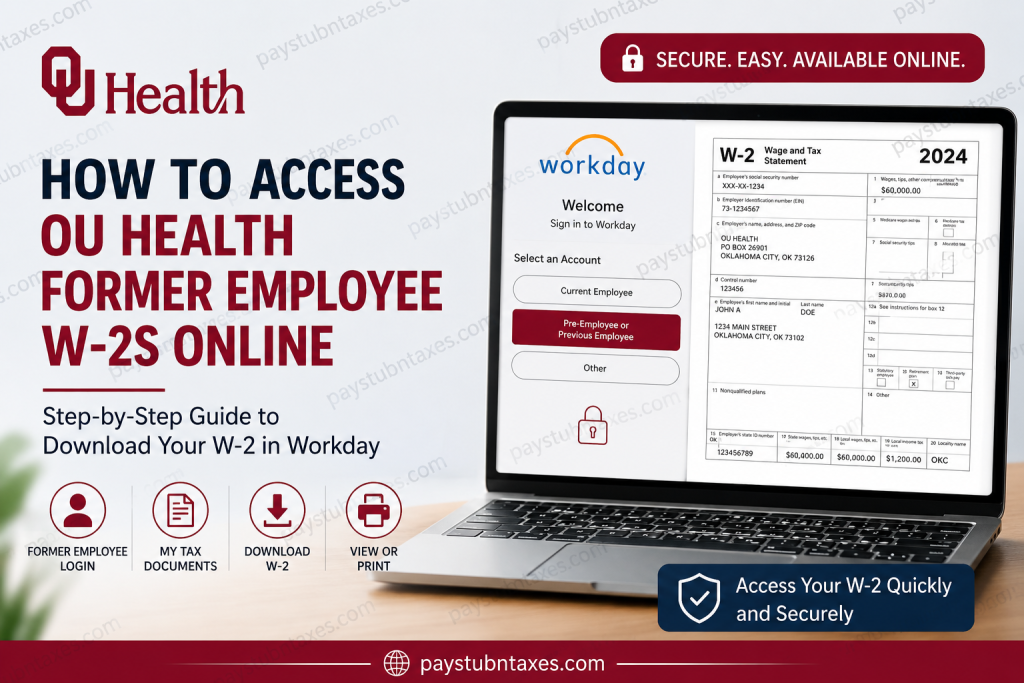
Former employees of OU Health can conveniently access and download their W-2 tax forms online through the Workday self-service portal. Since your Single Sign-On (SSO) credentials are deactivated after separation from employment, OU Health provides a dedicated process that allows former team members to retrieve payroll and tax documents electronically. Access remains available only for a limited period following termination, so it is advisable to download your important records as soon as possible.
About OU Health
OU Health is Oklahoma’s only comprehensive academic health system and serves as one of the state’s most significant healthcare providers. The organization employs more than 11,000 professionals and works alongside over 1,300 physicians and advanced practice providers to deliver world-class patient care across a broad spectrum of medical specialties. It operates Oklahoma’s only Level I trauma center, the state’s sole freestanding children’s hospital, and the nationally recognized OU Health Stephenson Cancer Center.
In addition to providing exceptional healthcare services, OU Health remains deeply committed to medical education, groundbreaking research, and community wellness, making it one of Oklahoma’s premier employers in the healthcare sector.
Can Former OU Health Employees Access Their W-2 Online?
Yes. Former OU Health employees can access and download their W-2 forms online through the Workday portal using their offboarding credentials.
Your W-2 form contains:
- Annual earnings information
- Federal income tax withholding
- State and local tax withholding
- Social Security and Medicare contributions
- Employer identification information is required for filing your tax return
Federal law requires employers to furnish Form W-2 to employees no later than January 31 each year.
OU Health Former Employee Workday Login
Workday Portal: https://wd5.myworkday.com/oumedicine/login.htmld
Since your regular employee SSO account is disabled after separation, you must:
- Visit the Workday login page.
- Select “Pre-Employee or Previous Employee.”
- Enter the credentials sent to you during the offboarding process.
- Sign in to your former employee account.
If you no longer have your credentials, contact OU Health Human Resources for assistance.
How to Access Your OU Health W-2 Online
Follow these simple steps:
Step 1: Sign In
Visit the Workday portal and log in as a former employee.
Step 2: Open the Pay Dashboard
After signing in, navigate to your Pay dashboard.
Step 3: Select “My Tax Documents”
Under the payroll section, click: My Tax Documents
This section stores your tax forms electronically.
Step 4: Locate Your W-2
Find the appropriate tax year from the list of available documents.
Step 5: View or Print
Click: View/Print
Your W-2 form will open in PDF format.
Step 6: Download Your W-2
Select the Download icon to save a copy to your computer or mobile device.
Step 7: Print if Necessary
Click the Printer icon to print a physical copy for your records or tax filing purposes.
Why You Should Download Your W-2 Immediately
Former employee access to Workday does not remain active indefinitely. Once your access period expires, retrieving payroll records may become considerably more complicated.
Therefore, you should immediately download and save:
- W-2 tax forms
- Pay stubs
- Year-end earnings statements
- Tax withholding records
- Employment-related documents
A prudent employee keeps multiple copies—on a computer, cloud storage, and an external drive—because when tax season arrives, being prepared is worth its weight in gold.
What If You Cannot Access Workday?
If you encounter login issues or your access has expired, contact OU Health Human Resources.
OU Health Human Resources
📞 Phone: (405) 271-2190
HR representatives can assist with:
- Password resets
- Former employee login issues
- W-2 replacement requests
- Updating mailing information
- Payroll document assistance
What If You Never Received Your W-2?
If your W-2 has not arrived by early February:
- Verify your mailing address with HR.
- Check your Workday account.
- Contact Human Resources.
- Request a duplicate W-2 if necessary.
How Long Should You Keep Your W-2 Forms?
Financial experts generally recommend keeping tax documents for at least:
- 3 years for standard IRS audits.
- 6 years if significant income was omitted.
- Indefinitely for important employment and retirement records.
Digital copies provide a secure and convenient way to preserve your tax history.
Common OU Health W-2 Issues and Solutions
| Problem | Solution |
| Forgot login credentials | Contact HR at (405) 271-2190 |
| SSO no longer works | Use “Pre-Employee or Previous Employee” login |
| W-2 not showing | Verify the correct tax year |
| Access expired | Request assistance from HR |
| Incorrect address | Update information with Human Resources |
Final Thoughts
Obtaining your OU Health W-2 as a former employee is a relatively straightforward process through the Workday self-service portal. By selecting the “Pre-Employee or Previous Employee” option and using your offboarding credentials, you can quickly view, download, and print your tax documents. Because former employee access is temporary, it is wise to retrieve your W-2 and payroll records without delay. A few minutes spent today can save a considerable amount of frustration during tax season tomorrow.
Frequently Asked Questions
1. How do I get my OU Health W-2 as a former employee?
Log into Workday using the “Pre-Employee or Previous Employee” option and access your W-2 under My Tax Documents.
2. When are OU Health W-2 forms available?
OU Health typically makes W-2 forms available by January 31 each year.
3. What website do former employees use to access their W-2?
Former employees use the OU Health Workday portal at:
https://wd5.myworkday.com/oumedicine/login.htmld
4. Can I access my W-2 after my employee account is disabled?
Yes. OU Health provides separate former employee access through Workday for a limited period after separation.
5. What if I forgot my former employee login credentials?
Contact OU Health Human Resources at (405) 271-2190 for assistance.
6. How do I download my W-2 from Workday?
Navigate to Pay → My Tax Documents, select the tax year, and click View/Print or Download.
7. Can I print my W-2 directly from Workday?
Yes. After opening the form, click the Print icon.
8. Will OU Health mail my W-2?
Yes. W-2 forms are mailed to the address on file unless you have enrolled in electronic delivery.
9. What if my mailing address has changed?
Update your address information with Human Resources as soon as possible.
10. How long can former employees access Workday?
Former employee access is available for a limited period after termination. Download important documents promptly.
11. Can I access previous years’ W-2 forms?
Yes, if they remain available in your Workday account during your access period.
12. What documents should I save before losing access?
You should download:
- W-2 forms
- Pay stubs
- Tax documents
- Payroll records
- Earnings statements
13. What should I do if my W-2 is missing?
Verify the correct tax year and contact Human Resources if the form does not appear.
14. Can I access Workday from my phone?
Yes. The Workday portal can be accessed using most mobile devices and web browsers.
15. Who do I contact for OU Health payroll or W-2 assistance?
Contact OU Health Human Resources at (405) 271-2190 for any payroll or W-2 issues.

