
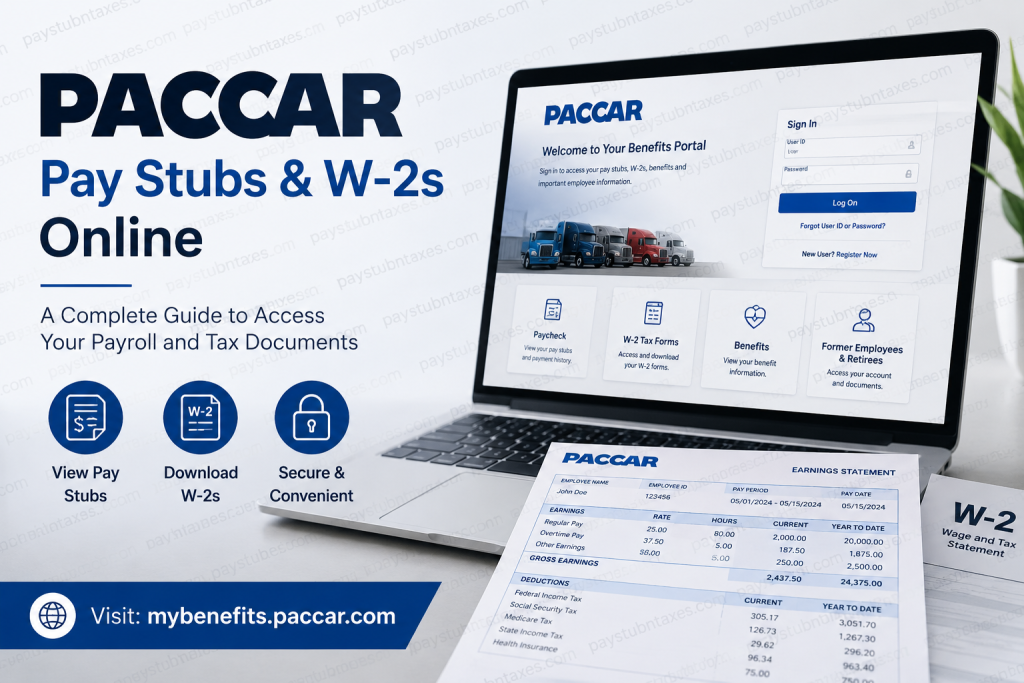
PACCAR is one of the world’s foremost manufacturers of premium commercial vehicles and transportation solutions, operating globally through renowned brands such as Kenworth, Peterbilt, and DAF. With thousands of employees, retirees, and former workers across multiple countries, PACCAR provides secure online access to payroll and tax documents through its employee benefits and payroll platforms. Whether you need to review recent earnings, verify income for a mortgage application, download historical pay statements, or obtain a copy of your W-2 tax form, PACCAR’s online systems make the process both efficient and convenient. This guide explains how current employees, retirees, and former employees can access PACCAR pay stubs and W-2 forms online.
Why Access Your PACCAR Pay Stubs Online?
Electronic payroll records offer several advantages over traditional paper statements:
- Instant access to current and historical paychecks
- Secure storage of earnings records
- Faster tax preparation
- Easy income verification for loans and rental applications
- Reduced risk of lost or misplaced documents
- Environmentally friendly paperless recordkeeping
By utilizing PACCAR’s online payroll resources, employees can retrieve important compensation information anytime and from virtually anywhere with internet access.
PACCAR Payroll and Benefits Portal
PACCAR employees and retirees can access payroll-related information through the company’s employee benefits platform:
Payroll Portal: http://www.mybenefits.paccar.com/
The portal provides access to:
- Paycheck records
- Benefits information
- Retirement resources
- Tax-related documents
- Contact information for support services
The platform is designed to centralize employee self-service functions, enabling users to manage payroll and benefits information through a single secure login environment.
How to Access PACCAR Pay Stubs Online
Follow these steps to view and download your PACCAR pay statements:
Step 1: Visit the PACCAR Benefits Portal
Navigate to:
http://www.mybenefits.paccar.com/
This portal serves as the primary gateway for payroll and benefits services.
Step 2: Sign In to Your Account
Enter your:
- User ID
- Password
If you have forgotten your login credentials, use the “Forgot User ID or Password?” option on the login page to begin the recovery process. New users may also register directly from the portal.
Step 3: Locate the Paycheck Section
After signing in, select the “Paycheck” tile from the dashboard menu. The paycheck section allows employees to review earnings information and access payroll history.
Step 4: View Pay Statements
Inside the Paycheck section, employees can:
- View current pay stubs
- Access previous paycheck records
- Review earnings and deductions
- Verify tax withholding information
- Download or print copies for personal records
PACCAR notes that benefit deductions are generally taken from each paycheck except when a third paycheck occurs within a month.
Step 5: Download or Print Your Pay Stub
Open the desired pay statement and save a PDF copy to your device or print it directly for documentation purposes.
How to Access PACCAR W-2 Forms Online
PACCAR distributes annual W-2 tax forms electronically through its employee payroll and benefits systems.
For Current Employees
- Log in to the PACCAR benefits portal.
- Navigate to the payroll or tax documents section.
- Locate the appropriate tax year.
- Open and download your W-2 form.
- Save a digital copy for tax filing and future reference.
For Former Employees and Retirees
Former employees and retirees can continue accessing designated services through the PACCAR benefits platform by selecting the “Former Employees & Retirees” option available on the portal.
After authentication, users can retrieve available tax documents, benefits records, and retirement-related information.
Understanding Your PACCAR Pay Stub
A typical PACCAR pay statement contains:
Employee Information
- Employee name
- Employee identification number
- Pay period dates
Earnings
- Regular wages
- Overtime compensation
- Bonuses and incentive pay
- Other taxable earnings
Deductions
- Federal income tax
- State income tax
- Social Security tax
- Medicare tax
- Health insurance premiums
- Retirement contributions
Net Pay
- Final amount deposited into your bank account after deductions
Reviewing your pay stub regularly helps ensure payroll accuracy and allows you to identify discrepancies before they become larger issues.
Updating Tax Withholding Information
Employees who wish to modify tax withholding elections should contact their local Human Resources department.
Changes may include:
- Updating withholding allowances
- Adjusting additional tax withholding amounts
- Completing new tax forms after significant life events
PACCAR recommends working directly with HR to ensure tax withholding remains accurate and compliant with applicable regulations.
Address Changes and Tax Implications
Changing your residential address may affect local and state tax obligations.
If your move results in a different tax jurisdiction, PACCAR advises contacting local Human Resources for the appropriate documentation. Updating your address online does not automatically update tax withholding records.
PACCAR Payroll Support Contacts
If you experience difficulties accessing your pay stubs, W-2 forms, or payroll account, assistance is available.
PACCAR Login Support Representative
Phone: 1-855-722-2271
Availability:
Monday through Friday
8:00 AM – 5:00 PM Pacific Time
The support team can assist with:
- Login issues
- Password resets
- Account access problems
- Portal navigation questions
For payroll-specific concerns, employees should also contact their local Human Resources representative.
About PACCAR
Headquartered in Bellevue, Washington, PACCAR is a global leader in the design, manufacture, and support of premium commercial vehicles. The company operates internationally through iconic brands including Kenworth, Peterbilt, and DAF while also providing advanced diesel engines, financial services, information technology solutions, and aftermarket parts support. PACCAR serves customers in more than 100 countries and maintains an extensive global dealer network.
The company remains committed to innovation, environmental responsibility, operational excellence, and community engagement through the PACCAR Foundation and numerous charitable initiatives worldwide.
Final Thoughts
Accessing PACCAR pay stubs and W-2 forms online is a straightforward process through the company’s employee benefits and payroll platform. By maintaining secure online access, employees, retirees, and former employees can conveniently retrieve payroll records, tax documents, and compensation history whenever needed. Whether you are preparing your annual tax return, verifying income, or simply reviewing payroll details, PACCAR’s digital self-service tools provide a reliable and efficient solution for managing your employment records.
PACCAR Pay Stubs and W-2 FAQs
1. How do I access my PACCAR pay stubs online?
Visit the PACCAR Benefits Portal, sign in with your credentials, and click the Paycheck tile to view and download your pay statements.
2. What website does PACCAR use for pay stubs?
PACCAR employees can access payroll information through the PACCAR Benefits Portal at mybenefits.paccar.com.
3. Can former PACCAR employees access W-2 forms online?
Yes. Former employees can use the Former Employees & Retirees section of the PACCAR portal to access available tax documents and employment records.
4. How do retirees obtain PACCAR W-2 forms?
Retirees can log into the PACCAR Benefits Portal and access tax documents through the retirement and benefits section.
5. What should I do if I forgot my PACCAR login password?
Select the Forgot User ID or Password? link on the login page and follow the account recovery instructions.
6. Can I print my PACCAR pay stubs?
Yes. After opening a pay statement, you can download, save, or print it for your records.
7. When are PACCAR W-2 forms available?
W-2 forms are generally available annually before the IRS filing deadline, typically by the end of January.
8. How far back can I view my PACCAR pay history?
Available payroll history depends on PACCAR’s record retention policies and your employment status.
9. Can I access PACCAR pay stubs from a mobile device?
Yes. The PACCAR Benefits Portal can be accessed through most modern smartphones and tablets with internet access.
10. What information appears on a PACCAR pay stub?
Pay stubs typically include gross earnings, taxes withheld, benefit deductions, retirement contributions, and net pay.
11. How do I update my tax withholding information?
Contact your local Human Resources department to obtain and submit the appropriate tax withholding forms.
12. Does changing my address update my tax withholding automatically?
No. Address changes do not automatically update tax withholding. Employees should contact HR if a move affects tax jurisdiction.
13. Who should I contact about payroll discrepancies?
Contact your local HR representative for questions regarding earnings, deductions, tax withholding, or payroll corrections.
14. What is the PACCAR Login Support phone number?
Employees can contact PACCAR Login Support at 1-855-722-2271 during business hours for account access assistance.
15. Is the PACCAR payroll portal secure?
Yes. The portal uses secure authentication and employee-specific credentials to protect payroll and tax information.

