
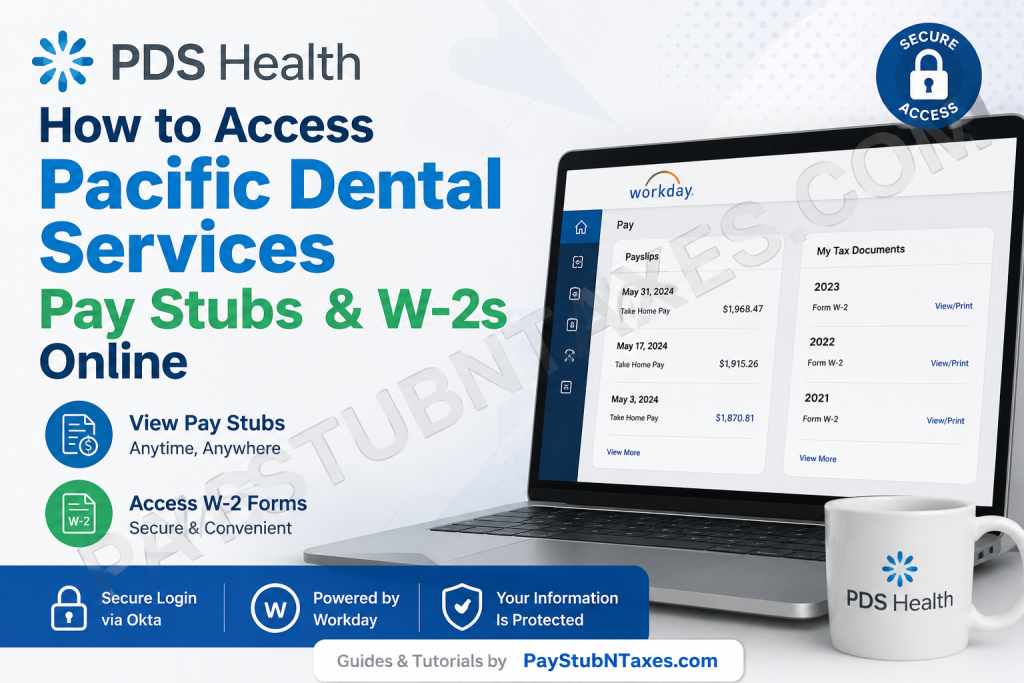
Pacific Dental Services (PDS), rebranded as PDS Health, is one of the nation’s foremost healthcare support organizations, partnering with dental and medical professionals across the United States. Since its founding in 1994, the organization has experienced remarkable growth and now supports more than 1,000 practices across 24 states while employing thousands of dedicated healthcare professionals. PDS Health continues to champion innovation through integrated healthcare technologies, clinician development programs, and its pioneering Mouth-Body Connection® philosophy, which underscores the critical relationship between oral health and overall well-being. To ensure employees can manage their payroll information efficiently, PDS Health utilizes Workday, accessed through the company’s Okta Single Sign-On (SSO) platform. Through this secure portal, employees can view pay stubs, retrieve W-2 tax forms, update payroll preferences, and access essential employment records from virtually anywhere.
Pacific Dental Services Employee Payroll Portal
Employee Login Portal: https://pdshealth.okta.com
Once authenticated through Okta, employees can launch Workday directly from their dashboard and gain access to payroll, tax, and personal employment information.
Benefits of the Workday Payroll System
The Workday platform offers several advantages for PDS Health employees:
- Instant access to current and historical pay stubs
- Electronic W-2 form retrieval
- Secure document storage
- Direct deposit management
- Tax withholding updates
- Mobile-friendly access
- Paperless payroll administration
- Enhanced data security through Okta authentication
How to Access Pacific Dental Services Pay Stubs Online
If you need to review your earnings, deductions, taxes, or direct deposit details, follow these steps:
Step 1: Log Into the PDS Health Portal
Navigate to: https://pdshealth.okta.com
Enter your company-issued credentials and complete any required multi-factor authentication steps.
Step 2: Open Workday
After signing into Okta, locate and select the Workday application tile from your dashboard.
Step 3: Access the Pay Section
Within Workday:
- Click your profile icon.
- Select Pay from the menu.
- Choose Payslips.
This area contains your payroll history and available earnings statements. Employees can select a specific pay period and open the corresponding PDF payslip for review or printing.
Step 4: View or Download Your Payslip
Select the desired pay period.
You may:
- View the payslip online
- Download a PDF copy
- Print the document for your records
Your payslip typically contains:
- Gross earnings
- Net pay
- Federal and state tax withholdings
- Benefits deductions
- Retirement contributions
- Paid time off balances (if applicable)
- Direct deposit information
How to Access Pacific Dental Services W-2 Forms Online
Each year, eligible employees receive a W-2 Wage and Tax Statement summarizing annual earnings and tax withholdings.
Step 1: Sign In to Workday
Log into the Okta portal and launch Workday.
Step 2: Open the Pay Dashboard
Navigate to the Pay section from your Workday homepage.
Step 3: Select My Tax Documents
Within the Pay dashboard, choose My Tax Documents. W-2 forms are stored in this section for electronic access and retrieval.
Step 4: Locate Your W-2
Find the appropriate tax year and select View/Print.
The system allows you to:
- View the W-2 online
- Download a PDF copy
- Print a paper version
- Access an accessible version if available
Workday provides built-in download and print functionality directly from the document viewer.
How Former Employees Can Obtain W-2 Forms
Former employees who no longer have access to Workday should first determine whether their credentials remain active.
If access has been deactivated, contact PDS Health Human Resources or Payroll Support for assistance. You may be required to verify your identity before tax documents can be released.
Because tax regulations require employers to provide W-2 forms annually, former employees can generally request copies directly from payroll administration if online access is unavailable.
Troubleshooting Workday Login Issues
If you experience difficulty accessing your payroll information:
Reset Your Password
Use the password recovery option available on the Okta login page.
Verify Multi-Factor Authentication
Ensure your registered authentication device is available and functioning properly.
Clear Browser Cache
Outdated browser data may occasionally interfere with Workday functionality.
Try a Different Browser
Modern browsers such as Chrome, Edge, Firefox, or Safari generally provide the best Workday experience.
Contact Internal Support
If technical issues persist, contact your local HR representative or payroll administrator.
Security Tips for Protecting Payroll Information
Because payroll records contain sensitive personal and financial data, employees should:
- Use strong, unique passwords
- Enable multi-factor authentication
- Avoid accessing payroll information on public computers
- Log out after each session
- Regularly review payroll information for accuracy
- Report suspicious account activity immediately
About PDS Health
Founded in 1994, PDS Health has evolved into one of America’s largest healthcare support organizations. The company supports thousands of clinicians and healthcare professionals across nearly 1,000 practices nationwide while advancing integrated dental-medical care initiatives through innovative technology and comprehensive healthcare solutions. PDS Health’s commitment to whole-body health and the Mouth-Body Connection® continues to position the organization as an industry leader in patient-centered healthcare.
Pacific Dental Services Payroll Contact Information
PDS Health Corporate Office
3521 Volunteer Boulevard
Henderson, NV 89044
Phone: (877) 536-8693
For payroll questions, tax document requests, account access concerns, or Workday-related assistance, employees should contact the corporate office or their local Human Resources department.
Final Thoughts
PDS Health’s Workday platform provides employees with a secure, efficient, and user-friendly method for accessing pay stubs and W-2 forms online. By leveraging Okta’s secure authentication framework and Workday’s robust payroll tools, employees can manage important tax and payroll documents with ease, ensuring they remain informed and prepared throughout the year.
Frequently Asked Questions
1. How do I access my Pacific Dental Services pay stubs online?
Log in to the PDS Health Okta portal, launch Workday, select Pay, and then choose Payslips to access your earnings statements.
2. What website do PDS Health employees use to access payroll information?
Employees use the secure Okta portal at pdshealth.okta.com to access Workday and payroll records.
3. Where can I find my W-2 form in Workday?
W-2 forms are located under Pay > My Tax Documents within Workday.
4. Can I download my pay stubs as PDF files?
Yes. Workday allows employees to view, download, and print pay stubs in PDF format.
5. When are W-2 forms available online?
W-2 forms are generally available by the end of January each year after payroll processing is completed.
6. Can former employees access PDS Health W-2 forms online?
Former employees may retain limited access depending on company policies. If access is unavailable, they should contact Payroll or Human Resources.
7. What should I do if I forgot my Okta password?
Use the password reset option on the Okta login page or contact technical support for assistance.
8. Can I access Workday from my mobile phone?
Yes. Workday can be accessed through a mobile browser and may also be available through the Workday mobile application if authorized by PDS Health.
9. What information is included on a PDS Health pay stub?
Pay stubs typically include gross earnings, net pay, tax withholdings, benefit deductions, retirement contributions, and direct deposit details.
10. How can I update my tax withholding information?
Employees can update withholding elections within Workday under payroll and tax settings.
11. Can I print my W-2 directly from Workday?
Yes. Workday provides built-in printing and downloading options for W-2 forms.
12. Is the PDS Health payroll portal secure?
Yes. The portal uses Okta authentication and security protocols to protect employee payroll and tax information.
13. What if my pay stub contains incorrect information?
Contact your payroll administrator or Human Resources department immediately for review and correction.
14. Who do I contact for payroll assistance at PDS Health?
Employees may contact the corporate office at (877) 536-8693 for payroll-related assistance.
15. Can I access historical pay stubs in Workday?
Yes. Workday generally stores multiple pay periods, allowing employees to review and download historical payroll records when available.

