
Pacific Life has been helping individuals, families, and institutions achieve long-term financial security for nearly 160 years. Headquartered in Newport Beach, California, the company provides a broad range of life insurance, annuity, mutual fund, workforce benefits, and investment solutions designed to support financial well-being across generations. As a Pacific Life employee, you can conveniently access your payroll records and tax documents online through the company’s Workday self-service platform. Whether you need to review your latest earnings statement, download historical pay stubs, or retrieve your annual Form W-2 for tax filing purposes, Workday offers a secure and user-friendly solution that is available anytime and virtually anywhere.
Pacific Life Workday Payroll Portal
Pacific Life employees can access payroll and tax information through the Workday portal:
Workday Login Portal: https://wd1.myworkday.com/pacificlife/
Employees must sign in using their Pacific Life Microsoft Single Sign-On (SSO) credentials.
Username Format:first.last@pacificlife.com
After successfully signing in, employees can access pay statements, tax documents, direct deposit information, withholding elections, and other payroll-related resources from a centralized dashboard.
How to Access Pacific Life Pay Stubs Online
Workday enables employees to view both current and historical pay statements electronically.
Step 1: Sign In to Workday
Navigate to the Pacific Life Workday portal and log in using your Microsoft SSO credentials.
Step 2: Open the Pay Application
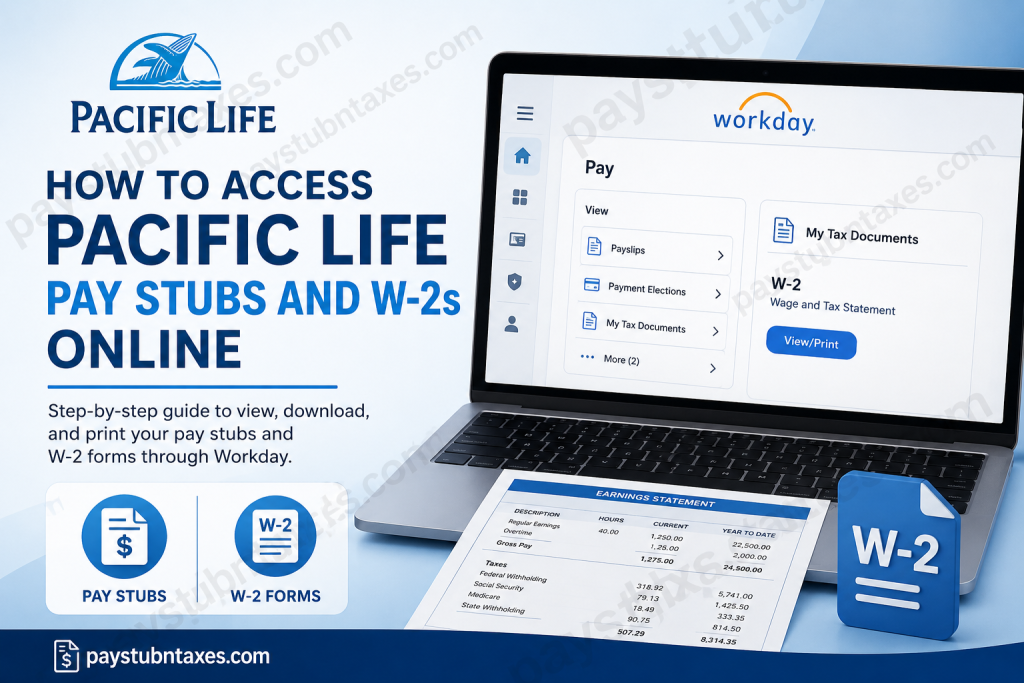
From the Workday homepage, locate and select the Pay application. If it is not immediately visible, use the menu or application search feature to find it. Employees can then access payroll-related functions, including payslips and payment history.
Step 3: Select Payslips
Within the Pay section, click Payslips under the View menu to display your available pay statements.
Step 4: View Your Pay Stub
Choose the pay period you wish to review and click View to open the corresponding payslip. You may review earnings, deductions, taxes withheld, employer contributions, and year-to-date totals directly from the document.
Step 5: Download or Print
Once opened, you can download a PDF version for your records or print a physical copy whenever necessary.
How to Access Pacific Life W-2 Forms Online
Each year, Pacific Life employees can retrieve their W-2 forms through Workday’s tax document center.
Step 1: Log In to Workday
Access the Pacific Life Workday portal using your company-issued Microsoft SSO credentials.
Step 2: Open the Pay Application
From the Workday dashboard, select Pay.
Step 3: Navigate to Tax Documents
Under the View section, click More to expand additional payroll options, then select My Tax Documents. This section contains all available tax forms, including W-2 and corrected W-2C documents when applicable.
Step 4: View and Download Your W-2
Locate the desired tax year and click View/Print to open your W-2. From there, you may download, save, or print the document for tax preparation purposes.
Step 5: Review Any W-2C Forms
If a corrected tax document (W-2C) has been issued, make sure to download and retain both the original W-2 and the correction form for accurate tax reporting.
Accessing Pay Stubs Through the Workday Mobile App
Pacific Life employees can also retrieve payroll information through the Workday mobile application.
Mobile Access Process
- Open the Workday mobile app and sign in.
- Tap the Pay application.
- Select the desired pay statement from Pay History.
- Open the payslip details.
- Tap Get PDF to generate a downloadable copy.
- Open the PDF and save it to your mobile device or cloud storage.
This functionality is particularly useful for employees who need immediate access to earnings records while traveling or working remotely.
Benefits of Electronic Pay Stubs and W-2 Forms
Using Workday for payroll management offers several advantages:
- Secure access to sensitive payroll information
- Immediate availability of current and historical pay records
- Convenient retrieval of W-2 forms during tax season
- Reduced reliance on paper documentation
- Ability to download and store records electronically
- Access through both desktop and mobile devices
By maintaining digital records, employees can quickly verify income, apply for loans, complete tax filings, and respond to employment verification requests without unnecessary delays.
Troubleshooting Workday Login Issues
If you encounter difficulties accessing Workday, consider the following solutions:
- Verify that your Microsoft SSO username and password are correct.
- Ensure that multi-factor authentication requirements are completed.
- Clear your browser cache and cookies.
- Try a different browser or device.
- Confirm that your company network access permissions remain active.
If problems persist, contact Pacific Life Human Resources for assistance.
Pacific Life Payroll and HR Contact Information
For payroll, tax document, or Workday-related questions, employees can contact Pacific Life Human Resources directly:
Email: AskHR@pacificlife.com
Phone: 1-800-800-7646
The HR team can assist with login issues, missing W-2 forms, payroll discrepancies, tax withholding questions, and account access concerns.
About Pacific Life
Founded in 1868, Pacific Life is one of America’s most established financial services organizations. The company offers life insurance, annuities, investment products, workforce benefits, and institutional solutions designed to help clients achieve financial security and long-term prosperity. With nearly 160 years of history, Pacific Life continues to serve millions of customers while maintaining a strong reputation for financial strength, ethical business practices, and customer-focused innovation.
Final Thoughts
Pacific Life’s Workday platform simplifies payroll and tax document management by providing employees with secure, round-the-clock access to pay stubs and W-2 forms. Whether you prefer using a desktop computer or the Workday mobile app, retrieving your payroll records is a straightforward process that takes only a few minutes. By familiarizing yourself with Workday’s self-service features, you can efficiently manage your financial records and remain prepared throughout the year.
Frequently Asked Questions (FAQ)
1. How do I access my Pacific Life pay stubs online?
Log in to the Pacific Life Workday portal using your Microsoft SSO credentials, open the Pay application, and select Payslips to view your earnings statements.
2. Where can I find my Pacific Life W-2 form?
Your W-2 is available in Workday under Pay > More > My Tax Documents.
3. What is the Pacific Life Workday login URL?
The Pacific Life Workday portal is available at:
https://wd1.myworkday.com/pacificlife/
4. What username do I use to sign in to Workday?
Employees typically use their Microsoft SSO email in the format:
first.last@pacificlife.com
5. Can I download my pay stubs as PDFs?
Yes. Workday allows employees to download and save pay stubs in PDF format for personal records.
6. Can I print my Pacific Life pay stubs?
Yes. After opening a payslip, you can print it directly from Workday.
7. How far back can I view my pay history?
Workday generally stores historical payroll records, allowing employees to review previous pay statements while access remains active.
8. Can I access my W-2 from the Workday mobile app?
Yes. Employees can access payroll information and tax documents through the Workday mobile application.
9. What should I do if my W-2 is missing?
Contact Pacific Life Human Resources for assistance if your W-2 is unavailable or delayed.
10. What is a W-2C form?
A W-2C is a corrected wage and tax statement issued when changes need to be made to a previously issued W-2.
11. How do I reset my Pacific Life Workday password?
Because Pacific Life uses Microsoft SSO, password resets typically occur through the company’s Microsoft authentication system or IT support team.
12. Can former employees access Workday payroll records?
Former employee access policies vary. Contact Pacific Life HR to determine whether your Workday account remains available after separation.
13. Who do I contact for payroll issues?
You can contact Pacific Life Human Resources by emailing AskHR@pacificlife.com or calling 1-800-800-7646.
14. Can I update my tax withholding information in Workday?
Yes. Employees can typically manage withholding elections and tax-related settings through the Pay section of Workday.
15. Is Workday secure for accessing payroll information?
Yes. Workday uses secure authentication and encrypted connections to protect sensitive employee payroll and tax data.

