
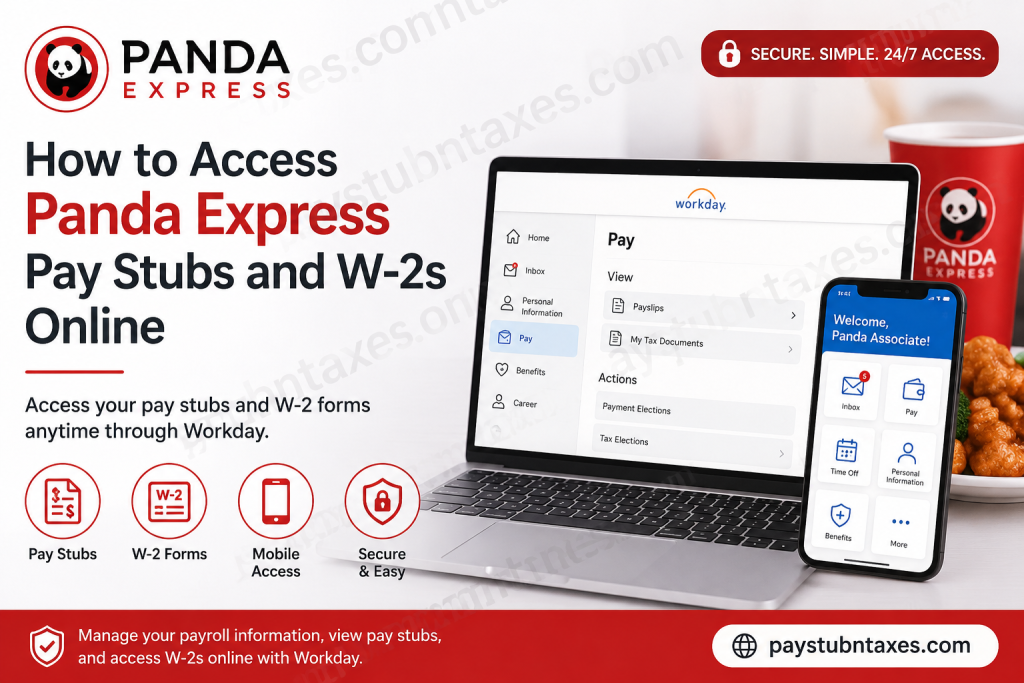
Panda Express, a flagship brand under Panda Restaurant Group, has grown from a single family-owned restaurant into the world’s largest Asian dining concept, employing tens of thousands of associates across thousands of locations worldwide. Founded in 1973 by Andrew and Peggy Cherng, Panda Restaurant Group has long embraced innovation—not only in dining experiences but also in employee services. To streamline workforce management and empower associates with self-service tools, Panda Restaurant Group uses Workday, its centralized Human Resources Information System. Through Workday, current and former associates can securely access pay stubs, W-2 tax forms, personal information, benefits, and employment records anytime and virtually anywhere. If you are a Panda Express employee wondering how to retrieve your payroll documents online, this comprehensive guide walks you through every step of the process.
What Is Panda Express Workday?
Workday serves as Panda Restaurant Group’s official employee portal, allowing associates to manage payroll and HR-related tasks through a secure online platform.
Using Workday, employees can:
- View and download pay stubs
- Access annual W-2 tax forms
- Update personal information
- Manage direct deposit details
- Review benefits and compensation
- Access employment records
- Use mobile access through the Workday app
Only current associates retain access to view and print W-2 forms online, making tax season considerably less stressful.
Panda Express Workday Login Portal
Current employees can sign into Workday using their ePAWS credentials through the official portal:
Workday Login URL:
https://wd12.myworkday.com/pandarg/login-saml2.flex
Employees must sign in using:
- ePAWS Username
- ePAWS Password
The portal uses secure Okta Single Sign-On (SSO) authentication, ensuring enhanced account security and streamlined access.
How to Access Panda Express Pay Stubs Online
Retrieving your pay statements in Workday is remarkably straightforward.
Step 1: Log Into Workday
Visit the Panda Restaurant Group Workday portal and sign in using your ePAWS login credentials.
Step 2: Navigate to the Pay Section
After signing in:
- Open your Profile.
- Select Pay.
- Click Payslips.
Step 3: View or Download Your Pay Stub
You will see a list of available pay periods.
- Select the desired pay date.
- Open the PDF version of the payslip.
- Download or print the document for your records.
Pay stubs typically include:
- Gross earnings
- Net pay
- Tax withholdings
- Deductions
- Direct deposit information
- Year-to-date earnings
How to Access Panda Express W-2 Forms Online
Panda Restaurant Group makes W-2 forms available electronically through Workday each year.
Step 1: Sign Into Workday
Access the Workday portal using your ePAWS credentials.
Step 2: Open the Pay Application
From the dashboard:
- Click Pay
- Select More
- Choose My Tax Documents
Step 3: View and Print Your W-2
Under My Tax Documents, locate your desired tax year.
Click View/Print to:
- Download your W-2
- Print a copy
- Save a PDF for tax filing purposes
If a corrected form (W-2C) has been issued, ensure you download both the original W-2 and the corrected version.
When Are Panda Express W-2s Available?
Federal law requires employers to furnish W-2 forms by January 31 each year.
Panda Restaurant Group generally makes W-2 forms available in Workday around January 31, allowing employees ample time to prepare their tax returns.
Can Former Panda Express Employees Access W-2s?
Yes. Former associates continue to have online access to their W-2 forms through Workday after separation from employment.
If you no longer remember your login credentials:
- Use the password reset option on the login page.
- Contact ePAWS support for assistance.
How to Access Panda Express Workday on Mobile Devices
Workday also offers mobile functionality, enabling associates to access payroll information while on the move.
Download the Workday App
Available on:
- Apple App Store (iPhone and iPad)
- Google Play Store (Android)
After installation:
- Open the Workday app.
- Configure your organization.
- Sign in using your Panda ePAWS credentials.
- Complete any multi-factor authentication steps.
- Set up a PIN or biometric login for quicker access.
The mobile app allows employees to:
- View pay stubs
- Access W-2s
- Update personal information
- Manage time off requests
- Review compensation details
Forgot Your Panda Express Workday Password?
If you’ve forgotten your username or password:
- Select the Need help signing in? option on the login page.
- Follow the account recovery prompts.
- Reset your credentials securely.
Panda Express Payroll Support Contact
For additional assistance with Workday, payroll, or login issues, contact:
ePAWS Support
Phone: 800-700-7297
Support representatives can help with:
- Password resets
- Account access issues
- W-2 retrieval
- Technical troubleshooting
Final Thoughts
Panda Restaurant Group has embraced digital transformation by providing employees with secure, self-service access to payroll and tax information through Workday. Whether you need to review a recent paycheck, retrieve a W-2 during tax season, or update personal information on the go, Workday places these essential tools squarely at your fingertips. By familiarizing yourself with the platform’s features and navigation, you can manage your employment records with efficiency, confidence, and ease—ensuring that administrative tasks never stand in the way of professional growth.
Panda Express Pay Stubs and W-2 FAQs
1. How do I access my Panda Express pay stubs online?
Log in to the Panda Restaurant Group Workday portal using your ePAWS credentials, then navigate to Pay → Payslips to view or download your pay stubs.
2. What is the Panda Express Workday login URL?
The official Workday portal is:
https://wd12.myworkday.com/pandarg/login-saml2.flex
3. What credentials do I need to log in?
You need your ePAWS username and password to access Workday.
4. Where can I find my W-2 form in Workday?
After logging in, go to Pay → More → My Tax Documents and select View/Print for your W-2.
5. When are Panda Express W-2s available?
W-2 forms are typically made available around January 31 each year in compliance with IRS deadlines.
6. Can former Panda Express employees access W-2s online?
Yes. Former associates generally retain access to Workday to retrieve W-2 forms after leaving the company.
7. How do I download or print my pay stub?
Open the desired pay period under Payslips and download the PDF file for printing or saving.
8. What should I do if I forgot my Workday password?
Use the “Need help signing in?” link on the login page or contact ePAWS support.
9. Is there a mobile app for Panda Express Workday?
Yes. Employees can use the Workday mobile app available on the Apple App Store and Google Play Store.
10. Can I access Workday outside the workplace?
Yes. Workday is cloud-based and accessible 24/7 from any device with internet access.
11. Does Panda Express use multi-factor authentication?
Yes. Workday may require SMS verification or other authentication methods for added security.
12. What information appears on a pay stub?
Pay stubs typically include gross pay, net pay, taxes withheld, deductions, and year-to-date earnings.
13. Can I update my personal information in Workday?
Yes. Workday allows employees to update addresses, phone numbers, emergency contacts, and direct deposit details.
14. Who do I contact for Workday assistance?
For account or payroll support, contact ePAWS Support at 800-700-7297.
15. Can I access corrected tax forms such as W-2C?
Yes. If a corrected W-2C is issued, it will appear under My Tax Documents alongside your original W-2.

