
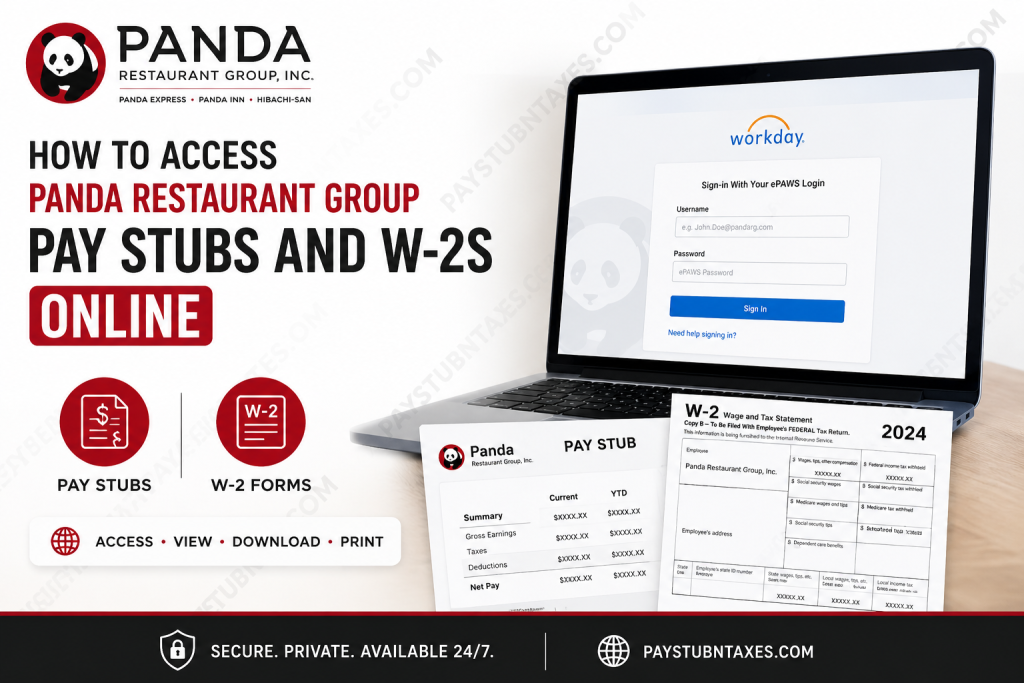
Panda Restaurant Group, the parent company of Panda Express, Panda Inn, and Hibachi-San, has grown from a single restaurant in Pasadena, California, into the world’s leading Asian dining enterprise. Founded in 1973 by Andrew and Peggy Cherng, the family-owned organization now operates thousands of locations worldwide while remaining steadfast in its mission of inspiring people to better their lives through exceptional dining experiences. For current and former associates, accessing payroll records such as pay stubs and W-2 forms is straightforward through Workday, Panda Restaurant Group’s centralized Human Resources platform. Whether you need proof of income, tax documents, or payroll history, this guide walks you through the entire process.
What Is Panda Restaurant Group Workday?
Workday serves as Panda Restaurant Group’s official Human Resources Information System (HRIS), enabling employees to manage payroll, tax documents, benefits, personal information, and employment records from virtually anywhere.
Through Workday, employees can:
- View and download pay stubs
- Access annual W-2 forms
- Update personal information
- Review tax elections
- Manage benefits
- Access employment records
Both active and former associates retain access to their W-2 forms through Workday, making tax season considerably less burdensome.
Panda Restaurant Group Workday Login
Current Employees
Current employees may access Workday through the official portal:
Workday Login:
https://wd12.myworkday.com/pandarg/login-saml2.flex
Employees must sign in using their ePAWS credentials, including:
- ePAWS Username
- ePAWS Password
If you have forgotten your login credentials, use the password recovery option available on the sign-in page.
How to Access Panda Restaurant Group Pay Stubs Online
Retrieving your pay stubs through Workday is remarkably intuitive and can be completed within minutes.
Step-by-Step Instructions
Method 1: Through Employee Profile
- Log into Workday using your ePAWS credentials.
- Click your profile icon in the upper-right corner.
- Select View Profile.
- If the Pay tab is not visible, click More.
- Open the Pay section.
- Select Payslips.
- Scroll to locate the desired pay period.
- Click View to open your pay stub or Print to download a PDF copy.
Your pay statement typically includes:
- Gross earnings
- Net pay
- Taxes withheld
- Hours worked
- Deductions and benefits
- Year-to-date earnings
Maintaining digital copies of your pay stubs is prudent, particularly when applying for loans, rentals, or government benefits.
How to Access Panda Restaurant Group W-2 Forms Online
Panda Restaurant Group makes W-2 tax forms available electronically through Workday each year.
W-2 Availability
W-2 forms are generally released around January 31, aligning with IRS deadlines.
Steps to View Your W-2
- Sign into Workday.
- Open the Menu or global navigation panel.
- Select the Pay application.
- Under the View section, click My Tax Documents.
- Locate the appropriate tax year.
- Select View/Print to download or print your W-2.
Employees should verify that their mailing address is accurate within Workday to avoid delays in receiving tax documents.
Accessing Workday on Mobile Devices
Panda Restaurant Group also supports mobile access through the Workday app, allowing associates to manage payroll information while on the move.
Download the Workday Mobile App
Available on:
- Apple App Store
- Google Play Store
Organization ID
When setting up the app for the first time, enter:
Organization ID: pandarg
After entering the Organization ID, sign in using your ePAWS username and password.
The mobile application supports convenient features such as:
- Biometric authentication (Face ID or fingerprint)
- Secure payroll access
- Push notifications
- Quick access to tax documents and pay information
This seamless integration enables associates to manage their employment records with remarkable ease, regardless of location.
Can Former Employees Access Panda Restaurant Group W-2s?
Yes. Former associates generally maintain access to Workday for retrieving W-2 forms and tax documents. If you encounter login difficulties after separation from employment, contact Panda Restaurant Group support for assistance.
Troubleshooting Workday Login Issues
If you cannot access your account:
Reset Your Password
Use the password reset option on the login page.
Verify Your Credentials
Ensure you are using:
- Correct ePAWS username
- Updated password
- Stable internet connection
Contact Support
For additional assistance:
ePAWS Support:
Phone: 800-700-7297
Support representatives can help resolve account lockouts, password issues, and access concerns.
Final Thoughts
Panda Restaurant Group has streamlined payroll and tax management through Workday, granting associates convenient access to essential employment records anytime and anywhere. Whether you need a recent pay stub, a prior-year W-2, or simply wish to review payroll information, the platform delivers a secure and efficient experience. By familiarizing yourself with Workday’s features and mobile capabilities, you can effortlessly manage your financial and employment records without unnecessary administrative hurdles.
Frequently Asked Questions (FAQ)
1. How do I access my Panda Restaurant Group pay stubs online?
Log into the Workday portal using your ePAWS credentials, navigate to Pay, and select Payslips to view or print your pay stubs.
2. Where can Panda Express employees log into Workday?
Employees can access Workday at: https://wd12.myworkday.com/pandarg/login-saml2.flex
3. What login credentials do I need for Panda Restaurant Group Workday?
You need your ePAWS username and password to sign into Workday.
4. Can former Panda Restaurant Group employees access W-2 forms?
Yes. Former associates generally retain access to Workday for viewing and downloading W-2 tax documents.
5. When are Panda Restaurant Group W-2 forms available?
W-2 forms are usually released by January 31 each year in accordance with IRS requirements.
6. How do I print my Panda Express W-2 online?
Open My Tax Documents in Workday, select the appropriate tax year, and click View/Print.
7. What is the Workday Organization ID for Panda Restaurant Group?
The Workday Organization ID is pandarg.
8. Can I access Panda Restaurant Group pay stubs on my phone?
Yes. Download the Workday mobile app for iOS or Android and enter the Organization ID pandarg.
9. Why can’t I log into Panda Express Workday?
Common reasons include incorrect ePAWS credentials, expired passwords, account lockouts, or internet connectivity issues.
10. How do I reset my Panda Restaurant Group password?
Use the password recovery option on the Workday sign-in page or contact ePAWS support for assistance.
11. What information appears on a Panda Restaurant Group pay stub?
Pay stubs typically include gross pay, net pay, taxes withheld, deductions, benefits, hours worked, and year-to-date earnings.
12. Can I download my pay stubs as PDF files?
Yes. Workday allows employees to view, download, and print pay statements in PDF format.
13. Is the Workday mobile app secure?
Yes. The app supports enterprise-grade security features, including biometric authentication such as Face ID and fingerprint login.
14. Who should I contact for Workday support?
For payroll and Workday assistance, contact ePAWS Support at 800-700-7297.
15. Can I update my personal information in Workday?
Yes. Employees can update their address, tax information, emergency contacts, and other personal details directly through Workday.

