
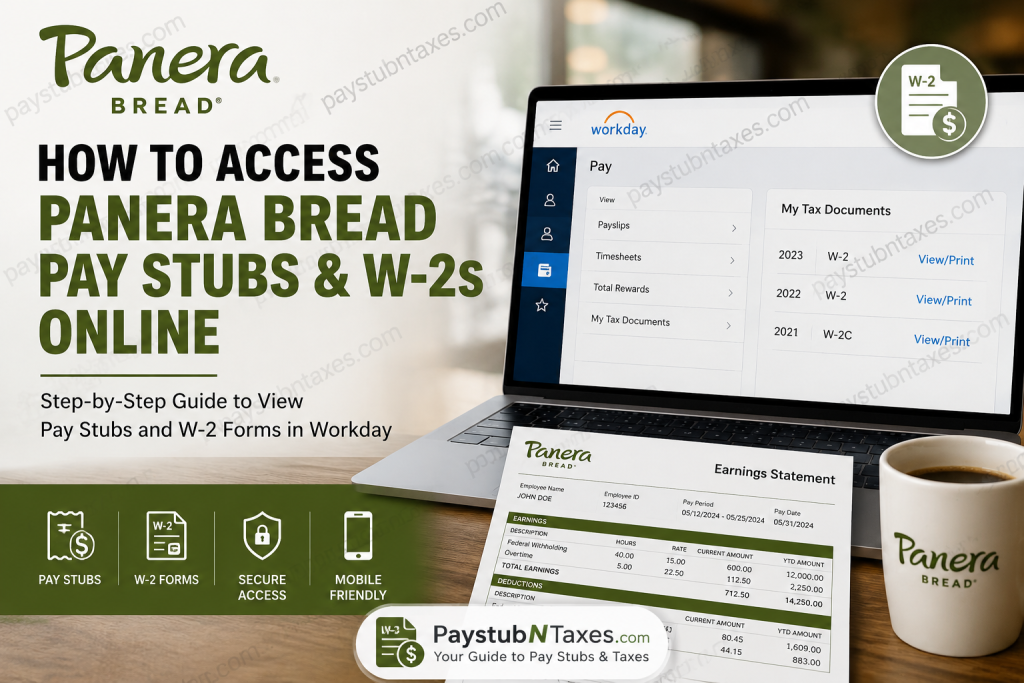
Whether you are a current associate working in a bakery-café or a former employee needing tax documents for filing season, Panera Bread provides convenient digital access to payroll records through its Workday platform. From viewing payslips and updating direct deposit information to downloading W-2 forms, Workday serves as the central hub for employee self-service. This comprehensive guide walks you through everything you need to know about accessing your Panera Bread pay stubs and W-2 forms online.
What Is Panera Workday?
Workday is Panera Bread’s web-based Human Resources Information System (HRIS), designed to streamline employee management and administrative tasks. Through Workday, employees can securely manage personal information, payroll records, benefits, and career-related activities from virtually anywhere.
Employees can use Workday to:
- View and download pay stubs
- Access W-2 tax forms
- Update direct deposit information
- Request paid time off (PTO)
- View benefits elections
- Update emergency contacts and addresses
- Enter time worked
- Manage career profiles and job alerts
- Complete onboarding tasks
In an age where convenience is king, Workday ensures that essential employment records are merely a few clicks away.
Panera Bread Workday Login Portal
Current employees can access Panera Workday through the official portal:
Workday Login:
https://wd5.myworkday.com/panerabread/login.flex
Once logged in, you will be directed to the Workday application dashboard. If Workday does not automatically open, simply select Workday from the application menu.
Panera Workday Login Methods
Panera utilizes different login credentials depending on your role within the organization. Using the correct username format is crucial to avoid login issues.
Login Method 1
Username format: username@panerabread.com
Example: jdough23@panerabread.com
This login method applies to:
- Café Hourly Associates
- Franchise Users with a Non-Panera Email
Login Method 2
Username format: firstname.lastname@panerabread.com
Example: jane.dough@panerabread.com
This login method applies to:
- Café Managers
- FDF Users
- Franchise Users with a Panera Email
- Field and Support Center Associates
Enter your Panera password after providing your username to access your account.
How to View Panera Bread Pay Stubs Online
Accessing your payslips through Workday is a straightforward process.
Step 1: Sign In to Workday
Visit the Panera Workday portal and log in using your credentials.
Step 2: Open the Pay Section
From the Workday dashboard:
- Select Pay
- Click Payslips under the View section
Alternatively, you may access Payslips directly if the Pay application appears on your home screen.
Step 3: Select a Pay Period
A list of available pay periods will appear.
Choose the desired pay date to:
- View earnings details
- Review deductions and taxes
- Download or print your pay stub PDF
With Workday, employees can keep their finger on the pulse of their finances without missing a beat.
How to Access Your Panera Bread W-2 Online
W-2 tax forms are also available through Workday.
Step 1: Log Into Workday
Access your Panera Workday account.
Step 2: Navigate to Tax Documents
From the dashboard:
- Open Pay
- Under the View section, click More
- Select My Tax Documents
Step 3: Download Your W-2
You will see all available tax forms, including:
- W-2
- W-2C (if corrections were issued)
Click View/Print next to the desired tax year to:
- Download the document
- Print a copy for tax filing
- Save a PDF for your records
If a W-2C is available, print both the original W-2 and the corrected form for complete tax documentation.
Accessing Workday on Mobile Devices
Panera employees can also use the Workday mobile application for convenient access on the go.
Supported Platforms
- Apple iPhone and iPad: iOS 9 or later
- Android: Android 4.4 or later
The Workday mobile app allows employees to:
- View payslips
- Access W-2 forms
- Request time off
- Update personal information
- Check notifications
- View schedules
- Track applications
You may optionally configure a mobile PIN to streamline future logins while maintaining account security.
What If You Forgot Your Password?
If you cannot access your account:
- Use the “Can’t access your account?” link on the login page.
- Follow password reset instructions.
- Contact Panera support if additional assistance is required.
Former Employees: Can You Still Access W-2s?
Former employees may retain limited access to Workday depending on their separation status and company policies. If you no longer have access to Workday, contact Panera Payroll or HR support for assistance obtaining your W-2.
Tax documents are typically issued by January 31 each year in compliance with IRS regulations.
Troubleshooting Panera Workday Login Issues
If you’re experiencing login difficulties:
- Verify you are using the correct username format.
- Ensure your password is current.
- Clear browser cache and cookies.
- Try another browser or device.
- Confirm internet connectivity.
- Use the password recovery option.
Sometimes, the devil is in the details—a misplaced character in your username can be all it takes to prevent access.
Panera Bread Payroll Contact Information
For additional assistance:
Workday Support:
workday-help@panerabread.com
Payroll Support:
payroll@panerabread.com
Be prepared to provide your employee ID and personal verification information when contacting support.
Final Thoughts
Panera Bread’s Workday platform places payroll management squarely in employees’ hands, offering a secure and user-friendly environment for accessing pay stubs, W-2 forms, benefits, and personal information. Whether you’re checking your latest earnings, preparing for tax season, or updating direct deposit information, Workday ensures these essential tasks can be completed efficiently and securely. By familiarizing yourself with the correct login method and navigation steps, you can access your payroll records with ease and keep your financial documentation organized year-round.
People Also Ask
1. How do I access my Panera Bread pay stubs online?
Log in to the Panera Workday portal, select Pay, and then click Payslips to view, download, or print your pay stubs.
2. What website does Panera Bread use for payroll?
Panera Bread uses Workday as its payroll and human resources platform.
3. Where can I find my Panera Bread W-2 form?
Your W-2 is available in Workday under Pay > More > My Tax Documents.
4. What is the Panera Workday login URL?
The official Panera Workday login portal is: https://wd5.myworkday.com/panerabread/login.flex
5. What username should I use to log into Panera Workday?
The username format depends on your role:
- Hourly associates: username@panerabread.com
- Managers and corporate staff: firstname.lastname@panerabread.com
6. Can former Panera employees access W-2 forms online?
Former employees may retain limited Workday access. If access is unavailable, contact Panera Payroll for assistance.
7. When does Panera issue W-2 forms?
Panera typically issues W-2 forms by January 31 each year to comply with IRS regulations.
8. Can I print my Panera pay stubs?
Yes. After opening a pay stub in Workday, you can download or print the PDF copy.
9. Does Panera Bread have a mobile app for payroll access?
Yes. Employees can use the Workday mobile app on iOS and Android devices to access payroll information.
10. How do I reset my Panera Workday password?
Click the “Can’t access your account?” link on the login page and follow the password recovery instructions.
11. Can I update direct deposit information in Workday?
Yes. Workday allows employees to manage and update direct deposit elections securely.
12. What should I do if I cannot log into Workday?
Verify your username format, confirm your password, clear your browser cache, or contact Workday support.
13. Can I access my pay stubs from my phone?
Yes. The Workday mobile app enables employees to view payslips, W-2s, schedules, and PTO balances.
14. Who do I contact for Panera payroll assistance?
You can contact:
- Workday Support: workday-help@panerabread.com
- Payroll Support: payroll@panerabread.com
15. Can I update my address and personal information in Workday?
Yes. Employees can update addresses, emergency contacts, and other personal information directly in Workday.

