
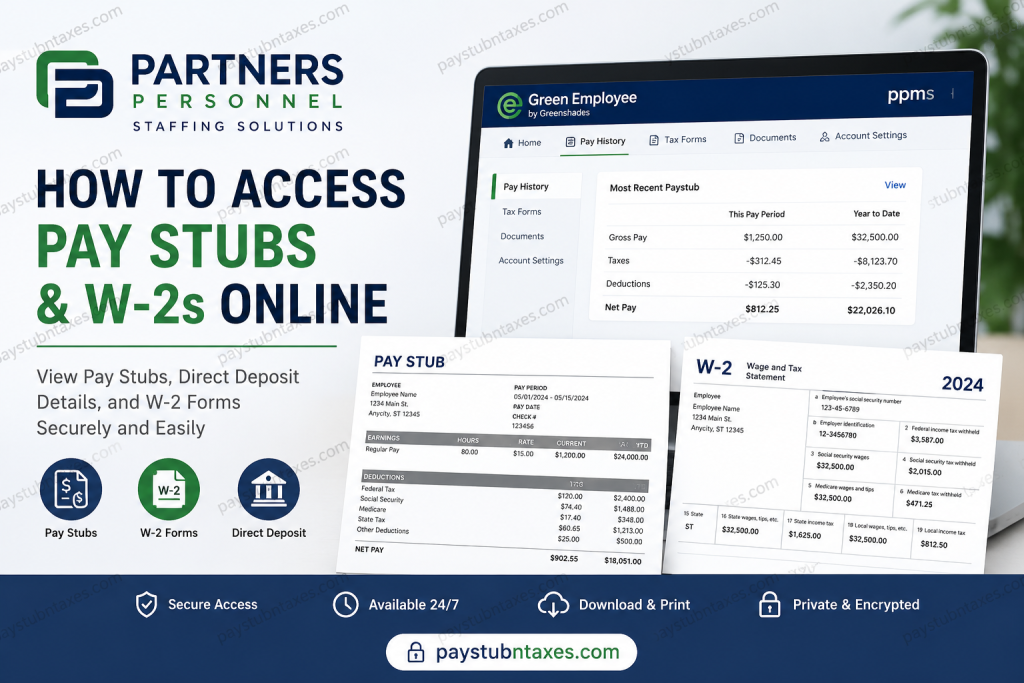
In today’s increasingly digital workplace, convenient access to payroll documents has become not merely a benefit but an expectation. Whether you need proof of income for a mortgage application, wish to review your earnings, or require tax documents during filing season, having instant access to pay stubs and W-2 forms can save both time and effort. Fortunately, Partners Personnel employees can securely access these documents online through the Green Employee portal powered by Greenshades. This comprehensive guide explains everything current and former Partners Personnel employees need to know about accessing pay stubs, direct deposit information, and W-2 tax forms online.
About Partners Personnel
Founded in 2017, Partners Personnel has rapidly established itself as one of the fastest-growing staffing firms in the United States. With more than 100 branches nationwide and recognition as one of the largest industrial staffing companies in the country, the organization has built its reputation on exceptional service, integrity, innovation, and collaboration.
Partners Personnel specializes in connecting employers with highly qualified talent while helping employees build meaningful careers across a broad spectrum of industries. The company’s employee-first philosophy and commitment to operational excellence have fueled its remarkable growth and industry recognition.
How to Access Partners Personnel Pay Stubs Online
Partners Personnel employees can access their payroll information through the Green Employee portal, which offers secure, self-service access to payroll and tax records from virtually any internet-connected device.
Partners Personnel Green Employee Login
Portal URL:
https://www.greenshadesonline.com/SSO/EmployeeAppBeta/#/login/ppms
Company Code:
ppms
First-Time Registration
If you are accessing the portal for the first time, follow these steps:
- Visit the Green Employee login page.
- Select “New User Account Set Up.”
- Enter your:
- Social Security Number
- Date of Birth
- Valid email address
- Current phone number on file with payroll
- Create your login credentials.
- Complete any identity verification requirements.
- Sign in to access your payroll records.
Important: Employees who previously created an account before system upgrades may need to establish a new account or reset their password.
How to View Your Pay Stubs
After logging in, employees have two convenient methods for accessing pay information.
Method 1: Most Recent Paystub Widget
The homepage displays a Most Recent Paystub section containing:
- Gross pay
- Taxes withheld
- Deductions
- Net pay
- Year-to-date earnings
Simply click “View” to open the complete pay document.
Method 2: Pay History Page
To access historical payroll records:
- Log in to Green Employee.
- Select “Pay History” from the navigation menu.
- Use the dropdown menu to locate prior pay periods.
- Search by pay date and amount.
- Click the desired record to display the pay stub or direct deposit slip.
- Download, print, or open the document in a separate window.
Whether you receive physical checks or direct deposit, the system automatically displays the appropriate document format.
How to Access Your W-2 Online
W-2 forms are generally made available no later than January 31 of the following tax year. Employees receive an email notification once their tax forms become available.
Steps to View Your W-2
- Log into Green Employee.
- Hover over “Pay History.”
- Select “Tax Forms” from the dropdown menu.
- Choose the applicable tax year.
- View, download, or print your W-2.
A notification banner may also appear on your homepage when a new W-2 becomes available.
Electronic W-2 Delivery
Employees who prefer electronic delivery can update their preferences:
- Open Account Settings or Edit Account.
- Navigate to the Notifications tab.
- Select “Change your W-2 distribution preference.”
- Choose electronic delivery.
Electronic delivery is often faster, more secure, and environmentally friendly.
Important W-2 Information
Before tax season arrives, employees should keep several key details in mind:
- W-2 forms become available by January 31 each year.
- Online tax forms are frequently available before mailed copies arrive.
- Previous-year tax documents remain accessible online until December 31 of each year.
- Partners Personnel offices generally do not print W-2s, making online retrieval the preferred method.
- W-2 forms cannot be accessed through the mobile app; employees must use a desktop or web browser.
Download the Green Employee App
Employees can also access payroll information through the Green Employee mobile application.
Mobile App Details
- App Name: Green Employee
- Company Code: ppms
Important Notes:
- The company cannot be located through an in-app search.
- The company code must be entered manually.
- The mobile app allows employees to view pay stubs and W-2s.
- Payroll information updates, direct deposit changes, and profile modifications must be completed through the web portal rather than the mobile app.
Setting Up Payroll Notifications
Employees may enable email or text notifications whenever new payroll documents become available.
To configure notifications:
- Open Account Settings.
- Select the Notifications tab.
- Enable email notifications.
- Add or update your mobile number for text alerts.
These notifications help ensure that pay stubs and tax forms are never overlooked.
Troubleshooting Login Issues
Forgot Your Password?
If you cannot remember your password:
- Click “Reset Password.”
- Select your verification method.
- Receive a password reset link via email.
- Create a new password that meets security requirements.
Strong passwords generally require:
- At least eight characters
- Uppercase and lowercase letters
- A number
- A special character
Identity Verification
For enhanced security, Green Employee may verify your identity using:
- Email verification codes
- Text message codes
- Automated phone calls
- Password authentication
Employees simply enter the six-digit verification code to complete the login process.
Benefits of Online Payroll Access
Accessing payroll records online offers numerous advantages:
- 24/7 availability from anywhere
- Faster W-2 delivery
- Secure document storage
- Reduced paperwork
- Immediate access to historical pay records
- Convenient printing and downloading options
In an era where efficiency is paramount, digital payroll access empowers employees to manage their financial records with confidence and ease.
Contact Partners Personnel Payroll Support
If you encounter login issues or require assistance with payroll access, contact support directly:
Phone: (805) 880-1900
Employees experiencing difficulties with account setup, password recovery, or document retrieval should reach out to HR or payroll support for timely assistance.
Final Thoughts
Partners Personnel has embraced digital payroll solutions that place essential financial information directly at employees’ fingertips. Through the Green Employee portal, workers can effortlessly retrieve pay stubs, review direct deposit information, access tax documents, and manage payroll preferences—all from a secure online platform. By familiarizing yourself with the portal’s features and maintaining updated contact information, you can ensure seamless access to your payroll records throughout the year, thereby eliminating unnecessary delays during tax season and beyond.
FAQ: Partners Personnel Pay Stubs and W-2s
1. How do I access my Partners Personnel pay stubs online?
You can access your pay stubs by logging into the Green Employee portal at https://www.greenshadesonline.com/SSO/EmployeeAppBeta/#/login/ppms and navigating to the Pay History section.
2. What is the login portal for Partners Personnel employees?
Partners Personnel employees use the Green Employee portal powered by Greenshades to access payroll and tax documents online.
3. What is the company code for the Green Employee app?
The company code for Partners Personnel is ppms.
4. How do I register for Green Employee for the first time?
Click “New User Account Set Up” on the login page and provide your Social Security Number, date of birth, email address, and phone number on file.
5. When will my Partners Personnel W-2 be available?
W-2 forms are typically available online by January 31 of the following tax year.
6. Can I access my W-2 through the Green Employee mobile app?
No. W-2 forms must be accessed through the desktop website or mobile browser, as they may not be available in the app.
7. How do I view historical pay stubs?
Log in to Green Employee, open Pay History, use the dropdown menu to select a pay period, and click the desired record.
8. Can former employees access their W-2s online?
Yes. Former employees may access available W-2 forms online through Green Employee, subject to document retention policies.
9. How do I download or print my pay stubs?
After opening a pay stub, you can download, print, or open the document in a separate browser window.
10. How do I receive my W-2 electronically?
Go to Account Settings > Notifications and select “Change your W-2 distribution preference” to opt into electronic delivery.
11. What should I do if I forgot my Green Employee password?
Click “Reset Password” on the login page and follow the instructions to verify your identity and create a new password.
12. What information do I need to create a Green Employee account?
You will generally need your Social Security Number, date of birth, email address, and phone number registered with payroll.
13. Can I update direct deposit information in the Green Employee app?
No. Payroll changes, including direct deposit updates, must be made through the Green Employee website.
14. How can I enable payroll notifications?
Navigate to Account Settings > Notifications to enable email or text alerts for new pay documents and tax forms.
15. Who do I contact if I have issues accessing my pay stubs or W-2?
For payroll assistance or login issues, contact Partners Personnel support at (805) 880-1900 or reach out to HR.

